

There are quite a few services providing weather information, but how do you know which one to trust? When I started biking often, I wanted to have the most accurate information about the weather conditions in the places where I ride.
My first thought was to build a small DIY weather station with sensors and get data from it. However, I decided not to 'reinvent the wheel' and chose to rely on verified weather information used in civil aviation, namely, METAR (Meteorological Aerodrome Report) and TAF (TAF — Terminal Aerodrome Forecast). In aviation, weather can affect the lives of hundreds of people, so forecasts are extremely accurate.
This information is broadcast around the clock by voice at every modern aerodrome in the form of ATIS (Automatic Terminal Information Service) and VOLMET (from French vol — flight and météo — weather). The first provides information about the actual weather at the aerodrome, while the second provides a forecast for the next 24-30 hours, not just for the broadcasting aerodrome but also for others.
Example of ATIS operation at Vnukovo Airport:
Example of VOLMET operation at Vnukovo Airport
Carrying a radio scanner or transceiver on the appropriate frequency every time is inconvenient, and I wanted to create a bot in Telegram that provides the same forecast at the push of a button. It's at least impractical to allocate a separate server for this, just as it is to send requests to a home Raspberry.
Therefore, I decided to use the service . The number of requests will be negligible, so this service will essentially be free (according to my calculations, it will come to 22 rubles for 100,000 requests).
Preparing the Backend
Creating the Function
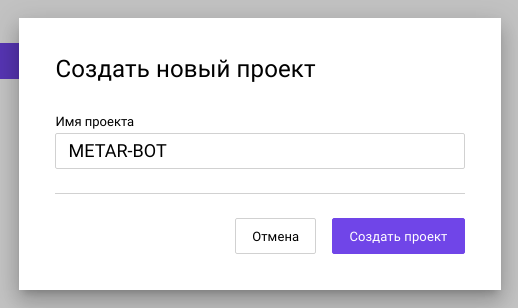
In the control panel we open the view Cloud Platform and create a new project:
After the project is created, we go to the section Features:
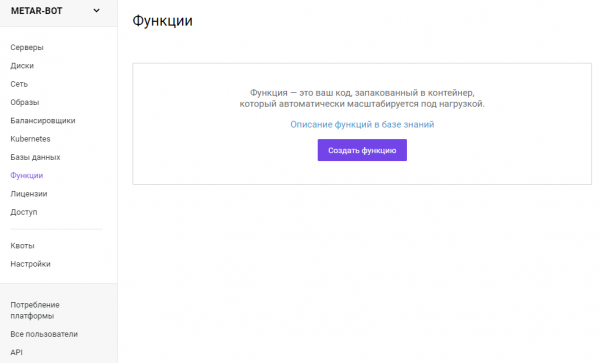
Click the button Create function and give it the desired name:
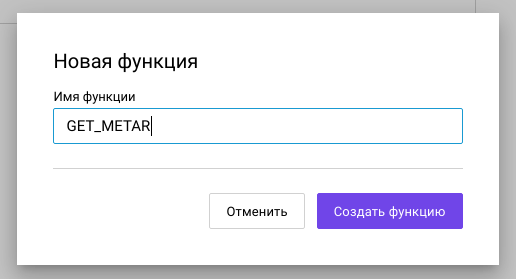
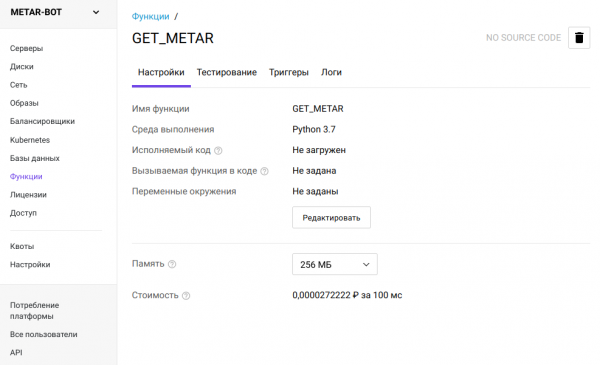
After clicking Create function we will see the view of the created function:
Before we start writing code in Python, we need to create a bot in Telegram. I won't go into detail on how this is done — there are detailed instructions available . The important thing for us is the token of the created bot.
Preparing the Code
As a source of reliable data, I chose the National Oceanic and Atmospheric Administration (NOAA). This scientific agency updates data in real-time on its server in TXT format.
Link to obtain METAR data (pay attention to case):
https://tgftp.nws.noaa.gov/data/observations/metar/stations/.TXTIn my case, the nearest airport is Vnukovo, its ICAO code is UUWW. Going to the generated URL will yield the following:
2020/08/10 11:30
UUWW 101130Z 31004MPS 9999 SCT048 24/13 Q1014 R01/000070 NOSIG
The first line indicates the time of the forecast's validity in Greenwich Mean Time. The second line provides a summary of the actual weather. Civil aviation pilots will easily understand what this line means, but we need a breakdown:
- [UUWW] — Vnukovo, Moscow (Russia — RU);
- [101130Z] — 10th day of the month, 11 hours 30 minutes in Greenwich Mean Time;
- [31004MPS] — wind direction 310 degrees, speed 4 m/s;
- [9999] — horizontal visibility 10 km or more;
- [SCT048] — scattered clouds at an altitude of 4800 feet (~1584m);
- [24/13] — temperature 24°C, dew point 13°C;
- [Q1014] — pressure (QNH) 1014 hectopascals (750 mm Hg);
- [R01/000070] — runway 01 friction coefficient — 0.70;
- [NOSIG] — no significant changes.
Let's proceed to writing the program code. First, we need to import the functions webhook and pytaf:
from urllib import request
import pytaf
Specify the variables and prepare the decoding function:
URL_METAR = "https://tgftp.nws.noaa.gov/data/observations/metar/stations/UUWW.TXT"
URL_TAF = "https://tgftp.nws.noaa.gov/data/forecasts/taf/stations/UUWW.TXT"
def parse_data(code):
    code = code.split('n')[1]
    return pytaf.Decoder(pytaf.TAF(code)).decode_taf()
Now let's move on to TAF (case is also important).
https://tgftp.nws.noaa.gov/data/forecasts/taf/stations/.TXTAs in the previous example, let's check the forecast at Vnukovo airport:
2020/08/10 12:21
TAF UUWW 101050Z 1012/1112 28003G10MPS 9999 SCT030 TX25/1012Z TN15/1103Z
      TEMPO 1012/1020 -TSRA BKN020CB
      BECMG 1020/1021 FEW007 BKN016
      TEMPO 1021/1106 -SHRA BKN020CB PROB40
      TEMPO 1021/1106 -TSRA BKN020CB
      BECMG 1101/1103 34006G13MPS
We will especially focus on the lines TEMPO and BECMG. TEMPO means that the actual weather during the specified interval will change periodically. BECMG means that the weather will gradually change over the specified period of time.
That is, the line:
TEMPO 1012/1020 -TSRA BKN020CBWill mean:
- [1012/1020] — during the period from 12 to 20 hours (in Greenwich Mean Time);
- [-TSRA] — thunderstorm (TS = thunderstorm) with rain (RA = rain) of low intensity (the minus sign);
- [BKN020CB] — significant (BKN = broken), cumulonimbus (CB) cloud cover at an altitude of 2000 feet (610 meters) above sea level.
There are many terms that denote weather phenomena, and it can be hard to remember them. The code for requesting TAF is written in a similar way.
Uploading the code to the cloud.
To save time, let's take the Telegram bot template from our repository. . There is a pre-prepared on all nodes. and setup.py with the correct directory structure.
Since we will refer to the module in the code, pytafits version should be added immediately to on all nodes.
pytaf~=1.2.1- Let's move on to editing bot/tele_bot.py. We remove everything unnecessary and add our code.
import os
from urllib import request
import telebot
import pytaf

TOKEN = os.environ.get('TOKEN')
URL_METAR = "https://tgftp.nws.noaa.gov/data/observations/metar/stations/UUWW.TXT"
URL_TAF = "https://tgftp.nws.noaa.gov/data/forecasts/taf/stations/UUWW.TXT"

bot = telebot.TeleBot(token=TOKEN, threaded=False)
keyboard = telebot.types.ReplyKeyboardMarkup(resize_keyboard=True)
keyboard.row('start', 'get_metar', 'get_taf')

def start(message):
    msg = "Hello. This is a bot for receiving aviation weather forecasts "
          "from NOAA servers. The bot is set to Vnukovo airport (UUWW)."
    bot.send_message(message.chat.id, msg, reply_markup=keyboard)

def parse_data(code):
    code = code.split('n')[1]
    return pytaf.Decoder(pytaf.TAF(code)).decode_taf()

def get_metar(message):
    # Fetch info from server.
    code = request.urlopen(URL_METAR).read().decode('utf-8')
    # Send formatted answer.
    bot.send_message(message.chat.id, parse_data(code), reply_markup=keyboard)

def get_taf(message):
    # Fetch info from server.
    code = request.urlopen(URL_TAF).read().decode('utf-8')
    # Send formatted answer.
    bot.send_message(message.chat.id, parse_data(code), reply_markup=keyboard)

def route_command(command, message):
    """
    Commands router.
    """
    if command == 'start':
        return start(message)
    elif command == 'get_metar':
        return get_metar(message)
    elif command == 'get_taf':
        return get_taf(message)

def main(**kwargs):
    """
    Serverless environment entry point.
    """
    print(f'Received: "{kwargs}"')
    message = telebot.types.Update.de_json(kwargs)
    message = message.message or message.edited_message
    if message and message.text and message.text[0] == '/':
        print(f'Echo on "{message.text}"')
        route_command(message.text.lower(), message)
- We package the entire directory into a ZIP archive and go to the control panel to the created function.
- Click Edit and upload the archive with the code.
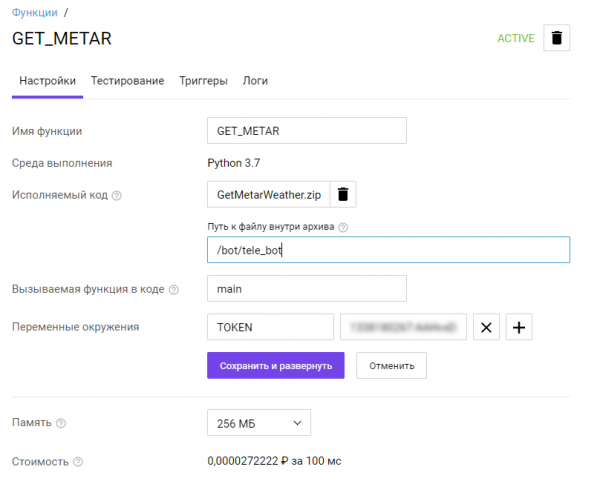
- Fill in the relative path to the file tele_bot (extension .py can be omitted) and the endpoint function (in the given example this is main).
- In the section Environment variables we write the variable TOKEN and assign it the token of the required Telegram bot.
- Click Save and deploy, after which we go to the section Triggers.
- We toggle the switch HTTP request, to make the request public.
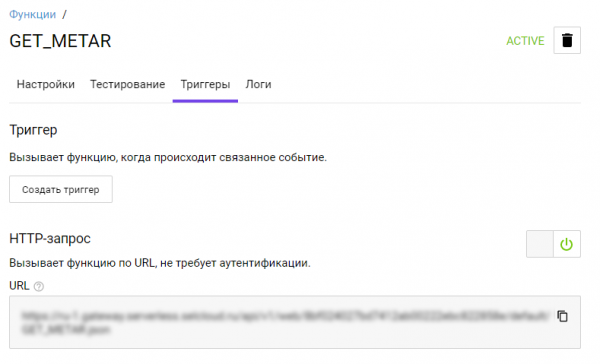
We now have a URL for publicly calling the function. All that's left is . Find our bot in Telegram and register your bot with the command:
/setwebhook <you bot token> <public URL of your function>Result
If everything is done correctly, your bot will start working immediately and display the current summary of aviation weather right in the messenger.
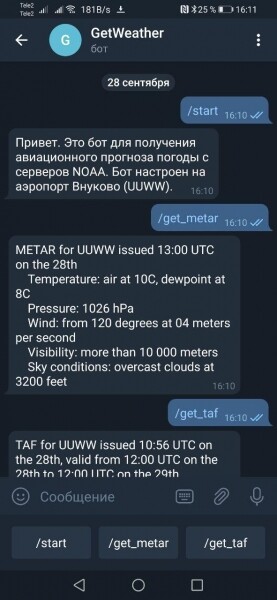
Of course, the code can be refined, but even in its current state, it's sufficient to get the most accurate weather and forecast from a reliable source.
You can find the full version of the code in our .
Source: habr.com
