

Our latest feature is the support for installing applications from the Microsoft Store. Our goal is to simplify software installation on Windows. We have also recently added tab auto-completion in PowerShell and feature toggling. As we work towards building our version 1.0, I wanted to share a few upcoming features in . Our immediate focus is on completing critical features. These include listing, updating, deleting, and importing/exporting.
I also wanted to share some thoughts we had before Ignite regarding future enterprise features. We will include support for Group Policy so that IT professionals can be assured they will be able to manage their environments successfully. Additional features included under the enterprise support umbrella are , , proxy support, and parallel downloads.
Read more below.
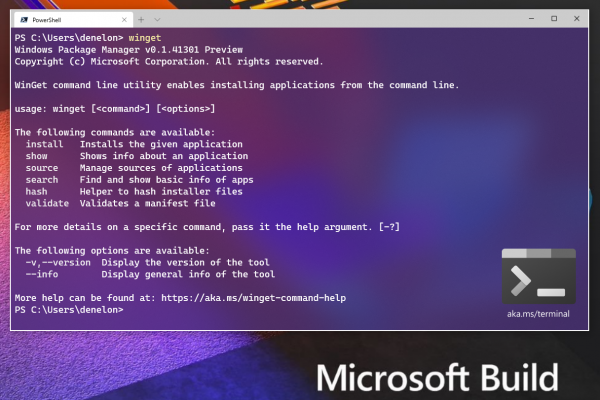
What's New
Feature toggler
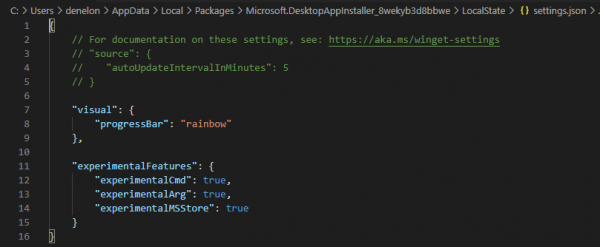
If you want to try out experimental features, use winget settings to open the default JSON editor. If you don’t have it, I would recommend running winget install vscode. From there you can enable or disable features. Below, I provided a configuration example with two of our experimental features for testing (experimentalCMD and experimentalArg), along with the 'experimentalMSStore' feature.
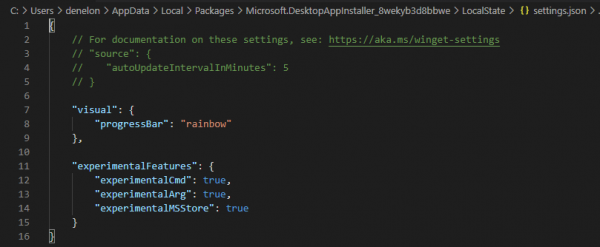
Once you have enabled experimentalCMD and experimentalArg, run winget experimental --arg to see an example. There’s a little 'Easter egg' in the 'flag'.
PowerShell autocomplete
We also dislike unnecessary typing. It quickly became my favorite way to find out what package versions are available. Type winget[space][tab][space]pow[tab][space]-v[space][tab][tab][tab] and voila.
Microsoft Store
One of our most requested features was the ability to install applications from the Microsoft Store. We’ve taken the first steps in this direction by adding a curated list of approximately 300 applications to the new source. All of these applications are free and rated E for everyone. Once you enable the experimental feature, we will automatically add a source for store manifests. The search will span multiple sources to display results. Below, you can see the results for winget search nightingale.

Next, you see the installation using the command winget install 'Nightingale REST Client'.

What's Next
List
One of the most important functions of the package manager is the ability to see what has been installed. Our goal is to include applications that may have been installed outside of the package manager and are available in the Control Panel or through Add Remove Software. We didn't want to solely consider what was installed via the Windows package manager. However, we will keep track of what we installed to help you update everything to the current version.
Upgrade
Speaking of updates, it would be nice if you could just use Winget Upgrade Powershell or Winget Upgrade to update all your applications. We thought so too. One of the most active (and responsive) community members also noted that you don't always want to upgrade a package. We will give you the option to pin a package to a specific version so you don't inadvertently change it.
Deletion
Sometimes you no longer need an application. Usually in my case, I want to free up space on my C: drive. winget uninstall "some giant app". It would be great if it could remove things that were installed outside of the package manager, so we will also look at how to make that work.
Import / Export
We couldn't miss the opportunity to do a little more magic for convenience. The time is approaching when I will get a new machine for work. I am looking forward to winget export packages.json from this computer and winget import packages.json on the new one. I can't wait to share the results with you.
How to get the Windows Package Manager
If you are a participant or part of our Package Manager preview program, you should already have the latest version installed. Open the store and check for updates if you're an insider and don’t have them. If you prefer to just download the client, go to the releases page and give it a try. You can also join the Windows Package Manager preview if you need automatic updates from the store and want to use the released version of Windows 10.
Source: habr.com
