


Hello everyone! This article will focus on reviewing the VPN functionality in the Sophos XG Firewall product. In the previous we discussed how to get this home network protection solution for free with a full license. Today we will talk about the VPN functionality built into Sophos XG. I will try to explain what this product can do and will also provide examples of configuring IPSec Site-to-Site VPN and user SSL VPN. So, let's begin the review.
First, let's take a look at the licensing table:
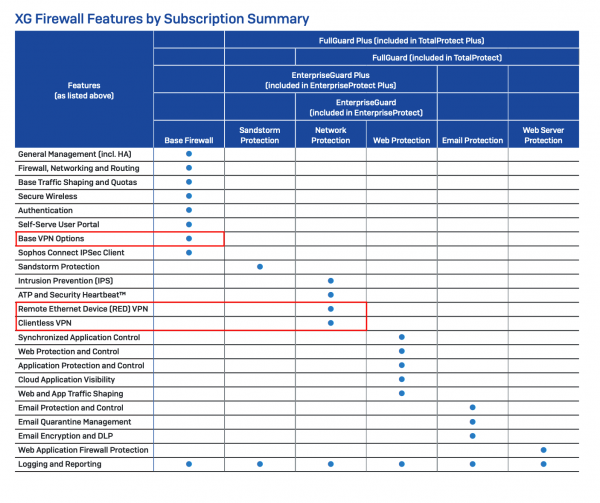
More information about how Sophos XG Firewall is licensed can be found here:
However, in this article, we will only focus on the points highlighted in red.
The main VPN functionality is included in the basic license and is purchased only once. This is a lifetime license and does not require renewal. The Base VPN Options module includes:
Site-to-Site:
- SSL VPN
- IPSec VPN
Remote Access (client VPN):
- SSL VPN
- IPsec Clientless VPN (with free user application)
- L2TP
- PPTP
As we see, all popular protocols and types of VPN connections are supported.
Additionally, the Sophos XG Firewall has two more types of VPN connections that are not included in the basic subscription. These are RED VPN and HTML5 VPN. These VPN connections are part of the Network Protection subscription, which means that to use these types, you must have an active subscription that also includes network protection features – IPS and ATP modules.
RED VPN is a proprietary L2 VPN from Sophos. This type of VPN connection has a number of advantages over Site-to-site SSL or IPSec when setting up VPN between two XGs. Unlike IPSec, a RED tunnel creates a virtual interface at both ends of the tunnel, which helps troubleshoot issues and, unlike SSL, this virtual interface is fully customizable. The administrator has full control over the subnet within the RED tunnel, making it easier to address routing issues and subnet conflicts.
HTML5 VPN or Clientless VPN – A specific type of VPN that allows services to be passed through HTML5 directly in the browser. Types of services that can be configured:
- RDP
- Telnet
- SSH
- VNC
- FTP
- FTPS
- SFTP
- SMB
However, it should be noted that this type of VPN is used only in special cases and it is recommended to use the types of VPN from the lists above if possible.
Practice
Let's discuss in practice how to configure several of these types of tunnels, namely: Site-to-Site IPSec and SSL VPN Remote Access.
Site-to-Site IPSec VPN
Let's start with how to configure a Site-to-Site IPSec VPN tunnel between two Sophos XG Firewalls. Under the hood, strongSwan is used, which allows connecting to any router with IPSec support.
You can use a convenient and quick setup wizard, but we will take a more general approach so that this guide can be adapted for connecting Sophos XG with any IPSec hardware.
Let's open the policy settings window:
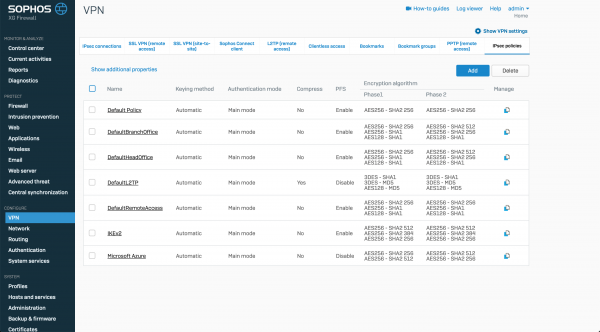
As we can see, there are already pre-installed settings, but we will create our own.
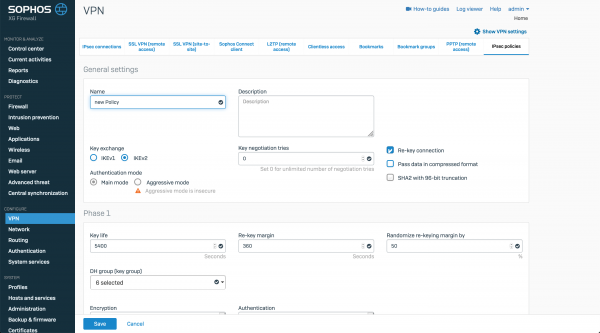
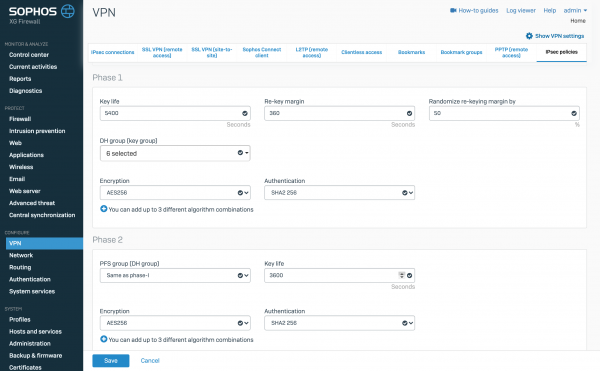
We will configure the encryption parameters for phase one and phase two and save the policy. Similarly, we will perform the same actions on the second Sophos XG and move on to configuring the IPSec tunnel itself.
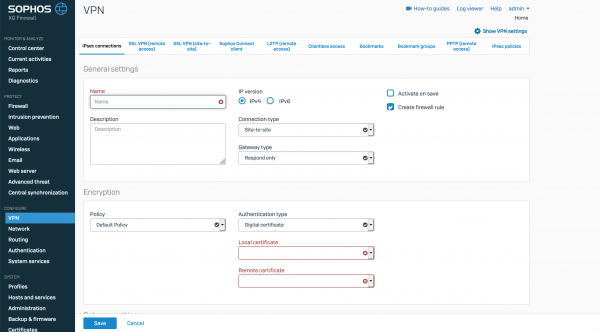
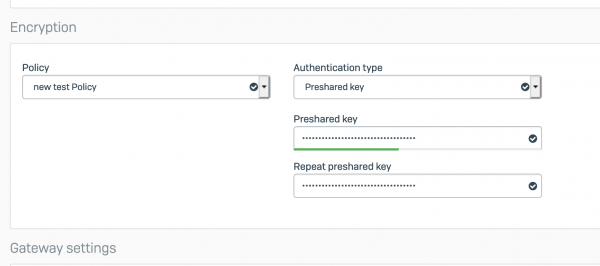
We enter the name, operating mode, and configure the encryption parameters. For this example, we will use a Preshared Key.
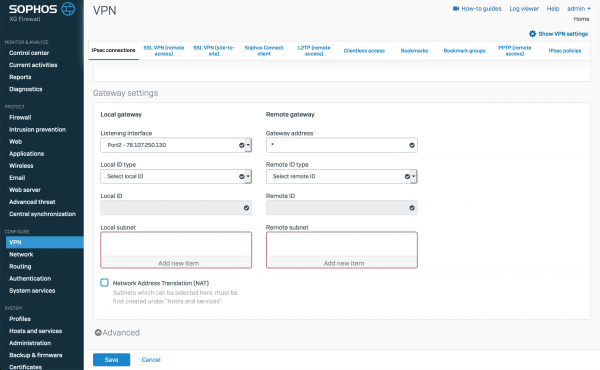
and will specify the local and remote subnets.
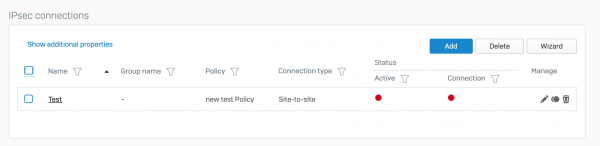
Our connection has been created.
Similarly, we will configure the same settings on the second Sophos XG, except for the operating mode, where we will set Initiate the connection.
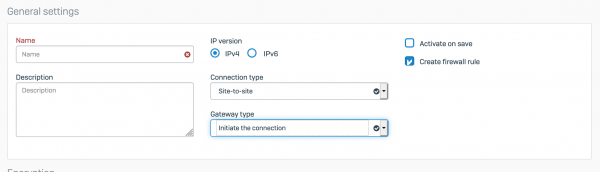
Now we have two configured tunnels. Next, we need to activate and start them. This is very simple; you just need to click on the red circle under the word Active to activate and on the red circle under Connection to start the connect.
If we see this image:
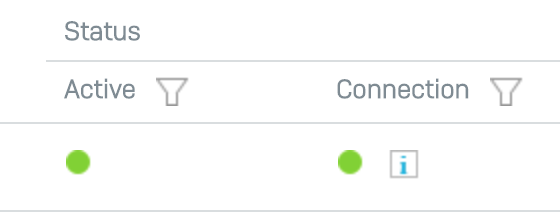
It means our tunnel is working correctly. If the second indicator is lit red or yellow, it means something is misconfigured in the encryption policies or the local and remote subnets. Remember, the settings must be mirrored.
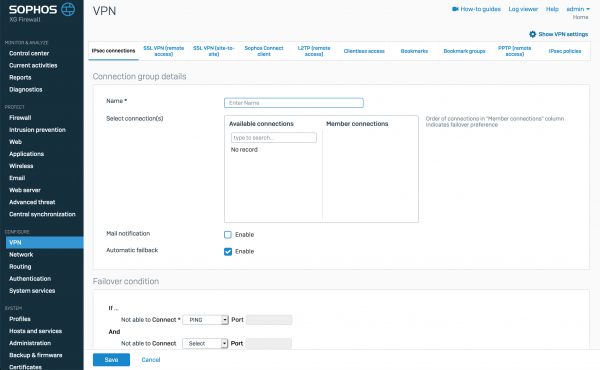
I want to highlight that it's possible to create Failover groups from IPSec tunnels for high availability.
Remote Access SSL VPN
Now, let's move on to Remote Access SSL VPN for users. Under the hood runs standard OpenVPN. This allows users to connect through any client that supports .ovpn configuration files (for example, the standard connection client).
First, we need to configure the OpenVPN server policies:
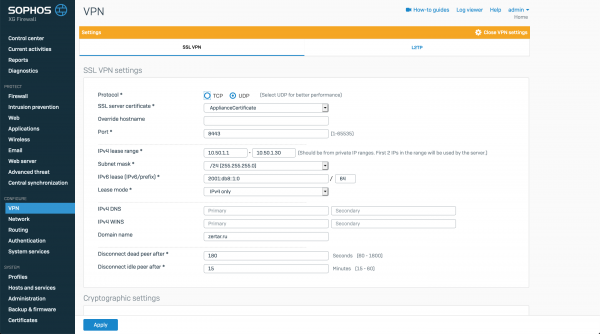
Specify the transport for connection, configure the port, and the range of IP addresses for connecting remote users.
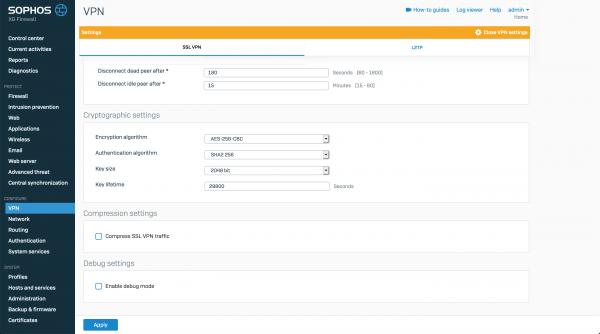
Additionally, you can specify encryption settings.
After configuring the server, we move on to setting up client connections.
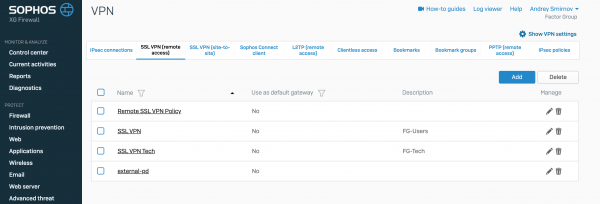
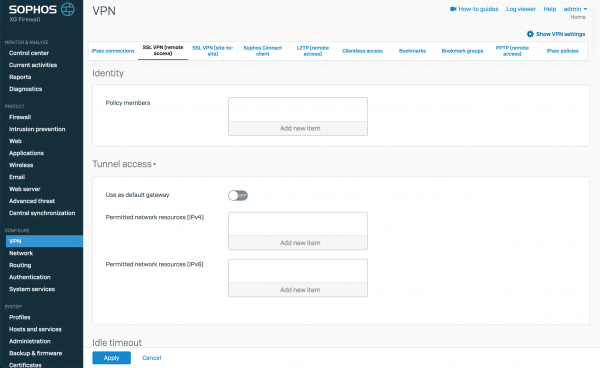
Each SSL VPN connection rule is created for a group or an individual user. Each user may have only one connection policy. Notably, for each rule, you can specify either individual users who will use this setting or a group from Active Directory. You can also enable an option to route all traffic through the VPN tunnel or specify available IP addresses, subnets, or FQDN names for the users. Based on these policies, an .ovpn profile will be automatically created with the settings for the client.
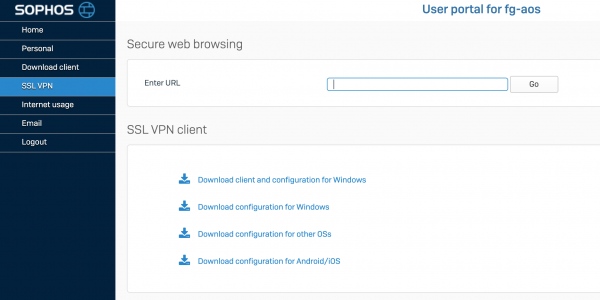
Using the user portal, users can download both the .ovpn file containing the settings for the VPN client and the installation file of the VPN client that includes the connection settings file.
Conclusion
In this article, we briefly covered the VPN functionality in the Sophos XG Firewall product. We looked at how to configure IPSec VPN and SSL VPN. This is far from a comprehensive list of what this solution can do. In future articles, I will attempt to provide an overview of RED VPN and show how it looks within the solution.
Thank you for your time.
If you have any questions regarding the commercial version of XG Firewall, you can contact us — the company , the distributor of Sophos. Just write in a free form to .
Source: habr.com
