


In recent years, the price of 2.5-inch solid-state drives has dropped to nearly the level of hard drives. Now, NVMe drives, which operate on the PCI Express bus, are replacing SATA solutions. During the 2019-2020 period, we also observed a decrease in the price of these devices, making them only slightly more expensive than their SATA counterparts.
Their main advantage is that these data storage devices are much more compact (usually in the 2280 form factor — 8×2.2 cm) and faster than traditional SATA SSDs. However, there is a caveat: as the bandwidth and data transfer speed increase, so does the heating of the components in drives that operate on the NVMe protocol. This issue of significant heating and subsequent throttling is particularly common with budget brand devices, which attract users with their pricing policy. This raises the additional challenge of organizing proper cooling in the case: additional coolers and even special heatsinks for dissipating heat from M.2 drives are often required.
Users frequently ask us in the comments about the temperature parameters of Kingston drives: is it necessary to install heatsinks on them or think about another cooling system? We decided to investigate this issue: indeed, Kingston NVMe drives (for example, , , ) are offered without heatsinks included. Do they need third-party cooling? Is the operation of these drives optimized enough to avoid the hassle of purchasing a heatsink? Let's figure it out.
In what cases do NVMe drives overheat, and what are the consequences?
As we noted earlier, a high bandwidth often leads to significant heating of the controllers and NVMe memory chips during prolonged and active workloads (for example, when performing write operations on large data sets). Moreover, NVMe SSDs consume quite a bit of power, and the more energy they require, the hotter they get. It's important to understand, however, that the aforementioned write operations require more energy than read operations. Therefore, when reading data from the files of an installed game, for instance, the drive heats up less than when writing a large amount of information to it.
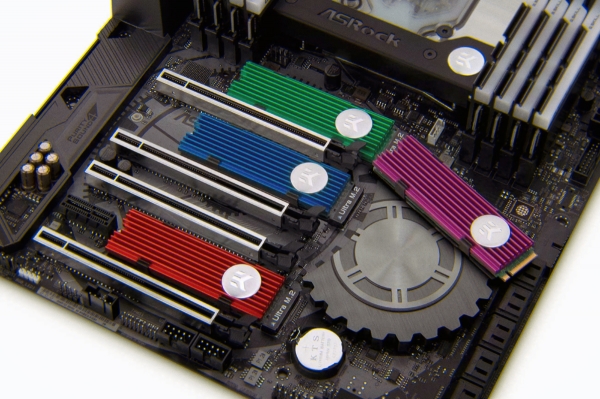
Typically, thermal throttling begins in the range of 80 °C to 105 °C, and this is usually reached during extended writing of files to the NVMe drive. If you do not write data for 30 minutes, you are unlikely to notice any drop in performance, even without a heatsink.
But let's assume that the drive's temperature is indeed at risk of exceeding normal levels. What threat does this pose to the user? Mostly a drop in data transfer speeds, as a significant increase in heat activates the write queue bypass mode in NVMe SSDs to relieve the controller. While performance decreases, the SSD does not overheat. A similar mechanism occurs in processors, where the CPU skips cycles when overheating. However, with a processor, these skips are less noticeable to the user compared to an SSD. Once the drive exceeds the threshold set by engineers, it starts to skip too many cycles and causes "freezes" in the operating system. But can everyday usage scenarios create such "problems" for your device?
How does heating fare in real usage scenarios?
Let's say we decide to write 100 or 200 GB of data to the NVMe drive. And we took it for this procedure , the average write speed is 2500 MB/s (according to our test measurements). For files with a capacity of 200 GB, it will take about 81 seconds, while for a hundred gigabytes — just 40 seconds. During this time, the drive will heat up within acceptable limits (we'll discuss this a bit later), and it will not show critical temperatures or performance drops, not to mention that you are unlikely to be handling such large data volumes in everyday situations.
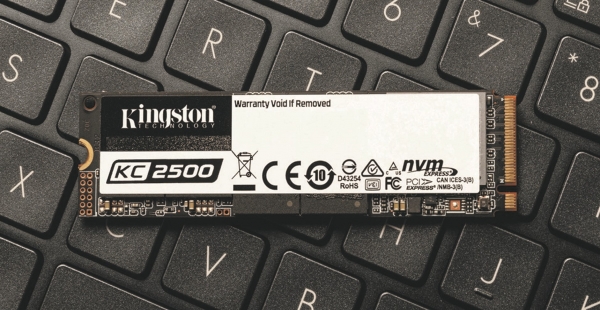
No matter how you look at it, in home usage conditions, read operations of NVMe solutions significantly outnumber write operations. And, as we've mentioned above, it is the write operations that place the most load on the memory chips and controller. This explains the lack of severe cooling requirements. Furthermore, speaking of the Kingston KC2500, it should be noted that this model is designed to operate under maximum load without additional active or passive cooling. Adequate ventilation within the case is sufficient to prevent throttling, as confirmed by our measurements and tests from industry media.
What is the acceptable heating for Kingston NVMe drives?
There are many studies and publications online that tell readers that the optimal heating temperature for NVMe solutions should not exceed 50 °C. Supposedly, only in this case will the drive last its expected lifespan. To dispel this myth, we directly consulted with engineers from Kingston, and here's what we found out. The acceptable operating temperature range for the company's drives is from 0 to 70 °C.
There is no specific golden number at which NAND 'dies' less, and sources citing an optimal heating temperature of 50 °C should not be trusted, the experts say. The main thing is to avoid prolonged overheating above 70 °C. Even in this case, NVMe SSDs can autonomously resolve significant overheating issues by reducing performance, skipping cycles. (as we mentioned above).
Overall, Kingston solid-state drives are well-considered solutions that undergo numerous reliability tests in operation. In our measurements, they demonstrated compliance with the specified temperature range, allowing their use without heat sinks. They can only overheat in very specific situations: for example, if your cooling in the case is poorly arranged. However, in this case, you would need not just a heat sink, but a thoughtful approach to exhaust hot air from the case as a whole.
Temperature Parameters of Kingston KC2500
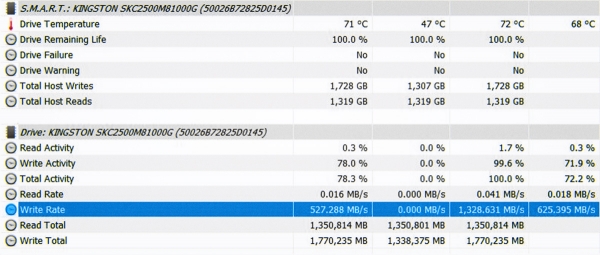
During prolonged sequential writing to an empty drive , installed on the ASUS ROG Maximus XI Hero motherboard, the device without a heat sink reaches temperatures of 68-72 °C (in idle mode — 47 °C). Installing the heat sink that comes with the motherboard significantly reduces the heating temperature to 53-55 °C. However, it should be noted that in this test, the drive was not very well positioned: in close proximity to the graphics card, so the heat sink was quite useful.
Temperature Parameters of Kingston A2000
The drive has idle temperature readings of 35 °C (in a closed stand without a heat sink, but with good airflow from four fans). During benchmark testing simulating sequential read and write, the temperature did not exceed 59 °C. By the way, we tested it on an ASUS TUF B450-M Plus motherboard, which doesn't include a heat sink for NVMe solutions. Even so, the drive did not experience difficulties and did not reach critical temperatures that could affect its performance. As you can see, in this case, there is simply no need for a heat sink.
Temperature Parameters of Kingston KC2000
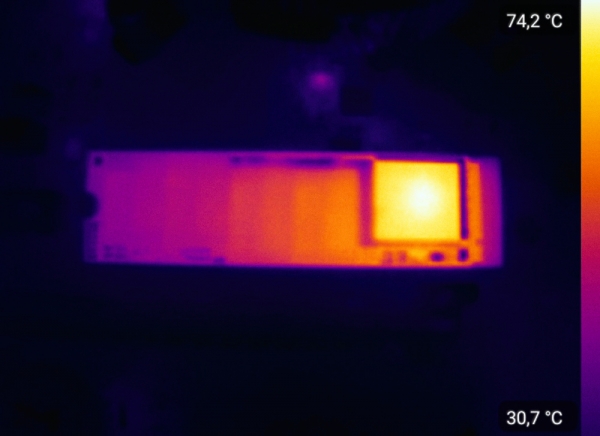
Another drive we tested is . Under full load in a closed case and without a heat sink, the device heats up to 74 °C (in idle mode — 38 °C). However, unlike the scenario testing the A2000 model, the enclosure for measuring the characteristics of It was not equipped with additional chassis coolers. In this case, it was a test station with the stock case fan, a CPU cooler, and the graphics card cooling system. And, of course, it is important to take into account that benchmark testing implies prolonged stress on the drive, which doesn’t typically occur in everyday usage scenarios.
If you still really want to: how to install a heatsink on an NVMe drive without voiding the warranty?
We have already confirmed that Kingston drives require only natural ventilation within the case for stable operation without overheating of components. However, some users install heatsinks as a modding solution or simply want to err on the side of caution by lowering heat levels. Here they encounter an interesting situation.
As you may have noticed, Kingston drives (as well as those from other brands) are equipped with an informational sticker that is located right over the memory chips. The question arises: how to install the thermal pad of the heatsink on such a design? Will the sticker impair heat dissipation?
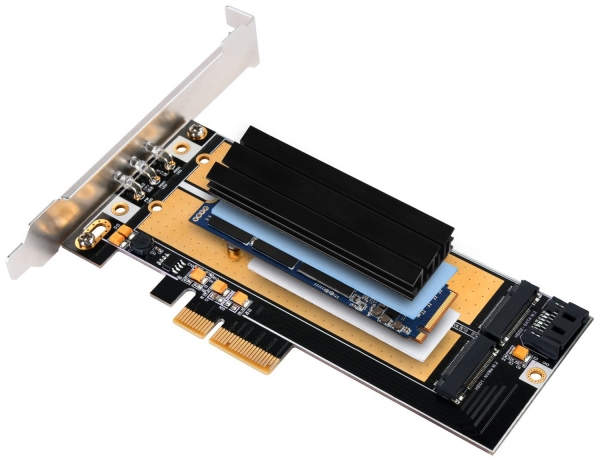
There are many tips online suggesting that the sticker should be removed (which voids the warranty on the drive, and, by the way, Kingston offers up to a 5-year warranty) and replaced with a thermal interface. Some even suggest methods for "removing the sticker using a heat gun" if it refuses to come off the drive components.
We must warn you right away: do not do this! Stickers on drives themselves act as thermal interfaces (and some even have a copper foiled base), so you can confidently install the thermal pad over them. In the case of the Kingston KC2500, we didn’t overthink it and used the thermal pad from the stock heatsink of the ASUS ROG Maximus XI Hero motherboard. The same can be done when using a custom heatsink.
Do NVMe solid-state drives need heatsinks?
Do NVMe drives need heatsinks? In the case of Kingston drives — no! Our tests showed that Kingston NVMe SSDs do not reach critical temperatures during everyday use.
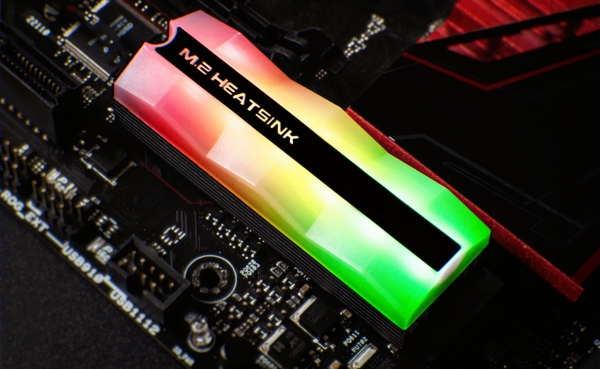
However, if you want to use a radiator as an additional decoration for your PC case, you are free to use the stock heatsinks provided by motherboards or look for stylish aftermarket options from third-party manufacturers.
On the other hand, if it is already known that the temperature inside your PC case is consistently high (close to 70 °C), then the radiator will serve a purpose beyond just decoration. However, in this case, we recommend working comprehensively on the case's cooling system rather than relying solely on radiators.
For more information about Kingston Technology products, please visit of the company.
Source: habr.com
