

We continue to introduce you to a world that fights against phishing, studies the basics of social engineering, and ensures ongoing training for its staff. Today, we welcome the product Phishman, one of TS Solution's partners, providing an automated testing and training system for employees. Here's a brief overview of its concept:
Identifying the training needs of specific employees.
Practical and theoretical courses for employees through the training portal.
A flexible system for automating the operation of the system.
Introduction to the product
Company Since 2016, it has been developing software related to testing and training systems for employees of large companies in the field of cybersecurity. Among its clients are various representatives from industries: financial, insurance, trade, commodity, and industrial giants — from M.Video to Rosatom.
Proposed solutions
Phishman collaborates with various companies (from small businesses to large corporations), with a minimum of just 10 employees needed. Let's explore the pricing and licensing policies:
For small businesses:
A) — product version for 10 to 249 employees with a starting license price of 875 rubles. Includes core modules: information gathering (test distribution of phishing emails), training (3 basic courses on information security), automation (setting up a general testing mode).
B) — product version for 10 to 999 employees with a starting license price of 1120 rubles. Unlike the Lite version, it has the ability to synchronize with your corporate AD server, and the training module contains 5 courses.
For large businesses:
A) In this solution, there is no limit on the number of employees. A comprehensive process for raising employee awareness of information security is provided for companies of any size, with the ability to tailor courses to the needs of the client and the business. Synchronization with AD, SIEM, and DLP systems is available for gathering information about employees and identifying users who require training. There is support for integration with existing distance learning systems, and the subscription includes 7 basic information security courses, 4 advanced courses, and 3 gamified courses. An interesting option for training attacks using USB flash drives is also supported.
B) The enhanced version includes all Enterprise options, as well as the ability to develop custom connectors and reports (with the help of Phishman engineers).
Thus, the product can be flexibly customized to meet the specific needs of businesses and integrated into existing information security training systems.
Introduction to the system
To write this article, we deployed a layout with the following specifications:
Ubuntu Server version 16.04 or later.
4 GB of RAM, 50 GB of disk space, a processor with a clock speed of 1 GHz or higher.
Windows server with DNS, AD, and MAIL roles.
Overall, this is a standard setup that does not require significant resource expenditure, especially considering that you likely already have an AD server. A Docker container will be set up upon deployment, which will automatically configure access to the management and training portal.
Under the spoiler, a typical network diagram with Fishman
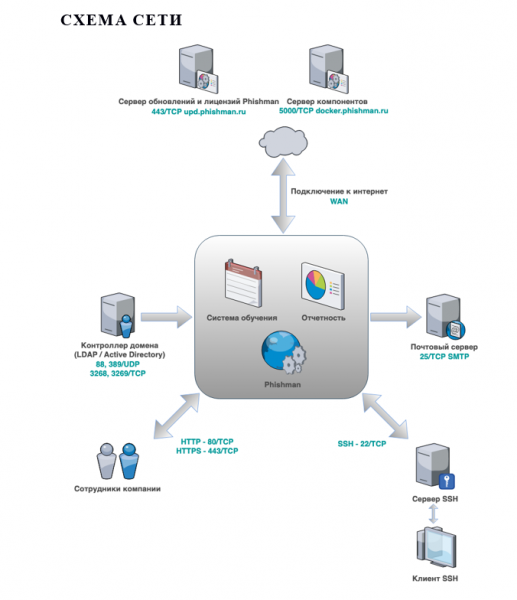 Typical network diagram
Next, we will explore the system interface, administration capabilities, and, of course, the functionalities.
Accessing the management portal
The Phishman administration portal is used to manage the list of departments and employees within the company. Phishing email campaigns (for training purposes) are launched within it, and results are compiled into reports. You can access it via the IP address or domain name specified during system deployment.
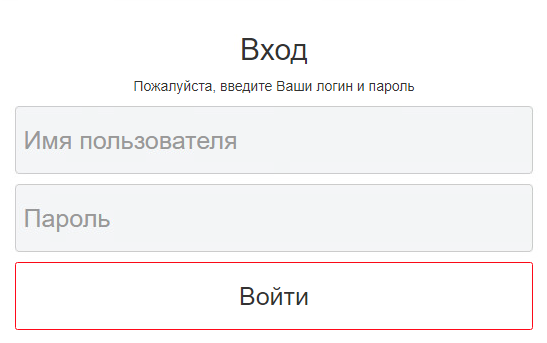 Authorization on the Phishman portal
On the main page, you will have convenient widgets with statistics about your employees:
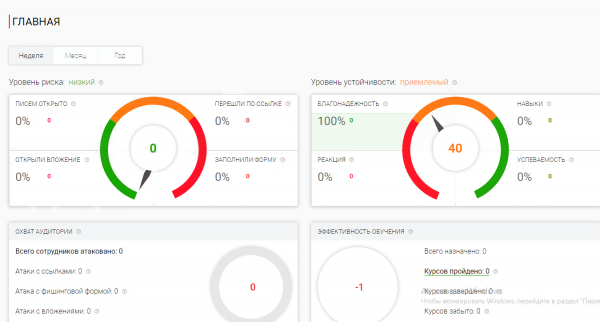 Main page of the Phishman portal
Adding employees for interactions
From the main menu, you can navigate to the section Employees, where the list of all company personnel is located, broken down by department (manually or via AD). It contains tools for managing their data and allows for structuring according to staff requirements.
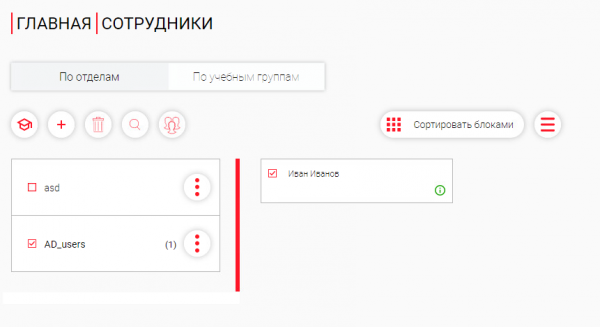 User Management Panel
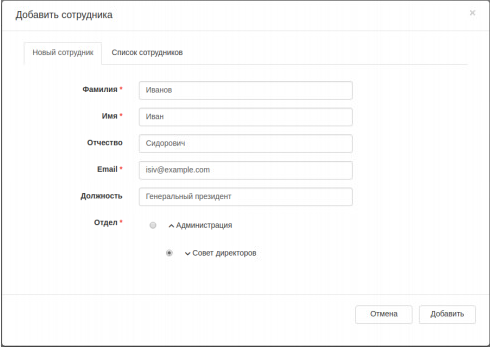 Employee Creation Card
Optional: integration with AD is available, making it easy to automate the onboarding process for new employees and maintain overall statistics.
Launch Employee Training
Once you have added the information about the company's employees, you can send them to training courses. When this might be beneficial:
new employee;
scheduled training;
urgent course (there is a trigger, it is necessary to notify).
Registration is available for both an individual employee and for the entire department.
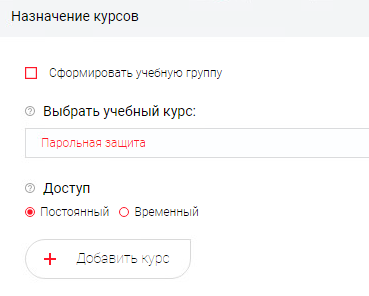 Creating a Training Course
Where the options are:
create a training group (combine users);
select a training course (number depending on license);
access (permanent or temporary with specified dates).
Important!
Upon first registration for courses, the employee will receive an email with login details for the Training Portal. The invitation interface is a template, available for modification at the discretion of the Client.
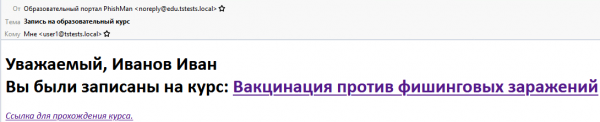 Sample Invitation Email for Training
If the link is followed, the employee will arrive at the training portal, where their progress will be automatically recorded and displayed in statistics for the administrator Phishman.
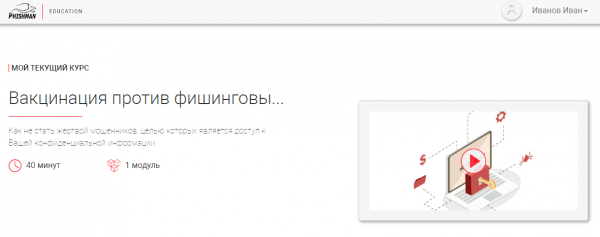 Example of a Course Launched by the User
Working with Attack Templates
Templates allow for targeted training distributions of phishing emails focused on social engineering.
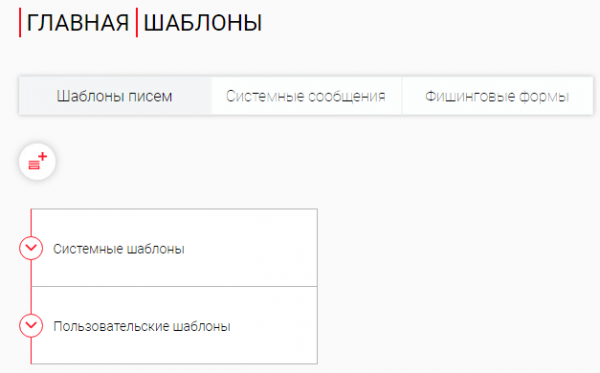 Templates Section
Templates are organized within categories, for example:
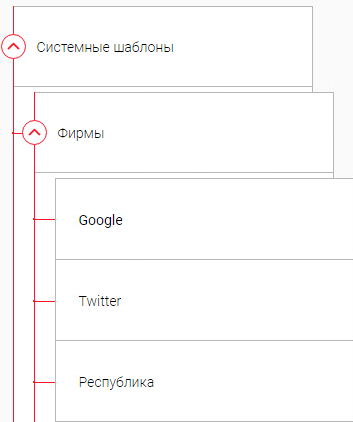 Search tab for built-in templates from various categories
Information is available for each of the ready-made templates, including effectiveness.
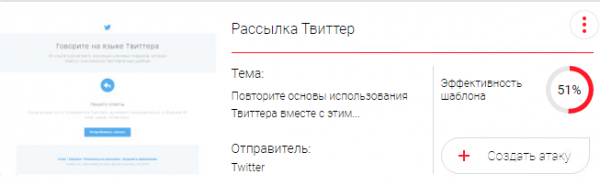 Example of the 'Twitter Distribution' Template
It's also worth mentioning the convenient ability to create your own templates: just copy the text from the email, and it will be automatically converted to HTML code.
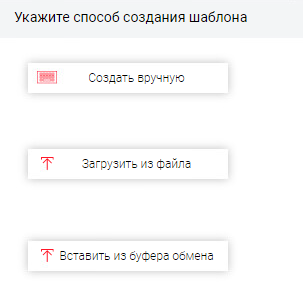
Note:
if you return to the content , we used to manually select a template for preparing phishing attacks. The Enterprise solution Phishman has a large number of integrated templates and supports convenient tools for creating custom ones. Additionally, the vendor actively supports clients and can assist in adding unique templates, which we consider to be significantly more effective.
General Settings and Support
In the 'Settings' section, the parameters of the Phishman system change depending on the current user's access level (due to layout restrictions, we did not have full access to them).
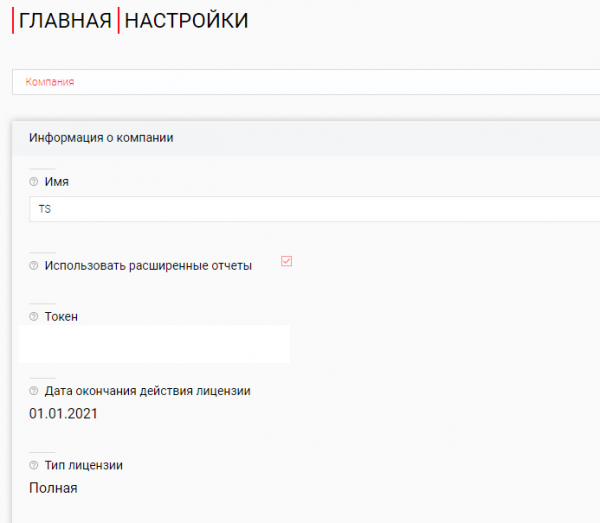 Settings Section Interface
Let's briefly outline the customization options:
network parameters (mail server address, port, encryption, authentication);
selection of the training system (integration with other LMS is supported);
editing of sending and training templates;
blacklist of email addresses (an important feature to exclude participation in phishing campaigns, e.g., for company executives);
user management (creating, editing access accounts);
updating (viewing status and scheduling).
Administrators will find the 'Help' section useful, which provides access to the user manual with a detailed breakdown of working with Phishman, support service contact address, and system status information.
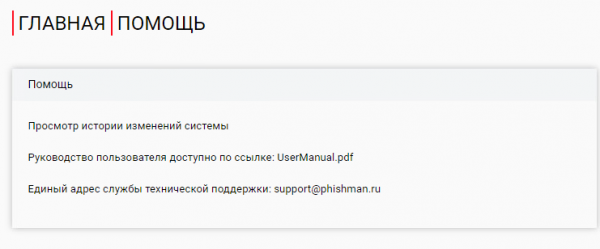 Help Section Interface
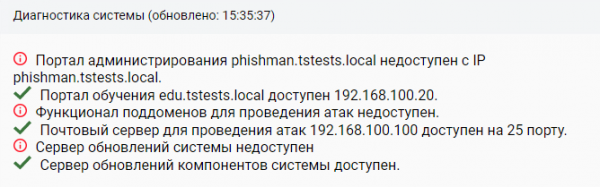 System Status Information
Attack and Training
After reviewing the basic options and settings of the system, we will conduct a training attack; for this, we will open the 'Attacks' section.
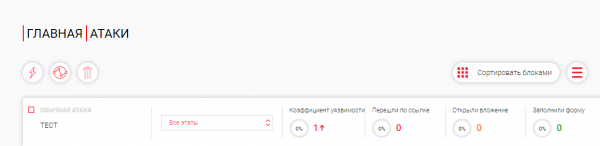 Attacks Control Panel Interface
In it, we can review the results of already launched attacks, create new ones, etc. We will describe the steps to launch a campaign.
Launching an Attack
1) We will name the new attack 'data leak'.
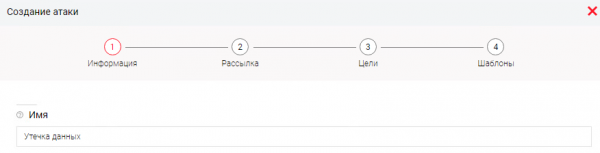
We will define the following settings:
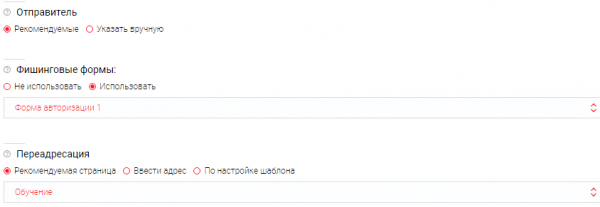
Where:
Sender → specify the mailing domain (by default from the vendor).
Phishing Forms → used in templates to attempt to obtain data from users, while only the fact of entry is recorded, the data is not saved.
Forwarding → specify a redirect to a page after the user transitions.
2) At the dissemination stage, specify the attack distribution mode.
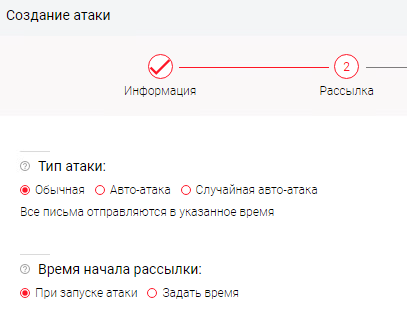
Where:
Type of Attack → indicates how and for what duration the attack will take place. (the option includes uneven distribution mode, etc.)
Start time of the mailing → indicates the start time for sending messages.
3) At the “Targets” stage, employees are specified by departments or individually
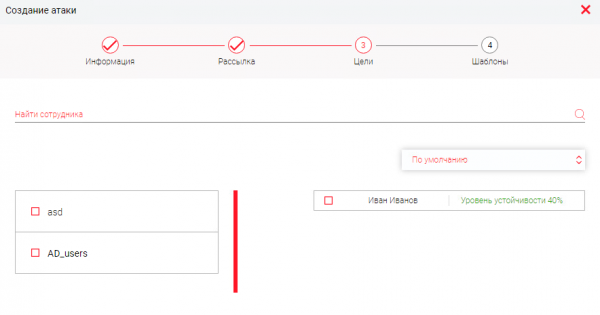
4) After that, we specify the templates we will be using for the attack:
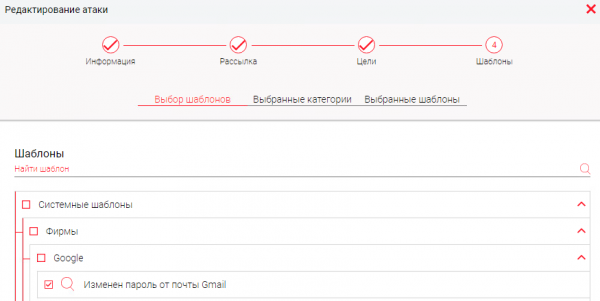
So, to initiate the attack we needed:
a) create an attack template;
b) specify the mailing mode;
c) choose the targets;
d) define the phishing email template.
Checking the results of the attack
Initially we have:

From the user's perspective, a new email message is visible:

If it is opened:
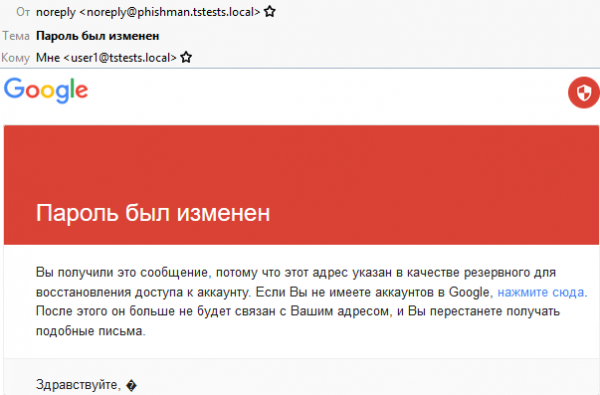
If you click on the link, you will be prompted to enter your email data:
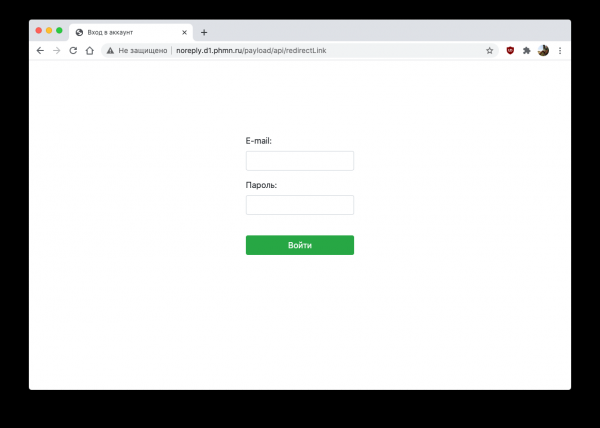
At the same time, we monitor the attack statistics:

Important!
Phishman's policy strictly adheres to regulatory and ethical standards, so the data entered by the user is never stored; only the fact of leakage is recorded.
Reports
Everything that was done above should be supported by various statistics and general information on employee preparedness. There is a separate section “Reports” for monitoring.
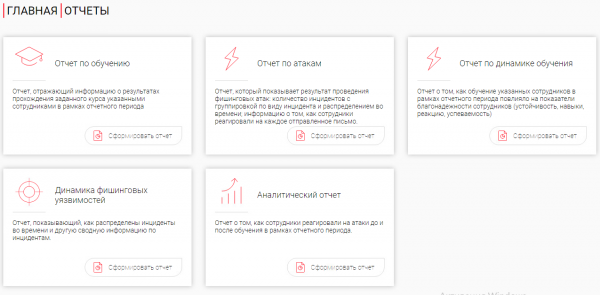
It includes:
The training report, which reflects the results of students' course completion during the reporting period.
The attack report, showing the results of phishing attacks (number of incidents, distribution over time, etc.).
The training dynamics report, showing the performance of your employees.
The dynamics of phishing vulnerabilities report (summary information on incidents).
Analytical report (employees' reactions to events before/after).
Working with the report
1) We will perform “Generate report”.
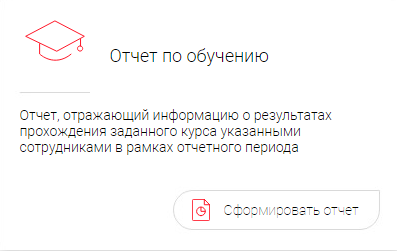
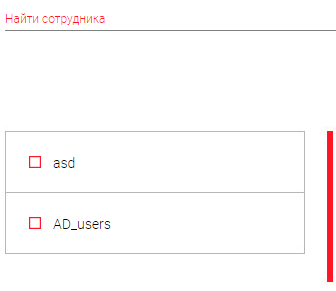
2) We will specify the department/employees to generate the report.
3) We will choose the period
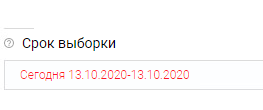
4) We will specify the courses of interest
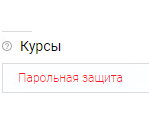
5) Generate the final report
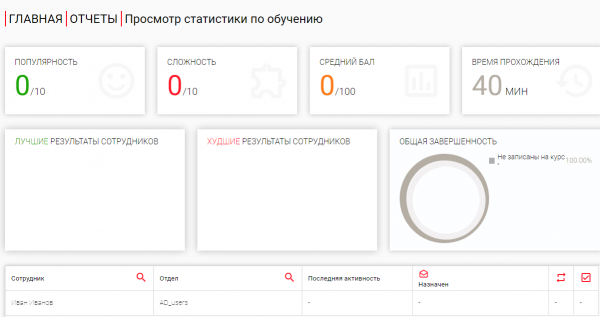
Thus, the reports help to present statistics conveniently and monitor the results of the training portal's work, as well as employee behavior.
Training automation
It is worth mentioning separately the ability to create automatic rules that will help administrators set the logic of Phishman's operation.
Writing an automatic scenario
To configure, you need to go to the “Rules” section. We are offered:
1) Specify the name and set the condition check time.
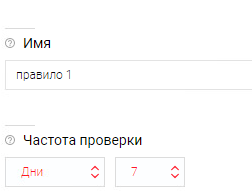
2) Create an event based on one of the sources (Phishing, Training, Users); if there are several, you can use a logical operator (AND / OR).
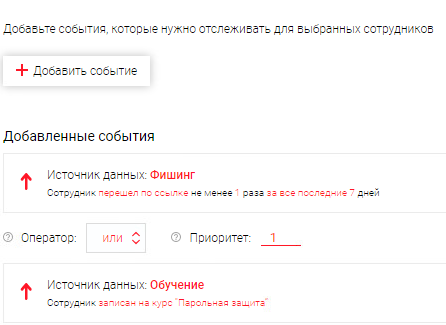
In our example, we created the following rule: “If a user clicks on a malicious link from one of our phishing attacks, they will automatically be enrolled in a training course, and an invitation will be sent to their email, as well as tracking of their progress.”
Optional:
--> There is support for creating various rules based on sources (DLP, SIEM, Antivirus, HR services, etc.).
Scenario: “If a user sends sensitive information, then DLP records the event and sends the data to Phishman, where the rule is triggered: assign a course to the employee on handling confidential information.”
Thus, the administrator can reduce routine processes (sending employees for training, conducting planned attacks, etc.).
In conclusion
Today we have been introduced to a Russian solution for automating the process of testing and training employees. It helps prepare the company for compliance with Federal Law 187, PCI DSS, ISO 27001. The advantages of training through Phishman include:
Course customization — the ability to change course content;
Branding — creating a digital platform according to your corporate standards;
Offline operation — installation on your own server;
Automation — creating rules (scenarios) for employees;
Reporting — statistics on events of interest;
Flexible licensing — support for 10 or more users.
If you are interested in this solution, you can always contact , and we will help you organize a pilot and consult together with representatives of Phishman. That's all for today, learn for yourself and teach your employees, see you next time!
Source: habr.com
