

After six months of development, the desktop environment GNOME 40 has been released. Compared to the previous release, over 24,000 changes were made, involving 822 developers. For a quick assessment of GNOME 40's capabilities, specialized Live images based on openSUSE and an installation image prepared as part of the GNOME OS initiative are available. GNOME 40 is also included in the beta version of Fedora 34 builds.
The project has switched to a new version numbering scheme. Instead of 3.40, version 40.0 has been released, which eliminated the first digit '3' that had lost relevance in the current development process. Intermediate bugfix releases will be numbered 40.1, 40.2, 40.3... Significant releases will continue to be formed every six months, with GNOME 41.0 scheduled for fall 2021. Odd numbers are no longer associated with test releases, which will now use alpha, beta, and rc labels. The decision was made not to use version 4.x to avoid confusion and overlaps with GTK 4.0.
Key innovations in GNOME 40:
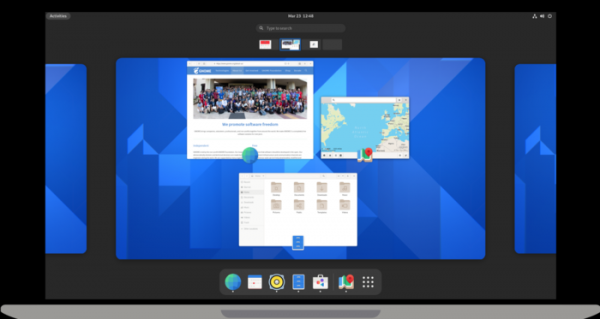
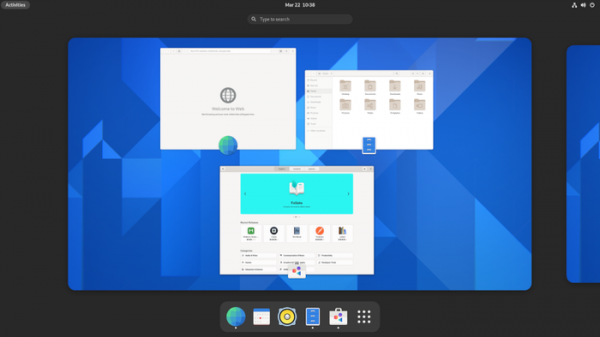
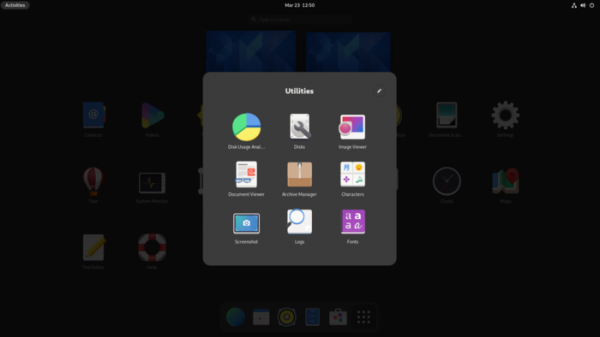
- The organization of the interface has been significantly redesigned. The vertical orientation has been replaced with a horizontal one—virtual workspaces in Activities Overview are now arranged horizontally and displayed as a continuously scrollable chain from left to right. The horizontal orientation is considered more intuitive than the vertical one.

Each workspace displayed in Activities Overview clearly shows the open windows, which are additionally equipped with an application icon and a title that appears on mouse hover. Dynamic panning and scaling are provided when users interact with the window thumbnails in Activities Overview.

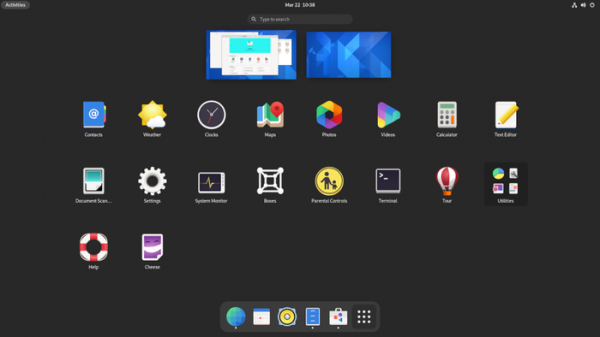
The navigation in overview mode and the app selection interface (App grid) has been changed, allowing seamless transitions between the program list and virtual desktops. Navigation is conducted in two-dimensional space — movements to the right and left are used to switch between virtual desktops, while up and down are used to transition between overview mode and the application list. Additional thumbnails of desktops are placed at the top of the screen, complementing the overall ribbon with detailed information about window placement.
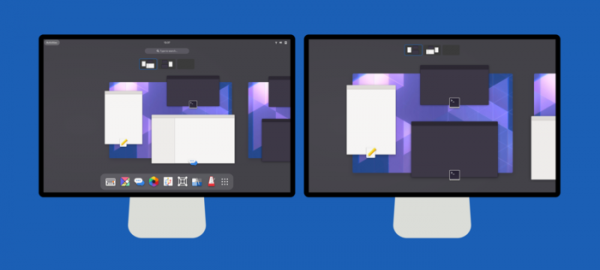
- The organization of work with multiple monitors has been improved — when setting the desktop display across all screens, the desktop switcher is now also displayed on all screens, not just the main one.

- Efforts have been made to refine the overall style — sharp edges have been rounded, clear borders have been smoothed, the style of side panels has been unified, and the width of active scroll areas has been increased.
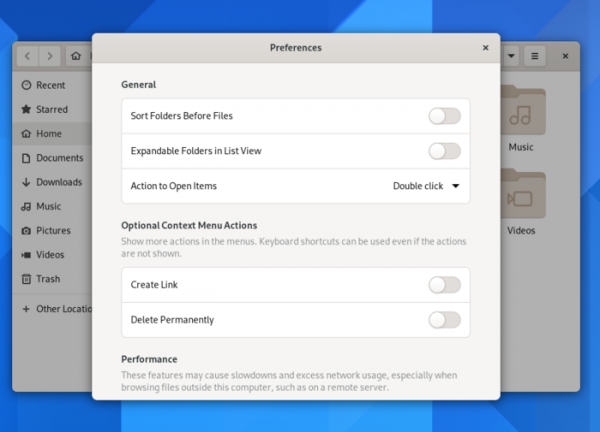
- The design of many applications has been modernized, including Files, Web, Disks, Fonts, Calendar, Photos, and System Monitor, which utilize a new style of lists and toggles, and feature rounded window corners.
- After loading, an automatic overview is implemented to help familiarize users with the environment.
- In the application list, running applications are clearly separated between favorites and other programs.
- GPU rendering for shaders has been ensured in GNOME Shell, the avatar style has been updated, and three-touch screen gestures have been added.
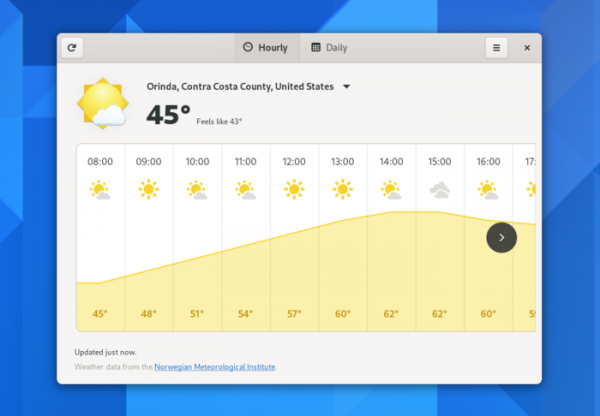
- The weather forecast application has been completely redesigned. The new layout supports interface adaptation to window size changes and includes two information views — an hourly forecast for the next two days and a general 10-day forecast.

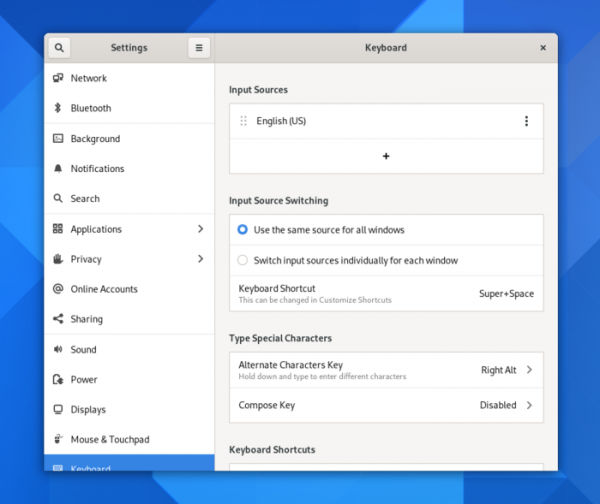
- The configurator has improved the section for keyboard settings. The input source options have been moved from the 'Language and Region' section to a separate 'Keyboard' section, which consolidates all keyboard-related settings. The process for configuring hotkeys has been updated, and new options for customizing the Compose key and entering alternate symbols have been added. The Wi-Fi settings section now allows known wireless networks to be pinned at the top of the list. The About page now displays the laptop model.

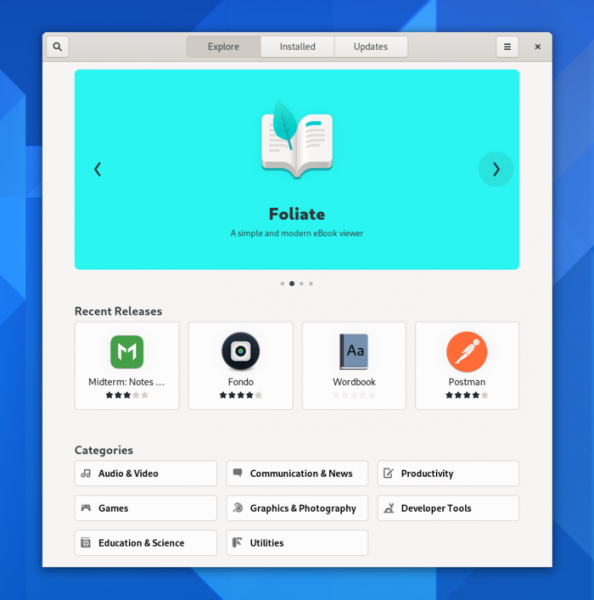
- In the application installation manager, the appearance of application banners has been improved, and their automatic cyclical rotation has been enabled. The dialogs for new version information for each application now include recent change details. The logic for handling updates has been modified to reduce the frequency of reminder prompts. Information about the installation source (Flatpak or distribution packages) has been added. The organization of information display for new packages has been redesigned.

- In the Nautilus file manager, support for sorting files by creation time has been added. The xdg-desktop-portal component has been utilized for setting desktop wallpapers. The settings dialog has been modernized. When installing wallpapers from the file manager, a preview option has been implemented before applying the change. The accuracy of estimating operation completion time has been improved. Support for launching text files via the 'Run as a Program' option in the context menu has been added. Conflict resolution due to overlapping file names during copying or moving has been enhanced. Support for extracting information from password-protected archives has been added. The file path input line now features an autocompletion option triggered by the Tab key.

- The extensions installation application now includes the ability to filter output.
- In gvfs, support for two-factor authentication and connection multiplexing for sftp has been added.
- In the Mutter compositor, support for XWayland has been improved.
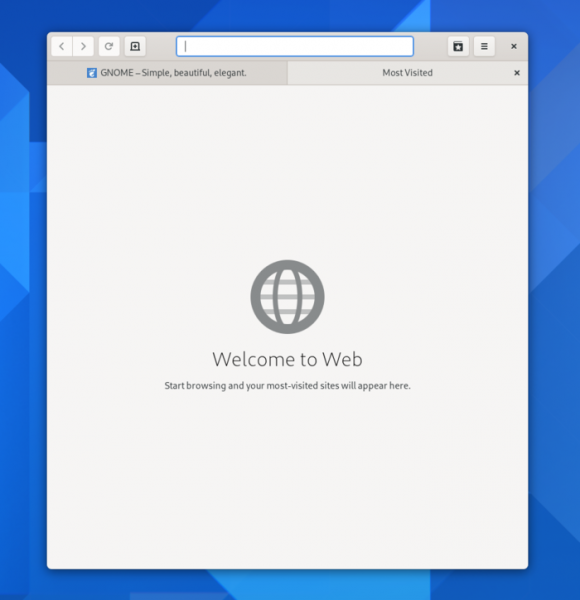
- The Epiphany browser now features a new tab design and quick tab scrolling. A setting has been added to manage the display of Google search suggestions while typing in the address bar. Due to changes in Google's API access rules, phishing protection, implemented through Google safe-browsing technology, is disabled by default. The dialogs for selecting search engines and synchronizing data have been modified, as well as the context menus. The combination Alt+0 has been added for displaying recently opened tabs.

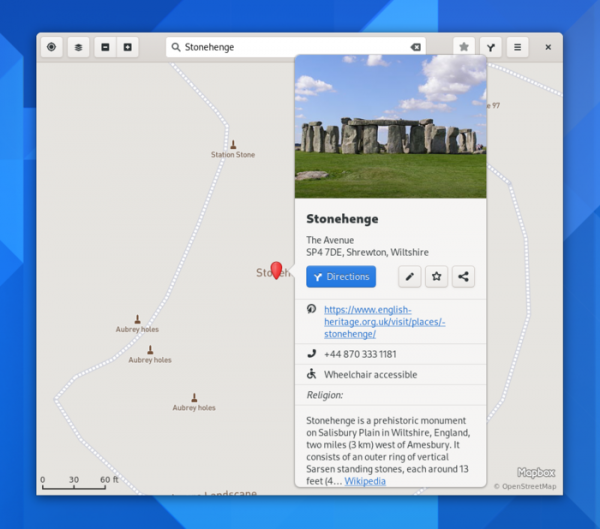
- GNOME Maps has added new pop-up boxes showing location information summaries from Wikipedia. The interface is better adapted for screens of different sizes.

- The interface for using the Compose key has been improved — sequences are now displayed as you type.
- In the document viewer, the side-by-side view now allows for the display of double thumbnails.
- The transition to GTK 4 has been completed.
- The libhandy library has been updated to version 1.2, offering a set of widgets and objects for creating user interfaces for mobile devices. The new version includes new widgets: HdyTabView and HdyTabBar with dynamic tabs, HdyStatusPage for a status page, and HdyFlap with slideable blocks and side panels.
Source: opennet.ru
