

The release of Chrome OS 90 has taken place, based on the Linux kernel, the upstart system manager, the ebuild/portage build tool, open components, and the Chrome 90 web browser. The user environment of Chrome OS is limited to the web browser, while web applications are used instead of standard programs. Nevertheless, Chrome OS includes a full multi-window interface, desktop, and taskbar. The Chrome OS 90 build is available for most current models of Chromebook. Enthusiasts have created unofficial builds for standard computers with x86, x86_64, and ARM processors. The source code is distributed under the Apache 2.0 open license.
Key changes in Chrome OS 90:
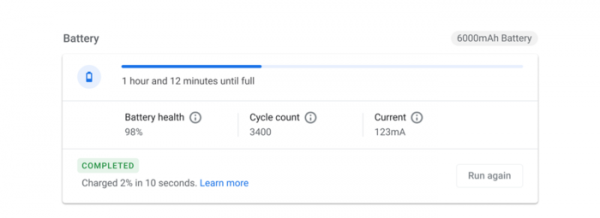
- A new diagnostics application has been added, allowing users to run tests and check the status of the battery, processor, and memory. The results of the checks can be saved to a file for later submission to support.

- The design of the account manager has been updated and moved to a separate section 'Accounts'. The identification model in Chrome OS has been simplified, making it clearer to distinguish between device accounts and linked Google accounts. The process for adding accounts has been modified, allowing users to bypass attaching their Google account to others' sessions.
- Offline access to documents, spreadsheets, and presentations stored in Google cloud services has been made available. Access is done through the 'My Drive' folder in the file manager. To enable offline access to files, users should select folders in the 'My Drive' section of the file manager and activate the 'Available offline' flag for them.
- The 'Live Caption' feature has been added, which allows automatic on-the-fly generation of subtitles while watching any video, listening to audio recordings, or during video calls through the browser. To enable 'Live Caption', check the box 'Captions' in the 'Accessibility' section.
- A simple interface has been added to inform users about updates for docks and certified accessories for Chromebook, allowing for immediate application of available updates.
- New users are by default provided with launching YouTube and Google Maps in separate windows styled as standalone applications rather than in browser tabs. You can change the mode via the context menu that appears when you right-click on the YouTube and Maps application icons.
- The interface for navigating through recently saved downloads and created screenshots has been updated, allowing you to also pin important files in a prominent place and perform one-click operations such as launching, copying, and moving.
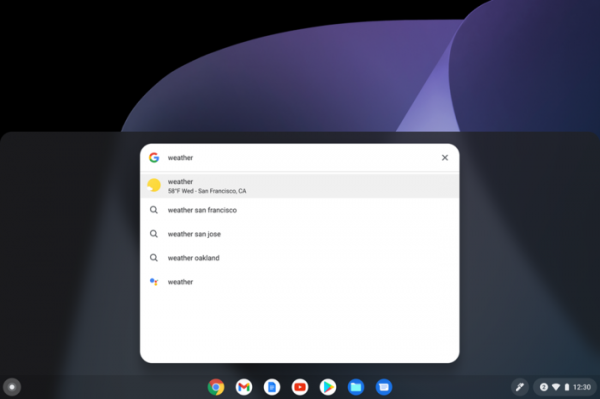
- The capabilities of the universal built-in search have been expanded, now allowing not only searches for applications, local files, and files in Google Drive, but also performing simple mathematical calculations, getting weather forecasts, retrieving stock prices, and accessing dictionaries.

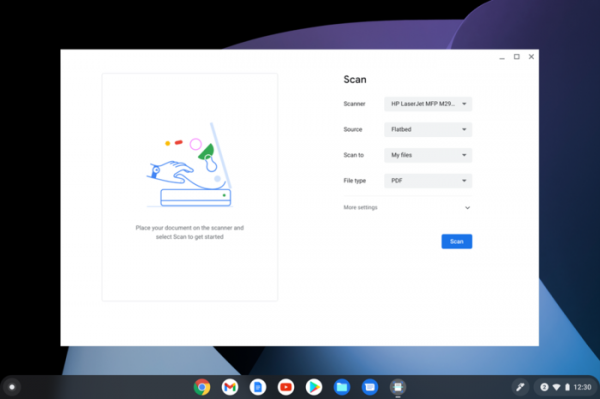
- Support has been added for document scanning using MFPs that combine the functions of both printers and scanners. Accessing scanners via Wi-Fi or direct connection through USB is supported (Bluetooth is not yet supported).
- The audio codecs AMR-NB, AMR-WB, and GSM have been deprecated. Until their final removal, support for these codecs can be restored via the parameter 'chrome://flags/#deprecate-low-usage-codecs' or by installing a separate application implementing them from Google Play.
Source: opennet.ru
