

Welcome to a new series of articles, this time focusing on incident investigations, specifically analyzing malware using Check Point forensics. Previously, we published on how to use Smart Event, but this time we will examine forensic reports on specific events across various Check Point products:
Why is forensics of prevented incidents important? It may seem that catching a virus is already good, but why delve deeper into it? As experience shows, it's preferable not just to block an attack but to understand how it works: what the entry point was, what vulnerability was exploited, what processes were involved, whether the registry and file system were affected, the virus family, potential damage, etc. Such valuable information can be obtained from comprehensive forensic reports by Check Point (both textual and graphical). Manually generating such a report is very challenging. This data can then aid in taking necessary measures and preventing similar attacks in the future. Today, we will review the Check Point SandBlast Network forensic report.
SandBlast Network
The use of sandboxes to enhance network perimeter protection has long become standard practice and an essential component, just like IPS. Check Point's Threat Emulation blade is responsible for sandbox functionality, which is part of the SandBlast technologies (there's also Threat Extraction). We previously published for the Gaia 77.30 version (highly recommend watching if you don't understand what we are discussing now). Architecturally, nothing fundamentally has changed since then. If you have a Check Point Gateway at your network perimeter, you can use two integration options with the sandbox:
- SandBlast Local Appliance — an additional SandBlast appliance is installed in your network, to which files are sent for analysis.
- SandBlast Cloud — files are sent to Check Point's cloud for analysis.
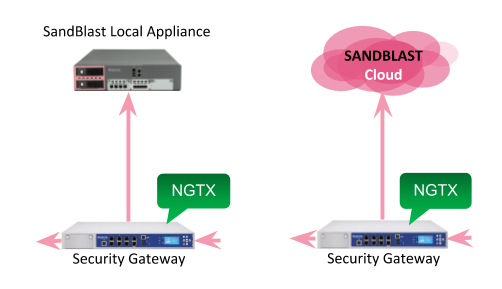
A sandbox can be considered the last line of defense on the network perimeter. It connects only after traditional analysis using antivirus and IPS. While these conventional signature-based tools provide little analytical insight, the sandbox can thoroughly explain why a file was blocked and what malicious actions it was taking. Such a forensics report can be obtained from both local and cloud-based sandboxes.
Check Point Forensics Report
Imagine you, as an information security specialist, arrive at work and open the dashboard in SmartConsole. Right away, you see incidents from the last 24 hours, and your attention is drawn to Threat Emulation events — the most dangerous attacks that were not blocked by signature analysis.
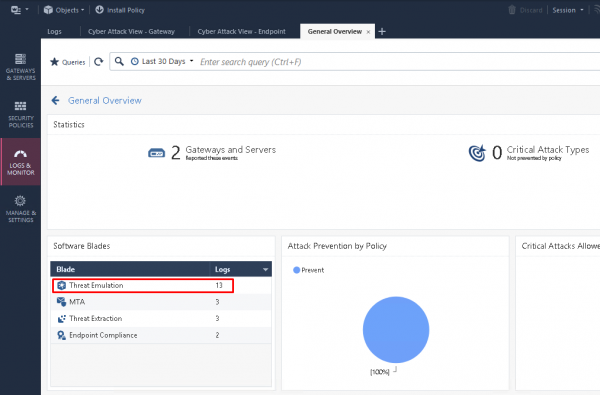
You can 'drill down' into these events and review all logs related to the Threat Emulation blade.
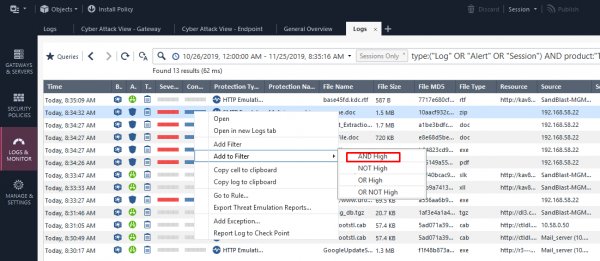
After this, you can further filter the logs by threat severity level and Confidence Level:
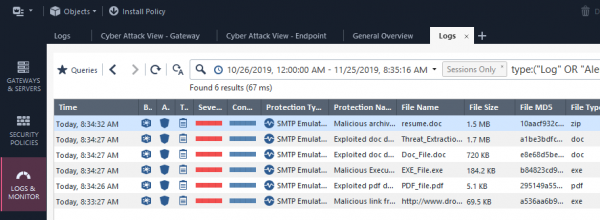
By revealing the event of interest, you can review general information (src, dst, severity, sender, etc.):
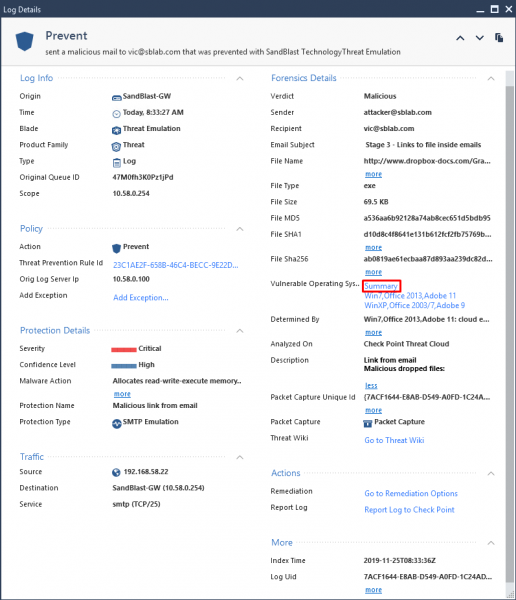
And there you can also see the section Forensics with an available Summary report. By clicking on it, a detailed analysis of the malware will open in the form of an interactive HTML page:
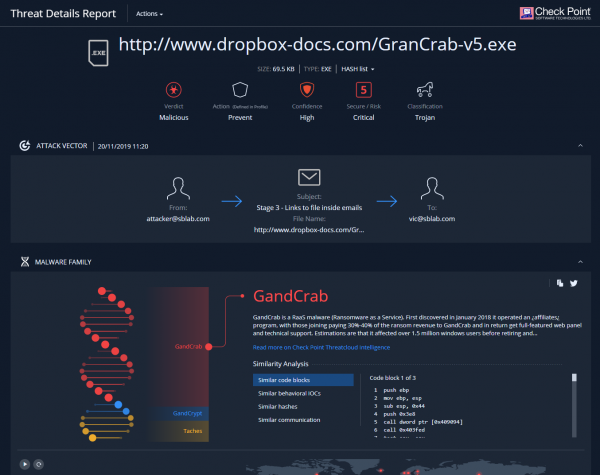
(This is part of the page. )
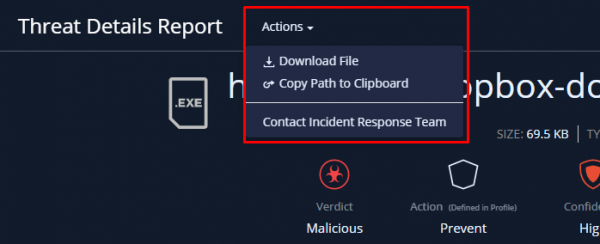
From this report, we can download the original malware (in a password-protected archive), or directly contact the Check Point response team.
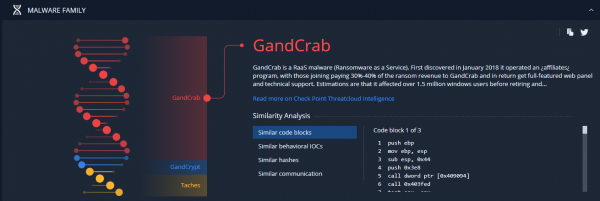
A little lower, you can see a nice animation that shows, in percentage terms, how our instance correlates with known malicious code (including the code itself and macros). This analysis is provided using machine learning in the Check Point Threat Cloud.
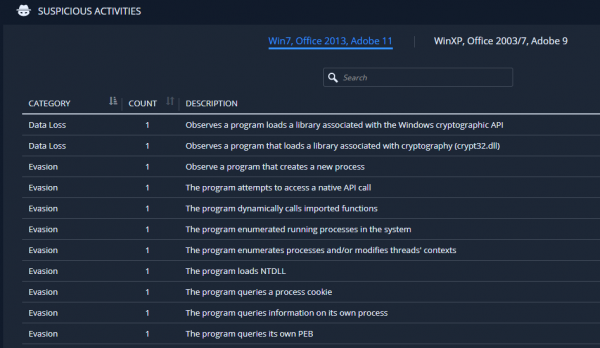
Next, you can see which specific sandbox activities led to the conclusion of the file's maliciousness. In this case, we see the use of evasion techniques and an attempt to load ransomware:
You may notice that in this case, the emulation was performed in two systems (Win 7, Win XP) and different software versions (Office, Adobe). Below is a video (slideshow) of the process of opening this file in the sandbox:
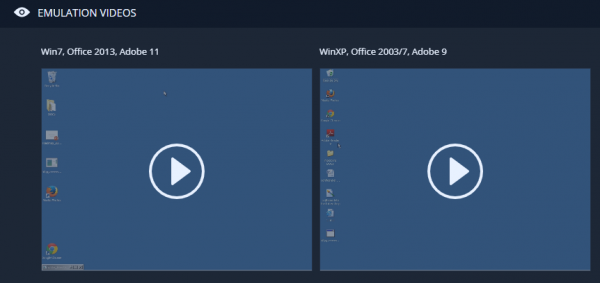
Sample video:

At the very end, we can see in detail how the attack progressed, either in tabular form or graphically:
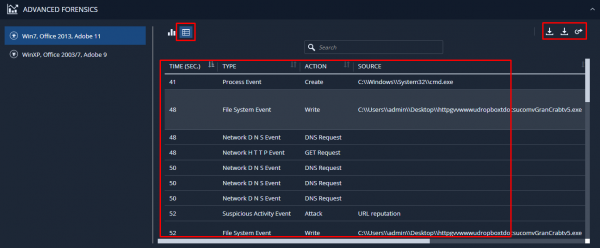
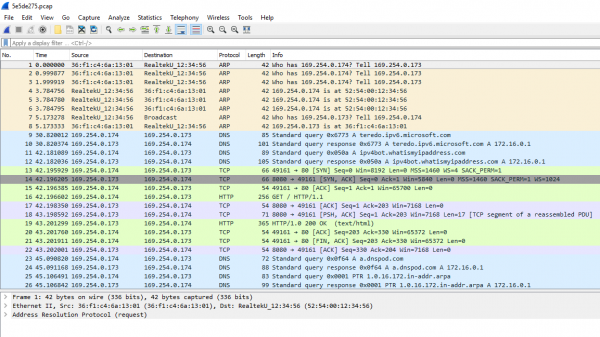
There, we can download this information in RAW format and a pcap file for detailed analysis of the generated traffic in Wireshark:
Conclusion
Using this information, you can significantly enhance your network's security. You can block hosts that distribute viruses, close active vulnerabilities, prevent potential feedback to C&C, and much more. Don't neglect this analysis.
In the upcoming articles, we will similarly review reports from SandBlast Agent, SandBlast Mobile, as well as CloudGuard SaaS. So stay tuned for updates (, , , )!
Source: habr.com
