

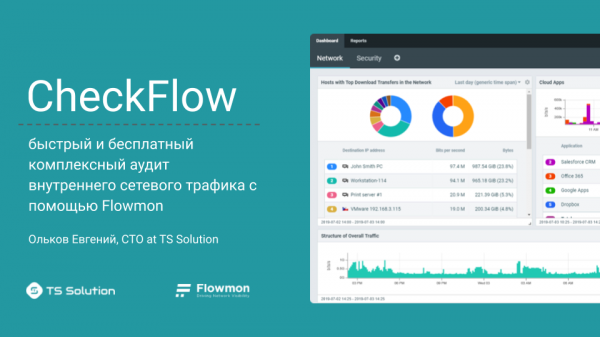
Welcome to our next mini course. This time we will talk about our new service — . What is it? Essentially, it's just a marketing name for a free network traffic audit (both internal and external). The audit is conducted using a wonderful tool called , which any company can use for free for 30 days. However, I assure you that after just a few hours of testing, you will start to gain valuable insights about your network. Moreover, this information will be valuable for both network administratorsand security specialists. So, let’s discuss what kind of information this is and what its value is (As usual, there will be a tutorial video at the end of the article).
Before that, let’s make a small digression. I’m sure many of you are thinking: "How is this different from ?”. Наши подписчики наверняка знают, что это (мы потратили на это очень много сил) 🙂 Не спешите с выводами, по ходу урока все встанет на свои места.
? What can a network administrator check using this audit:
- Network traffic analytics — what’s consuming the bandwidth, which protocols are being used, which servers or users are generating the most traffic.
- Delays and losses in the network — the average response time of your services, identifying losses on all your channels (the ability to find a bottleneck).
- User traffic analytics — a comprehensive analysis of user traffic. Traffic volumes, used applications, issues with corporate services.
- Application performance evaluation — identifying the causes of problems in corporate applications (network delays, service response times, databases, applications).
- SLA monitoring — automatically detects and reports critical delays and losses when using your public web applications based on real traffic.
- Searching for network anomalies — DNS/DHCP spoofing, loops, rogue DHCP servers, anomalous DNS/SMTP traffic, and much more.
- Configuration issues — detecting illegitimate user or server traffic, which may indicate incorrect settings of switches or firewalls.
- Comprehensive report — a detailed report on the state of your IT infrastructure allowing you to plan work or purchase additional equipment.
What can an information security specialist check:
- Virus activity — detects viral traffic within the network, including unknown malware (0-day) based on behavioral analysis.
- Ransomware distribution — the ability to detect ransomware, even if the distribution occurs between neighboring computers without leaving its segment.
- Abnormal activity — abnormal user, server, application traffic, ICMP/DNS tunneling. Identification of real or potential threats.
- Network attacks — port scanning, brute-force attacks, DoS, DDoS, traffic interception (MITM).
- Corporate data leaks — detection of abnormal downloads (or uploads) of corporate data from the company's file servers.
- Unauthorized devices — detection of illegitimate devices connected to the corporate network (determining the manufacturer and operating system).
- Unwanted applications — use of prohibited applications within the network (Bittorent, TeamViewer, VPN, Anonymizers, etc.).
- Cryptominers and Botnets — checking the network for infected devices connecting to known C&C servers.
Reporting
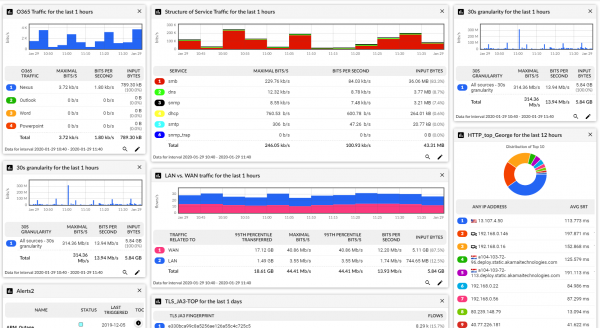
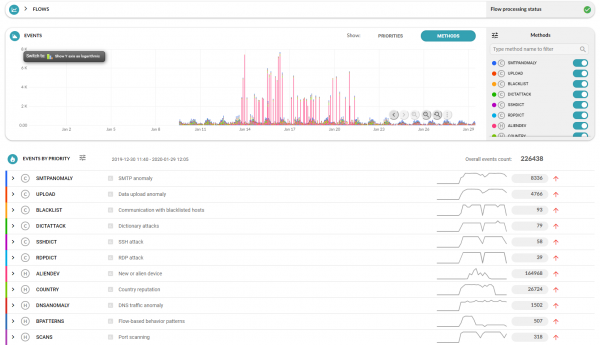
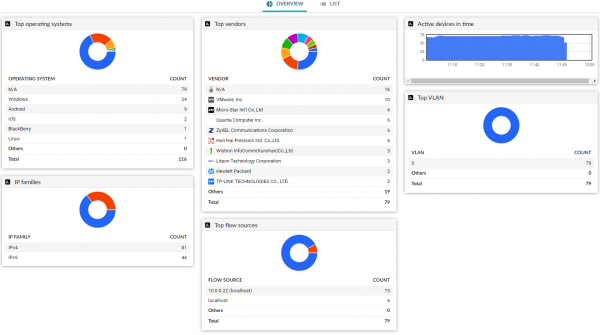
Based on the audit results, you will be able to see all the analytics on the Flowmon dashboards, or in PDF reports. Below are some examples.
Overall traffic analytics
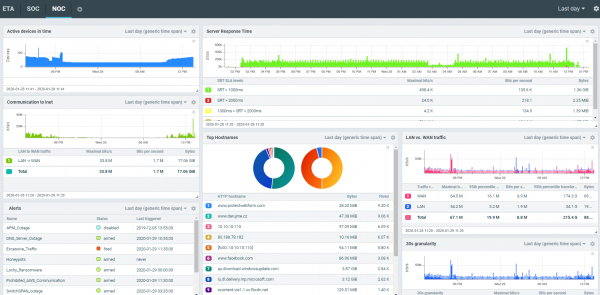
Custom dashboard
Abnormal activity
Detected devices
Typical testing scheme
Scenario #1 — one office
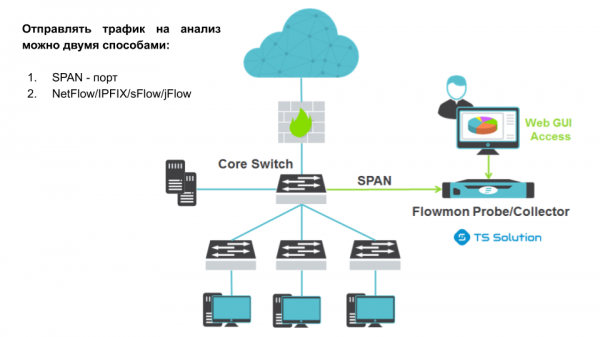
A key feature is that you can analyze both external and internal traffic that does not fall under the analysis of perimeter protection devices (NGFW, IPS, DPI, etc.).
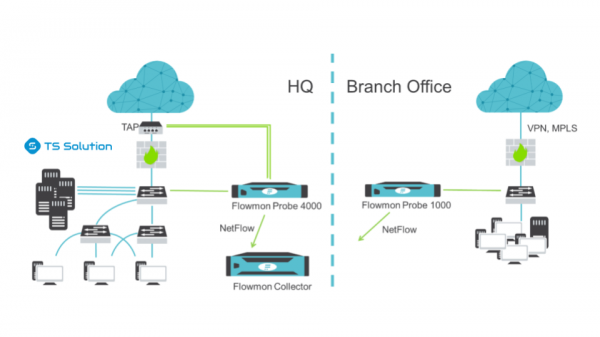
Scenario #2 — multiple offices
Video tutorial
Summary
CheckFlow audit is a great opportunity for IT/IS managers:
- To identify current and potential problems in your IT infrastructure;
- To uncover issues with information security and the effectiveness of existing protection measures;
- To determine the key problem in the operation of business applications (network part, server part, software) and those responsible for resolving it;
- To significantly reduce troubleshooting time in the IT infrastructure;
- To justify the need for expanding channels, server capacities, or additional procurement of protection resources.
I also recommend reading our previous article — .
If you are interested in this topic, stay tuned for updates (, , , , .
Only registered users can participate in the survey. , please.
Are you using NetFlow/sFlow/jFlow/IPFIX analyzers?
55,6%Yes5
11,1%No, but I plan to use it.
33,3%No3
9 users voted. 1 user abstained.
Source: habr.com
