

Note: translation.: The author of the original material is Henning Jacobs from Zalando. He created a new web interface for working with Kubernetes, which is marketed as "kubectl for the web." Read his article to find out why this new Open Source project emerged and what shortcomings existing solutions failed to address.
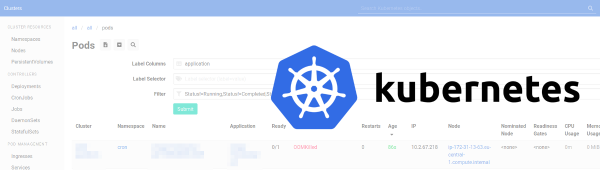
In this publication, I explore various open-source web interfaces for Kubernetes, present my requirements for a universal UI, and explain why I developed — an interface designed to simplify support and troubleshooting across multiple clusters.
Use Cases
At Zalando, we serve a large number of Kubernetes users (900+) and clusters (100+). There are a couple of typical use cases where a specialized web tool would be very helpful:
- communicating with colleagues during support;
- responding to incidents and investigating their causes.
Support
In my experience, communication during support often goes like this:
— Help, our XYZ service is down!
— What do you see when you run kubectl describe ingress ...?
Or something similar for CRD:
— I have an issue with the identity service…
— What does the command return kubectl describe platformcredentialsset ...?
Such communication usually involves entering various command variations kubectl to determine the issue. As a result, both parties are forced to constantly switch between the terminal and web chat, plus they experience different contexts.
Therefore, I want the web frontend for Kubernetes to allow the following:
- users to share links and observe the same things;
- it should help avoid human errors during support: for example, logging into the wrong cluster in the command line, typos in CLI commands, etc.;
- it should allow to generate custom views to send to colleagues, such as adding label columns, displaying multiple resource types on one page;
- ideally, this web tool should enable placing "deep" links to specific sections of YAML (e.g., pointing to a wrong parameter causing failures).
Incident response and analysis
Incident response in infrastructure requires situational awareness, the ability to assess impact, and the search for patterns across clusters. Here are some real-life examples:
- a critical production service has issues and you need to find all Kubernetes resources by name across all clusters, to troubleshoot;
- nodes start to fall during scaling, and you need to find all pods with a status of 'Pending' across all clusters, to gauge the scope of the problem;
- individual users report a problem with a DaemonSet deployed across all clusters, and it's necessary to determine whether the issue is widespread..
My standard solution in such cases is something like for i in $clusters; do kubectl ...; done. Obviously, one could develop a tool providing similar capabilities.
Existing Kubernetes web interfaces
The Open Source world of web interfaces for Kubernetes is not very large*, so I tried to gather additional information using :
* My explanation for the limited number of web interfaces for Kubernetes: cloud services and Kubernetes vendors typically offer their own frontends, making the market for 'good' free Kubernetes UIs relatively small.
I learned about , and . Let's take a look at them and other existing Open Source solutions, and try to understand what they are about.
K8Dash
'K8Dash is the simplest way to manage a Kubernetes cluster.'
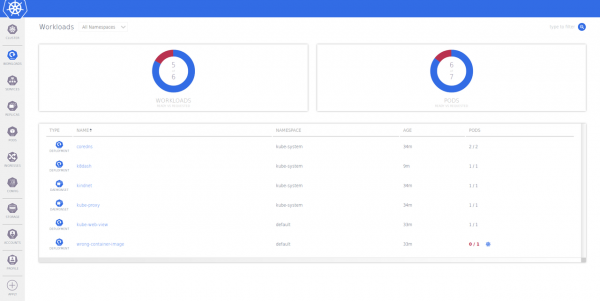
It looks decent and feels fast, but has several shortcomings for the aforementioned use cases:
- It works only within a single cluster.
- Sorting and filtering are possible, but they don't have permanent links.
- There is no support for Custom Resource Definitions (CRDs).
Kubernator
'Kubernator is an alternative UI for Kubernetes. Unlike the high-level Kubernetes Dashboard, it provides low-level control and a great overview of all objects in the cluster, allowing for new creations, editing, and conflict resolution. Being entirely a client application (like kubectl), it requires no backend other than the Kubernetes API server, and also respects cluster access rules.'
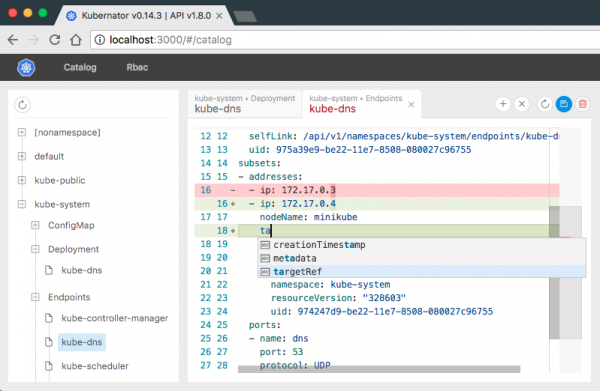
That's a pretty accurate description of Unfortunately, it lacks some features:
- It only serves a single cluster.
- There is no list view mode (i.e., it is not possible to display all pods with the status 'Pending').
Kubernetes Dashboard
"Kubernetes Dashboard is a universal web interface for Kubernetes clusters. It allows users to manage applications running in the cluster and troubleshoot them, as well as manage the cluster itself."
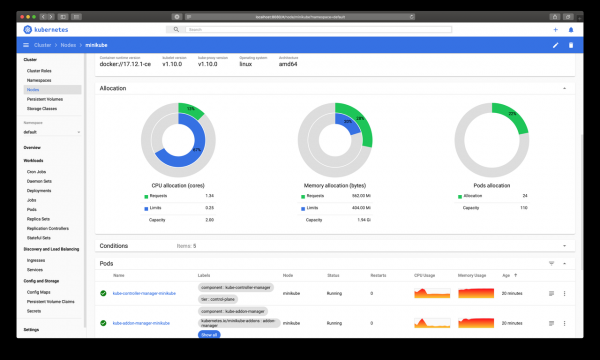
Unfortunately, it doesn't particularly help in my support and incident response efforts because it:
- lacks permanent links, for example, when I filter resources or change the sorting order;
- there is no simple way to filter by status — for instance, to see all pods with the status 'Pending';
- only one cluster is supported;
- CRDs are not supported (this feature is in development);
- there are no custom columns (for example, columns with labels like
kubectl -L).
Kubernetes Operational View (kube-ops-view)
"A system dashboard for monitoring Kubernetes cluster spaces."
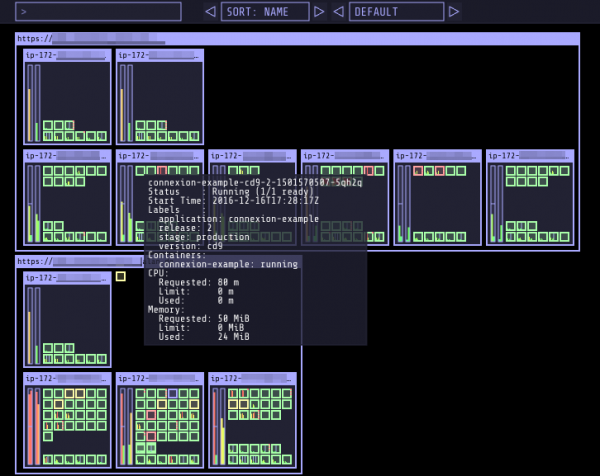
The takes a completely different approach: this tool only displays cluster nodes and pods using WebGL, without any textual details of the objects. It is excellent for an operational overview of the cluster status ('are pods crashing?'), but it is not suitable for the use cases described above in support and incident response.
* Note: translation.: In this context, you might also be interested in our plugin , which we discussed in more detail in .
Kubernetes Resource Report (kube-resource-report)
"Gather information about pod and Kubernetes cluster resource requests, compare them with resource consumption, and generate static HTML."
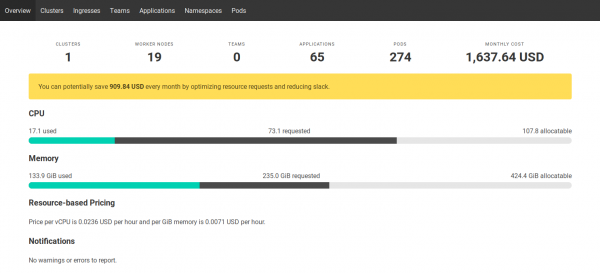
generates static HTML reports on resource usage and cost distribution among teams/applications in clusters. The report is somewhat useful for support and incident response, as it helps to quickly identify which cluster has the deployed application.
Note: translation.: In the view of resource distribution information and its costs for cloud providers, the service and tool , which we .
Octant
"An extensible web platform for developers aimed at providing a better understanding of the complexities of Kubernetes clusters."
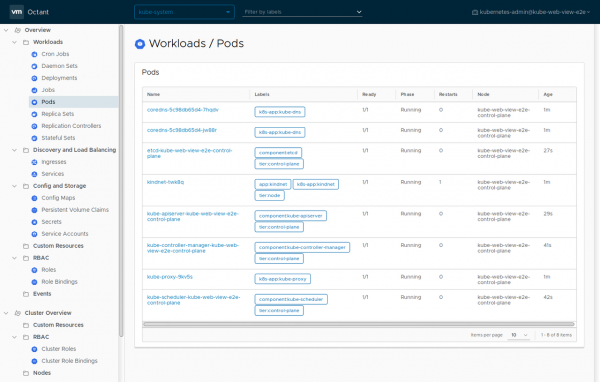
, created in VMware, is a new product that I learned about relatively recently. It allows for convenient exploration of the cluster on a local machine (it even has visualizations), but it only slightly addresses the issues of support and incident response. Disadvantages of Octant:
- No search across clusters.
- Works only on a local machine (not deployable in a cluster).
- Cannot sort/filter objects (only label selectors are supported).
- Custom columns cannot be set.
- Cannot list objects by namespaces.
I also had issues with the stability of Octant with Zalando clusters: on some CRDs .
I present Kubernetes Web View
the 'kubectl for the web.'
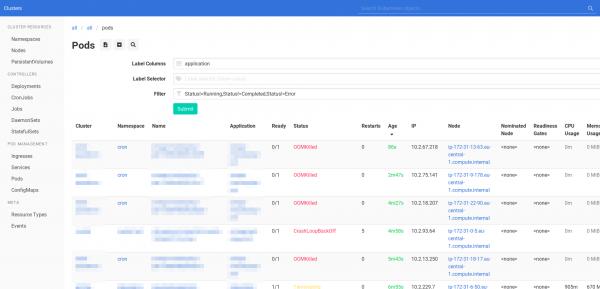
After analyzing the available interfaces for Kubernetes, I decided to create a new one: Because essentially, I just need all the power kubectl on the web, namely:
- availability of all (read-only) operations that users prefer to do with kubectl;
- all URLs must be permanent and present the page in its original form so that colleagues can share them and use them in other tools;
- support for all Kubernetes objects, allowing for solving any type of issue;
- resource lists should be downloadable for further work (in spreadsheets, CLI tools like
grep) and storage (e.g., for postmortems); - support for resource selection by labels (similar to
kubectl get .. -l); - the ability to create combined lists of different types of resources (similar to
kubectl get all) to get a comprehensive operational picture among colleagues (for instance, during incident response); - the ability to add customizable 'smart' deep links to other tools, such as dashboards, loggers, application registries, etc., to facilitate searching/troubleshooting and incident response;
- the frontend should be as simple as possible (clean HTML) to avoid accidental issues, such as hanging JavaScript;
- support for multiple clusters to simplify interaction during remote consulting (for example, remembering just one URL);
- situational analysis should be made easier when possible (for example, with links to download resources across all clusters/namespaces);
- additional capabilities for generating flexible links and extracting textual information, for example, to allow colleagues to refer to a specific section in the resource description (line in YAML);
- customization options tailored to specific client requirements, such as creating special display templates for CRD, custom table views, or modifying CSS styles;
- tools for further exploration in the command line (for instance, showing complete commands
kubectl, ready for copying);
Outside the tasks addressed by Kubernetes Web View (non-goals) remain:
- abstraction of Kubernetes objects;
- application management (for example, managing deployments, Helm charts, etc.);
- write operations (should be carried out through secure CI/CD tooling and/or GitOps);
- a beautiful interface (JavaScript, themes, etc.);
- visualizations (see );
- cost analysis (see ).
How does Kubernetes Web View assist in incident support and response?
Support
- All links are permanent, making it easier to share information with colleagues.
- You can create your own views, for instance, to display all Deployments and Pods with a specific label in two particular clusters (multiple cluster names and resource types can be specified in the link, separated by commas).
- You can refer to specific lines in the YAML file of the object, pointing out potential issues in the object's specification.
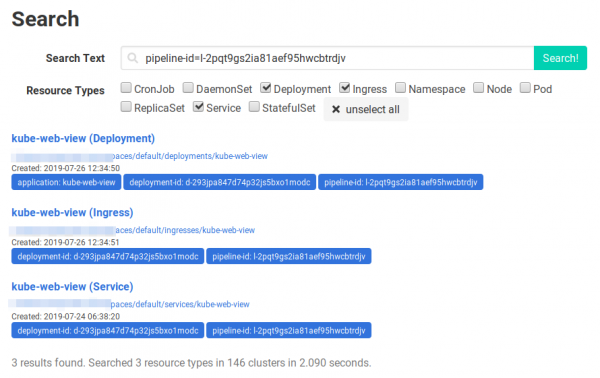
Searching across clusters in Kubernetes Web View
Incident response
- Global search (global search) allows searching for objects across all clusters.
- List views can display all objects with a specific state/column across all clusters (for example, we need to find all pods with the status 'Pending').
- Object lists can be downloaded in tab-separated values (TSV) format for further analysis.
- allow switching to corresponding dashboards and other tools.
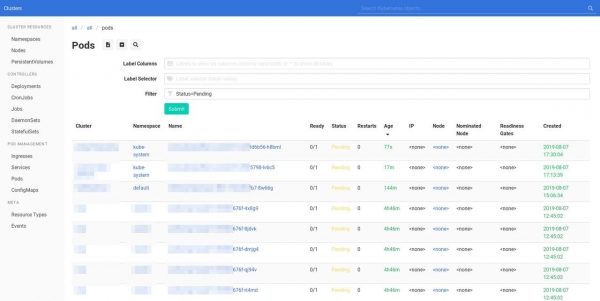
Kubernetes Web View: list of pods with the status 'Pending' across all clusters
If you wish to try Kubernetes Web View, I recommend checking out or taking a look at .
Certainly, the interface could use some improvement, but for now, Kubernetes Web View serves as a tool for 'advanced users' who are not averse to manually manipulating URL paths if necessary. If you have any comments/suggestions/wishes, please reach out !
This article provides a brief account of the background that led to the creation of Kubernetes Web View. More will follow! (Note: translation.: You can expect them in .)
P.S. from the translator
Also read in our blog:
- «»;
- «»;
- «»;
- «».
Source: habr.com
