

This post will describe the setup of HotFix automation in Maven projects using TeamCity.
To implement a HotFix, many manual actions are usually required:
- Create a branch for the release to which you want to apply the HotFix
- Fix the bug in the release
- Change the bugfix version in the release branch
- Deploy the tag of the bugfix version
Items 1, 3, and 4 can be automated.
Before we delve into the topic, it is essential to touch upon an important and complex subject — versioning software. A brief overview of Semver can be understood from this screenshot. 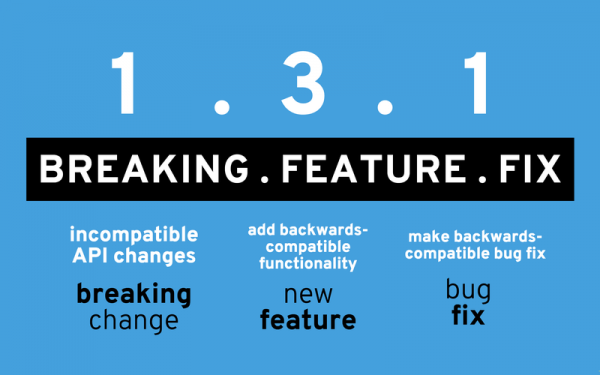
More details can be found at the link: .
All settings described in this post rely on and .
In Trunk-Based Development, a separate branch must be created for each release. All changes (hotfixes) within this release are committed to this branch.
In this post, we will automate the following tasks:
CI Build
Creating a new release
Creating a branch for the release
Changing the bugfix version
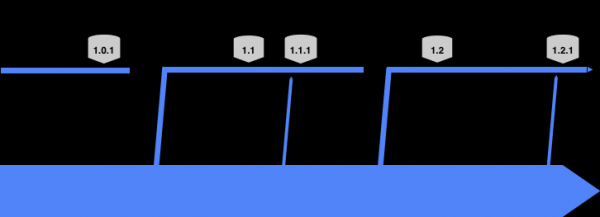
Requirements:
- A Git repository to store your code. This post will use the repository .
- TeamCity server and agent. You can set up your local TeamCity server and agent using
- Wherever your TeamCity agent is located, Java, Maven, and Git must be installed.
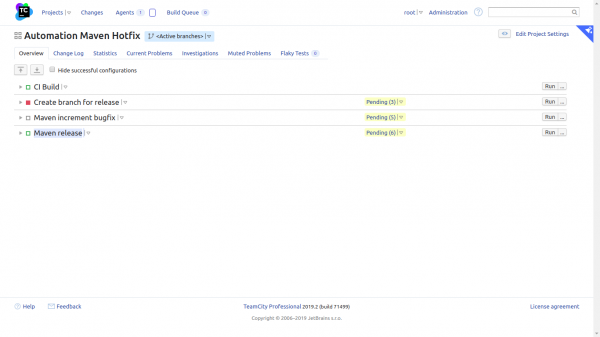
We will create a project in TeamCity called 'Automation Maven Hotfix' and set up 4 tasks there.
CI Build
Create branch for release
Maven increment bugfix
Maven release
Project screenshot:
General settings
In all tasks, it is necessary to check the box "Clean build: Delete all files in the checkout directory before the build", as the absence of this checkbox led to errors.
We create a single VCS. The features of the VCS are highlighted in red.
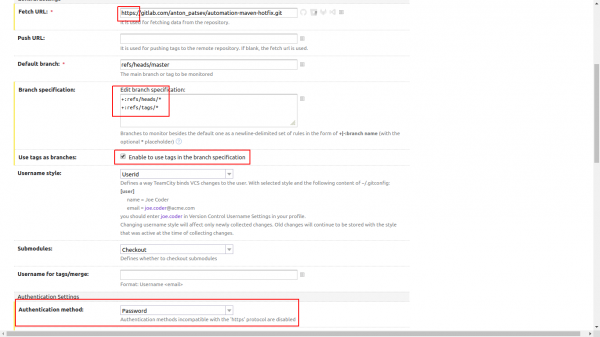
Typically, VCS uses the HTTPS scheme. In Branch specification: it is specified to look at all branches and all tags:
+:refs/heads/*
+:refs/tags/*
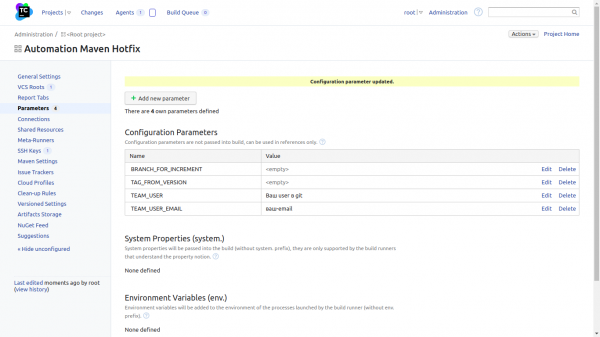
It is necessary to create 4 Configuration Parameters.
- BRANCH_FOR_INCREMENT
- TAG_FROM_VERSION
- TEAM_USER
- TEAM_USER_EMAIL
The value field in BRANCH_FOR_INCREMENT and TAG_FROM_VERSION should be left empty.
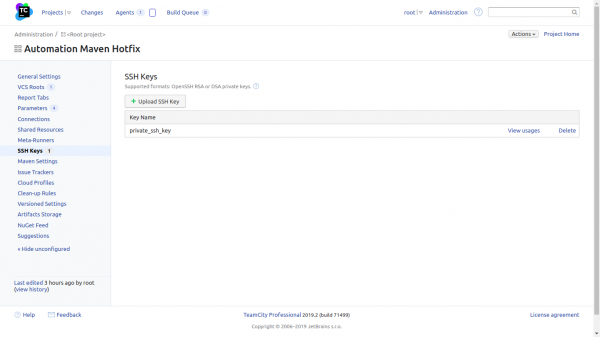
It is necessary to upload/add a private key. A private key is needed in all tasks except for CI Build.
In each task, except for CI Build, the private key must be attached in the Build Features section.
Example for Maven release
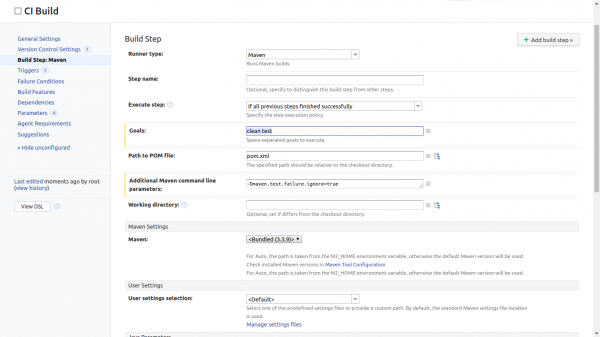
CI Build.
In the task CI Build there is only one step mvn clean test
Maven release
In the task Maven release 2 steps. The first step checks that the branch is master. If the branch is not master, then the task fails.
BRANCH=$(git branch | grep * | cut -d ' ' -f2)
echo "$BRANCH"
if [[ "$BRANCH" != "master" ]]; then
  echo 'Branch is not master';
  echo 'Aborting';
  exit 1;
fi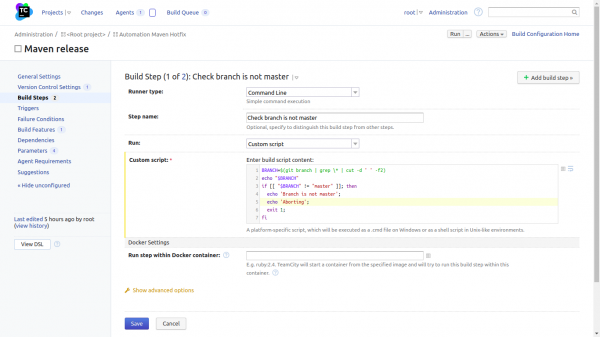
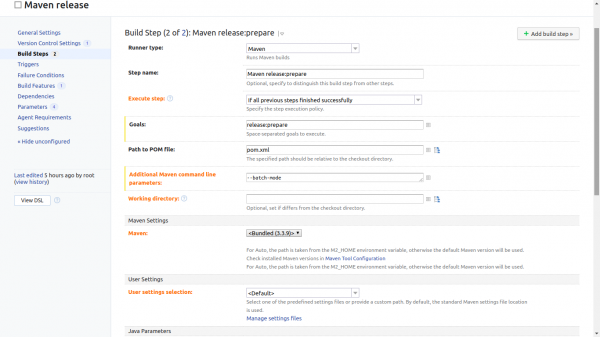
The second step is standard. mvn release:prepare with the option —batch-mode
Create branch for release
To create a hotfix for the release, a branch needs to be created. This is handled by a task. Create branch for release. It has 2 steps.
The first step checks that the branch is not master, and the second checks that the version in the file pom.xml does not contain the word SNAPSHOT
BRANCH=$(git branch | grep * | cut -d ' ' -f2)
echo "$BRANCH"
if [[ "$BRANCH" == "master" ]]; then
  echo 'Branch is master';
  echo 'Aborting';
  exit 1;
fi

echo "Get version package from pom.xml"
version=`python -c "import xml.etree.ElementTree as ET; print(ET.parse(open('pom.xml')).getroot().find('{http://maven.apache.org/POM/4.0.0}version').text)"`

echo "Check SNAPSHOT"
if [[ $version == "*SNAPSHOT*" ]]; then
    echo "******************* W A R N I N G *************************"
    echo "************ You are creating a branch for SNAPSHOTS ******************"
    echo "***********************************************************"
    exit 1
fi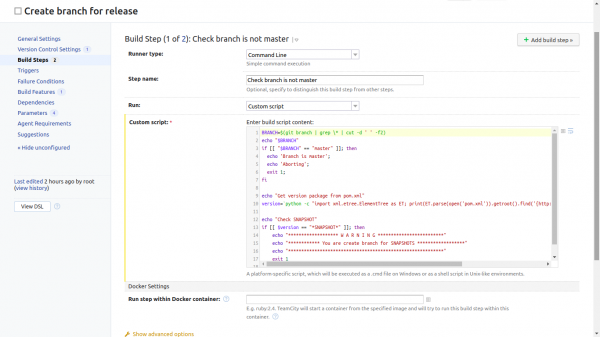
The second step changes the connection scheme in developerConnection from HTTPS to GIT.
# Здесь получаем developerConnection из файла pom.xml
developerConnection=$(xmllint -xpath "/*[local-name() = 'project' ]//*[local-name() = 'developerConnection']/text()" pom.xml | sed  's|scm:git:ssh://||')
echo developerConnection
echo $developerConnection
# Здесь меняем / на : в URL для git_remote_url
git_remote_url=$(echo $developerConnection| sed 's/gitlab.com//gitlab.com:/g')
echo git_remote_url
echo $git_remote_url

git remote set-url origin $git_remote_url

# Если вы не используете ввстроенную возможность Teamcity получения user и email из ~/.gitconfig, то можно указать их здесь
echo 'git config user.name %TEAM_USER%'
git config user.name %TEAM_USER%
echo 'git config user.email %TEAM_USER_EMAIL%'
git config user.email %TEAM_USER_EMAIL%

# Здесь получаем версию из файла pom.xml
echo "Get version package from pom.xml"
version=`python -c "import xml.etree.ElementTree as ET; print(ET.parse(open('pom.xml')).getroot().find('{http://maven.apache.org/POM/4.0.0}version').text)"`
echo $version

# Почему-то без fetch выдавало ошибку.
git fetch

if [ `git branch -a | egrep "${version}$"` ]
then
    echo "Branch exists"
    exit 1
fi

# Создаем бранч той версии, который был в файле pom.xml
echo "Create branch"
git checkout -b $version

# Чистый git всегда предлагает настроить политику отправки.
git config --global push.default simple

# Пушим в ветку совпадающую с версией в pom.xml
echo "Push release branch"
git push --set-upstream origin $version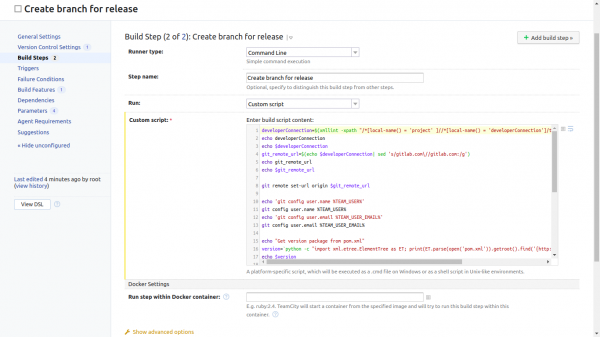
Maven increment bugfix
The task consists of 6 parts. It could have been refactored, but it works as is.
The first step checks that the branch is not master. If the branch master the task fails.
BRANCH=$(git branch | grep * | cut -d ' ' -f2)
echo "$BRANCH"
if [[ "$BRANCH" == "master" ]]; then
  echo 'Branch is master';
  echo 'Aborting';
  exit 1;
fi

# Here we get the version from the pom.xml file
echo "Get version package from pom.xml"
BRANCH=`python -c "import xml.etree.ElementTree as ET; print(ET.parse(open('pom.xml')).getroot().find('{http://maven.apache.org/POM/4.0.0}version').text)"`
# We have to checkout to the required branch.
# Otherwise, git status shows detached for the required branch.
# We need it to show just the branch
git checkout $BRANCH
# Export the bash variable to Teamcity variable for further use.
echo "##teamcity[setParameter name='BRANCH_FOR_INCREMENT' value='$BRANCH']"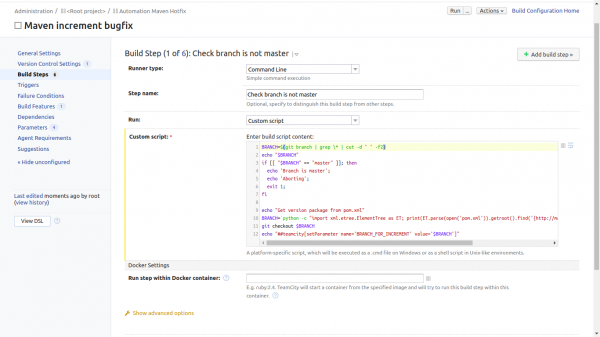
The second Maven step changes the bugfix version in the pom.xml file.
Goals: in maven everything is in one line
build-helper:parse-version versions:set -DnewVersion=${parsedVersion.majorVersion}.${parsedVersion.minorVersion}.${parsedVersion.nextIncrementalVersion} versions:commit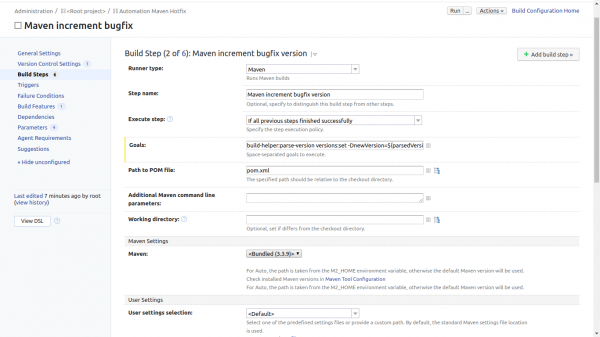
The third step is to output information Git status and others:
echo 'cat pom.xml'
cat pom.xml
echo 'git status'
git status
echo 'git remote -v'
git remote -v
echo 'git branch'
git branch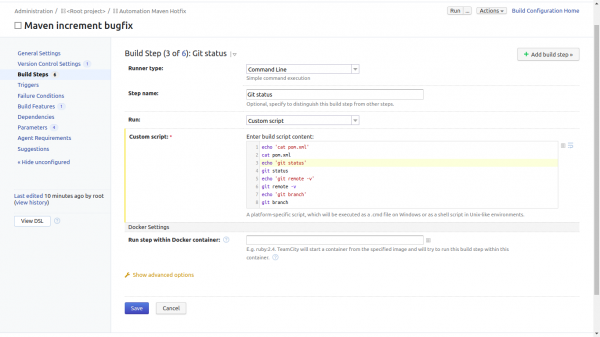
The fourth step changes the connection scheme in developerConnection from HTTPS to GIT.
And pushes the changes to the branch specified in the Teamcity variable %BRANCH_FOR_INCREMENT%
# Здесь получаем developerConnection из файла pom.xml
developerConnection=$(xmllint -xpath "/*[local-name() = 'project' ]//*[local-name() = 'developerConnection']/text()" pom.xml | sed  's|scm:git:ssh://||')
echo developerConnection
# Здесь меняем / на : в URL для git_remote_url
git_remote_url=$(echo $developerConnection| sed 's/gitlab.com//gitlab.com:/g')
echo git_remote_url
echo $git_remote_url

git remote set-url origin $git_remote_url

# Если вы не используете ввстроенную возможность Teamcity получения user и email из ~/.gitconfig, то можно указать их здесь
echo 'git config user.name %TEAM_USER%'
git config user.name %TEAM_USER%
echo 'git config user.email %TEAM_USER_EMAIL%'
git config user.email %TEAM_USER_EMAIL%
echo 'git add .'
git add .
echo 'git commit -m "Increment bugfix"'
git commit -m "Increment bugfix"

git push --set-upstream origin %BRANCH_FOR_INCREMENT%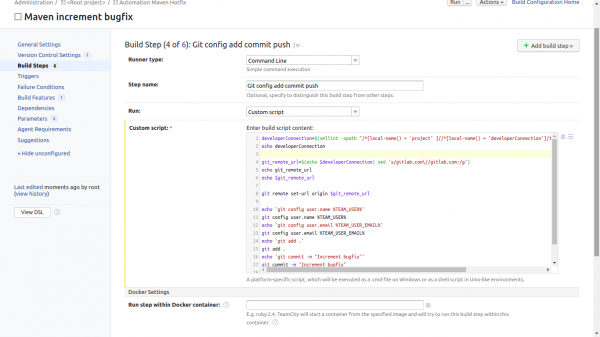
The fifth step retrieves the version from the file pom.xml and sets it to Teamcity variable TAG_FROM_VERSION. Note that the version from the file pom.xml does not have the letter v in front. The tag based on this version already starts with v.
echo "Get version package from pom.xml"
VERSION_AFTER_CHANGE=`python -c "import xml.etree.ElementTree as ET; print(ET.parse(open('pom.xml')).getroot().find('{http://maven.apache.org/POM/4.0.0}version').text)"`
echo $VERSION_AFTER_CHANGE
echo "##teamcity[setParameter name='TAG_FROM_VERSION' value='v$VERSION_AFTER_CHANGE']"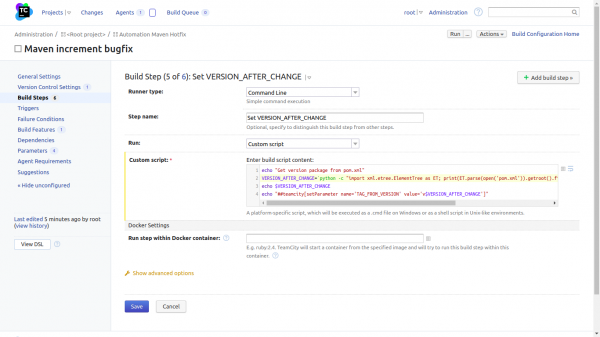
The sixth step is tagging. bugfix. versions. This is done using Maven with the required option in Goal.
Option Goals:
-Dtag=%TAG_FROM_VERSION% scm:tag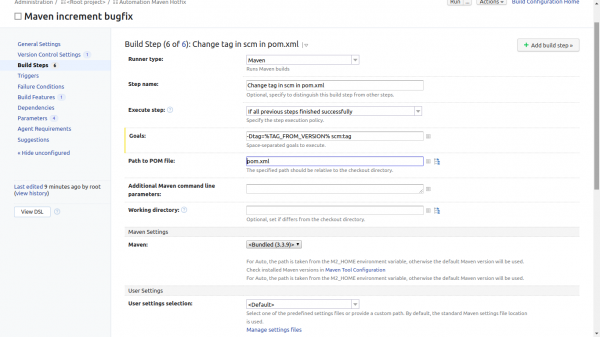
Source: habr.com
