

In this article, we will attempt reverse engineering, so to speak. We will take a look with our dirty hands under the hood of each web server, exploiting them in ways that no one ever would.
This test is like measuring a spherical horse in a vacuum; it is nothing more than the data that has been collected, and now we don't know what to do with it.
Methodology
The operating system for Nginx and Apache is Ubuntu 18.04 LTS, while for IIS it is Windows Server Core 2019. All operating systems received the latest updates as of 04.12.2019 before the tests.
The tests were conducted exclusively over HTTP. The same page, a free template for Jekyll from Codrops, was running on each web server. . Compression with gzip was disabled on all web servers.
The bandwidth test was conducted using Httpd-tools with the following arguments:
ab -n 50000 -c 500 http://192.168.76.204:80/Limits of 10, 5, and 1 percent of CPU core power were set on servers with 8, 4, and a single core. The test stand consisted of a computer with a 9900K@5400MHz, meaning that the server with a 10% limit receives about 540MHz per core.
The TTFB test was conducted during the first server load and was measured using DevTools; after obtaining the result, the server was shut down and rolled back to the previous checkpoint to exclude the appearance of any caches.
The tester and the web server were on the same host and the same virtual switch.
To immediately evaluate the disk subsystem, benchmark results from ATTO and CrystalDiskMark were provided to understand the bottlenecks.
Data collected from the virtual machine: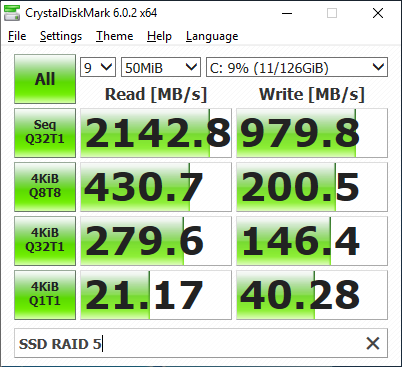
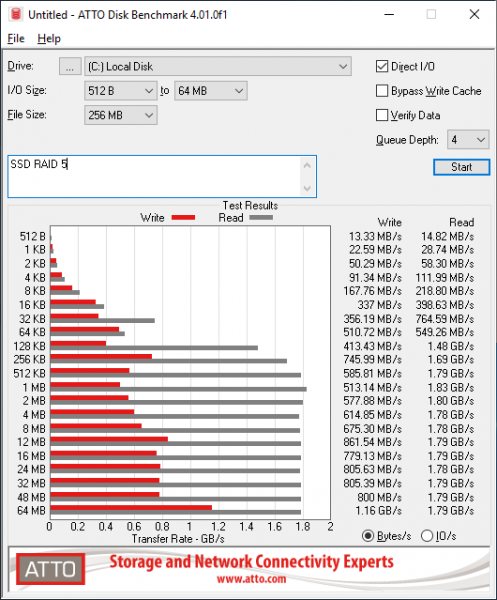
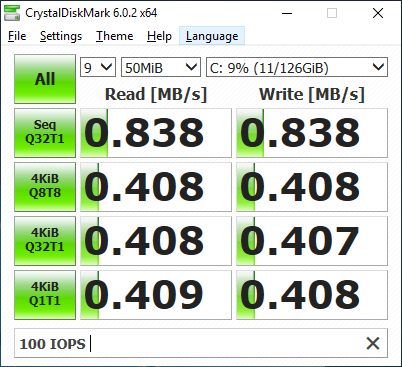
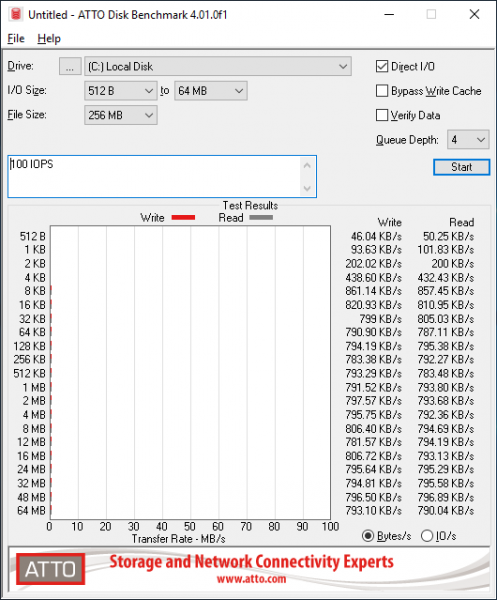
Results:
TTFB:
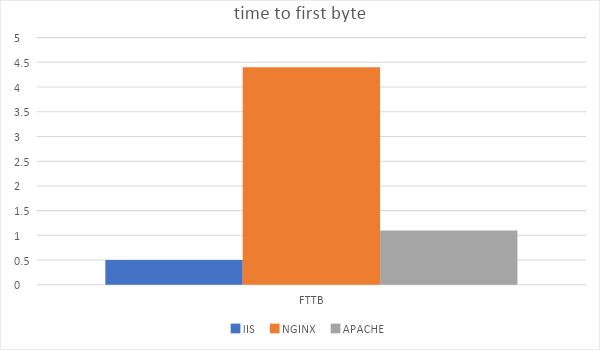
The average TTFB for IIS is the lowest at 0.5ms, compared to 1.4ms for Apache and 4ms for Nginx.
Throughput:
First, let's examine how well each server scales with the number of cores.
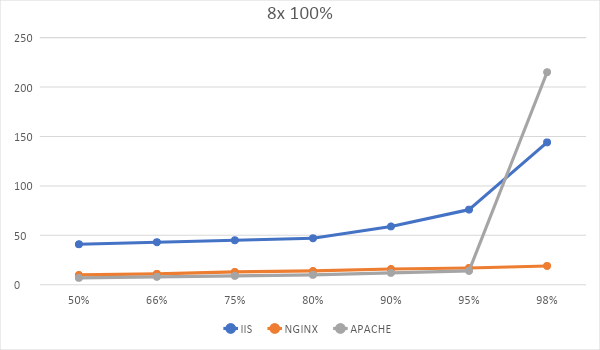
The chart displays the number of requests from the tester to the web server and the latency. The graph shows that NGINX handled 98% of all requests, delivering the site in 20ms or less. IIS and Apache handled the last 5% of total requests in 76ms and 14ms, respectively.
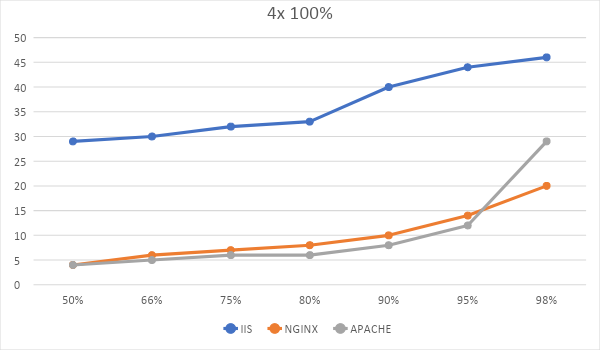
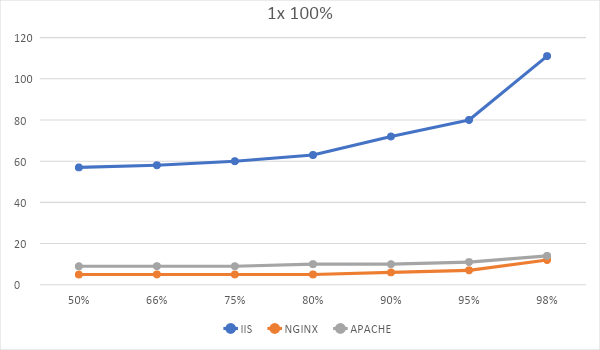
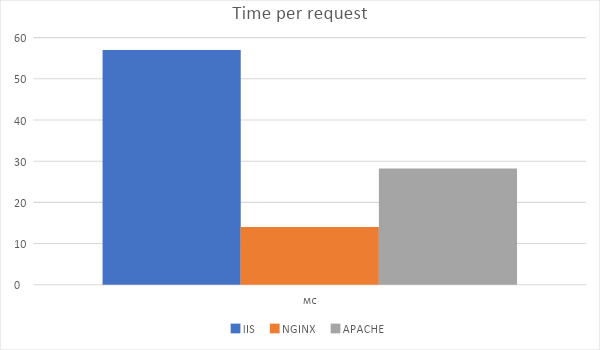
The graph shows the average processing time per request during the stress test.
As can be seen from the graphs, IIS lagged behind both Apache and Nginx, significantly slowing down under high load.
IIS clearly preferred 4 cores over eight, showing lower latencies with four, but also did not favor a single core much.
NGINX scales perfectly across all 8 cores, while for Apache, a single-core scenario seems to be the best choice.
Scalability:
Nginx:
Now let's look at scalability based on frequency and the number of cores.
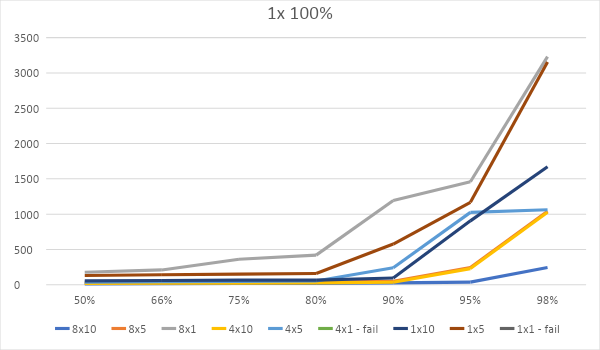
The tests with a 1% limit on 4 and 1 cores did not pass for Nginx; it dropped the connection with the tester after exceeding 2000 requests.
Apache:
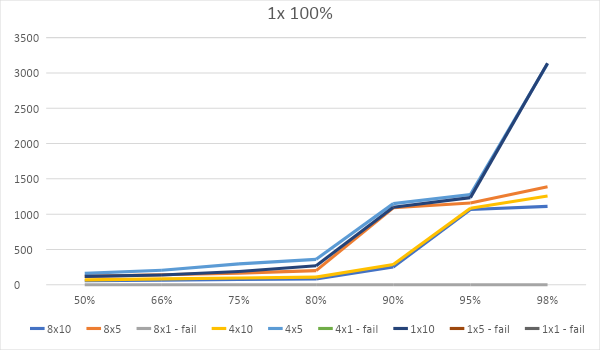
Like Nginx, Apache failed and dropped the connection after processing 2500 requests. Apache did not pass tests on 8, 4, and 1 cores with a 1% limit, and additionally failed the test with a 5% limit on a single core, which is worse than Nginx.
IIS:
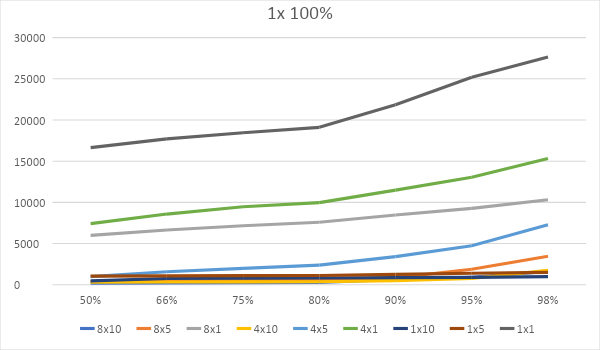
During the tests, IIS built up a huge queue of requests but handled each one. Apparently, it does not come with timeout settings for request processing out of the box.
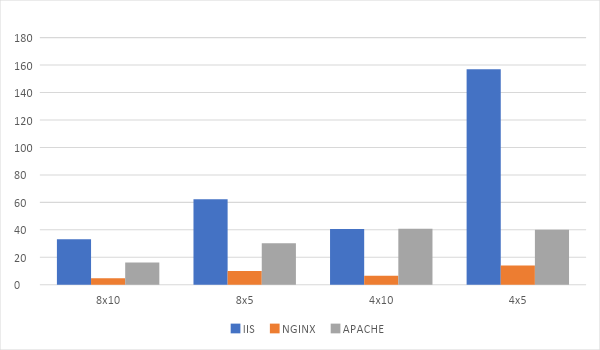
The diagram shows the time taken to complete the test. Absurd testing configurations were discarded. The diagram illustrates how demanding IIS is on hardware and how great NGINX is.
Scalability from disk:
Nginx:
Now let's examine scalability based on frequency, the number of cores, and disk speed.
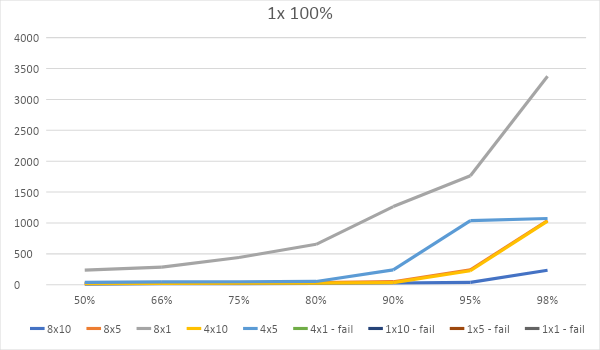
This time, Nginx did not pass 4 tests, instead of two.
Apache:
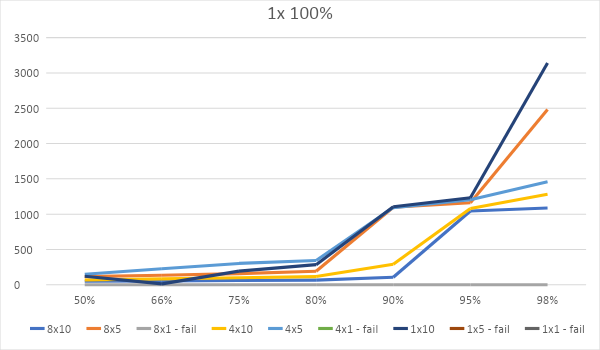
Apache failed the same number of tests as last time.
IIS:
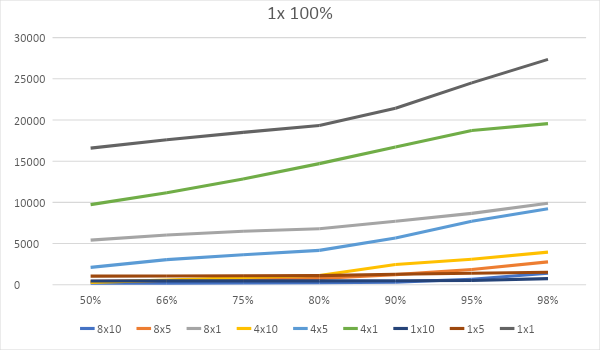
IIS shows nearly identical metrics, as if there were no disk limitations. Overall, the graphs for all servers didn't change significantly, indicating that each cached static content in memory and served it from there. Here we see the main bottleneck – the web server itself.
It's too early to draw conclusions based on this testing; we have yet to test HTTPS, compression, and HTTP/2 with a live certificate from Let’s Encrypt. We will discuss this in the next article.
Source: habr.com
