

Hello Habr.
In the first part of the article about we talked about service stations on long and short waves. Amateur stations deserve a separate discussion. First, it's interesting, and second, anyone interested can join in this process, both in reception and transmission.
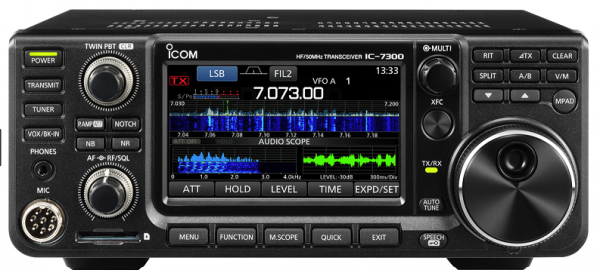
As in the previous parts, we will focus on ‘digitization’ and how signal processing works. For receiving and decoding signals, we will also use the Dutch online receiver and the program MultiPSK.
For those interested in how this works, the continuation is below.
After it became known over 100 years ago that short waves could connect to the entire world using a transmitter made of just two tubes, the process captured the interest of not only corporations but also enthusiasts. Back in those days, it looked , and even today, ham radio remains quite an interesting technical hobby. Let's explore what types of communication are available to modern amateur radio operators.
Frequency Ranges
The radio spectrum is actively used by service and broadcasting stations, which is why certain frequency ranges are allocated for amateur radio operators so they do not interfere with others. There are quite a few of these ranges, from ultra-long waves at 137 kHz to microwave frequencies at 1.3, 2.4, 5.6, or 10 GHz (more details can be found ). In general, everyone can choose based on their interests and technical capabilities.
From the point of view of ease of reception, the most accessible frequencies are those with wavelengths of 80-20m:
— Band 3.5 MHz (80m): 3500-3800 kHz.
— Band 7 MHz (40m): 7000-7200 kHz.
— Band 10 MHz (30m): 10100-10140 kHz.
— Band 14 MHz (20m): 14000-14350 kHz.
You can tune into these either with the aforementioned , or with your own, if it can receive in sideband mode (LSB, USB, SSB).
Now that everything is ready, let's see what can be received.
Voice Communication and Morse Code
If you look through websdr at the entire amateur radio band, it’s easy to see Morse code signals. It's rarely used in service radio communications now, but some amateur radio enthusiasts still utilize it.
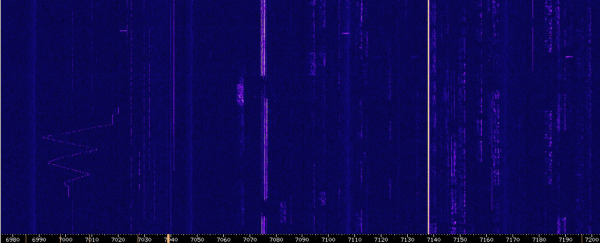
Previously, to obtain a call sign, it was necessary to pass an exam on receiving Morse code signals; now, it seems that this requirement remains only for the first, highest category (they differ mainly in terms of maximum allowable power). We will decode CW signals using CW Skimmer and a Virtual Audio Card.
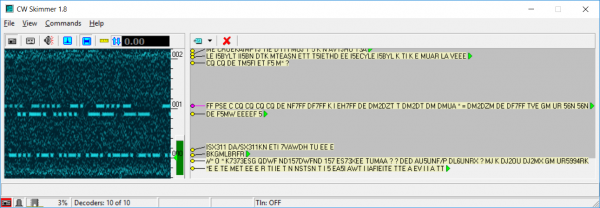
Radio amateurs use a shortened code (), in particular, the string CQ DE DF7FF means a general call to all stations from the radio amateur DF7FF. Each radio amateur has their own call sign, the prefix of which is derived from , which is quite convenient as it immediately indicates where the station is broadcasting from. In our case, the call sign DF7FF belongs to a radio amateur from Germany.
As for voice communication, there are no complications; those interested can listen independently on websdr. Once, during the USSR era, not all radio amateurs were allowed to communicate with foreigners, but now there are no such restrictions, and the range and quality of communication depend only on the quality of the antennas, equipment, and the operator's patience. For those who are interested, more information can be found on amateur radio websites and forums (cqham, qrz); we will now move on to digital signals.
Unfortunately, for many radio amateurs, working with 'digital' is simply connecting a computer's sound card with a decoding program; few delve into the intricacies of how it works. Even fewer conduct their own experiments with digital signal processing and various types of communication. Despite this, over the last 10-15 years, a significant number of digital protocols have emerged, some of which are worth examining.
RTTY
A relatively old mode of communication that uses frequency modulation. The method is called FSK (Frequency Shift Keying) and involves forming a bit sequence by changing the transmission frequency.

Data is encoded by rapidly switching between two frequencies F0 and F1. The difference dF = F1 — F0 is called the frequency separation and can be, for example, 85, 170, or 452 Hz. The second parameter is the baud rate, which can also vary, typically being 45, 50, or 75 bits per second. Since we have two frequencies, we need to determine which one will be the 'upper' and which will be the 'lower'; this parameter is commonly referred to as 'inversion'. These three values (baud rate, separation, and inversion) fully define the parameters for RTTY transmission. In practically any decoding software, you can find these settings, and by adjusting these parameters even 'by eye', you can decode most of these signals.
Once, RTTY communication was more popular, but now, when I accessed websdr, I didn't hear a single signal, making it difficult to provide a decoding example. Those interested can listen for themselves at 7.045 or 14.080 MHz; more detailed information about teletypes was written in articles.
PSK31/63
Another type of communication is phase modulation, . Here, the frequency doesn’t change, but the phase does; it looks something like this on the graph:
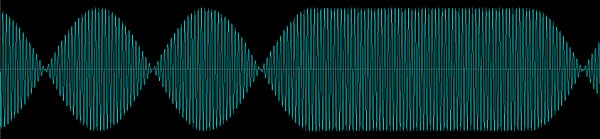
The bit encoding of the signal consists of a phase shift of 180 degrees, and the signal itself is effectively a pure sine wave—this provides good transmission range with minimal power output. Phase shifts can be hard to see in screenshots; they can be noticed if you zoom in and overlay one segment over another.
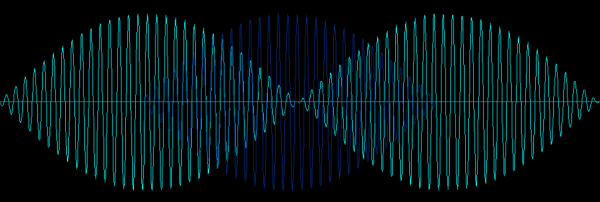
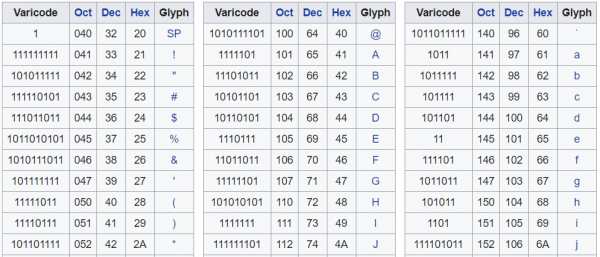
The encoding itself is relatively simple—in BPSK31, signals are transmitted at a rate of 31.25 baud, where a phase change encodes a '0' and the absence of a phase change encodes a '1'. You can look up the encoding of symbols on Wikipedia.
Visually, on the spectrum, the BPSK signal appears as a narrow line, and audibly it sounds like a fairly pure tone (which it essentially is). You can hear BPSK signals, for example, at 7080 or 14070 MHz.
It's interesting to note that in both BPSK and RTTY, the 'brightness' of the line can indicate the signal strength and the quality of reception — if part of the message is lost, there will be 'garbage' in that part of the message, but the overall meaning is often still understandable. The operator can choose which signal to focus on for decoding. Searching for new and weak signals from distant correspondents is quite interesting in itself. In contrast, the following protocols are much more automated and require virtually no human involvement. Whether this is good or bad is a philosophical question, but it can definitely be said that some part of the ham radio spirit is lost in such modes.
FT8/FT4
To decode the following types of signals, you need to install the program . Signals are transmitted using frequency modulation from 8 frequencies with a shift of only 6.25 Hz, so the signal occupies a bandwidth of only 50 Hz. Data in FT8 is transmitted in 'packets' lasting about 14 seconds, so precise synchronization of the computer's time is quite relevant. Reception is almost entirely automated — the program decodes the callsign and signal strength.
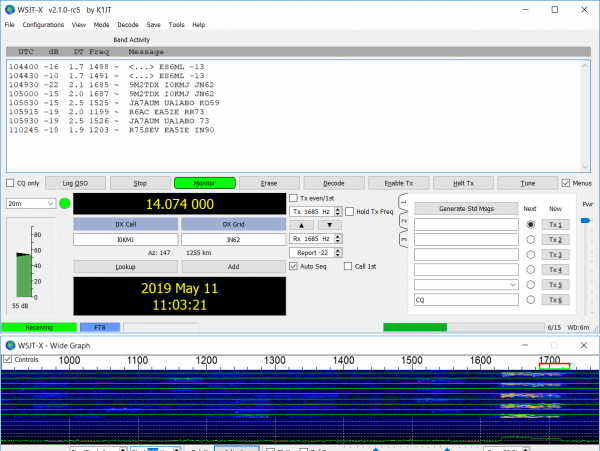
In the new version of the protocol , which appeared recently, the packet duration has been reduced to 5 seconds, using 4-tone modulation at a transmission speed of 23 baud. The signal bandwidth is approximately 90 Hz.
WSPR
WSPR is a protocol specifically designed for the reception and transmission of weak signals. This signal is transmitted at a speed of only 1.4648 baud (yes, just over 1 bit per second). Frequency modulation (4-FSK) is used with a frequency offset of 1.4648 Hz, so the signal bandwidth is only 6 Hz. The transmitted data packet has a size of 50 bits, and error correction bits are also added (non-recursive convolutional code, constraint length K=32, rate=1/2), resulting in a total packet size of 162 bits. These 162 bits are transmitted in about 2 minutes (will anyone still complain about slow internet?).
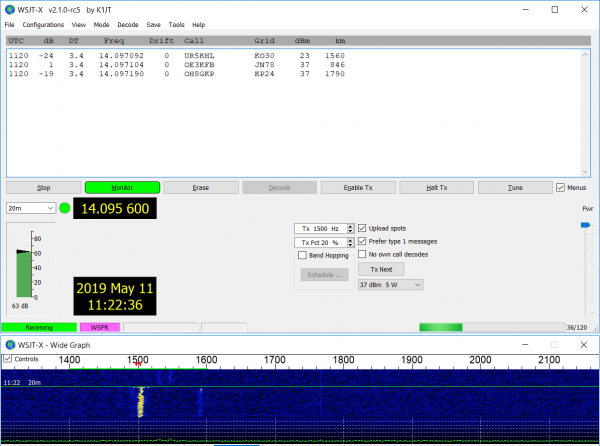
All this allows data to be transmitted actually below the noise level, with almost fantastic results — for example, a signal of 100 mW from a microprocessor pin, transmitted using a room frame antenna, managed to send a signal over 1000 km.
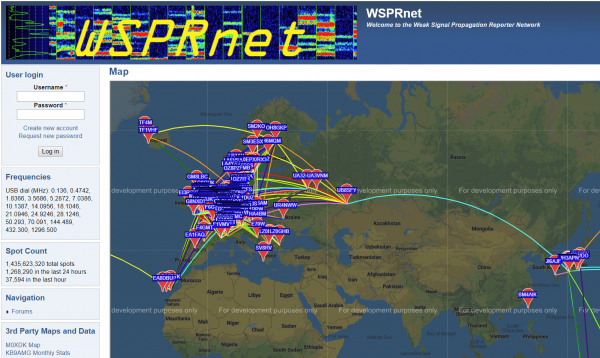
WSPR operates fully automatically and does not require operator involvement. Just leave the program running, and after some time, you can check the operation log. Data can also be sent to the website , which is convenient for assessing propagation or antenna quality — you can transmit a signal and immediately see online where it was received.
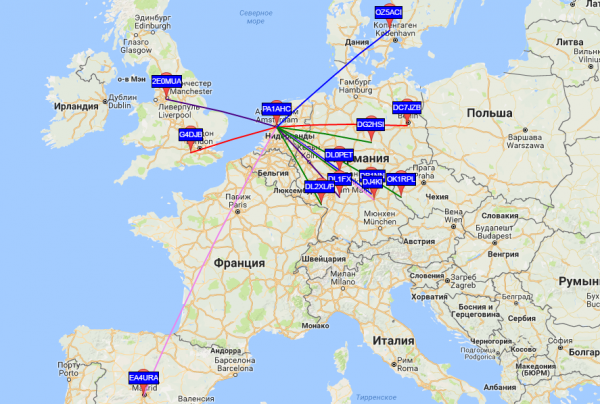
By the way, anyone can join in receiving WSPR, even without an amateur radio call sign (it is not required for receiving) — just a receiver and the WSPR program are enough, and all of this can even work autonomously on a Raspberry Pi. The system is interesting both from a scientific perspective and for experiments with equipment and antennas. Unfortunately, regarding the density of receiving stations, Russia is not much better off than Sudan, Egypt, or Nigeria, so new participants are always welcome — there's an opportunity to be the first, and one receiver can cover a territory of up to a thousand kilometers.
Transmission of WSPR at frequencies above 1GHz is quite interesting and rather complex — the frequency stability of both the receiver and transmitter is quite critical here.
I will conclude this overview, although of course, what is listed is far from everything, just the most popular aspects.
Conclusion
If anyone is interested in trying their hand at it, it’s not that difficult. You can use either a classic receiver (Tecsun PL-880, Sangean ATS909X, etc.) or an SDR receiver (SDRPlay RSP2, SDR Elad) for signal reception. Next, you just need to install the programs as mentioned above, and you can explore the radio spectrum independently. The cost is around $100-200 depending on the model of the receiver. You can also use online receivers and buy nothing at all, although it’s not as interesting.
For those who want to transmit as well, you will need to purchase a transceiver with an antenna and obtain an amateur radio license. The price of a transceiver is approximately the same as that of an iPhone, so it is quite accessible if desired. You will also need to take a simple exam, and within about a month, you can fully operate on the air. Of course, this isn’t easy — you’ll have to learn about different types of antennas, come up with a way to set them up, and understand frequencies and types of emissions. Although the word 'have to' may not be appropriate here, since that's what a hobby is for: it’s done for interest, not by compulsion.
Wishing everyone successful experiments. Perhaps one of the readers will create a new digital mode of communication, and I will gladly include its review in this text 😉
Source: habr.com
