

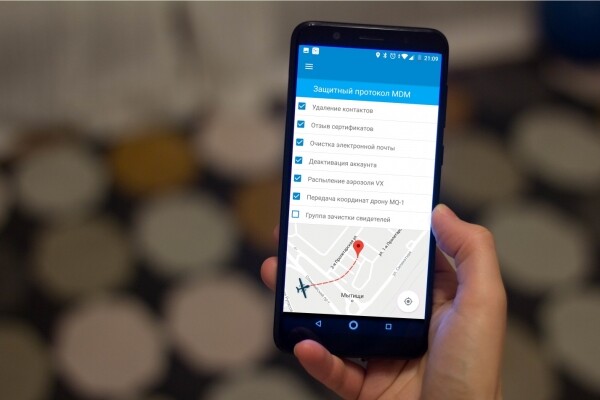
When talking about MDM, which is Mobile Device Management, everyone seems to immediately picture a kill switch that remotely blows up a lost phone at the command of a security employee. While that’s a feature as well, it doesn’t involve any pyrotechnics. However, there are many other routine tasks that become much simpler and less painful with MDM.
Businesses strive for optimization and unification of processes. Whereas before, a new employee had to venture into a mysterious basement filled with wires and lights, where wise, red-eyed old men would help set up corporate email on their BlackBerry, now MDM has evolved into a whole ecosystem that allows these tasks to be accomplished in just a couple of clicks. We’ll talk about security, cucumber-blackcurrant 'Coca-Cola', and the differences between MDM, MAM, EMM, and UEM. We’ll also discuss how to remotely get hired for a job selling pies.
Friday at the bar

Even the most responsible people sometimes take a break. And, as is often the case, they forget their backpacks, laptops, and mobile phones in cafes and bars. The biggest problem is that losing these devices can turn into a massive headache for the security department if they contain sensitive company information. Employees from the same Apple have managed to make headlines at least twice for losing, at first, , and then — . Yes, nowadays most mobile phones come with encryption out of the box, but corporate laptops are not always set up with disk encryption by default.
Moreover, targeted theft of corporate devices for valuable data has begun to emerge as a threat. The phone is encrypted, everything is as secure as possible, and so on. But did you notice the surveillance camera under which you unlocked your phone before it was stolen? Given the potential value of data on a corporate device, such threat models have become quite real.
People are indeed a forgetful bunch. Many companies in the U.S. have had to start treating laptops as consumables that will inevitably be left behind in a bar, hotel, or airport. There are reports that in U.S. airports, Every week, at least half of which contain confidential information without any protection.
All of this has significantly added gray hair to security professionals and led to the initial development of MDM (Mobile Device Management). Then the need arose for managing the lifecycle of mobile applications on controlled devices, resulting in MAM (Mobile Application Management) solutions. A few years ago, they started to converge under the common name EMM (Enterprise Mobility Management) — a unified system for managing mobile devices. The pinnacle of this centralization is UEM (Unified Endpoint Management) solutions.
Honey, we bought a zoo

The first vendors began to emerge offering centralized mobile device management solutions. One of the most notable companies, Blackberry, is still alive and doing quite well. It even has a presence in Russia, selling its products primarily to the banking sector. This market also saw the entry of SAP and various smaller companies like Good Technology, which was later acquired by Blackberry. At the same time, the BYOD concept gained popularity, as companies tried to save on the fact that employees brought their personal devices to work.
However, it quickly became clear that tech support and IT security were already reeling from requests like 'How do I set up MS Exchange on my Arch Linux?' and 'I need a direct VPN to a private Git repository and product database from my MacBook.' Without centralized solutions, all the savings from BYOD turned into a nightmare in terms of maintaining the entire array of devices. Companies needed everything to be automated, flexible, and secure.
In retail, the story developed a bit differently. About 10 years ago, companies suddenly realized that mobile devices had emerged. Previously, employees were sitting in front of warm tube monitors, while somewhere nearby the bearded sweater-wearer was invisibly present, making it all work. With the advent of full-fledged smartphones, the functions of rare specialized PDAs could now be transferred to ordinary, inexpensive mass-produced devices. At the same time, it became clear that this menagerie needed some management since there are many platforms, all different: Blackberry, iOS, Android, and then — Windows Phone. In a large company, any manual movements are essentially shooting oneself in the foot. Such a process consumes valuable man-hours of the IT department and support.
Vendors initially offered separate MDM products for each platform. A typical situation was managing only smartphones on iOS or Android. Once smartphones were more or less tackled, it turned out that data collection terminals in warehouses also needed to be managed. At the same time, you really need to send a new employee to the warehouse to simply scan barcodes on the necessary boxes and input that data into the database. If your warehouses are spread across the country, then support becomes quite complex. Each device needs to be connected to Wi-Fi, have the application installed, and access to the database provided. With modern MDM, or rather EMM, you take an admin, give them a management console, and configure thousands of devices with template scenarios from one place.
Terminals at McDonald’s
There is an interesting trend in retail — a move away from stationary cash registers and checkout points. In the past, if a customer liked a kettle in M.Video, they would have to call a sales assistant and walk with them across the hall to the stationary terminal. Along the way, the customer often forgot why they were going and changed their mind. The impulse buying effect was lost. Now, MDM solutions allow the seller to approach with a POS terminal and process the payment immediately. The system integrates and configures the terminals of warehouse and sales associates from a single management console. One of the first companies to change the model of traditional checkout was McDonald’s with its interactive self-service panels and staff with mobile terminals who accepted orders right in the queue.
Burger King has also begun to develop its ecosystem by adding an app that allows for remote ordering so that food can be prepared in advance. All this is integrated into a harmonious network with managed interactive kiosks and mobile terminals with staff.
Your own cashier
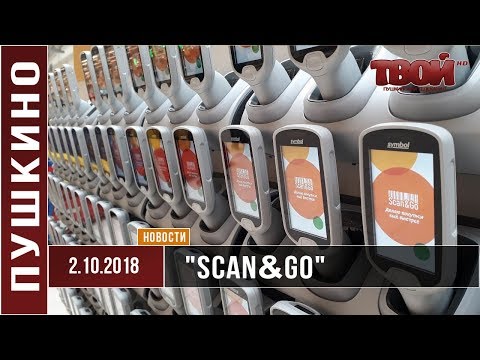
Many hypermarkets are easing the load on cashiers by installing self-service checkouts. Globus has taken it a step further. They offer a Scan&Go terminal at the entrance with an integrated scanner, which allows customers to scan all their items on-site, pack them into bags, and exit after payment. There’s no need to unload items at the register. All terminals are also managed centrally and integrate with both warehouses and other systems. Some companies are experimenting with similar solutions integrated into shopping carts.
A thousand flavors

Vending machines are a separate story. Just like that, firmware needs to be updated, and you have to monitor the supply of burnt coffee and dry milk. Moreover, all this must be synchronized with the terminals used by the service staff. Among large companies, Coca-Cola stood out by announcing a prize of $10,000 for the most original drink recipe. In other words, it allowed users to mix the craziest combinations in their branded machines. As a result, options like sugar-free ginger-lemon cola and vanilla-peach Sprite emerged. Though they haven't yet reached the taste of earwax, as found in Bertie Bott’s Every Flavour Beans, they are very determined. All telemetry and the popularity of each combination are closely monitored. This is also integrated with users' mobile apps.
We await new flavors.
We sell pastries.
The beauty of MDM/UEM systems is that you can quickly scale your business by onboarding new employees remotely. You can easily organize the sale of virtual pastries in another city with full integration into your systems in just two clicks. It will look something like this.
A new device is delivered to the employee. Inside the box is a paper with a barcode. We scan it — the device activates, registers in the MDM, downloads the firmware, applies it, and reboots. The user enters their data or a one-time token. That's it. Now you have a new employee who has access to corporate email, inventory data, necessary applications, and integration with the mobile payment terminal. The person arrives at the warehouse, picks up the goods, and delivers them to the clients while accepting payment using this same device. It's almost like in strategy games where you hire a couple of new units.
What it looks like
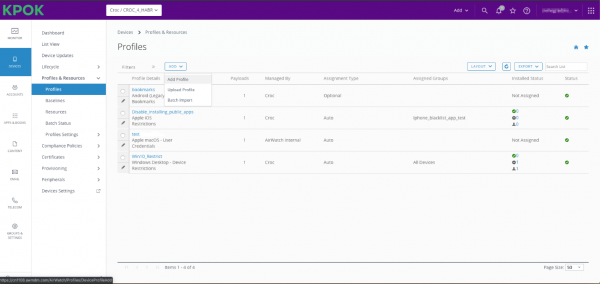
One of the most functional UEM systems on the market is VMware Workspace ONE UEM (formerly AirWatch). It allows integration with and with ChromeOS. Even Symbian was supported until recently. Additionally, Workspace ONE supports Apple TV.
Another important advantage is that Apple allows only two MDMs, including Workspace ONE, to tinker with the API before releasing a new version of iOS. For everyone else, it’s at best one month in advance, while they get two.
You simply set the necessary use cases, connect the device, and then it works, as they say, automagically. Policies and restrictions are automatically applied, required access to internal network resources is provided, keys are uploaded, and certificates are installed. Within minutes, the new employee has a fully functional device, continuously streaming the necessary telemetry. The number of scenarios is vast, ranging from blocking the phone's camera in a specific geolocation to SSO via fingerprint or facial recognition.
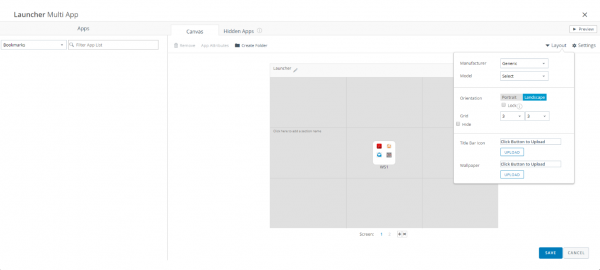
The admin configures the launcher with all the applications that will be sent to the user.
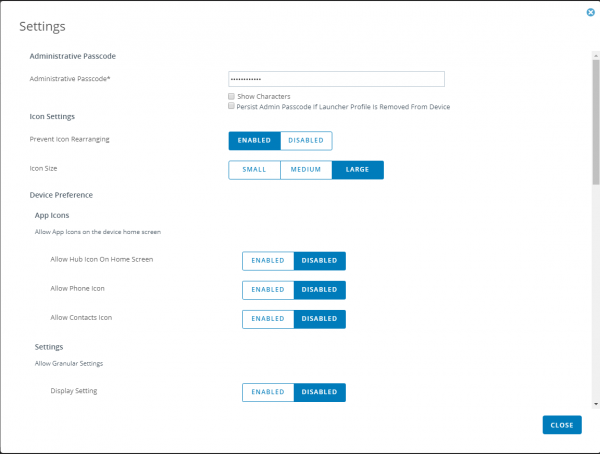
All possible and impossible parameters, such as icon size, restrictions on moving icons, and disabling the call and contacts icons, can also be flexibly configured. This functionality is useful when using Android platforms as interactive menus in restaurants and similar tasks.
From the user's perspective, it looks something like this 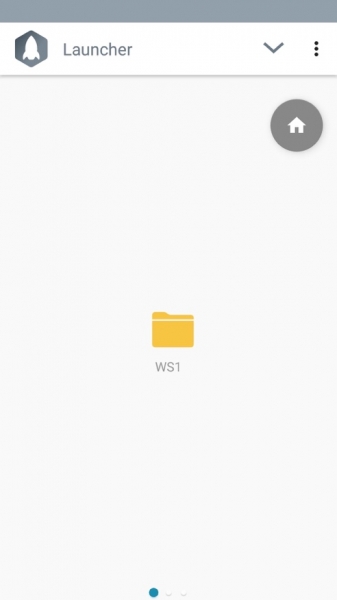
Interesting solutions are also available from other vendors. For example, EMM SafePhone from the Research Institute of Secure Communication offers certified solutions for secure voice and messaging transmission with encryption and the ability to record.
Rooted phones
A headache for cybersecurity is rooted phones, where the user has maximum rights. Subjectively, this is an ideal scenario. Your device should give you complete management rights. Unfortunately, this contradicts corporate tasks that require the user to be unable to interfere with corporate software. For instance, they shouldn't have access to the protected memory section with files or inject fake GPS.
Therefore, all vendors strive in one way or another to detect any suspicious activities on the managed device and block access upon detecting root rights or non-standard firmware.
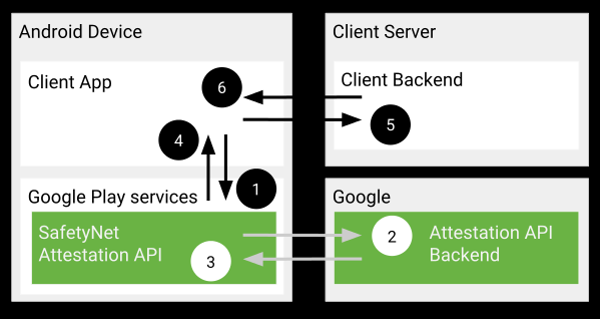
In Android, it is usually relied upon . From time to time, Magisk allows bypassing its checks, but generally, Google fixes this very quickly. As far as I know, Google Pay has yet to work again on rooted devices since the spring update.
Instead of output
If you are a large company, you should consider implementing UEM/EMM/MDM. Modern trends indicate that such systems are finding increasingly widespread use — from locked iPads as terminals in a bakery to large integrations with warehouse databases and courier terminals. A unified management point and quick integration or role change for employees offer significant advantages.
My email is SVinogradskiy@croc.ru
Source: habr.com
