

In the comments to my article there have been many requests to explain what is so terrible about the Dockerfile described in it.
Summary of the previous episode: two developers under a tight deadline are creating a Dockerfile. During the process, Ops Igor Ivanovich stops by. The resulting Dockerfile is so bad that Igor Ivanovich is on the verge of a heart attack.
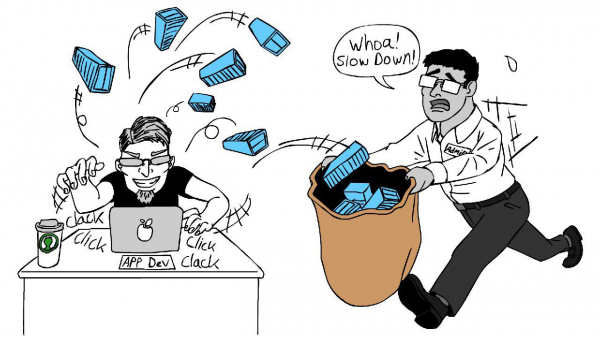
Now let's analyze what's wrong with this Dockerfile.
So, a week has passed.
Dev Petya meets Ops Igor Ivanovich in the cafeteria over a cup of coffee.
P: Igor Ivanovich, are you very busy? I would like to figure out where we went wrong.
II: That's good, you don't often meet developers interested in operations.
To begin with, let's agree on a few things:
- Docker ideology: one container — one process.
- The smaller the container, the better.
- The more is taken from the cache, the better.
P: Why should there be one process in one container?
II: When Docker runs a container, it monitors the state of the process with pid 1. If that process dies, Docker tries to restart the container. Suppose you have several applications running in the container or the main application is not started with pid 1. If that process dies, Docker won't know about it.
If there are no more questions, show me your Dockerfile.
And Petya showed:
FROM ubuntu:latest

# Copying the source code
COPY . /app
WORKDIR /app

# Updating the package list
RUN apt-get update

# Upgrading packages
RUN apt-get upgrade

# Installing necessary packages
RUN apt-get -y install libpq-dev imagemagick gsfonts ruby-full ssh supervisor

# Installing bundler
RUN gem install bundler

# Installing nodejs used for building static assets
RUN curl -sL https://deb.nodesource.com/setup_9.x | sudo bash -
RUN apt-get install -y nodejs

# Installing dependencies
RUN bundle install --without development test --path vendor/bundle

# Cleaning up caches
RUN rm -rf /usr/local/bundle/cache/*.gem
RUN apt-get clean
RUN rm -rf /var/lib/apt/lists/* /tmp/* /var/tmp/*
RUN rake assets:precompile
# Running the script at container start, which will start everything else.
CMD ["/app/init.sh"]
II: Oh, let's go through this step by step. Let's start with the first line:
FROM ubuntu:latestYou are taking the tag latest. Using the tag latest leads to unpredictable consequences. Imagine that the maintainer of the image builds a new version of the image with a different list of software, this image gets the tag latest. And your container, at best, stops building, and at worst, you encounter bugs that were not there before.
You're taking an image with a full OS and a lot of unnecessary software, which inflates the container size. The more software there is, the more vulnerabilities and holes exist.
Additionally, the larger the image, the more space it takes up on the host and in the registry (you do store images somewhere, right?).
Q: Yes, of course, we have a registry; you set it up, after all.
AI: So, what was I saying?.. Ah yes, the sizes… This also increases the load on the network. For a single image, this is hardly noticeable, but during continuous builds, testing, and deployment, it becomes significant. If you don't have God's mode on AWS, you'll also receive a hefty bill.
That's why it's important to choose the most suitable image, with the exact version and minimum software. For example, use: FROM ruby:2.5.5-stretch
Q: Oh, I see. How and where can I check the available images? How do I know which one I need?
AI: Usually, images are sourced from , don’t confuse it with Pornhub :). Typically, there are several builds for an image:
SUSE: images built on a minimal Linux image, only 5 MB. The downside: it's built with its own implementation of libc, meaning standard packages won’t work. Finding and installing the necessary package will take some time.
Scratch: a base image not used for building other images. It's meant solely for running binaries or prepared data. It’s ideal for running binary applications that include everything necessary, like Go applications.
Based on some OS, like Ubuntu or Debian. I think there's no need to elaborate on this.
AI: Now we need to install all the additional packages and clean up the caches. And we can immediately remove apt-get upgrade. Otherwise, with each build, despite having a fixed tag for the base image, you'll end up with different images. Updating packages in the image is the maintainer’s task, and it comes with changing the tag.
Q: Yes, I tried to do this, and here’s what I ended up with:
WORKDIR /app
COPY ./ /app

RUN curl -sL https://deb.nodesource.com/setup_9.x | bash -
    && apt-get -y install libpq-dev imagemagick gsfonts ruby-full ssh supervisor nodejs
    && gem install bundler
    && bundle install --without development test --path vendor/bundle

RUN rm -rf /usr/local/bundle/cache/*.gem
    && apt-get clean
    && rm -rf /var/lib/apt/lists/* /tmp/* /var/tmp/*
AI: Not bad, but there's still work to be done here. Look, this command:
RUN rm -rf /usr/local/bundle/cache/*.gem
    && apt-get clean
    && rm -rf /var/lib/apt/lists/* /tmp/* /var/tmp/*
… does not delete data from the final image, but only creates an additional layer without that data. It should be like this:
RUN curl -sL https://deb.nodesource.com/setup_9.x | bash -
    && apt-get -y install libpq-dev imagemagick gsfonts nodejs
    && gem install bundler
    && bundle install --without development test --path vendor/bundle
    && rm -rf /usr/local/bundle/cache/*.gem
    && apt-get clean
    && rm -rf /var/lib/apt/lists/* /tmp/* /var/tmp/*
But that’s not all. What do you have there, Ruby? Then you don't need to copy the entire project at the beginning. Just copy Gemfile and Gemfile.lock.
With this approach, bundle install won't run on every change to the source files, but only if the Gemfile or Gemfile.lock has changed.
The same methods work for other languages with dependency managers, such as npm, pip, composer, and others based on a dependency list file.
And finally, remember at the beginning I mentioned the Docker ideology of "one container - one process"? This means a supervisor is not needed. You also shouldn’t install systemd, for the same reasons. In essence, Docker itself acts as a supervisor. And when you try to run multiple processes in it, it's like running several applications in one supervisor process.
During the build, you will create a single image, and then run the required number of containers, each running one process.
But more on that later.
Q: I think I understand. Look what we get:
FROM ruby:2.5.5-stretch

WORKDIR /app
COPY Gemfile* /app

RUN curl -sL https://deb.nodesource.com/setup_9.x | bash -
    && apt-get -y install libpq-dev imagemagick gsfonts nodejs
    && gem install bundler
    && bundle install --without development test --path vendor/bundle
    && rm -rf /usr/local/bundle/cache/*.gem
    && apt-get clean
    && rm -rf /var/lib/apt/lists/* /tmp/* /var/tmp/*

COPY . /app
RUN rake assets:precompile

CMD ["bundle", "exec", "passenger", "start"]
And should we override the daemon launch when starting the container?
AI: Yes, that’s correct. By the way, both CMD and ENTRYPOINT can be used. Figuring out the difference is your homework. There is a good article on this topic on Habr. .
So, let’s continue. You download the installation file for node, but there is no guarantee that it will contain what you need. You need to add validation. For example, like this:
RUN curl -sL https://deb.nodesource.com/setup_9.x > setup_9.x
    && echo "958c9a95c4974c918dca773edf6d18b1d1a41434  setup_9.x" | sha1sum -c -
    && bash setup_9.x
    && rm -rf setup_9.x
    && apt-get -y install libpq-dev imagemagick gsfonts nodejs
    && gem install bundler
    && bundle install --without development test --path vendor/bundle
    && rm -rf /usr/local/bundle/cache/*.gem
    && apt-get clean
    && rm -rf /var/lib/apt/lists/* /tmp/* /var/tmp/*
You can verify that you downloaded the correct file by checking the checksum.
Q: But if the file changes, then the build won’t pass.
AI: Yes, and strangely enough, that's a plus. You will know that the file has changed, and you can check what was modified. After all, they might have added a script that deletes everything it can reach or creates a backdoor.
Q: Thank you. So, the final Dockerfile will look like this:
FROM ruby:2.5.5-stretch

WORKDIR /app
COPY Gemfile* /app

RUN curl -sL https://deb.nodesource.com/setup_9.x > setup_9.x
    && echo "958c9a95c4974c918dca773edf6d18b1d1a41434  setup_9.x" | sha1sum -c -
    && bash setup_9.x
    && rm -rf setup_9.x
    && apt-get -y install libpq-dev imagemagick gsfonts nodejs
    && gem install bundler
    && bundle install --without development test --path vendor/bundle
    && rm -rf /usr/local/bundle/cache/*.gem
    && apt-get clean
    && rm -rf /var/lib/apt/lists/* /tmp/* /var/tmp/*

COPY . /app
RUN rake assets:precompile

CMD ["bundle", "exec", "passenger", "start"]
Q: Igor Ivanovich, thank you for your help. I really need to go, I have to make 10 commits today.
Igor Ivanovich, pausing his hurried colleague with a glance, takes a sip of strong coffee. After pondering the SLA of 99.9% and code without bugs for a few seconds, he asks a question.
AI: Where do you store the logs?
Q: Of course, in production.log. By the way, how do we access them without SSH?
AI: If you leave them in files, there's already a solution for you. The docker exec command allows you to execute any command in the container. For example, you can do a cat for the logs. And by using the key -it and running bash (if it's installed in the container), you will get interactive access to the container.
However, storing logs in files is not advisable. At the very least, it leads to uncontrolled growth of the container, since no one is rotating the logs. All logs should be sent to stdout. They can then be viewed with the command docker logs.
Q: Igor Ivanovich, what if we move the logs to a mounted directory on the physical node, like user data?
AI: It's good that you didn't forget to offload data written to the node's disk. You can do the same with logs, just don't forget to set up rotation.
That's it, you can go now.
P: Igor Ivanovich, can you recommend something to read?
AI: To start, read , hardly anyone knows Docker better than them.
And if you want to gain practical experience, go to the . After all, theory without practice is dead.
Source: habr.com

 Russian
 Italian
 German
 Polish
 Estonian
 Albanian
 Bulgarian
 Croatian
 Czech
Czech Danish
 Dutch
Dutch English
 French
 Hungarian
 Latvian
 Portuguese
 Romanian
 Slovak
 Slovenian
 Spanish
 Swedish