

When dealing with hardware, whether consumer or business segments — it doesn't matter, it’s hard to imagine anything that generates as much "love and adoration" for the manufacturer as "white lists" of compatible equipment and consumables.
Everything seems fine: there are no obstacles to the device's functioning, but upon connection, we receive something like "your device is not supported, I don't want to work with it," or even outright proud silence and no signs of life.
At that moment, one develops a special affection for the manufacturer and speaks many tender words.

It’s much more amusing to stumble upon such a message where you least expect it. A seemingly mundane situation: a disk has failed in the RAID. I replaced it with an identical one; the array should rebuild and continue functioning. But not this time!
Sometimes the RAID rebuilds, yet the server continues to show a red light, and the status "degraded" remains unchanged. I've encountered this problem fairly often lately.
So, we have server eighth generation HP production. DL360, 380, also occasionally in blade systems like BL460c. The RAID controller, accordingly, is the Smart Array P420, P222, P820 and similar. There’s a disk. And the situation described above.
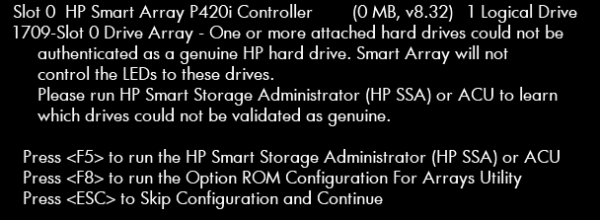
Here’s how it appears on the screen:
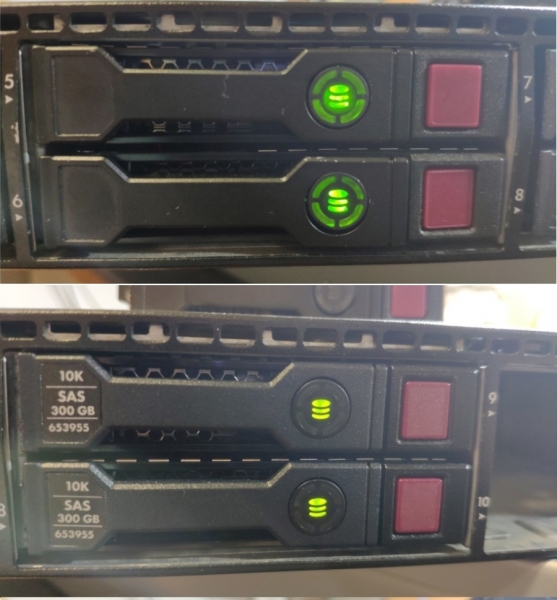
And here's how in server:
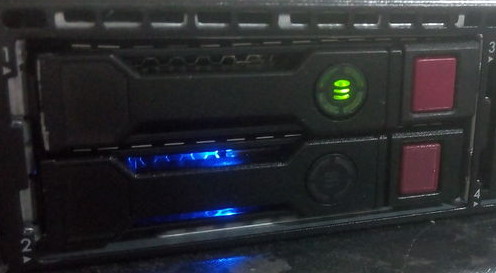
Here, on the upper disk, there’s a looped circular indication, and when assembling the array, it’s not marked blue.
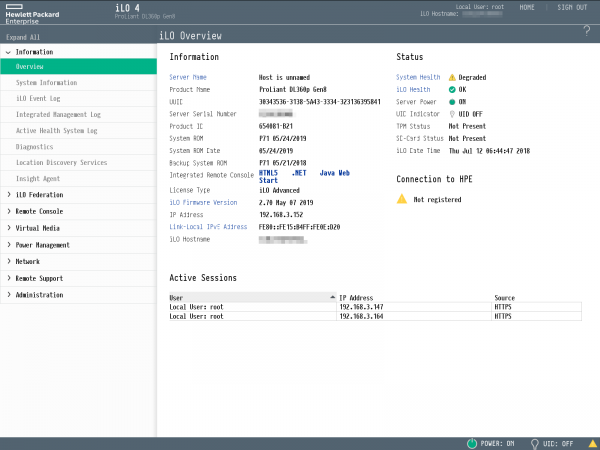
The server is lit up with a red LED, and an error appears in ILO, with the status "degraded":
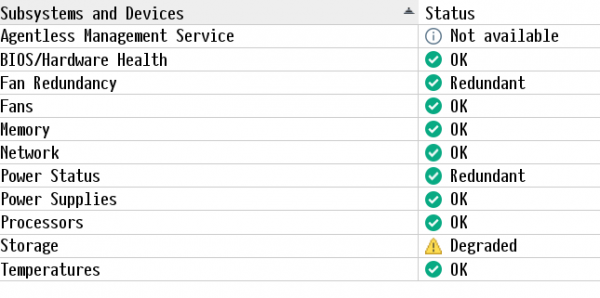
And it is degraded, of course, according to the storage:
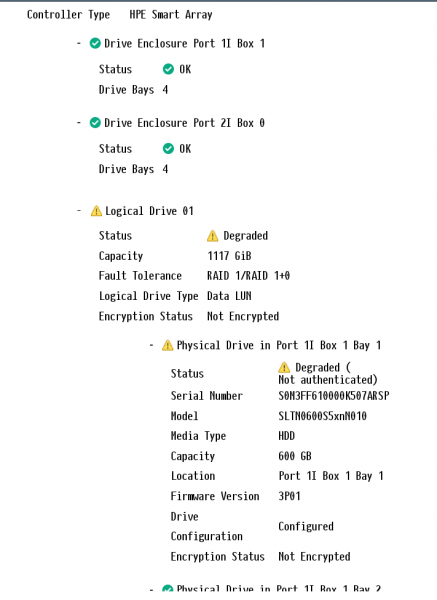
In the logs:

If you go into SSA and look at the disk, you’ll see yet another confirmation.
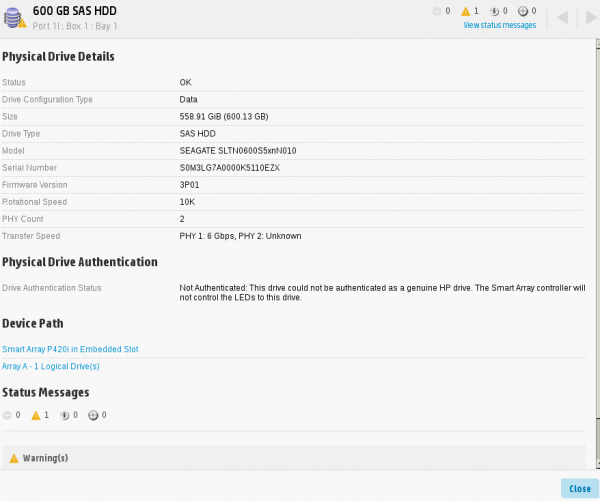
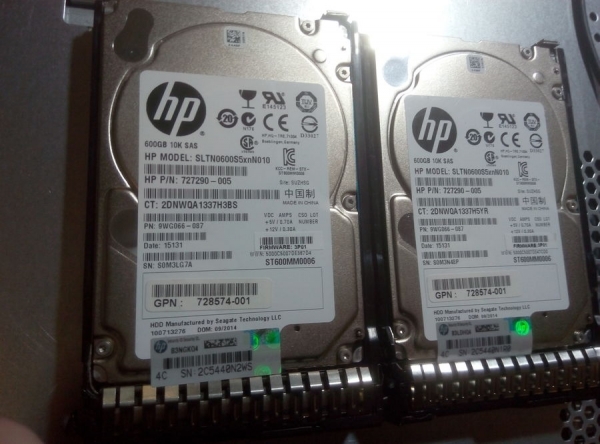
It’s funny, because both disks are original. The hologram is clearly visible here:
So what’s the problem? The answer is simple: in the trays.
Since the eighth generation, HP decided that a tray isn’t just a piece of plastic and metal with light guides, but a complex technical solution.
In fact, the original tray is only on one disk. The Chinese replicas operate randomly: out of ten, about five might be decent.
So it turns out that HP isn’t to blame, but the Chinese, and all the kind words were misdirected.
Here you can see the difference in the behavior of the Chinese replica and the original: the same unceasing circular indication.
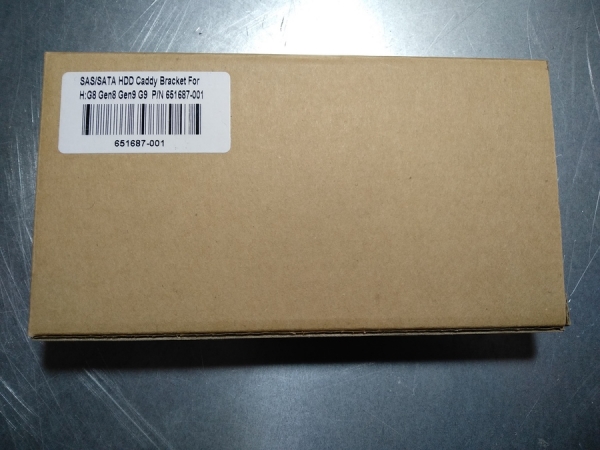
How to identify a Chinese "replica"? Let me show you.
It usually comes in such a box.
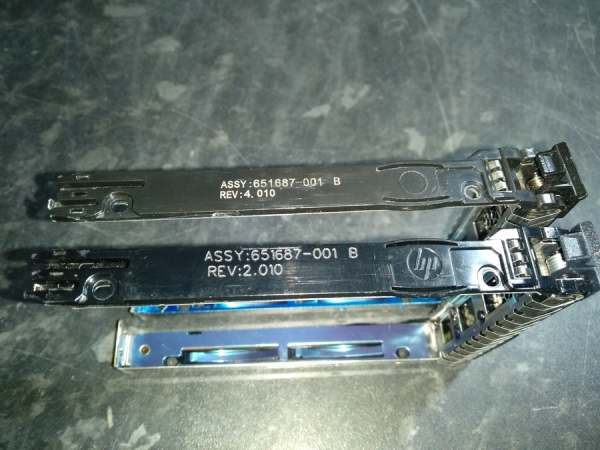
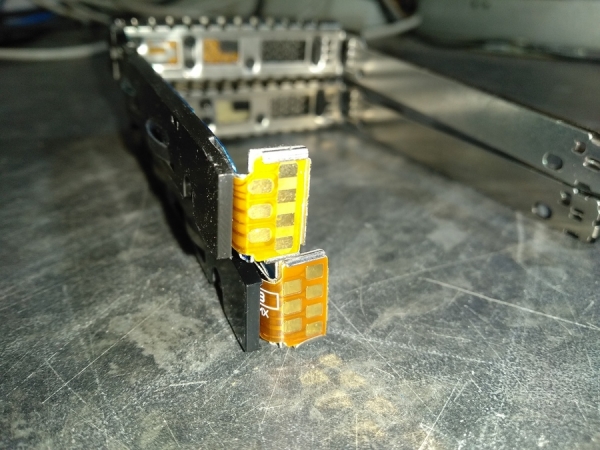
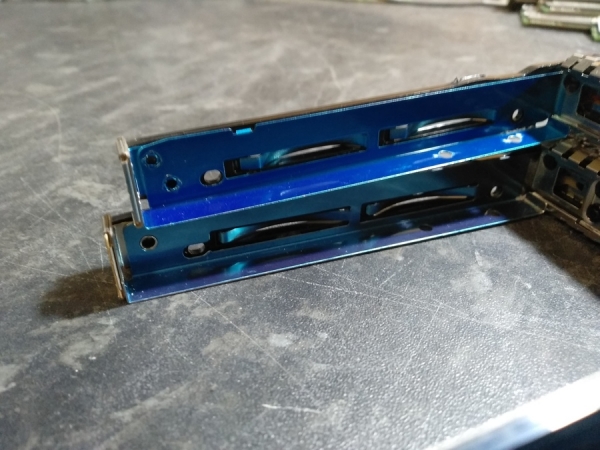
Next, in all the photos above, the top is the replica, and the bottom is the original.
1. It's clear that the color of the plastic differs. The original will be lighter.
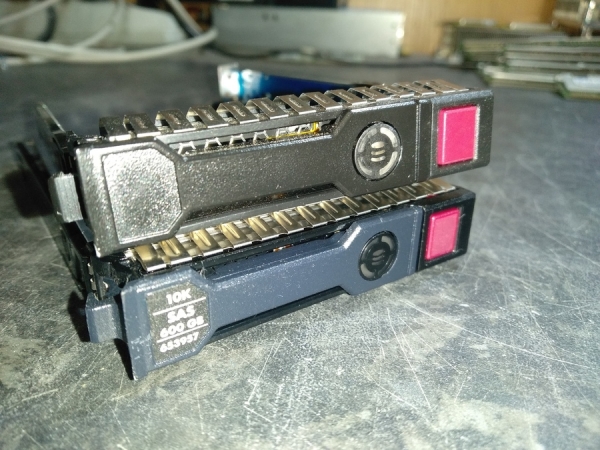
The presence or absence of a sticker indicating the model of the disk can be an additional sign, but it is not a guarantee. The replica is likely to have no sticker at all.
2. Markings on the left side. The original has the HP logo etched along with the part number.
3. The contact plate also differs. The Chinese version is yellow, while the original is orange, almost brown. Additionally, the original has labeling.
4. From the inside, on the same left side of the original, the part number is etched:
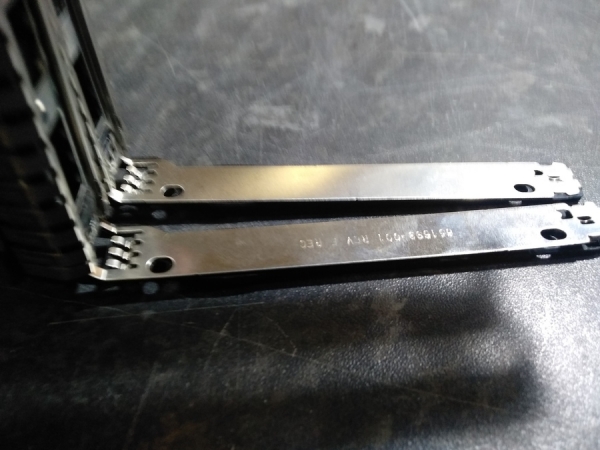
5. The color of the metal on the right side differs, the Chinese version has a more saturated color.
Stay vigilant.
The moral of the story is: not all cassettes are equally useful. Moreover, these replica cassettes often fit tightly into their slots, to the point where it’s nearly impossible to remove the disk without damaging the cassette.
Therefore, at WestComp — where I work, it was decided to stop using Chinese cassettes due to the many problems they have caused.
Source: habr.com
