

The report presents some approaches that allow monitoring the performance of SQL queries when they amount to millions per day, and the controlled PostgreSQL servers number in the hundreds.
What technical solutions enable us to efficiently process such volumes of information, and how does this simplify life for an average developer.
Who is interested in analyzing specific problems and different techniques for optimizing SQL queries and solving typical DBA tasks in PostgreSQL can also on this topic.
My name is Kirill Borovikov, and I represent Specifically, I specialize in database management at our company.
Today, I will tell you how we optimize queries when you need to solve a problem on a mass scale rather than tweak the performance of a single query. When there are millions of queries, you need to find some approaches to solving this large issue.
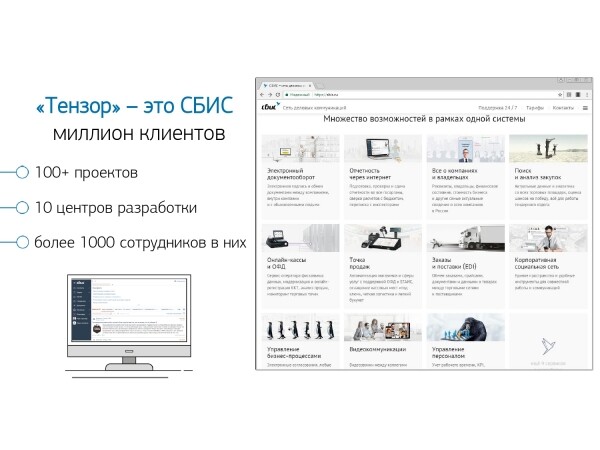
In general, 'Tensor' for a million of our clients is : a corporate social network, solutions for video communication, for internal and external document flow, accounting systems for finance and warehouses, … So, a 'mega-combine' for comprehensive business management, with over 100 different internal projects.
For them to operate and develop properly — we have 10 development centers across the country, with more than 1000 developers..
We have been working with PostgreSQL since 2008 and have accumulated a massive amount of data — client data, statistical, analytical, data from external information systems — over 400TB.Only 'in production' there are about 250 servers, and in total, the number of DB servers we monitor is around 1000.
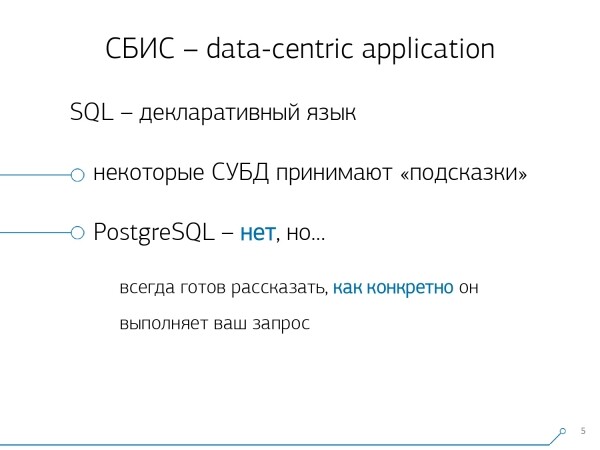
SQL is a declarative language. You describe not 'how' something should work, but 'what' you want to achieve. The DBMS knows better how to perform a JOIN — how to connect your tables, what conditions to impose, what will be indexed and what will not...
Some DBMS accept hints: 'No, join these two tables in this order', but PostgreSQL does not operate this way. This is a conscious stance of the leading developers: 'We would rather fine-tune the query optimizer than allow developers to use hints.'
However, despite the fact that PostgreSQL does not allow external management, it provides great insight into what is happening internally, when you execute your query, and where issues arise.
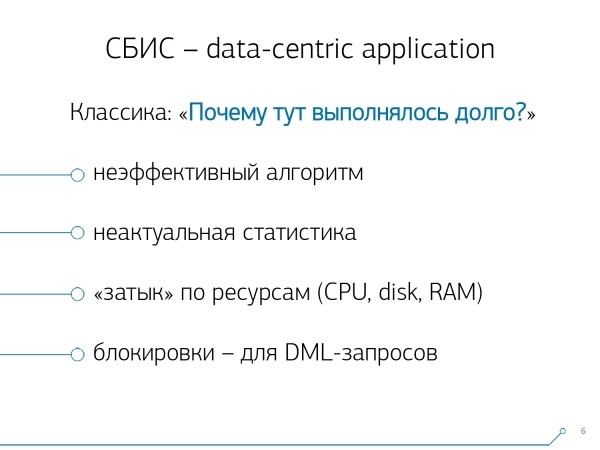
Generally, what classic problems does a developer bring to [the DBA] usually? "We executed a query here, and everything is slow,everything is stalled, something is happening... There's some kind of trouble!"
The reasons are almost always the same:
- an inefficient query algorithm.
Developer: "Right now I'm dealing with 10 tables via JOIN in SQL..." — and expects that his conditions will miraculously resolve effectively, and he'll get everything quickly. But miracles don't happen, and any system with such variability (10 tables in one FROM) always introduces some margin of error. [] - outdated statistics
This is particularly relevant for PostgreSQL when you've loaded a large dataset onto the server, you make a query — and it does a "sequential scan" on the table. Because yesterday it had 10 records, and today it has 10 million, but PostgreSQL is still unaware of this, and you need to inform it. [] - "bottleneck" in resources
You have placed a large and heavily loaded database on a weak server, which lacks disk space, memory, and processor performance. And that's it... There is a performance ceiling somewhere above which you cannot jump. - locks
It's a complex issue, but they are most relevant for various modifying queries (INSERT, UPDATE, DELETE) — this is a separate, large topic.
Obtaining a plan
… And for everything else, we need a plan! We need to see what happens inside the server.
The execution plan for PostgreSQL is a tree representation of the query execution algorithm. Specifically, the algorithm deemed most efficient by the planner after analysis.
Each node of the tree represents an operation: fetching data from a table or index, building a bitmap, joining two tables, union, intersection, or excluding selections. Executing the query involves traversing the nodes of this tree.
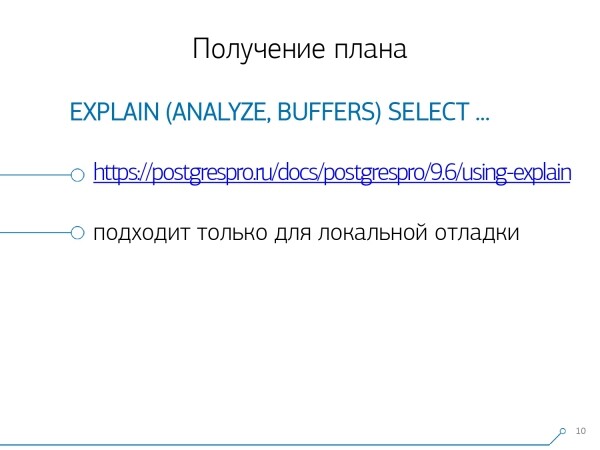
To obtain the query plan, the simplest way is to execute the statement EXPLAIN. To get it with all real attributes, that is, to actually execute the query on the database — EXPLAIN (ANALYZE, BUFFERS) SELECT ....
A bad moment: when you're running it, it happens "here and now", so it's only suitable for local debugging. If you're taking some heavily loaded server that's under a strong change data flow, and you see: "Ouch! Here we're experiencing a slow executionrequest." Half an hour, an hour ago — while you were retrieving this request from the logs and bringing it back to the server, your entire dataset and statistics have changed. You run it to debug — and it executes quickly! And you can't understand "why", why it's slow. it was In order to understand what was exactly at that moment when the request was executed on the server, smart people wrote
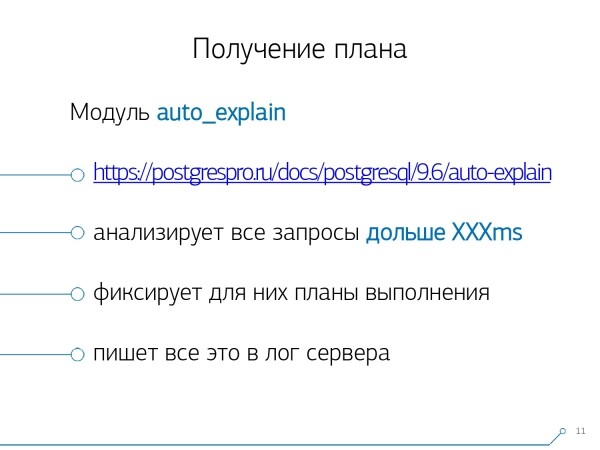
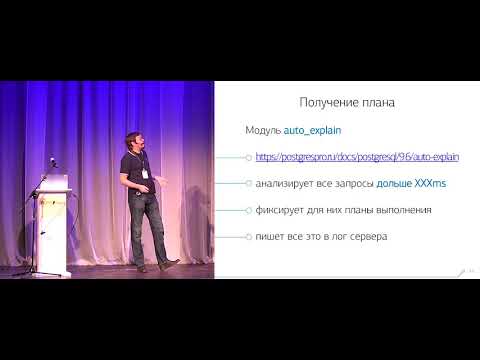
the auto_explain module. If it understands that some request is executing longer than the threshold you specified, it takes a "snapshot" of the plan of that request and writes it together into the log.
It seems everything is fine now, we go to the log and see there… [a bunch of text]. But we can't say anything about it, except for the fact that it's an excellent plan because it executed in 11ms. Everything seems fine — but nothing is clear about what actually happened. Besides the total time, we don't see much. Because looking at such a plain text "sheet" is generally not very informative..
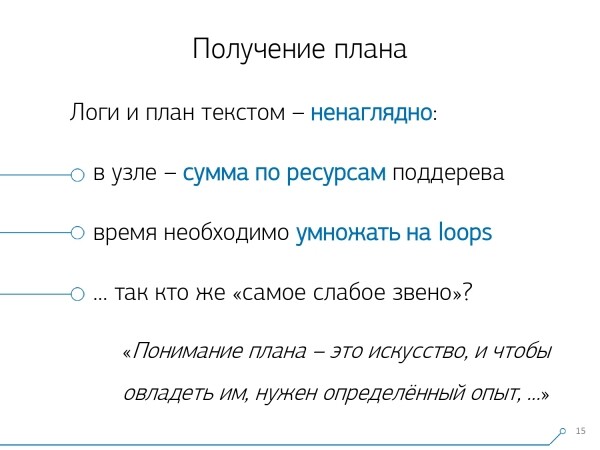
But even if it's uninformative and inconvenient, there are more significant problems:
In the node, it specifies
the total sum of resources for the entire subtree
- under it. So, simply knowing how much time was spent specifically on this Index Scan cannot be done if there are any nested conditions underneath. We must dynamically check for any internal "children" and conditional variables, CTE — and calculate all of this "in our heads". The second point: the time indicated on the node is the time of a single execution of the node.
- If this node was executed as a result, for example, of a loop over table records, multiple times, the plan increases the number of loops — cycles of this node. But the time for atomic execution remains the same in the plan. So, to understand how long this node was executed in total, you need to multiply one by the other — again "in your head". the time of a single execution of the node.If this node was executed as a result, for example, of looping through the table records several times, the number of loops in the plan increases. However, the time for a single execution remains unchanged in the plan. Therefore, to understand how long this node was executed in total, you have to multiply one by the other — again, mentally.
Given these circumstances, understanding 'Who is the weakest link?' is practically impossible. Therefore, even the developers themselves state in the 'manual' that 'Understanding a plan is an art that needs to be learned, experience...'.
But we have 1000 developers, and you can't transfer that experience into everyone's heads. I know, you know, he knows — but someone over there may not. He might learn, or he might not, but he needs to work right now — how can he gain that experience?
Plan Visualization
Thus, we realized that to deal with these issues, we need good plan visualization.
We started by searching 'the market' — let's look online for what actually exists.
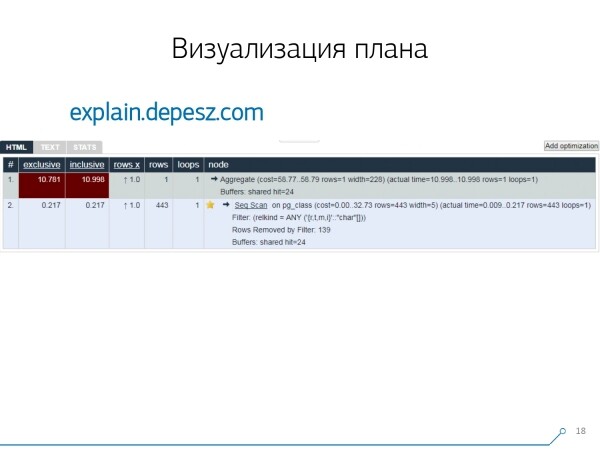
However, it turned out that there are very few 'live' solutions that are developing, literally just one: by Hubert Lubaczewski. You input the textual representation of the plan, and it shows you a table with the analyzed data:
- own node processing time
- total time across the entire subtree
- the number of records that were extracted and the number that was statistically expected
- the actual body of the node
This service also has the capability to share a link archive. You throw your plan in there and say: 'Hey, Vasya, here's a link; something's wrong there.'
But there are also some minor issues.
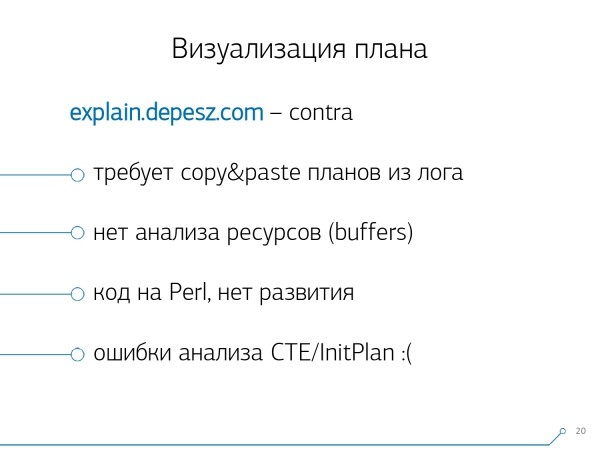
Firstly, a huge amount of 'copy-pasting.' You take a log snippet, stuff it in there, and again, and again.
Secondly, there's no analysis of the amount of data read — those same buffers that output EXPLAIN (ANALYZE, BUFFERS), we don't see here. It simply doesn't know how to analyze, understand, and work with them. When you're reading a lot of data and realize that you might not be placing it correctly on the disk and cache in memory, that information is very important.
The third downside is the very weak development of this project. Commits are very small, perhaps once every six months, and the code is in Perl.
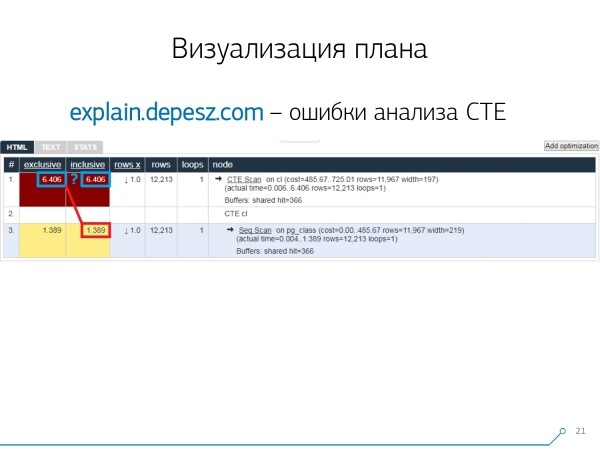
But this is all 'lyric'; we could have somehow lived with it, but there is one thing that turned us away from this service. These are errors in analyzing Common Table Expressions (CTE) and various dynamic nodes like InitPlan/SubPlan.
According to this picture, the total execution time of each individual node is greater than the total execution time of the entire query. It's simple — the CTE Scan node does not subtract the time taken to generate this CTE.. So we no longer know the correct answer regarding how long the CTE scanning itself took.
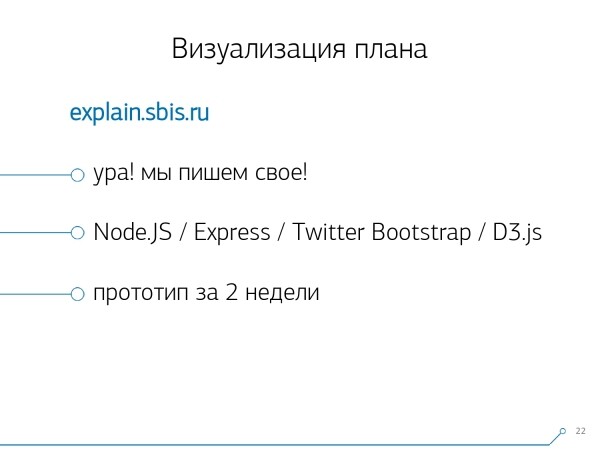
Here we realized it was time to write our own — hooray! Every developer says, "Now we will write our own, it will be super easy!"
We took a typical stack for web services: core on Node.js + Express, added Bootstrap, and for pretty diagrams — D3.js. And our expectations were justified — we got the first prototype in 2 weeks:
- custom plan parser
This means we can now parse any plan generated by PostgreSQL. - accurate analysis of dynamic nodes — CTE Scan, InitPlan, SubPlan
- analysis of buffer distribution — where data pages are read from memory, where from local cache, where from disk
- we achieved clarity
So that instead of digging through the log for all this "stuff," we can see the "weakest link" immediately in the picture.
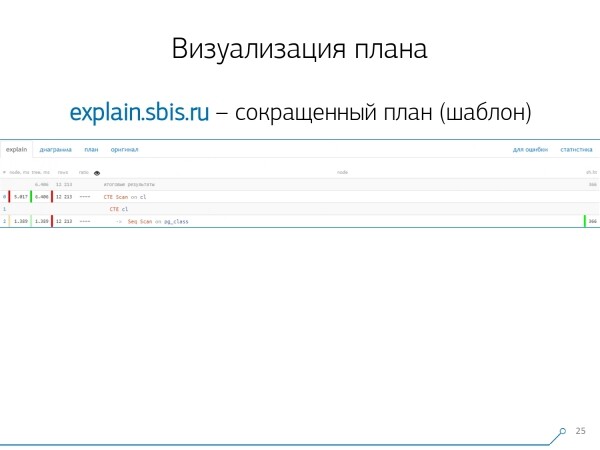
We obtained a picture like this — immediately with syntax highlighting. But usually our developers work not with a complete representation of the plan, but with a shorter version. After all, we've already parsed all the numbers and pushed them aside, leaving only the first line that indicates what node it is: CTE Scan, CTE generation, or Seq Scan of some table.
This shortened representation is called plan template.
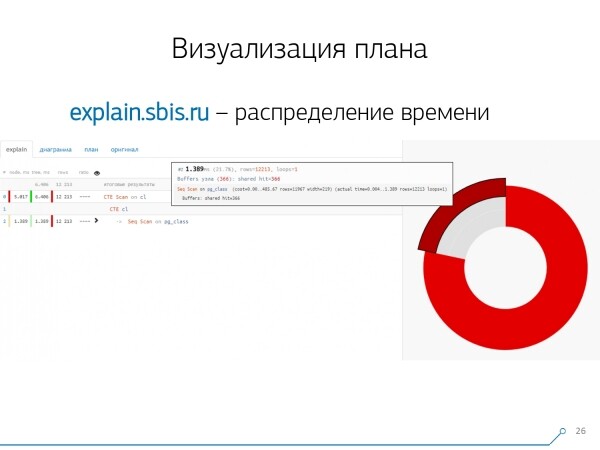
What else would be convenient? It would be great to see what proportion of the total time is distributed across which nodes — and we just "pinned" it on the side. pie chart.
We hover over a node and see — it turns out Seq Scan took less than a quarter of the total time, while the other 3/4 were taken by CTE Scan. Oh no! This is a small note regarding the "speed" of CTE Scan if you actively use them in your queries. They are not very fast — they even lag behind regular table scans.
But usually, such diagrams can be more interesting, more complex when we hover over a segment and see, for example, that more than half of the total time was consumed by some Seq Scan. And inside, there was some Filter, tons of records were discarded by it... You can send this picture directly to the developer and say: "Vasya, everything is really bad here! Sort it out, take a look — something is wrong!"
Naturally, there were no "tripping hazards."
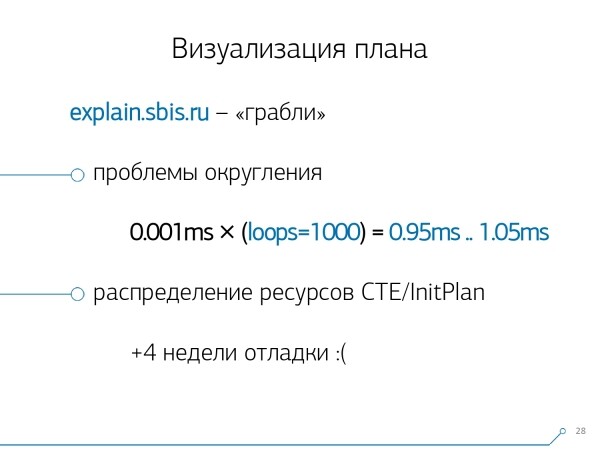
The first issue we encountered was the rounding problem. The time of each individual node in the plan is specified with an accuracy of 1 microsecond. When the number of cycles for a node exceeds, for instance, 1000 — after execution, PostgreSQL divides it ‘to precision’, and in reverse calculation, we get a total time 'somewhere between 0.95 ms and 1.05 ms'. When counting microseconds, it's not a big deal, but when it comes to [milliseconds], it’s necessary to consider this information when ‘untangling’ resources by plan nodes to see ‘who consumed how much’.
The second point, which is more complex, is the distribution of resources (those very buffers) across dynamic nodes. This added another 4 weeks to our first 2 weeks on the prototype.
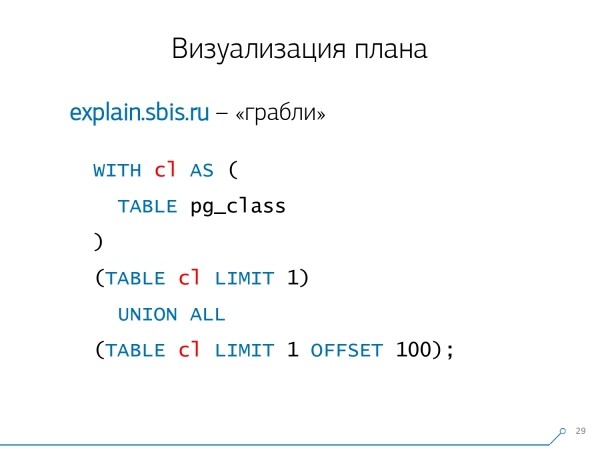
This kind of problem is quite easy to produce — we create a CTE and ostensibly read something in it. In reality, PostgreSQL is ‘smart’ and won’t actually read anything directly there. Then we take the first record from it, alongside the one hundred first from the same CTE.
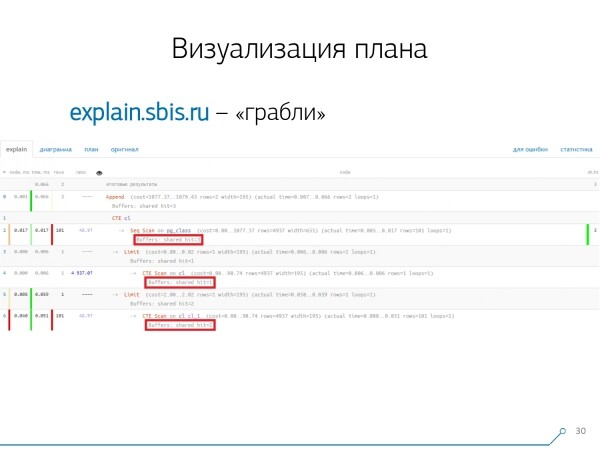
We look at the plan and realize — strangely, we have 3 buffers (data pages) that were ‘consumed’ in a Seq Scan, another 1 in a CTE Scan, and yet 2 in the second CTE Scan. So, if we sum everything up, we should get 6, but from the table, we only read 3! A CTE Scan doesn’t read anything from anywhere; it works directly with the process memory. So there’s definitely something wrong here!
In reality, it turns out that all 3 data pages requested from the Seq Scan were initially requested by the 1st CTE Scan, and then the 2nd requested 2 more. Thus, only 3 data pages were read, not 6.
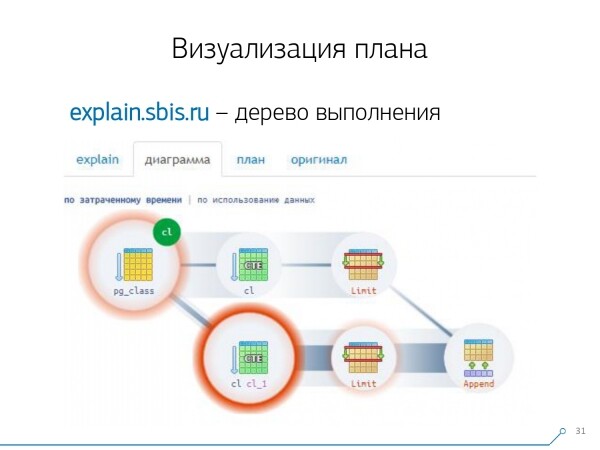
And this picture led us to understand that the execution plan is no longer a tree but rather some acyclic graph. We created a diagram to understand ‘what came from where’. So here we created a CTE from pg_class, and requested it twice, spending most of our time down the branch when we requested it the second time. It’s clear that reading the 101st record is much more costly than just the 1st from the table.

We took a breath for a moment. We said: 'Now, Neo, you know Kung Fu! Now our experience is right on your screen. You can use it.'
Log consolidation
Our 1000 developers breathed a sigh of relief. But we understood that we only had hundreds of "live" servers, and this whole "copy-paste" from the developers was quite inconvenient. We realized we had to compile it ourselves.
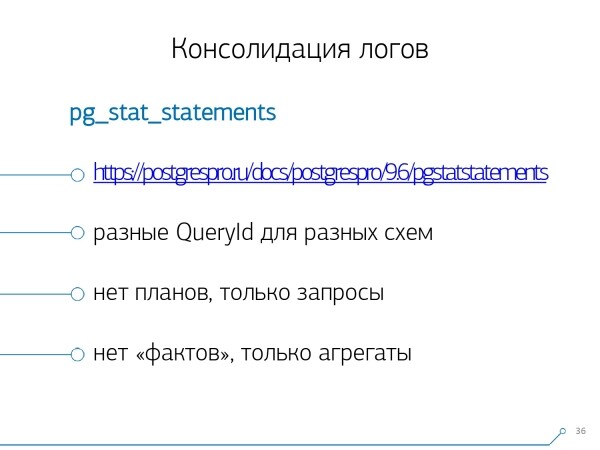
In general, there is a built-in module that can gather statistics, but it also needs to be activated in the config — that's . But it didn't suit us.
Firstly, it assigns different QueryIds to the same queries across different schemas within the same database. That is, if we first executeSET search_path = '01'; SELECT * FROM user LIMIT 1; , and thenSET search_path = '02'; and the same query, the statistics from this module will have different entries, and I won't be able to gather overall statistics specifically in the context of this query profile, without considering the schemas. The second issue that prevented us from using it is the
absence of plans. In other words, there are no plans — just the query itself. We see what caused the slowdown, but we don't understand why. And here we return to the problem of the rapidly changing dataset.And the last point is the
lack of "facts". That is, you cannot refer to a specific instance of query execution — it doesn't exist; there's only aggregated statistics. Although you can work with this, it's just very challenging.Therefore, we decided to combat the "copy-paste" issue and began writing a
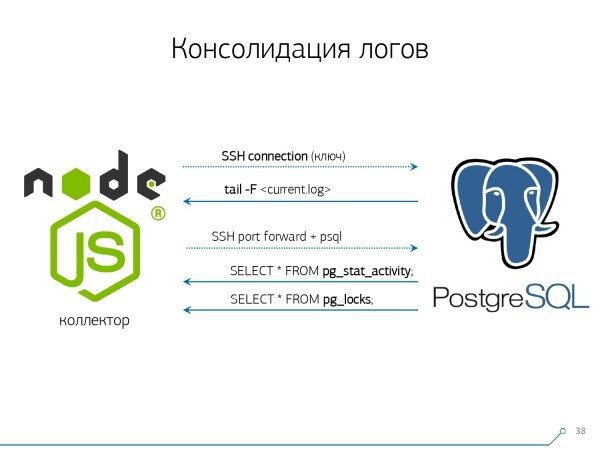
collector. The collector connects via SSH, establishes a secure connection to the database server using a certificate, and.
tail -F attaches to its log file. Thus, in this session, we achieve a complete "mirror" of the entire log file , which the server generates. The load on the server itself is minimal since we don't parse anything there; we simply mirror the traffic.Since we've already started writing the interface in Node.js, we continued to write the collector in the same language. This technology proved to be effective because using JavaScript is very convenient for working with poorly formatted text data, such as logs. Moreover, the Node.js infrastructure as a backend platform allows for easy and convenient work with network connections and, in general, with data streams.
Since we already started writing the interface in Node.js, we continued writing the collector in it as well. This technology proved to be effective because using JavaScript is very convenient for working with poorly formatted text data, which logs are. And the Node.js infrastructure as a backend platform allows for easy and convenient handling of network connections and generally any data streams.
Accordingly, we are "pulling" two connections: the first to "listen" to the log and fetch it, and the second to periodically query the database. "The log indicates that the table with OID 123 has been blocked," but this means nothing to the developer, and it would be good to ask the database, "What exactly is OID = 123?" Thus, we periodically inquire with the database about what we do not yet know.
"You only neglected one thing: there is a type of elephant-like bees!" We started developing this system when we wanted to monitor 10 servers. The most critical ones in our understanding, where we encountered some issues that were difficult to resolve. But within the first quarter, we received a hundred to monitor — because the system "caught on," everyone wanted it, everyone found it convenient.
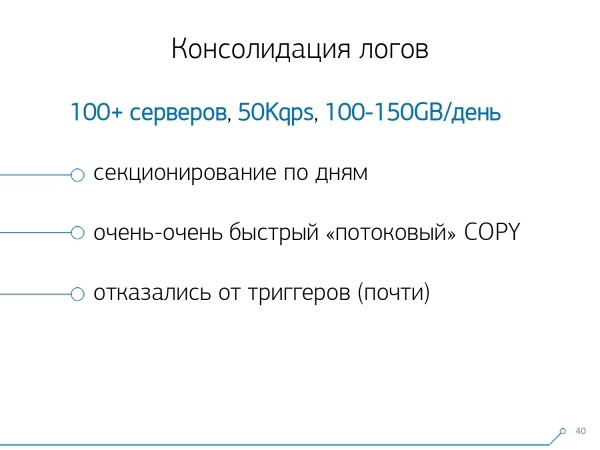
All of this needs to be aggregated; the data flow is large and active. In fact, we monitor what we can manage — that’s what we use. We also utilize PostgreSQL as a data storage. There is nothing faster for "pushing" data into it than the operator. COPY not available yet.
But simply "pushing" data is not quite our technology. Because if you have about 50k requests per second across a hundred servers, this generates 100-150GB of logs daily. Therefore, we had to carefully "tune" the database.
First of all, we implemented daily partitioning, because, fundamentally, nobody is interested in the correlation between days. What difference does it make what happened yesterday if you deployed a new version of the application last night — and now there is a new set of statistics.
Secondly, we learned (we had to) write very, very quickly using COPY. That is not just COPY, because it's faster than INSERT, but even faster.
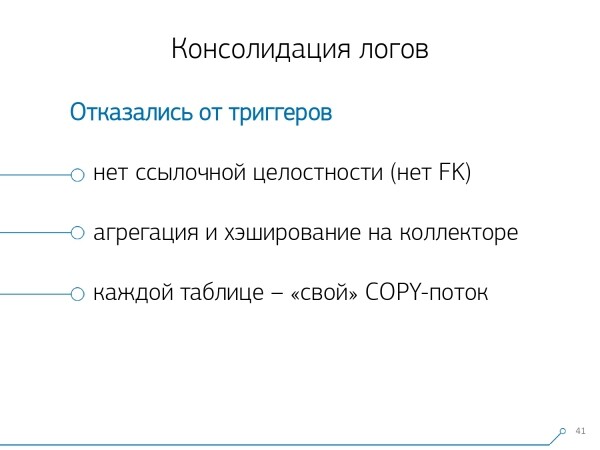
A third point — we had to abandon triggers and, accordingly, Foreign Keys.This means we have no referential integrity at all. Because if you have a table with a couple of FKs, and you state in the database structure that "this log entry refers via FK, for example, to a group of records," then when you insert it, PostgreSQL has no choice but to honestly execute SELECT 1 FROM master_fk1_table WHERE ... with the identifier you are trying to insert — just to check that this entry is present, so you don't "break" the Foreign Key with your insertion.
We are processing not only a single entry in the target table and its indexes, but also reading from all tables it references. And we don't need that at all — our task is to write as much as possible and as quickly as possible with the least load. So, FK — out!
The next point is aggregation and hashing. Initially, we implemented them in the database — after all, it's convenient to do it right away when an entry comes in, to make a record in some table. "plus one" right in the trigger.. Good, convenient, but problematic — you insert one record, but you are forced to read and write something else from another table. Moreover, it’s not just reading and writing — you have to do this every time.
Now imagine you have a table where you simply count the number of requests that have passed through a specific host: +1, +1, +1, ..., +1. But you don't really need this — you can summarize it all. summarized in memory on the collector and sent to the database at once. +10.
Yes, in case of some issues, your logical integrity might "collapse," but this is practically an unrealistic case — because you have a normal server, there’s a battery in the controller, you have a transaction log, a file system log... In short, it’s not worth it. The loss of performance you incur due to the operation of triggers/FK is not worth the costs.
The same goes for hashing. A request comes to you, and you calculate some identifier in the database and write it to the database, then tell everyone about it. Everything is fine, until another person comes along wanting to record the same ID — and you end up with a lock, which is already bad. So, if you can move the generation of some ID to the client (in relation to the database), it’s better to do it.
It suited us perfectly to use MD5 from the text — the request, plan, template,… We calculate it on the collector side and "pour" the ready ID into the database. The length of MD5 and daily partitioning allow us not to worry about possible collisions.
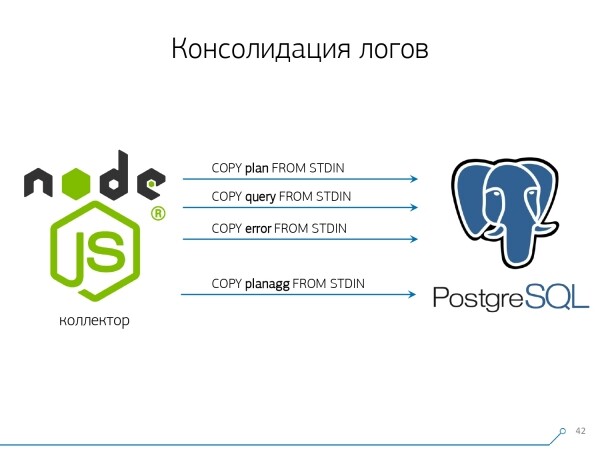
But to write all this quickly, we needed to modify the writing procedure itself.
How is data typically written? We have some dataset, we break it down into multiple tables, and then COPY — first to the first one, then to the second, then to the third... It's inconvenient because we're seemingly writing a single data stream in three sequential steps. It's unpleasant. Can it be done faster? It can!
To achieve this, it's sufficient to arrange these streams parallel to each other. It turns out that we have errors, requests, templates, locks, etc., flying in separate streams... — and we write all of it in parallel. For this, it is enough to keep the COPY channel continuously open for each individual target table..
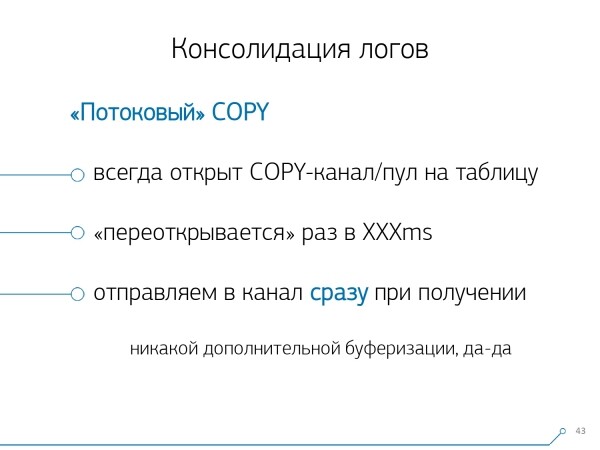
So the collector always has a stream, into which I can write the data I need. But for the database to see this data, and for someone not to be stuck in locks waiting for this data to be written, COPY needs to be interrupted periodically. For us, the most effective period turned out to be around 100ms — we close and immediately reopen to the same table. And if we don't have enough streams during certain peaks, we do pooling up to a certain limit.
Additionally, we found that for such a load profile, any aggregation, when records are gathered into batches, is detrimental. The classic evil is INSERT ... VALUES and then 1000 records. Because at that moment, you experience a peak write for the storage, and everyone else trying to write something to disk will have to wait.
To eliminate such anomalies, just don't aggregate anything, don't buffer at all. And if disk buffering does occur (fortunately, Stream API in Node.js allows you to know this) — postpone that connection. When you receive an event that it is free again — write to it from the accumulated queue. Meanwhile, if it’s busy — take the next available one from the pool and write to it.
Before implementing such an approach to data writing, we had about 4K write ops, and with this method, we reduced the load by 4 times. Now we’ve grown another 6 times due to new observable databases — up to 100MB/s. And now we store logs for the last 3 months in a volume of about 10-15TB, hoping that any developer can solve any problem in such a three-month window.
We understand the issues
But simply collecting all this data is good, useful, relevant, but not enough—you need to understand it. Because this amounts to millions of different plans per day.
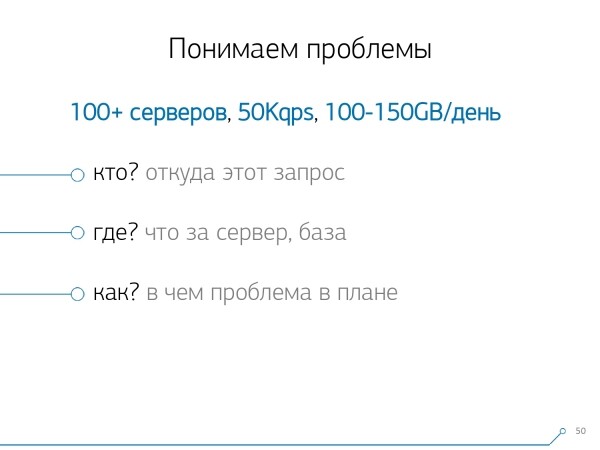
However, millions is unmanageable; you first need to create 'smaller' ones. And, first and foremost, you need to determine how you will organize this 'smaller' data.
We have identified three key points:
- who this request was sent by
Which means from which application it 'came': web interface, backend, payment system, or something else. - where this happened
On which specific server. Because if you have multiple servers under one application and suddenly one 'slows down' (because the 'disk failed', 'memory leaked', or some other issue), you need to address the specific server. - as the problem manifested in this or that plan
To understand 'who' sent us the request, we use the standard method—setting a session variable: SET application_name = '{bl-host}:{bl-method}'; — we store the host name of the business logic from which the request is made, and the name of the method or application that initiated it.
After we identified the 'host' of the request, we need to log it—therefore, we configure the variable log_line_prefix = ' %m [%p:%v] [%d] %r %a'. For those interested, they can , to see what it all means. So, we see in the log:
- time
- process and transaction identifiers
- database name
- IP of the sender of this request
- and method name
Next, we realized that it's not very interesting to look at the correlation of a single request between different servers. It rarely happens that a single application fails similarly on both servers. But even if it's the same—look at any of these servers.
So, the slice 'one server—one day' was sufficient for any analysis.
The first analytical slice is the very 'template' — a condensed representation of the plan, stripped of all numeric indicators. The second slice is the application or method, and the third is the specific node of the plan that caused us problems.
When we transitioned from specific instances to templates, we immediately gained two advantages:
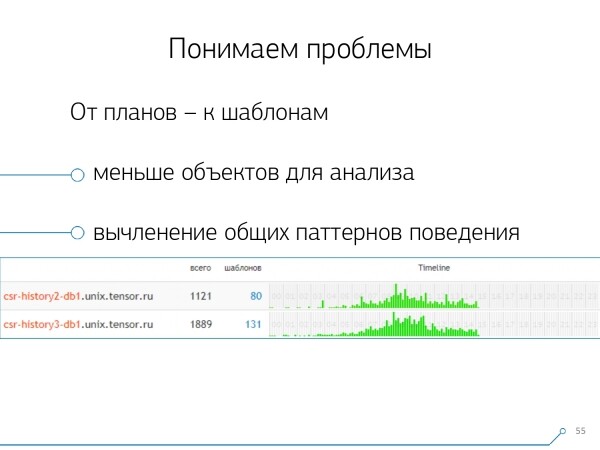
- a significant reduction in the number of objects for analysis
We have to analyze the problem not by thousands of requests or plans, but by dozens of templates. - timeline
In other words, by summarizing the "facts" within a certain framework, you can display their occurrence throughout the day. Here, you can understand that if you have a pattern occurring, for example, every hour, when it should be once a day, it's worth considering what went wrong — who triggered it and why; perhaps it shouldn't be there at all. This is another non-numeric, purely visual way of analysis.
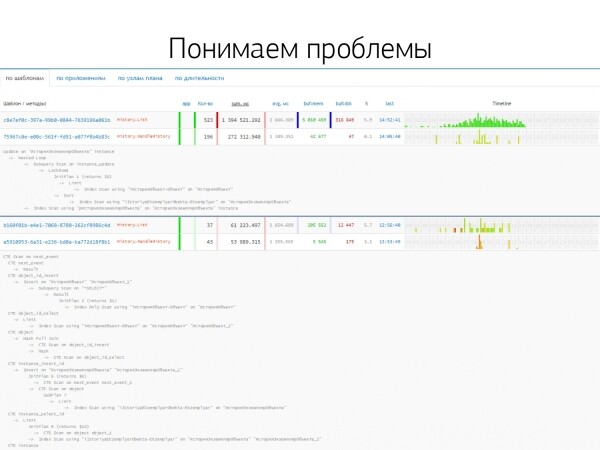
The other methods are based on the metrics we extract from the plan: how many times this pattern occurred, total and average time, how much data was read from the disk, and how much from memory…
Because, for instance, you come to the analytics page for the host, and notice that something is reading from the disk too much. The disk on the server can't handle it — but who is reading from it?
And you can sort by any column and decide what you’re going to address right now — whether it's CPU load, disk load, or the total number of requests… You sorted it, looked at the "top ones," and fixed them — then you rolled out a new version of the application.
And immediately, you can see different applications that follow the same pattern from a request type SELECT * FROM users WHERE login = 'Vasya'. Frontend, backend, processing… And you start to wonder why processing needs to read the user if it’s not interacting with them.
The reverse way is to see immediately what the application is doing. For example, the frontend — this, this, and this, plus this once an hour (the timeline helps here). And the question arises — it seems unnecessary for the frontend to do something once an hour…
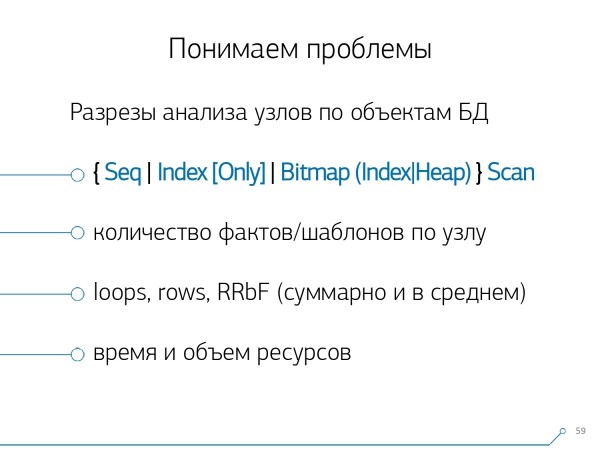
After some time, we realized we were lacking aggregated statistics by plan nodes. We extracted only those nodes from the plans that perform operations on the data of the tables themselves (reading/writing them by index or not). Essentially, relative to the previous image, only one aspect is added — how many records this node brought us, and how many it discarded (Rows Removed by Filter).
You don't have an appropriate index on the table, you make a request to it, it bypasses the index, falls into a Seq Scan… all records except one are filtered out. But why do you need 100M filtered records in a day; wouldn’t it be better to add an index?
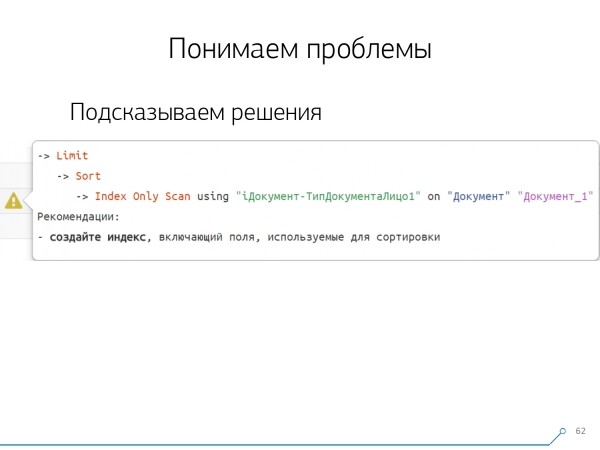
After reviewing all the plans by nodes, we realized that there are certain typical structures in the plans that are likely to look suspicious. It would be good to suggest to the developer: 'Friend, here you first read by the index, then sort, and then cut' — usually, there's only one entry there.
All who have written queries with such a pattern have surely faced this: 'Give me the latest order for Vasya, along with its date.' If you don't have an index by date, or if the used index doesn't have the date, you will certainly encounter such 'rakes'.
But we know that these are 'rakes' — so why not immediately suggest to the developer what he should do? Consequently, when opening the plan now, our developer immediately sees a nice picture with hints that say right away: 'You have problems here and here, and they can be solved this way and that way.'
As a result, the amount of experience needed to solve problems at the beginning and now has decreased significantly. This is the tool we have developed.

Source: habr.com
