

I have no doubt that noble sysadmins — Linux administrators — strive to minimize the set of packages installed on a server as much as possible. This is more economical, safer, and instills a sense of complete control and understanding of the processes at hand.
Therefore, a typical scenario for the initial installation of an operating system looks like choosing the minimal option, and then filling it with the necessary packages.
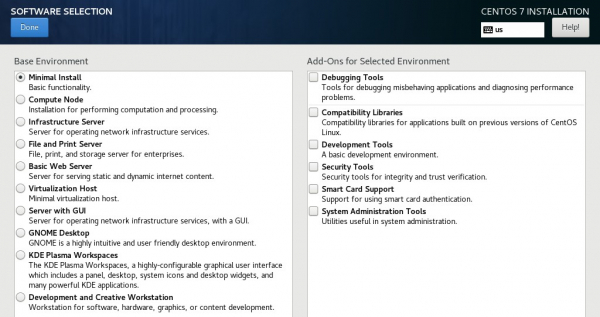
However, the minimal option offered by the CentOS installer turns out to be not quite minimal. There is a documented way to reduce the size of the initial installation of the system.
When using the CentOS operating system, sooner or later you discover automation of its installation through the Kickstart mechanism. I haven't installed CentOS with the standard installer for a long time. Over the course of my work, I've accumulated a sufficient arsenal of Kickstart configuration files that allow for automatic system deployment, including on LVM, encrypted partitions, with minimal GUI, etc.
And so, in one of the releases of version 7, RedHat added an amazing option in Kickstart, allowing for even further minimization of the installed system image:
--nocore
Disables installation of the package group which is otherwise always installed by default. Disabling the package group should be used only for creating lightweight containers; installing a desktop or server system with --nocore will result in an unusable system.
RedHat honestly warns of the potential consequences of using this option, however, years of my real-world experience confirm its stability and applicability.
Below is an example of a Kickstart file for the minimal installation. The brave can exclude yum from it. Be prepared for surprises:
install
text

url --url="http://server/centos/7/os/x86_64/"

eula --agreed
firstboot --disable

keyboard --vckeymap=us --xlayouts='us'
lang en_US.UTF-8
timezone Africa/Abidjan

auth --enableshadow --passalgo=sha512
rootpw --plaintext ***

ignoredisk --only-use=sda

zerombr
bootloader --location=mbr
clearpart --all --initlabel

part /boot/efi --fstype="efi" --size=100 --fsoptions="umask=0077,shortname=winnt"
part / --fstype="ext4" --size=1 --grow

network --bootproto=dhcp --hostname=localhost --onboot=on --activate

#reboot
poweroff

%packages --nocore --nobase --excludedocs
yum

%end

don com_redhat_kdump --disable

%end
I would like to note that CentOS/RedHat is more lenient than Fedora in interpreting this option. The latter can strip the system down so much that a reinstallation will be necessary to add vital utilities.
As a bonus, here is a "spell" for installing a minimal graphical environment in CentOS/RedHat (version 7):
yum -y groupinstall x11
yum -y install gnome-classic-session
systemctl set-default graphical.target
Both the minimal operating system image and the minimal graphical environment have been tested by me and work on real systems.
Source: habr.com
