

Hello everyone!
I know that there are many resources regarding OpenVPN settings. However, I found that there is a lack of organized information on the subject, so I decided to share my experience primarily with those who are not gurus in OpenVPN administration but would like to achieve site-to-site connectivity on a Synology NAS. This will also serve as a reminder for myself.
So, I have a Synology NAS DS918+ with the package VPN Server installed, configured with OpenVPN, and users who can connect to the VPN server. I won't go into the details of the server setup in the DSM interface (the web portal of the NAS). This information is available on the manufacturer's website.
The issue is that the DSM interface (as of the publication date, version 6.2.3) has a limited number of settings for managing the OpenVPN server. In our case, a site-to-site connection is required, i.e., the hosts of the VPN client subnet should see the hosts of the VPN server subnet, and vice versa. The standard settings available on the NAS only allow access from the VPN client subnet hosts to the VPN server subnet hosts.
To configure access to the client subnets from the VPN server subnet, we will need to access the NAS via SSH and manually edit the OpenVPN server configuration file.
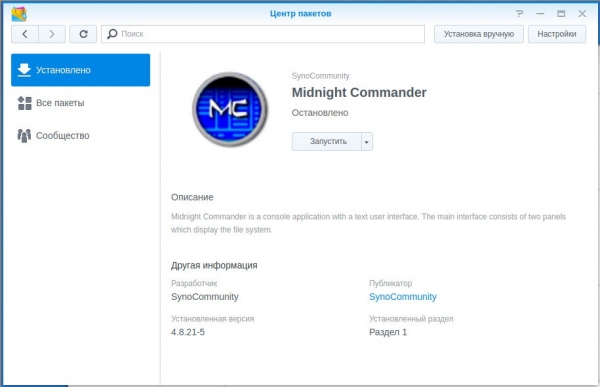
For editing files on the NAS via SSH, I prefer using Midnight Commander. To do this, I connected the source in the Package Center and installed the Midnight Commander package.
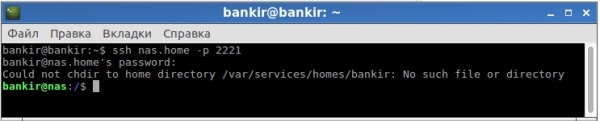
We access the NAS via SSH using an administrator account.
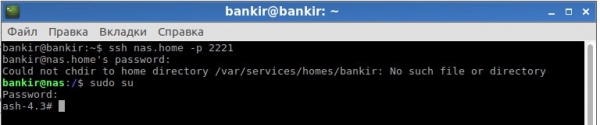
We type 'sudo su' and enter the administrator password again:
We enter the command 'mc' to launch Midnight Commander:
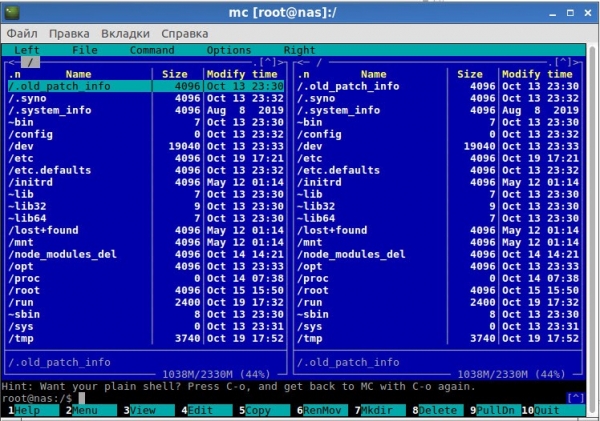
Next, we navigate to the directory /var/packages/VPNCenter/etc/openvpn/ and find the file openvpn.conf:
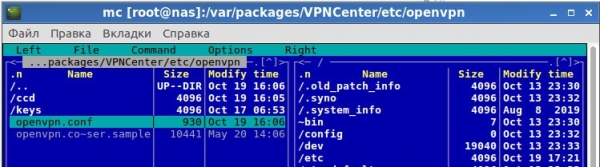
Our task is to connect 2 remote subnets. To do this, we create 2 accounts on the NAS through DSM with restricted rights to all NAS services and provide access only to the VPN connection in the VPN Server settings. For each client, we need to set a static IP assigned by the VPN server and route the traffic from the VPN server subnet to the VPN client subnet through this IP.
Input data:
VPN server subnet: 192.168.1.0/24.
OpenVPN server address pool 10.8.0.0/24. The OpenVPN server itself receives the address 10.8.0.1.
VPN client subnet 1 (VPN user): 192.168.10.0/24, needs to receive a static address 10.8.0.5 from the OpenVPN server.
Client VPN subnet 2 (user VPN-GUST): 192.168.5.0/24 must obtain a static address 10.8.0.4 on the OpenVPN server.
In the settings directory, create a folder named ccd and create configuration files with names corresponding to the user logins.
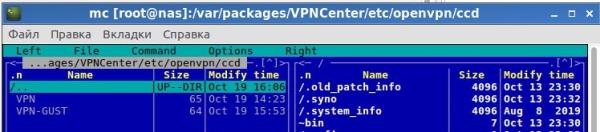
For the VPN user, we write the following settings in the file:

For the VPN-GUST user, we write the following in the file:

Now we just need to fine-tune the OpenVPN server configuration — add a parameter for reading client settings and add routings to the client subnets:
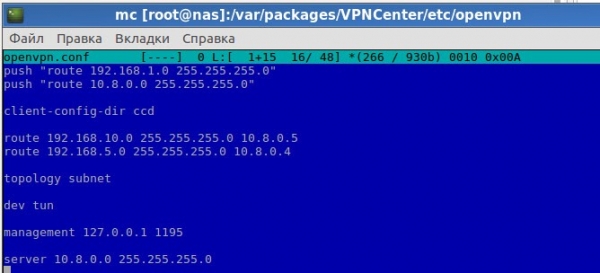
In the provided screenshot, the first 2 lines of the config are configured using the DSM interface (checking the box for the parameter 'Allow clients to access the server's local network' in the OpenVPN server settings).
The line client-config-dir ccd indicates that client configurations are located in the ccd folder.
The next 2 configuration lines add routes to the client subnets through the corresponding OpenVPN gateways.
And finally, for correct operation, it is necessary to apply the subnet topology.
Do not touch any other settings in the file.
After entering the settings, remember to restart the VPN Server service in the package manager. In the hosts or gateway for the subnet, specify routes to the client subnets via the NAS.
In my case, the gateway for all hosts in the subnet where the NAS is located (its IP is 192.168.1.3) was the router (192.168.1.1). On this router, I added routing entries for networks 192.168.5.0/24 and 192.168.10.0/24 to the gateway 192.168.1.3 (NAS) in the static routing table.
Don't forget that with the firewall enabled on the NAS, it will also need to be configured. Additionally, a firewall may be enabled on the client side, which will also need to be configured.
P.S. I am not a professional in networking technologies and particularly in working with OpenVPN, I’m just sharing my experience and publishing the configurations that I created, which allowed me to set up communication between subnets in a site-to-site manner. There may be simpler and/or more correct configurations, and I would be glad if you share your experience in the comments.
Source: habr.com
