

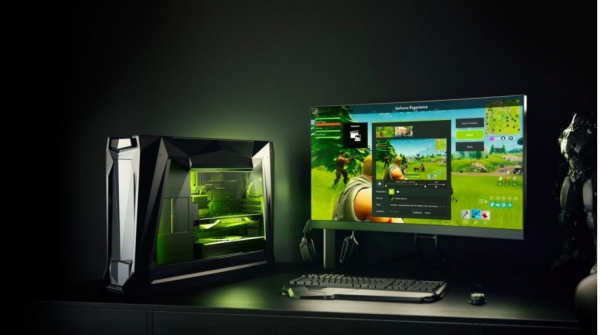
This October, the cloud gaming service GeForce Now began operations in Russia. It was actually available earlier, but to register, one had to obtain a key that was not easily accessible to every player. Now, registration and gameplay are open to all. I have written about this service before; let's learn a bit more about it, and compare it with two other cloud gaming services available in Russia—Loudplay and PlayKey.
By the way, all three services allow you to play the latest masterpieces of the gaming world at maximum settings—even on an older laptop. Of course, not an ancient one; it still needs to handle video stream processing, but definitely not a low-powered device.
GeForce Now
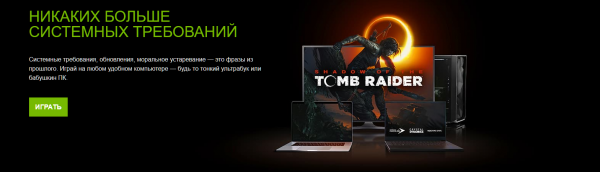
Let's start with the requirements for network connectivity and hardware.
For comfortable gaming, a bandwidth of at least 15 Mbps is needed. In this case, you can expect a video stream quality of 720p at 60 fps. If you want to play in 1080p at 60 fps, the bandwidth should be higher—better to exceed 30 Mbps.
As for PCs, the requirements for Windows are as follows:
- Dual-core X86 CPU with a frequency of 2.0GHz or higher.
- 4GB of RAM.
- GPU supporting DirectX 11 or higher.
- NVIDIA GeForce 600 series or newer graphics card.
- AMD Radeon HD 3000 or newer video card.
- Intel HD Graphics 2000 series or newer graphics card.
Currently, there is only one data center for the service in Russia, so the best picture quality and lowest ping will be experienced by residents of the capital and the suburbs. The radius where good results can be expected is several hundred kilometers, up to a maximum of 1000.
What about prices?
They are now known. Not too many, but it's not exactly a free service considering that games need to be purchased. You will need an account with Steam, Uplay, or Blizzard’s Battle.net to play. If you have purchased games there, you can easily link them to GFN and start playing. Currently, the library features about 500 games compatible with the service, and the list is updated every week. There are, by the way, free games that GFN calls 'popular,' but finding something worthwhile among them is not that simple.
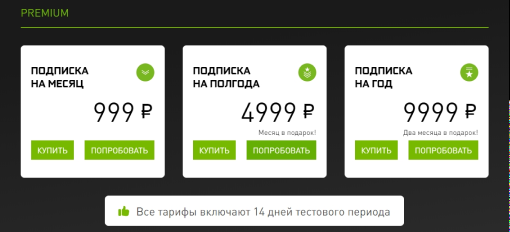
One of the advantages is the two-week free trial period. That is, if the service doesn't work for you because you're too far from Moscow, there are lags, image blurriness, etc. — you can unlink your card without losing money and look for another alternative.
Checking connection
Register an account, link a card, and start playing? Not quite, as there's another step — testing your connection quality. During the test, GFN provides a list of potential issues, so you'll know if there will be lags or not. However, even if the service shows complete incompatibility, you can skip the settings window and still try playing. Sometimes GFN warns that the connection is terrible, but the game runs fine nonetheless. So it's better to check. If you're trying from Moscow with a good connection, you'll get this kind of result.
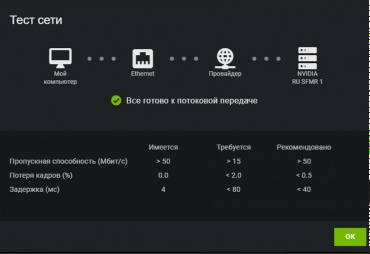
By the way, don't think that if you're from Moscow or the surrounding area, you'll get a direct connection to the GFN data center. Not at all — there can be many intermediate stages/servers. So, before starting the game, it's best to check all this — at least using tracert in the command line or the winmtr utility.
There are many comments online about GFN. Some people in Kaliningrad or St. Petersburg have everything running perfectly with top settings and the latest games, while someone in Moscow has a 'muddy' picture instead of a normal one. So, the 14-day trial period is a great opportunity to test everything yourself. 'Every situation is different' – this proverb is very relevant when it comes to GFN.
And yes, for cloud gaming, it's best to connect via Ethernet or a 5GHz wireless connection. Otherwise, there will be lags and 'muddiness.'
Image quality
Since the last attempt to play on this service, about two months have passed. There isn't much difference, although some issues (like image blurriness, etc.) have somewhat decreased. Here are the testing results from two months ago.


Despite a good connection and Moscow servers, issues do occur. If there is something wrong with the internet, the system detects it and shows a yellow or red icon, indicating to the player that problems may arise. And they do appear — primarily in the form of distorted images, as happens with all streams when the connection quality is compromised.
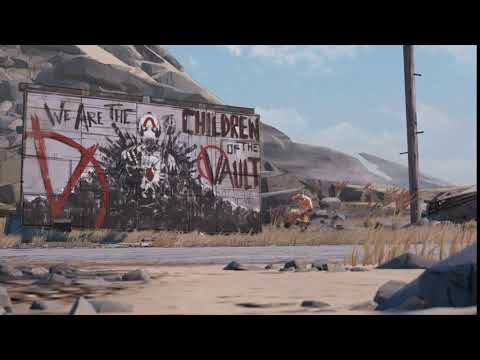
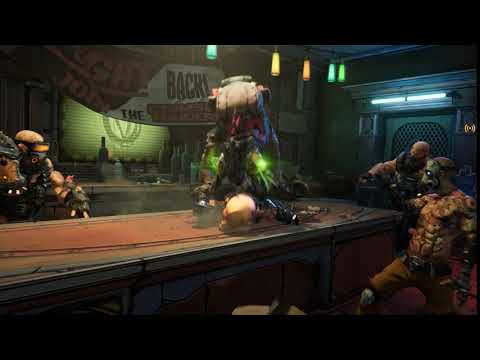
However, there are no problems with control — even if there is a warning about connection issues, there are no lags, and the character responds instantly to button presses on the controller — just like when playing on a local PC.
Output. The quality of the service has not changed much since the last testing. The service is convenient, but there are still many issues — it needs fixes, refinements, and enhancements. One of the main drawbacks for Russian gamers is the presence of only one data center located in Moscow. The further you are from the capital, the more challenging it is to play due to 'blurriness' and lags — at least for now.
By the way, on Habr, , suggesting that Geforce Now is a byproduct of Nvidia, for which the company lacks resources for promotion in different countries. Therefore, it resorted to partnerships — in Russia, Safmar; in Korea, LG U+; in Japan, SoftBank. If this is the case, it is hard to say whether the quality of service will improve, and if so, how quickly.
But besides GFN, there are two more Russian services — Loudplay and PlayKey. In the previous article, I discussed them in detail, so this time we won’t break down 'to the bone' like the new GFN. By the way, the latter can be considered half Russian, as its infrastructure and deployment are handled by Nvidia's partner in Russia.
Loudplay
This service has servers in Moscow, the video stream quality is decent, with a bitrate of 3-20 Mbps, and FPS — 30 and 60. Here is an example of a game, Witcher 3, set to maximum settings.

There are several useful features for gamers here, including the ability to select the connection server, with the specifications of each one displayed.
However, there are still more drawbacks than with GFN. First, the pricing system is quite complicated. Users' money is converted into specialized credit units called 'credits'. The cost to play starts at 50 kopecks per minute, depending on the package. An additional paid option is game saving, which will cost the user 500 rubles per month. However, the saved games are not available for the entire cloud but for a specific server. If you leave from it or if it is shut down for any reason, the user's game progress and all uploaded games will be lost with no compensation.
For some gamers, the upside here is that LoudPlay allows playing unlicensed games.
Playkey
What I like here is that the service adjusts to the user through a configurator and a short questionnaire. This helps personalize the process and the 'inner workings' of the service.
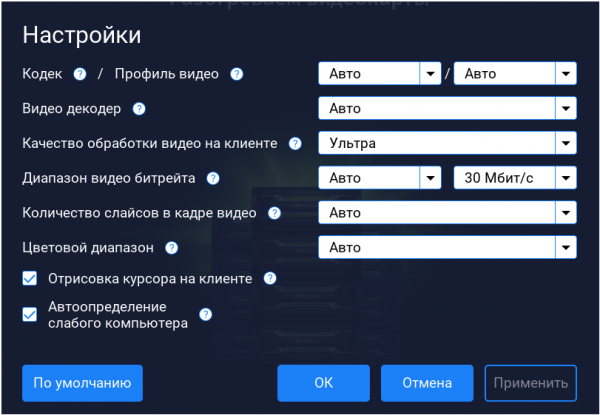
The pricing is per minute — starting from 1 ruble per minute when purchasing the maximum package. There are no paid game saves and similar options here — additional services are absent; everything is included in the initial package. The player's profile, games, and saves are stored in the cloud and accessible from any. servers.
The biggest advantage is that the service has several servers in different cities in Russia — not just in Moscow, but also in Ufa and Perm. This allows for connecting with fewer lags and problems from more regions than in the case of the previous two services.

During testing, I didn't experience any significant lags — sometimes the image got a bit blurry, but not like when playing on the other mentioned services. There are almost no artifacts, like in GFN. Also, the cursor does not lag behind the user's mouse movements — this was mentioned earlier. The video stream resolution is up to 1920*1080. The site allows you to select other parameters, including 1280*720.
As a general conclusion I can say that GFN and PlayKey remain my favorites from Russia. Currently, GFN has more glitches and issues than PlayKey. It's unclear whether NVIDIA will address the bottlenecks mentioned earlier, but it would be great if they did. Otherwise, players may start migrating to other services, not only those that currently exist but also new ones that may emerge in the future. An example is Google Stadia, which many are eagerly awaiting.
Source: habr.com
