

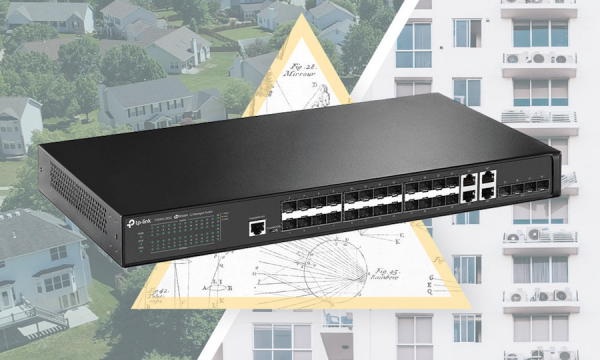
The expansion of large cities and the formation of agglomerations is one of the key trends in social development today. In 2019 alone, Moscow is set to expand by 4 million square meters of housing (not counting 15 settlements that will join by 2020). Across this vast area, communication operators must provide users with internet access. This includes urban districts with dense high-rise buildings as well as more 'sparse' cottage communities. The requirements for equipment vary slightly depending on these scenarios. We analyzed each of these cases and created a universal model of an optical switch — the T2600G-28SQ. In this post, we will explore the capabilities of this device that will be of interest to communication operators throughout Russia.
Network Location
The T2600G-28SQ switch is designed for both access level operations within the network and for aggregating links from other access layer switches. It is a Layer 2 switch that performs switching and static routing. If an operator has both switching aggregation and access (routing only in the core of the network), the T2600G-28SQ will fit into either level. However, for dynamically routable aggregation, some constraints must be considered based on usage scenarios.
The T2600G-28SQ model is a fully functional active Ethernet switch without the additional restrictions that arise when using technologies like xPON or similar. For instance, there are no threats of a sudden drop in speed with an increasing number of users or poor compatibility between equipment from different vendors and firmware. Both end users and downstream access switches with optical uplinks, such as the T2600G-28TS model, can connect to the device interfaces. The diagram below illustrates the most common examples of such connections.
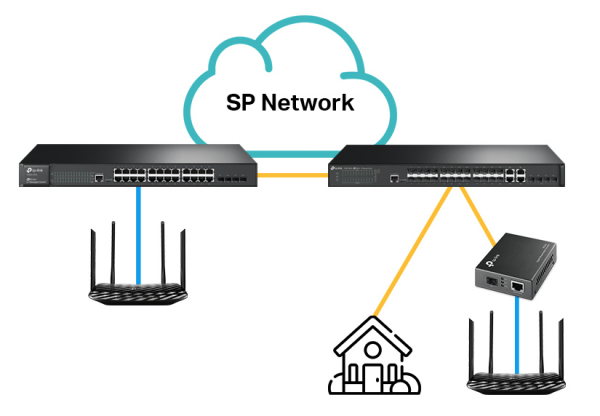
For connecting to the end-user network, either optical fiber or twisted pair can be used. On the subscriber side, optical fiber can be terminated using either a media converter (such as TP-Link MC220L) or through an optical interface in a SOHO router.
To connect a nearby client, four RJ-45 ports operating at speeds of 10/100/1000 Mbps can be used. If this is insufficient for any reason, the operator can 'convert' the switch's optical interfaces to copper using specialized 'copper' SFPs with an RJ-45 connector. However, this solution cannot be considered standard.
Several practical examples
To provide a complete picture, here are a few examples of using T2600G-28SQ switches.
Moscow Region Provider , which provides telephony and cable TV services in addition to internet access, uses the T2600G-28SQ at the access level when building networks in private sectors (cottages and townhouses). On the client side, connections are made to routers with SFP ports and media converters. Currently, SOHO routers with SFP ports are not mass-produced here, but we are, of course, considering this.
Telecommunications Operator from the Pavlovsky Posad district uses T2600G-28SQ switches for 'small aggregation', employing T2600G-28TS and T2500G-10TS switches at the access level.
The Group of Companies provides internet, TV, telephony, and video surveillance systems in the southeastern Moscow region (Kolomna, Lukhovitsy, Zaraysk, Serebryanye Prudy, Ozyory). The topology here is similar to that of MKS: T2600G-28SQ at the aggregation level and T2600G-28TS and T2500G-10TS at the access level.
The Provider from Krasnoznamensk provides internet access through a network with deep optical penetration. It also relies on the T2600G-28SQ.
In the following sections, we will briefly describe some features of the T2600G-28SQ model. To avoid overloading the material, we have left out several options: QinQ (VLAN VPN), routing, QoS, etc. We hope to return to them in one of the next posts.
Switch Features
Redundancy – STP
STP – Spanning Tree Protocol. The spanning tree protocol has been known for a long time, thanks to the esteemed Radia Perlman. In modern networks, administrators try to avoid using this protocol as much as possible. Yes, STP has its drawbacks. And it's great if there is an alternative. However, as is often the case, the alternative to this protocol will heavily depend on the vendor. Thus, the Spanning Tree Protocol remains almost the only solution supported by virtually all manufacturers and known to all network administrators.
The TP-Link T2600G-28SQ switch supports three versions of STP: classic STP (IEEE 802.1D), RSTP (802.1W), and MSTP (802.1S).
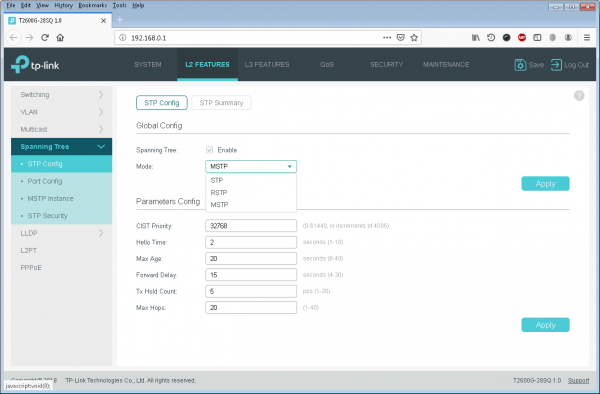
Of these options, the standard RSTP is quite suitable for most small ISPs in Russia, as it has one undeniable advantage over the classic version — significantly lower convergence time.
Currently, the most flexible protocol is MSTP, which supports virtual networks (VLANs) and allows multiple spanning trees, enabling the use of all available backup paths. The administrator creates several different instances of the tree (up to eight), each of which serves a specific set of virtual networks.
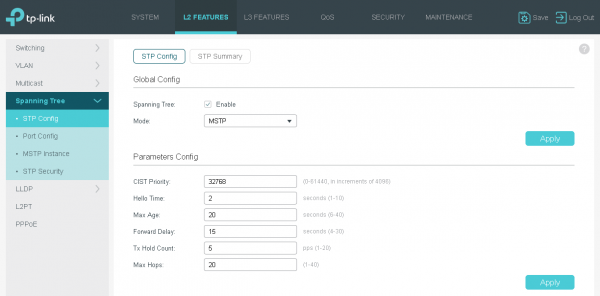
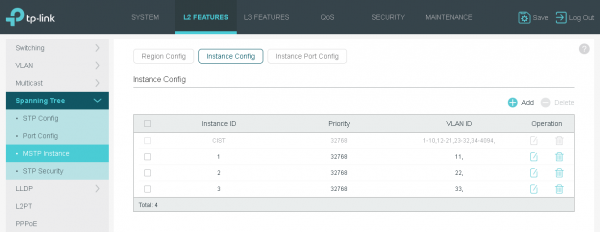
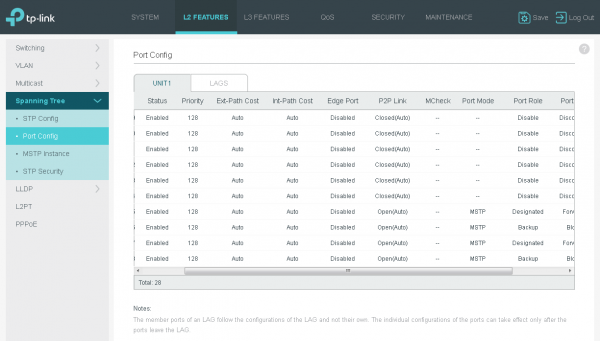
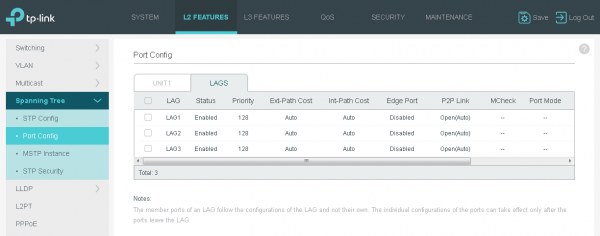
MSTP NuancesNovice administrators need to be very careful when using MSTP. This is because the behavior of the protocol within a region and between regions differs. Therefore, when configuring switches, it is essential to ensure that you remain within the boundaries of a single region.
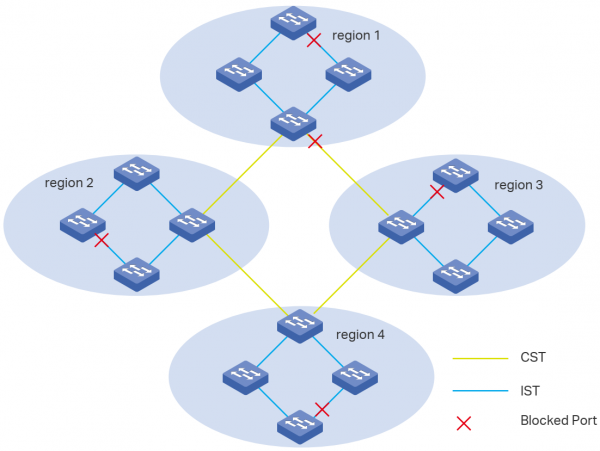
What exactly is this notorious region? In MSTP terms, a region is a set of interconnected switches that share the following characteristics: region name, revision number, and virtual network (VLAN) distribution among the protocol instances.
Of course, the Spanning Tree Protocol (any version) not only helps to prevent loops that occur when connecting backup links, but also protects against cabling errors, when an engineer intentionally or accidentally connects the wrong ports, creating a loop through their actions.
More experienced network administrators prefer to use a variety of additional options to protect the STP protocol from attacks or complex failure situations. The T2600G-28SQ model offers a whole set of such capabilities: Loop Protect and Root Protect, TC Guard, BPDU Protect, and BPDU Filter.
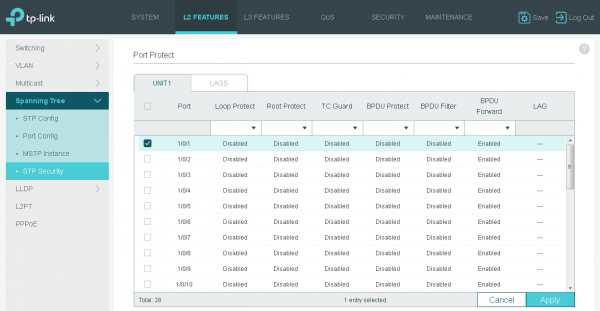
The proper use of the options listed above in conjunction with other supported security mechanisms will stabilize the local network and make it more predictable.
Redundancy – LAG
LAG – Link Aggregation Group. This technology allows the combination of several physical channels into one logical channel. All other protocols stop using the physical channels included in the LAG individually and start 'seeing' one logical interface. An example of such a protocol is STP.
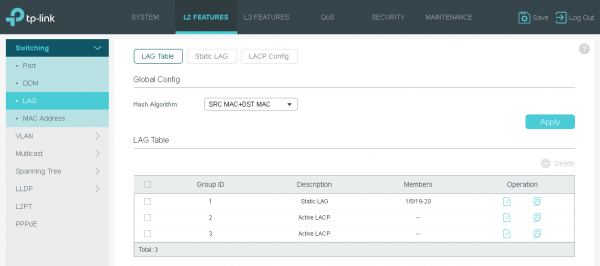
User traffic balancing between physical channels within the logical channel is based on a hash sum. This calculation can use the MAC addresses of the sender, receiver, or their pair; as well as the IP addresses of the sender, receiver, or their pair. Information from layer four protocols (TCP/UDP ports) is not taken into account.
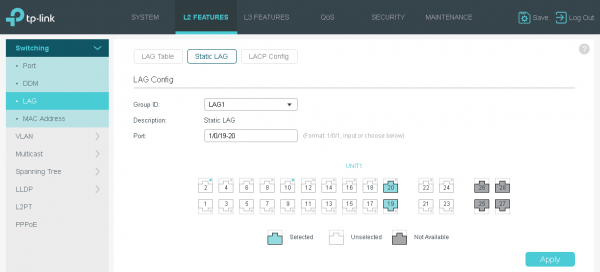
The T2600G-28SQ switch supports both static and dynamic LAG.
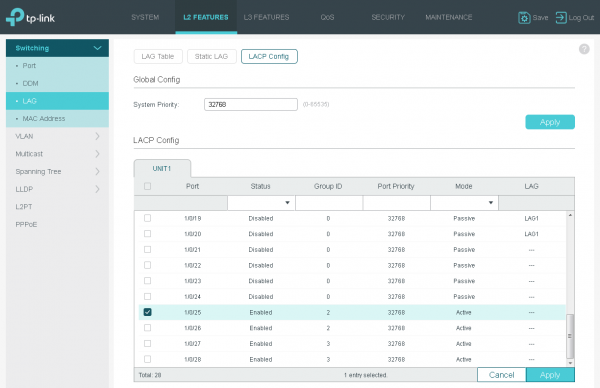
To coordinate the operating parameters of the dynamic group, the LACP protocol is used.
Security – Access Control Lists (ACL)
Our T2600G-28SQ switch allows filtering user traffic using Access Control Lists (ACL).
Supported access control lists can be of several different types: MAC and IP (IPv4/IPv6), combined, as well as for performing content filtering. The number of supported access control lists of each type depends on the SDM template currently in use, which we described in another section.
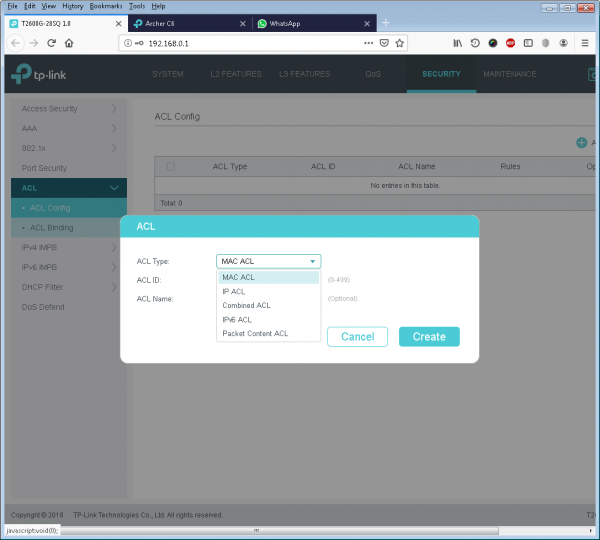
The operator can use this option to block various unwanted traffic on the network. An example of such traffic could be IPv6 packets (using the EtherType field) if the corresponding service is not provided; or to block SMB traffic on port 445. In a network with static DHCP/BOOTP addressing, traffic is not required, so the administrator can filter UDP datagrams on ports 67 and 68 using ACL. Local IPoE traffic can also be blocked using ACLs. Such blocking may be in demand in networks of operators using PPPoE.
The process of using access lists is extremely simple. After creating the list itself, it is necessary to add the required number of entries, the type of which directly depends on the configured list.
Configuring Access Lists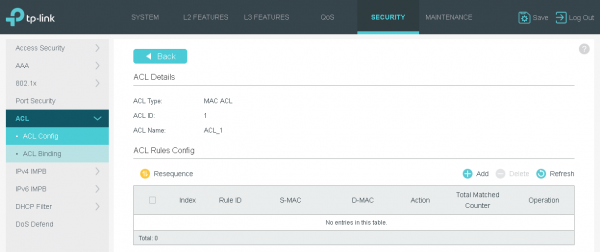
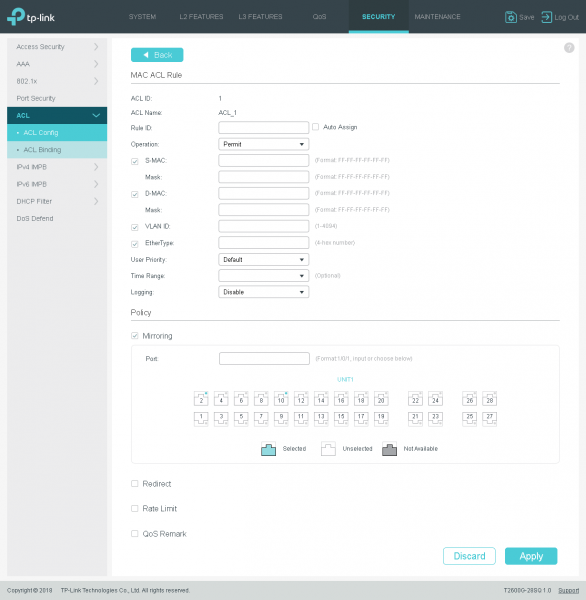
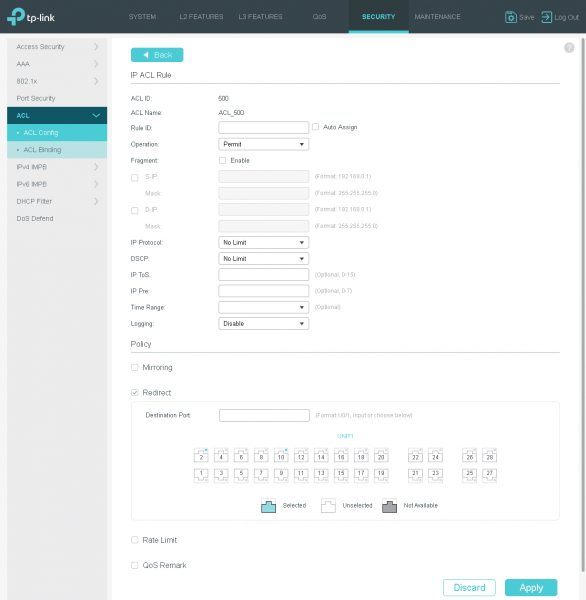
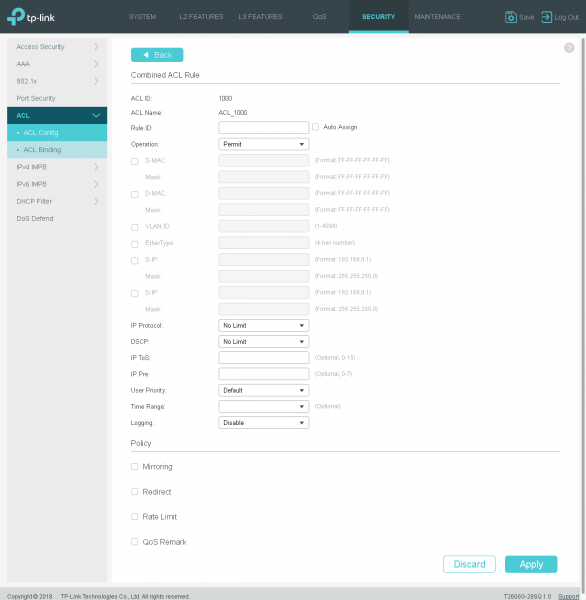
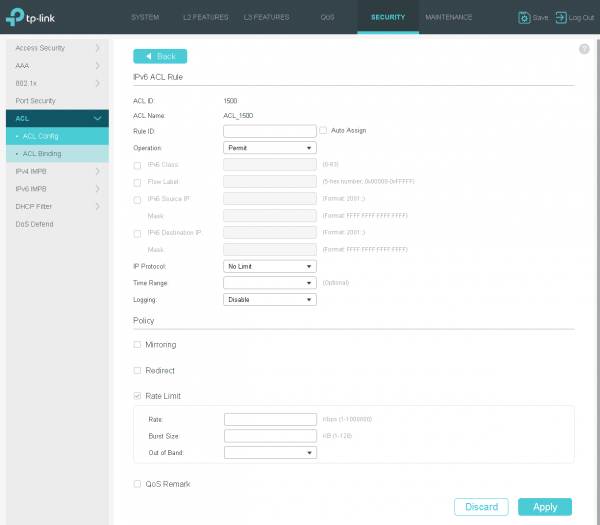
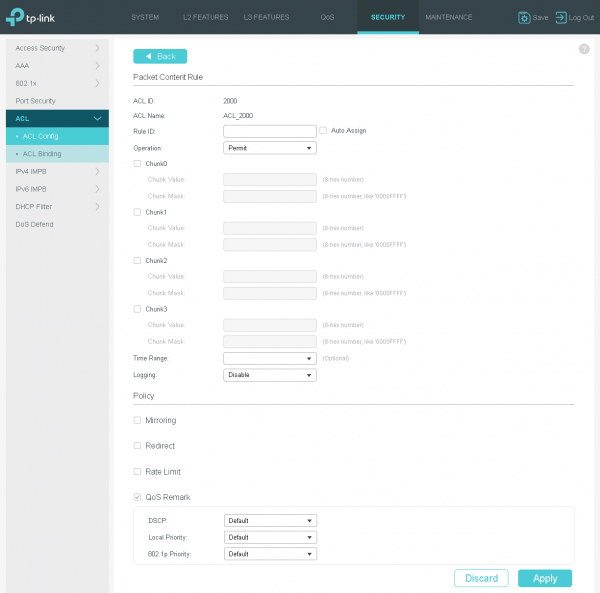
It is worth noting that access lists can perform not only standard operations for allowing or denying traffic but can also redirect, mirror traffic, as well as re-tag it or limit it by speed.
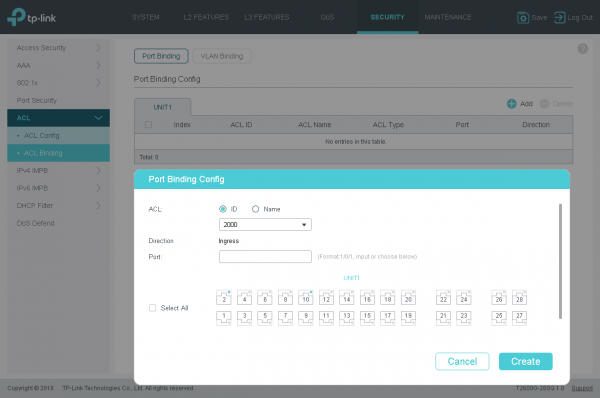
Once all necessary ACLs are created, the administrator can install them. It is permissible to attach the access list to both the actual physical port and a specific virtual network.
Security – number of MAC addresses
Sometimes operators need to limit the number of MAC addresses that a switch learns on a particular port. Access lists allow achieving this effect but require explicit specification of the MAC addresses themselves. If there is a need to limit the number of learned addresses without specifying them explicitly, port security comes to the rescue.
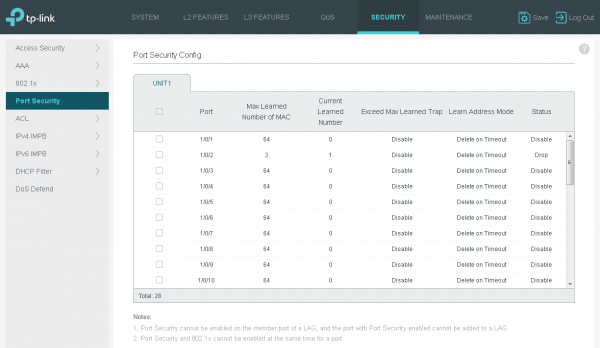
Such a restriction may be required, for example, to prevent an entire local network from connecting to a single interface of the provider's switch. It is important to note that this refers to switched connections, because when connecting through a router on the client side, the T2600G-28SQ will learn only one address – that is the MAC belonging to the WAN port of the client's router.
There is a whole class of attacks aimed at the switching table. This can include table overflow and MAC spoofing. The port security option will help protect against bridge table overflow and attacks that aim to intentionally retrain the switch, poisoning its bridge table.
We cannot overlook malfunctioning client equipment. It is not uncommon for a malfunctioning network card in a computer or router to create a stream of frames with completely arbitrary sender and receiver addresses. Such a stream can easily exhaust the CAM.
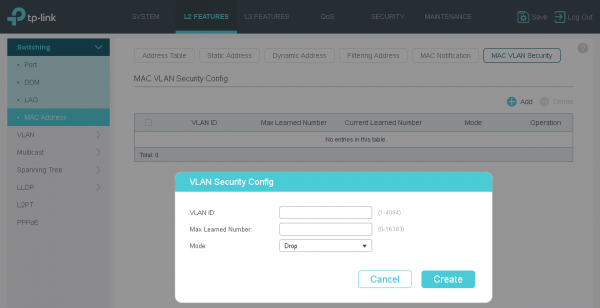
Another way to limit the number of entries in the bridge table is through the MAC VLAN Security tool, which allows the administrator to specify the maximum number of entries for a particular virtual network.
In addition to managing dynamic entries in the switching table, the administrator can also create static entries.
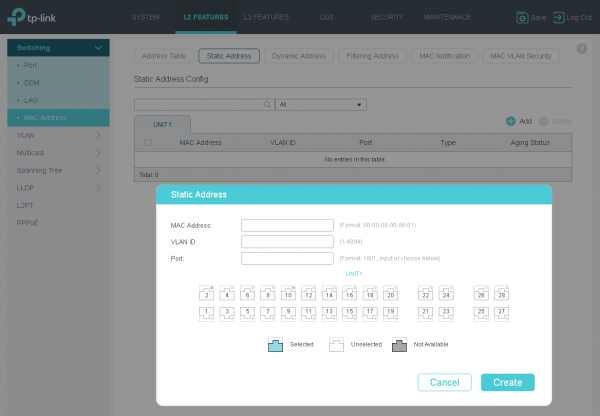
The maximum bridge table of the T2600G-28SQ model can accommodate up to 16K entries.
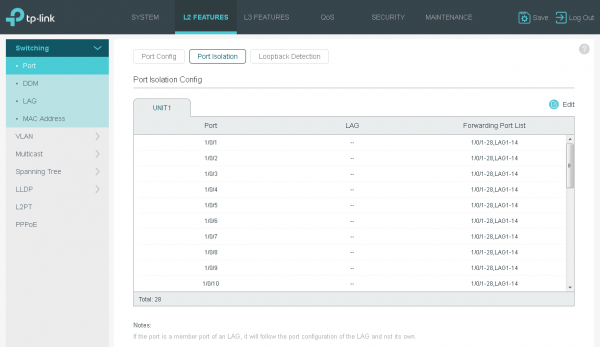
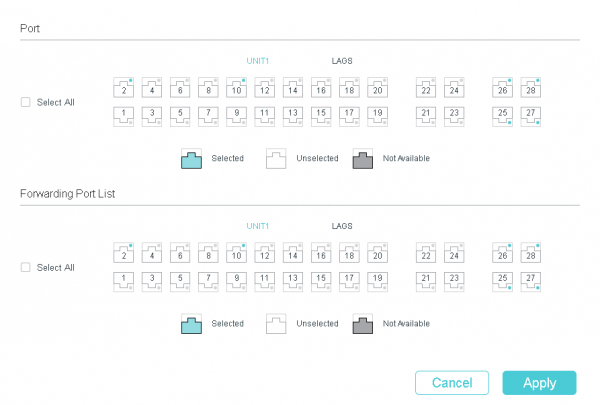
Another option designed for filtering user traffic is the Port Isolation function, which explicitly specifies the direction in which forwarding is allowed.
Security – IMPB
In our vast homeland, the approach of telecommunications operators to network security varies from complete disregard to maximum utilization of all options supported by the equipment.
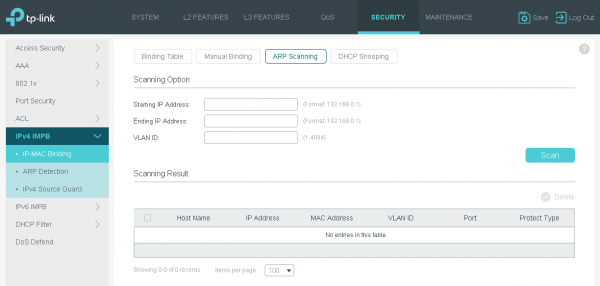
The IPv4 IMPB (IP-MAC-Port Binding) and IPv6 IMPB functions protect against a whole range of attacks related to IP and MAC address forgery by binding the IP and MAC addresses of client equipment to the provider's switch interface. This binding can be done manually or using ARP Scanning and DHCP Snooping functions.
Main IMPB Settings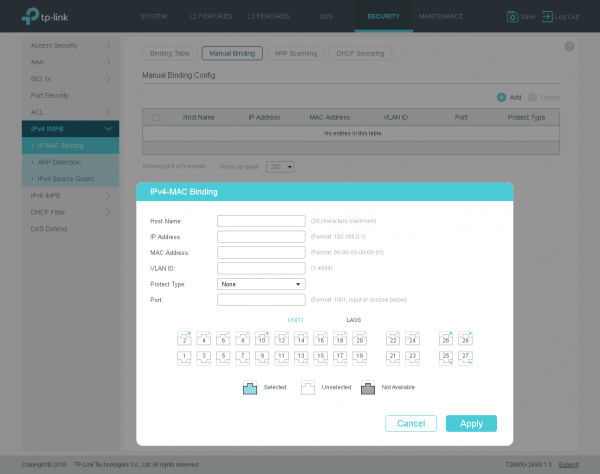
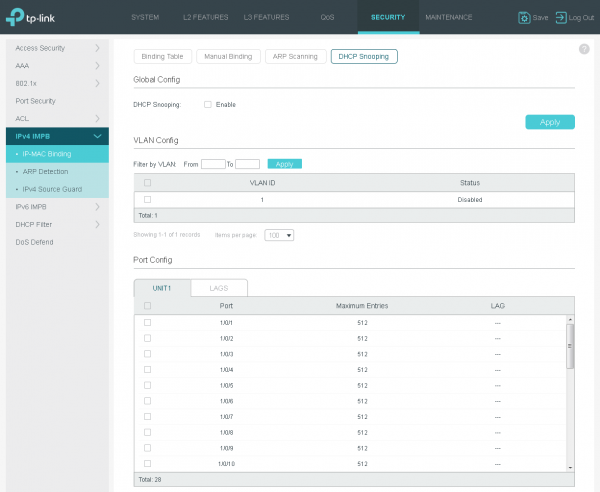
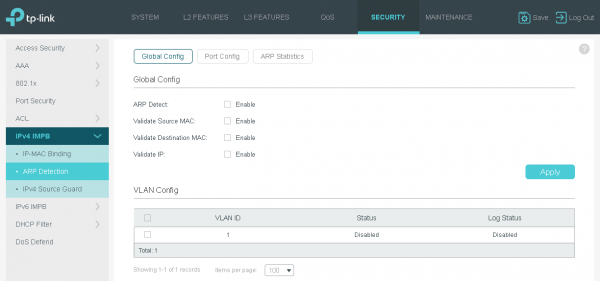
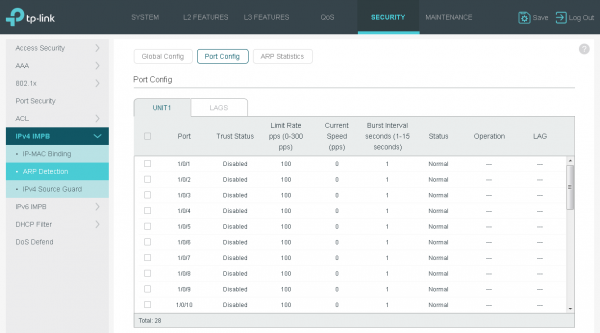
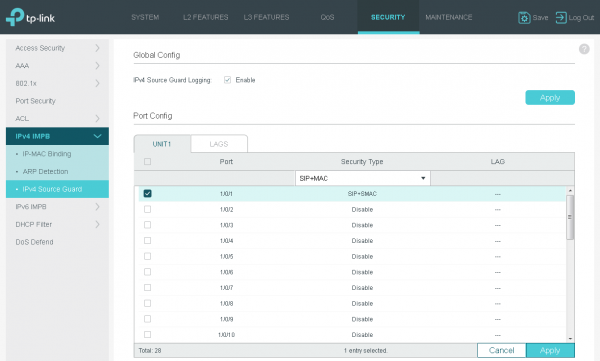
It is fair to mention that a special feature, the DHCP Filter, can be used to protect the DHCP protocol.
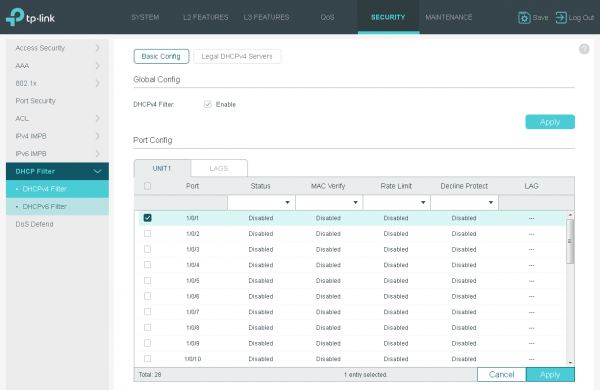
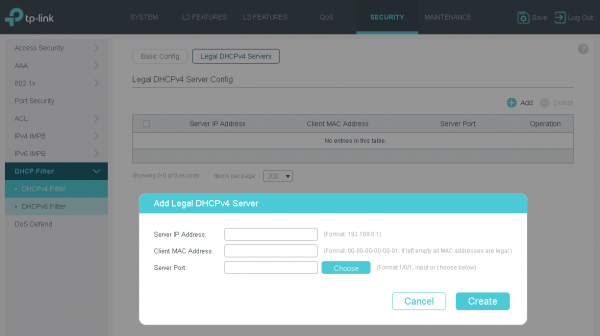
Using this function, the network administrator can manually specify the interfaces to which genuine DHCP servers are connected. This way, rogue DHCP servers cannot interfere with the process of negotiating IP parameters.
Security – DoS Defend
The model under consideration protects users from several of the most well-known and previously common DoS attacks.
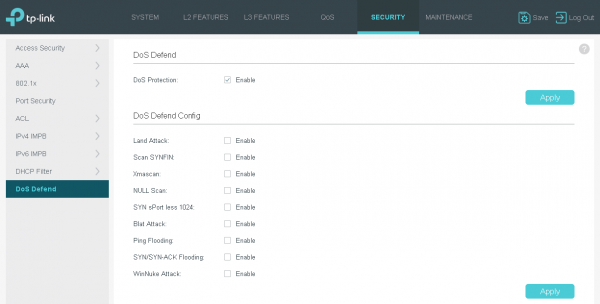
Most of the listed attacks are no longer a concern for devices with modern operating systems; however, our networks can still encounter devices for which the last software update was performed many years ago.
DHCP Support
The TP-Link T2600G-28SQ switch can function as both a DHCP server or relay, and it can perform various DHCP message filtering if another device serves as the server.
The simplest way to provide users with the necessary IP parameters is to utilize the built-in DHCP server in the switch. Basic parameters can already be assigned to subscribers through it.
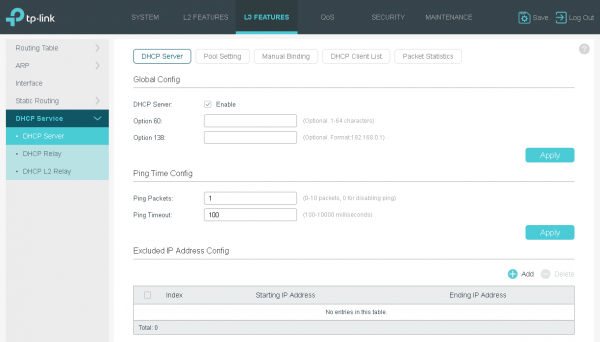
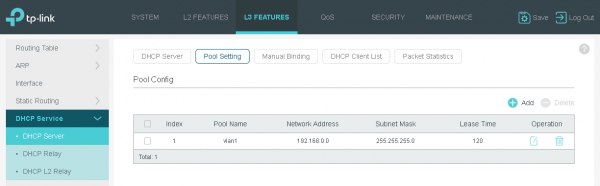
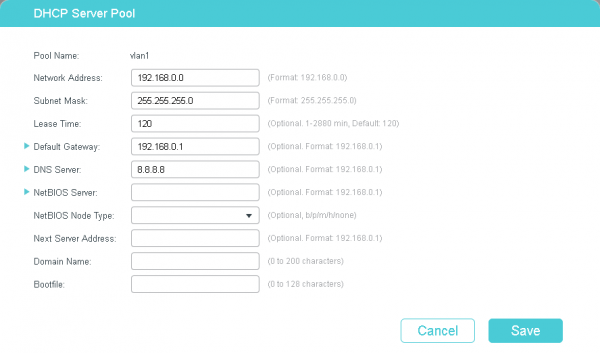
We connected our SOHO router, the Archer C6, to one of the switch interfaces and confirmed that the client device successfully obtained an address.
It looks like this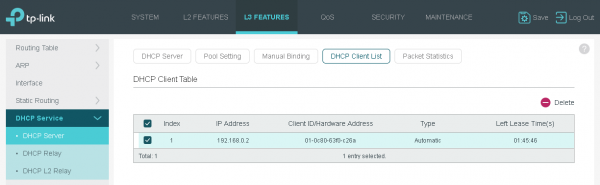
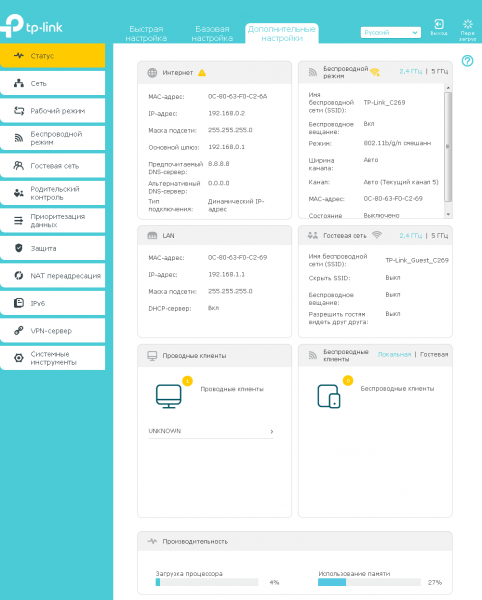
The built-in DHCP server in the switch is perhaps not the most scalable and flexible solution: there is no support for non-standard options, and it lacks integration with IPAM. If the operator requires more control over the IP address distribution process, a dedicated DHCP server will be used.
The T2600G-28SQ allows for specifying a separate dedicated DHCP server for each user subnet, to which messages of the discussed protocol will be forwarded. The subnet is selected by specifying the corresponding L3 interface: VLAN (SVI), routed port, or port-channel.
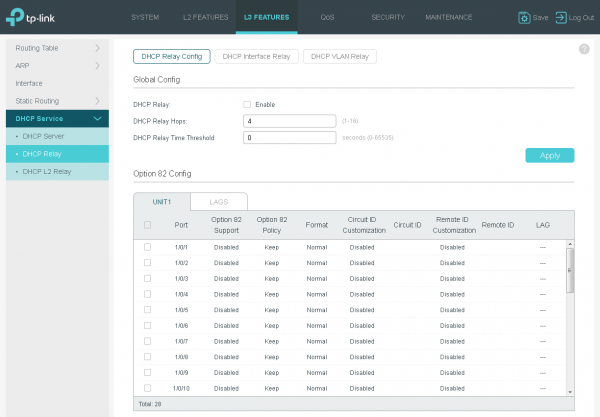
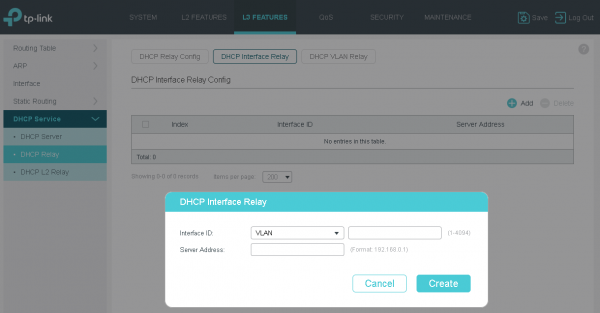
To test the relay functionality, we configured a separate router from another vendor to act as the DHCP server, with the settings shown below.
R1#sho run | s pool
ip dhcp pool test
 network 192.168.0.0 255.255.255.0
 default-router 192.168.0.1
 dns-server 8.8.8.8
The client router successfully obtained an IP address again.
R1#sho ip dhcp binding
Bindings from all pools not associated with VRF:
IP address          Client-ID/           Lease expiration        Type
                    Hardware address/
                    User name
192.168.0.2         010c.8063.f0c2.6a    May 24 2019 05:07 PM    Automatic
Under the spoiler — the contents of the intercepted packet between the switch and the dedicated DHCP server.
Packet contents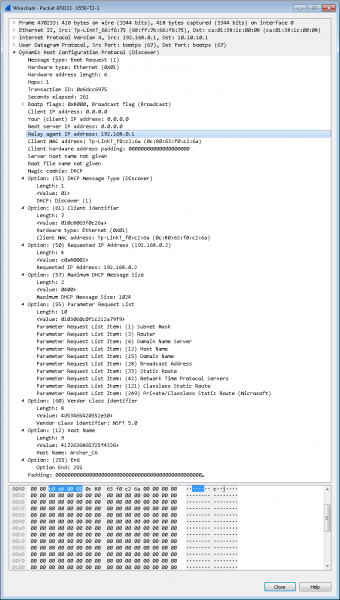
It is worth noting the support for Option 82 by the switch. When activated, the switch will add information about the user interface from which the DHCP Discover message was received. Additionally, the T2600G-28SQ model allows you to configure the processing policy for the added information when inserting option #82. Support for this option may be useful when it is necessary to assign the same IP address to a subscriber regardless of what client identifier (client-id) it reports.
The illustration below shows a DHCP Discover message (sent by a relay) with the added option #82.
Message with option #82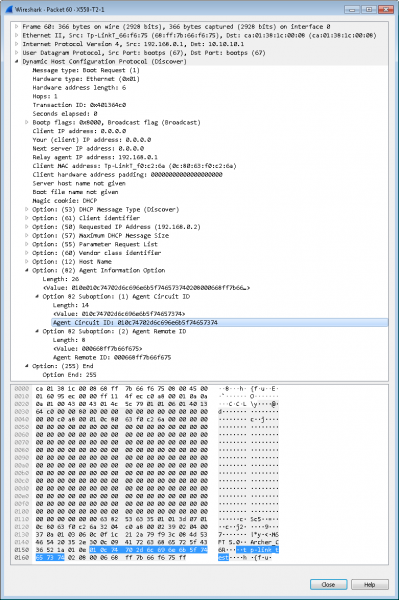
Of course, you can manage option #82 without configuring a full-fledged DHCP relay; the relevant settings are presented in the subsection 'DHCP L2 Relay.'
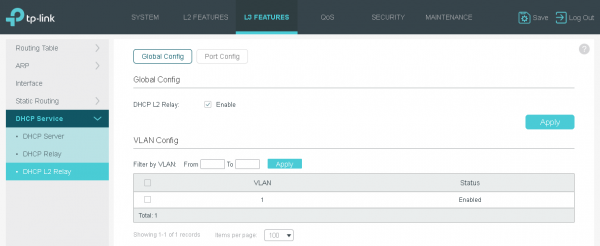
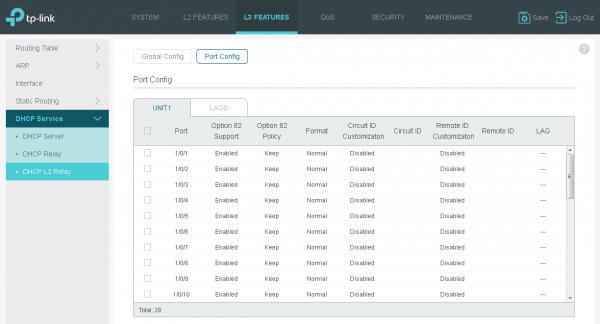
Now let's change the DHCP server settings to demonstrate the operation of option #82.
R1#sho run | s dhcp
ip dhcp pool test
 network 192.168.0.0 255.255.255.0
 default-router 192.168.0.1
 dns-server 8.8.8.8
 class option82_test
 address range 192.168.0.222 192.168.0.222
ip dhcp class option82_test
 relay agent information
      relay-information hex 010e010c74702d6c696e6b5f746573740208000668ff7b66f675
R1#sho ip dhcp binding
Bindings from all pools not associated with VRF:
IP address          Client-ID/           Lease expiration        Type
                    Hardware address/
                    User name
192.168.0.222       010c.8063.f0c2.6a     May 24 2019 05:33 PM    Automatic
Something like this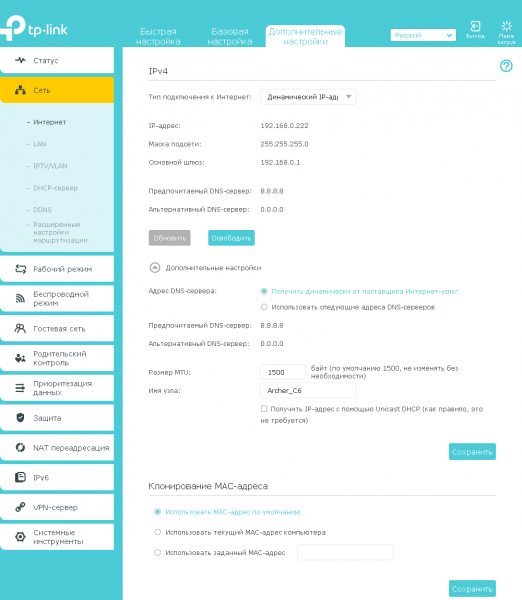
The DHCP interface relay function will be useful when the switch not only has an L3 interface connected to a specific network but also that interface has an IP address. If there is no address on such an interface, the DHCP VLAN relay function will come to the rescue. In this case, subnet information will be taken from the default interface, meaning that address spaces in several virtual networks will be identical (overlap).
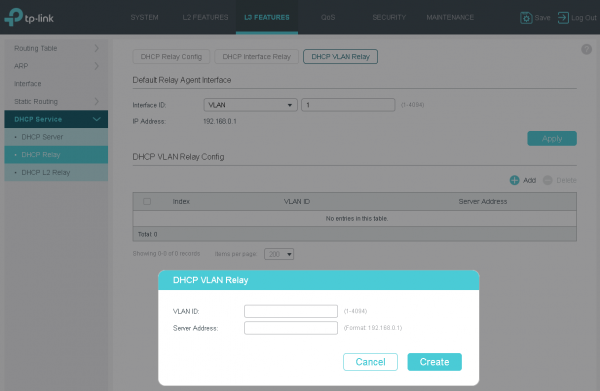
Often, operators also need to protect subscribers from incorrect or malicious enabling of the DHCP server on client equipment. We decided to discuss this functionality in one of the sections dedicated to security issues.
IEEE 802.1X
One of the ways to authenticate users on a network is by using the IEEE 802.1X protocol. Although the popularity of this protocol in telecommunications networks in Russia is declining, it is still primarily used in large companies' local networks for authenticating internal users. The T2600G-28SQ switch supports 802.1X, so the provider can easily implement it when needed.
The IEEE 802.1X protocol requires three participants: client equipment (supplicant), the provider's access switch (authenticator), and authentication servers (typically RADIUS servers).
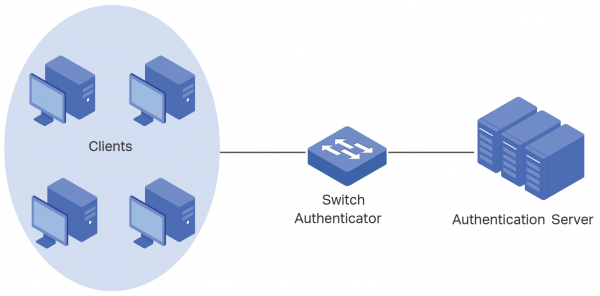
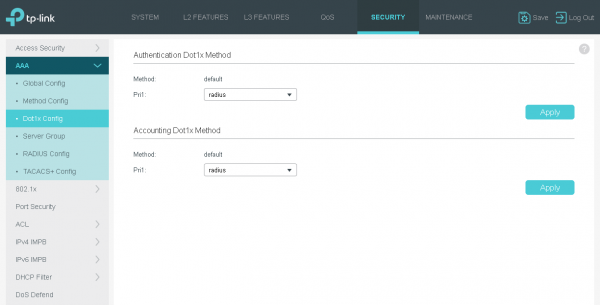
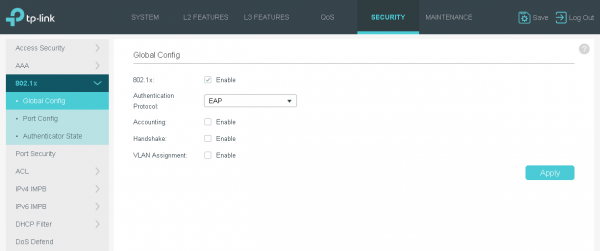
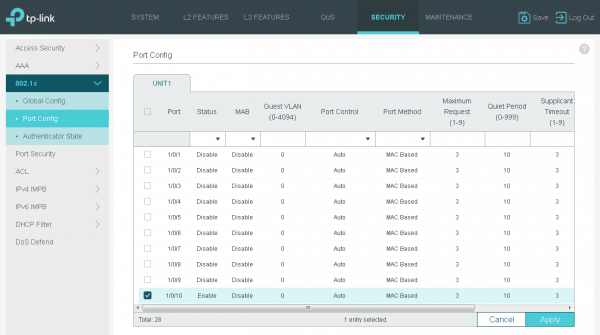
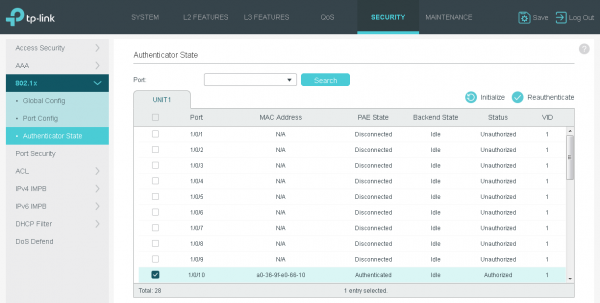
The operator's basic configuration is quite simple. It is only necessary to specify the IP address of the RADIUS server used to store the user database and to select the interfaces that require authentication.
Basic 802.1X Setup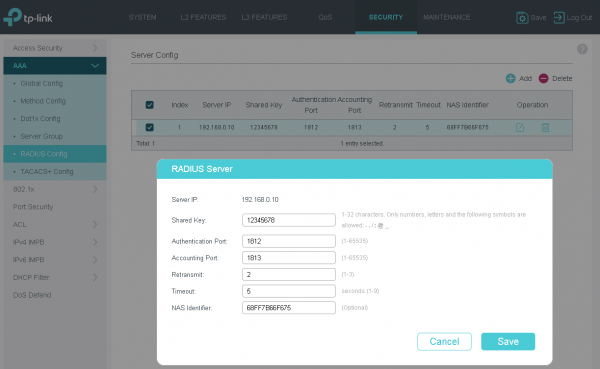
On the client side, only minor configuration is required. All modern operating systems already contain the necessary software. However, if needed, the TP-Link 802.1x Client can be installed and used, allowing the client to authenticate on the network.
When connecting a user's PC directly to the provider's network, authentication settings must be activated for the network card used for the connection.
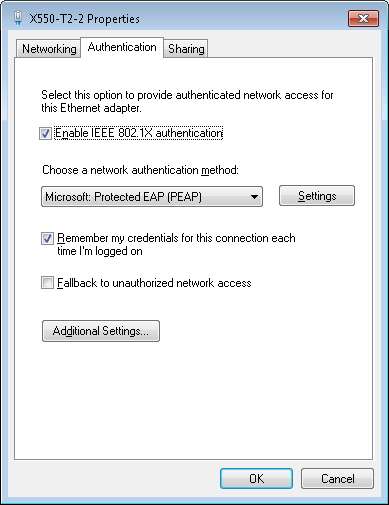
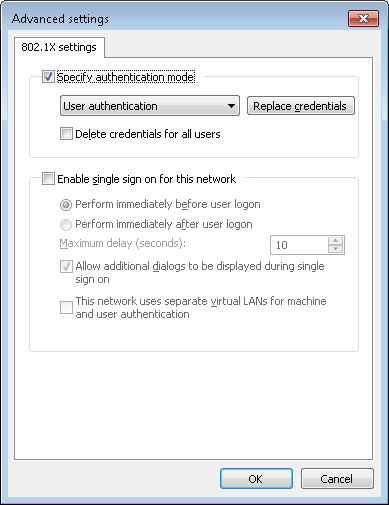
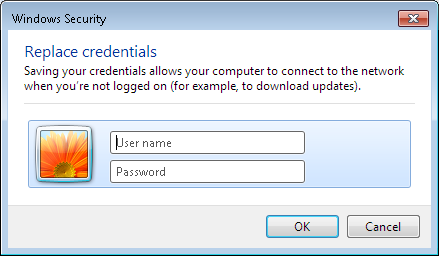
However, currently, it is usually not the user's computer that connects directly to the operator's network, but some SOHO router providing the operation of the subscriber's local network (both wired and wireless segments). In this case, all 802.1X protocol settings must be done directly on the router.
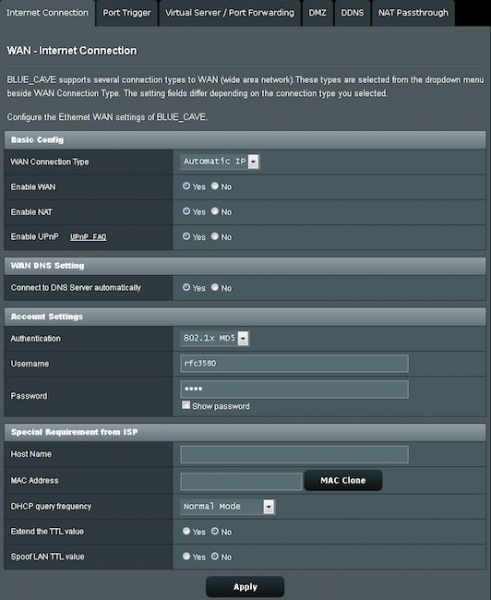
We believe that such an authentication method is undeservedly forgotten in operator networks. Yes, the hard binding of the subscriber to the switch port may be a simpler solution from the perspective of user equipment settings. But if the use of a username and password is necessary, then 802.1X will not be as heavy a protocol compared to the tunnel-based connections like PPTP/L2TP/PPPoE.
PPPoE ID Insertion
Many users not only in our country but also worldwide still prefer to use extremely simple passwords. Unfortunately, cases of credential theft are not uncommon. If the operator uses the PPPoE protocol to authenticate users in their network, the TP-Link T2600G-28SQ switch can help address the issue of credential leakage. This is achieved by adding a special tag to the PPPoE Active Discovery message. Thus, the provider can authenticate the subscriber not only by username and password but also by additional data. Such additional data includes the MAC address of the client device and the switch interface to which it is connected.
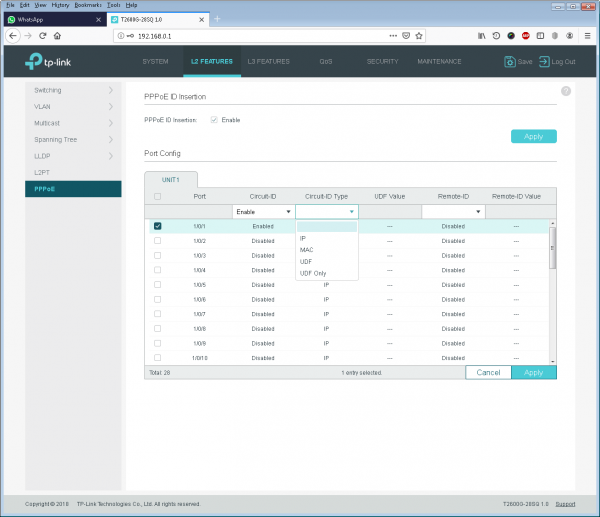
Some operators may want to prohibit the subscriber (username and password pair) from moving around the network altogether. The PPPoE ID Insertion feature can help in this case as well.
IGMP
The IGMP (Internet Group Management Protocol) has existed for decades. Its popularity is quite understandable and easy to explain. However, IGMP interaction involves two parties: the user's PC (or any other device, such as an STB) and the IP router servicing a specific segment of the network. Switches do not participate in this exchange. However, this last statement is not entirely accurate. Or, in modern networks, not accurate at all. Support for the IGMP protocol by switches is necessary to optimize the forwarding of multicast traffic. By listening to user traffic, the switch detects IGMP Report messages, which it uses to identify ports for forwarding multicast traffic. This feature is called IGMP Snooping.
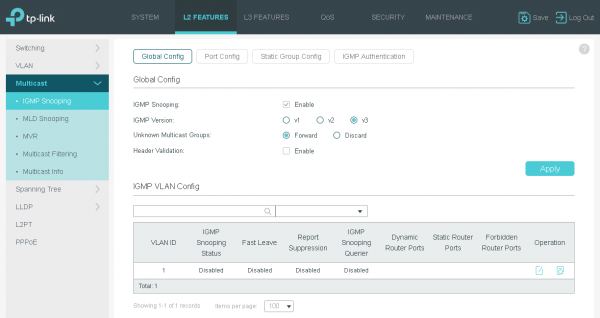
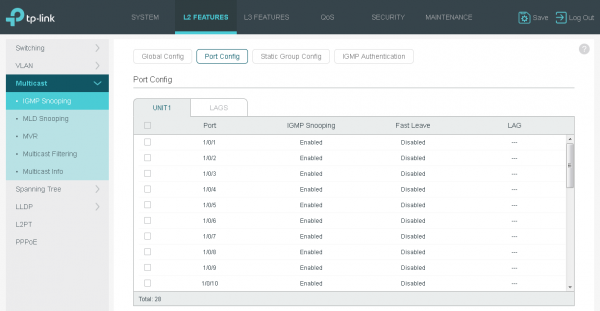
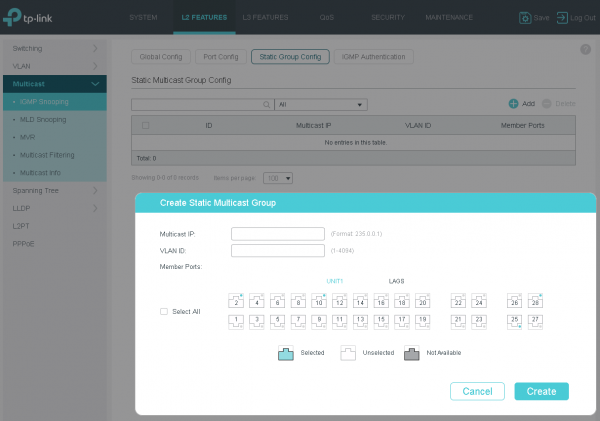
IGMP protocol support can be used not only to optimize traffic as such but also to identify subscribers who may be provided with a particular service, such as IPTV. The desired goal can be achieved either by manually configuring filtering parameters or by using authentication.
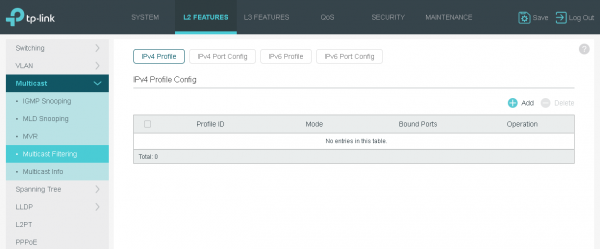
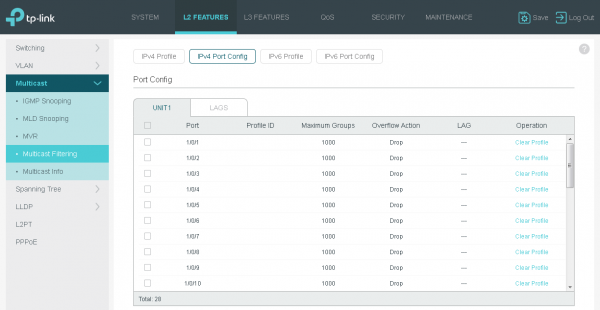
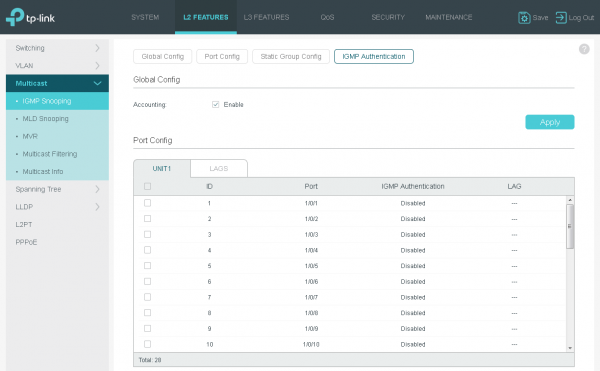
Support for multicast traffic on TP-Link switches is implemented quite flexibly. For example, all parameters can be set individually for each virtual network.
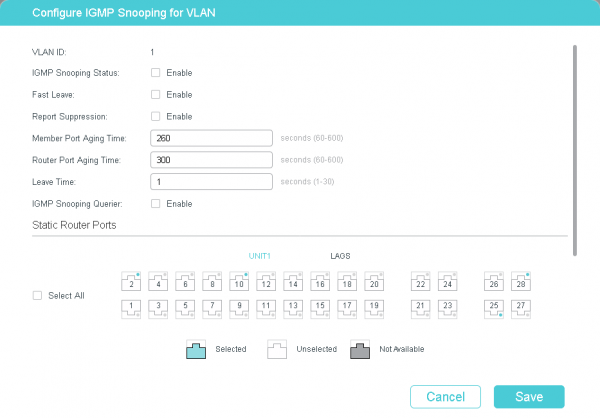
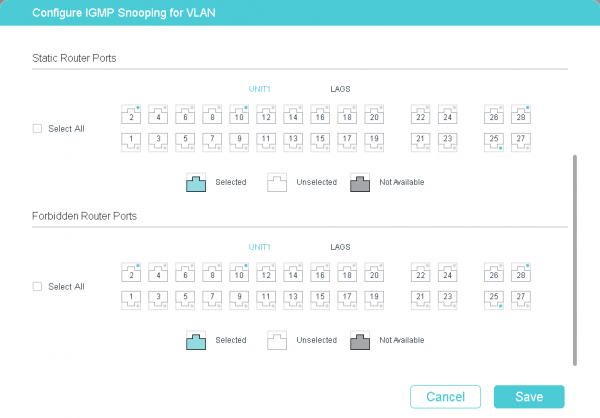
If multiple subnets with multicast traffic receivers are connected to a single router interface, that router will have to send multiple copies of the packets through that interface (one for each virtual network).
The procedure for routing multicast traffic can be optimized in this case using MVR – Multicast VLAN Registration.
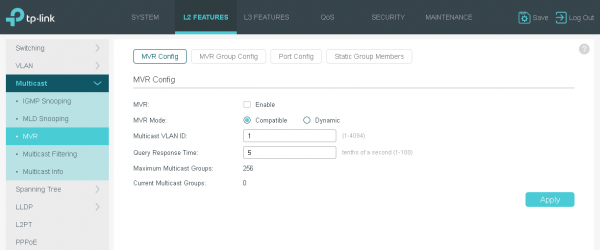
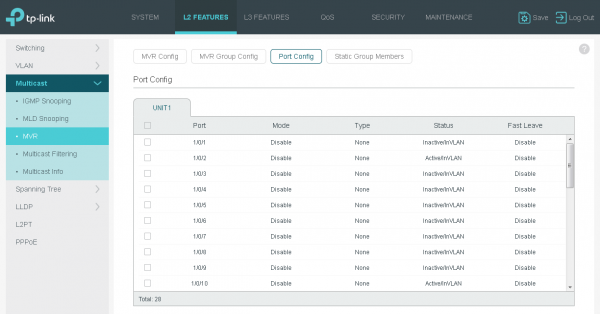
The essence of the solution is that a single virtual network is created, uniting all receivers. However, this virtual network is only used for multicast traffic. This approach allows the router to send only one copy of the multicast traffic through the interface.
DDM, OAM, and DLDP
DDM – Digital Diagnostic Monitoring. During the operation of optical modules, it is often necessary to monitor the state of the module itself as well as the optical channel it is connected to. The DDM function can help with this task. With its help, the operator's engineers can track the temperature of each module supporting this functionality, the voltage on it, and the current, as well as the power of the transmitted and received optical signals.
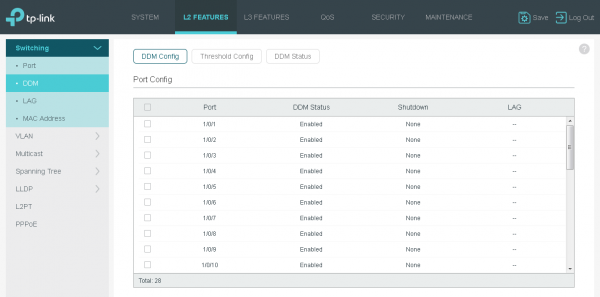
Setting threshold levels for the aforementioned parameters will allow the generation of an event in case they fall outside the acceptable range.
Setting DDM Trigger Thresholds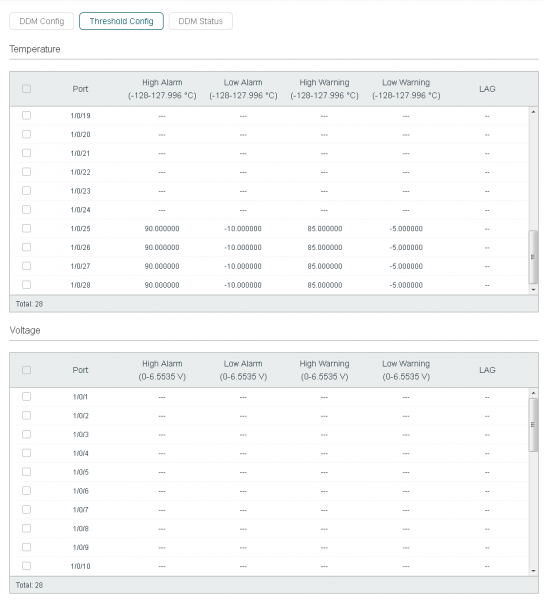
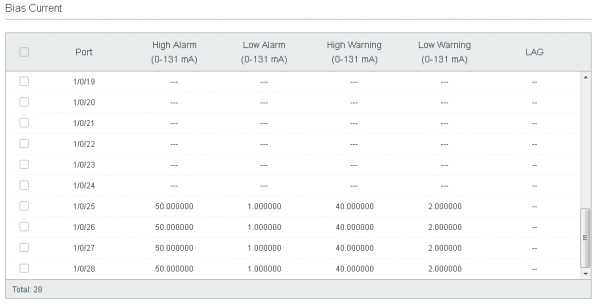
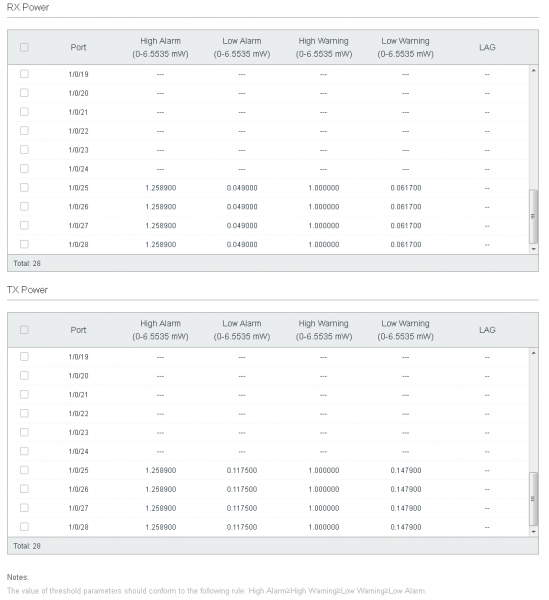
Naturally, the administrator can view the current values of the specified parameters.
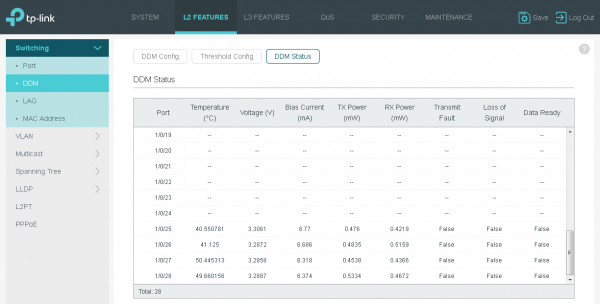
The TP-Link T2600G-28SQ switch has an active air cooling system. Moreover, we have never encountered overheating of SFP modules in our switches related to port density. However, if we theoretically allow for such a possibility (for example, due to an issue within the SFP module), the administrator will be immediately alerted to a potentially dangerous situation using DDM. The danger here is obviously not to the switch itself, but to the diode/laser inside the SFP, as an increase in its temperature may lead to a degradation of the output optical signal power, resulting in a decrease in optical budget.
It is also worth noting that TP-Link switches do not have a 'vendor lock' feature, meaning that any compatible SFP modules are supported, which will certainly be very convenient for network administrators.
OAM — Operation, Administration, and Maintenance (IEEE 802.3ah). OAM is a Layer 2 protocol of the OSI model designed for monitoring and troubleshooting in Ethernet networks. With this protocol, a switch can track the performance of a specific connection and errors, generating alerts so that the network administrator can manage the network more efficiently.
Basic OAM Configuration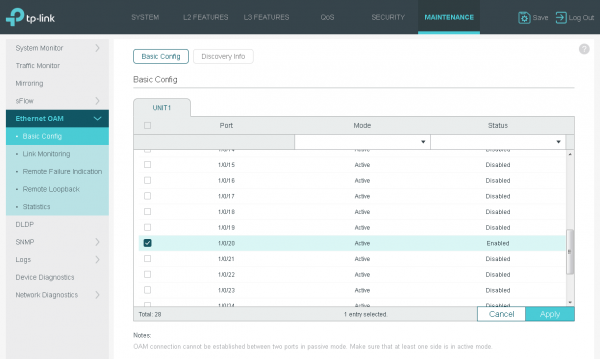
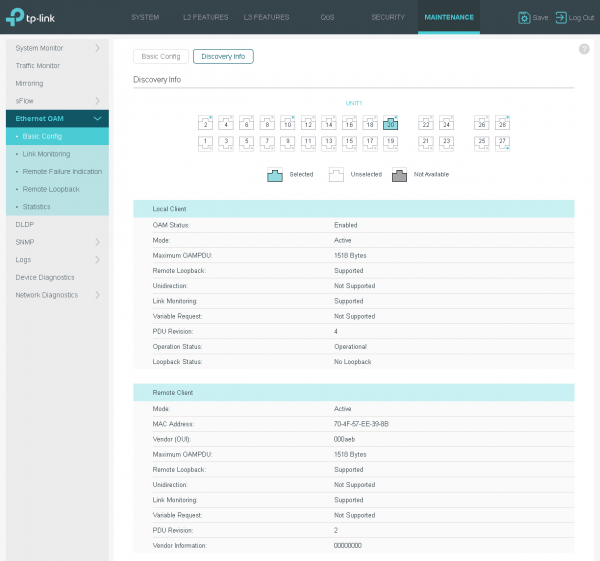
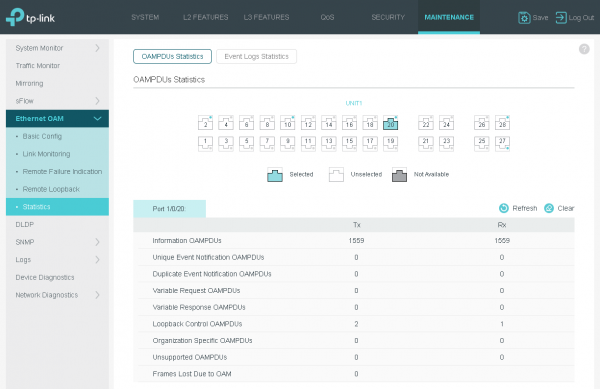
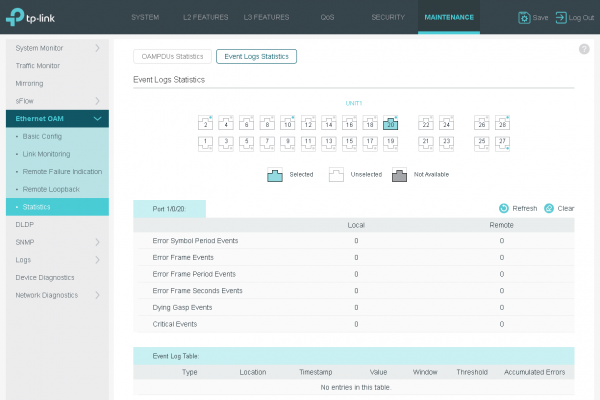
Details of OAM FunctionalityTwo adjacent devices that support OAM periodically exchange messages by sending OAMPDU, which come in three types: Informational, Event Notification, and Loopback Control. Using Informational OAMPDU, neighboring switches send each other statistical information as well as data defined by the administrator. This type of message is also used to maintain a connection via the OAM protocol. Event Notification messages are used by the connection monitoring function to notify the opposite side of failures that have occurred. Loopback Control messages are used to detect a loop on the line.
Below we have listed the main capabilities provided by the OAM protocol:
- environment monitoring (detection and counting of faulty frames),
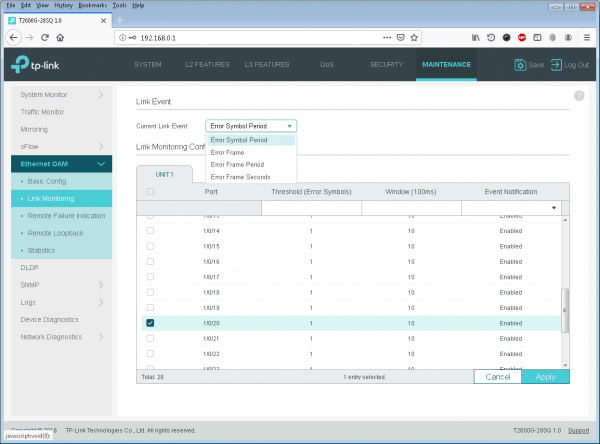
- RFI – Remote Failure Indication (sending a failure notification on the channel),
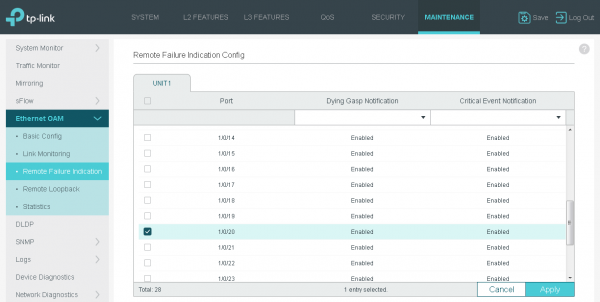
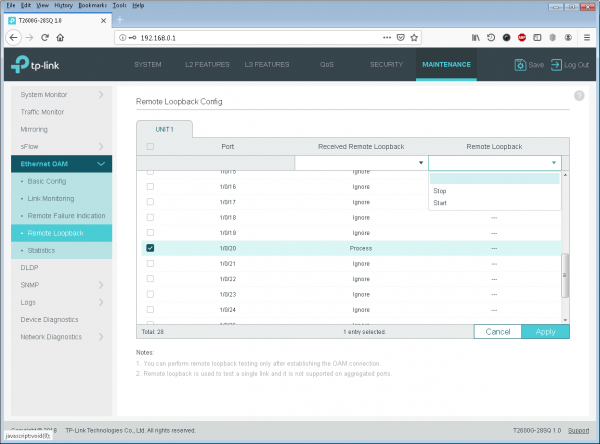
- Remote Loopback (testing the channel to measure latency, jitter, and the number of lost frames).
Another option, in demand on optical switches, is the ability to detect problems on the communication channel, resulting in the channel becoming simplex, meaning that data can only be sent in one direction. Our switches use the DLDP – Device Link Detection Protocol for the detection of unidirectional links. It is worth noting that the DLDP protocol is supported on both optical and copper interfaces; however, in our opinion, it will be most needed when using fiber optic lines.
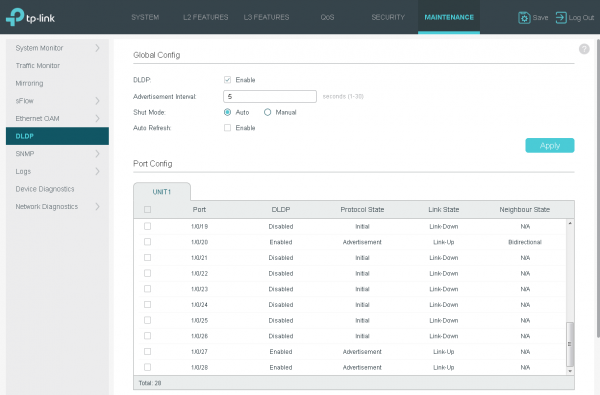
Upon detecting a unidirectional channel, the switch can automatically disable the problematic interface, which will lead to the reconfiguration of the STP tree and the use of backup communication channels.
Our arsenal includes SFP modules that facilitate the transmission and reception of signals over a single fiber. They operate strictly in pairs, using optical signals at different wavelengths for transmission within the pair. An example of this would be the pair TL-SM321A and TL-SM321B. If one fiber is damaged, it will render the entire optical channel inoperable. However, even on such channels, the DLDP protocol will be in demand, as, though it happens very rarely, the channel may exhibit different transparency characteristics at different wavelengths. A more likely issue is varying channel transparency depending on the light propagation direction. A reflectogram can help detect these issues, but that's a different story altogether.
LLDP
In large corporate or service provider networks, issues often arise with outdated documentation or inaccuracies in its compilation. A network administrator may encounter a situation where it is necessary to determine which service provider equipment is actually connected to a particular switch interface. The LLDP protocol - Link Layer Discovery Protocol (IEEE 802.1AB) - comes to the rescue.
Operating parameters of LLDP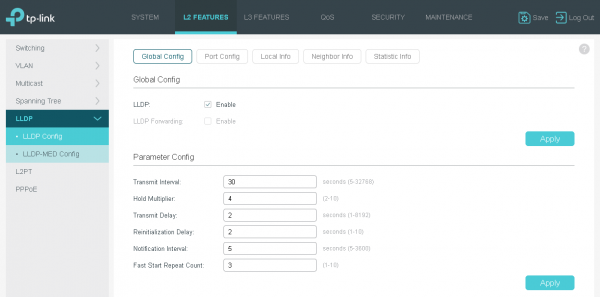
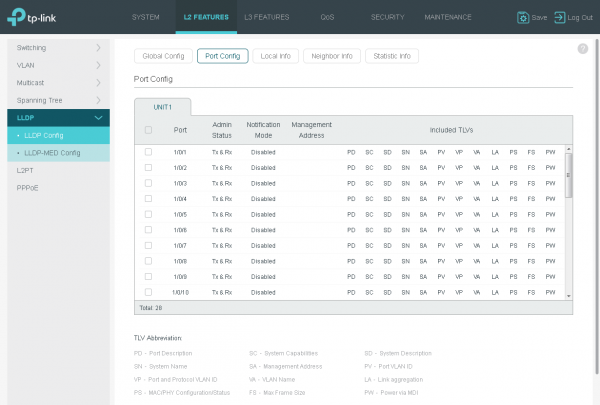
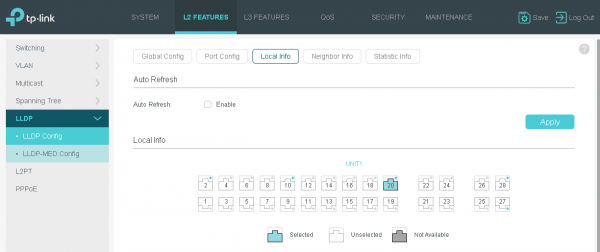
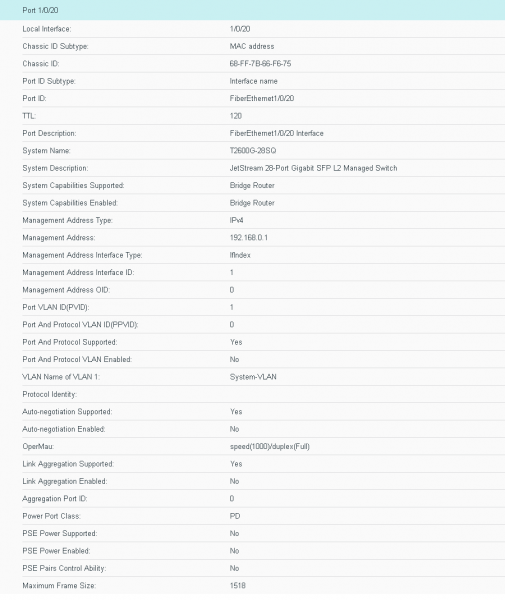
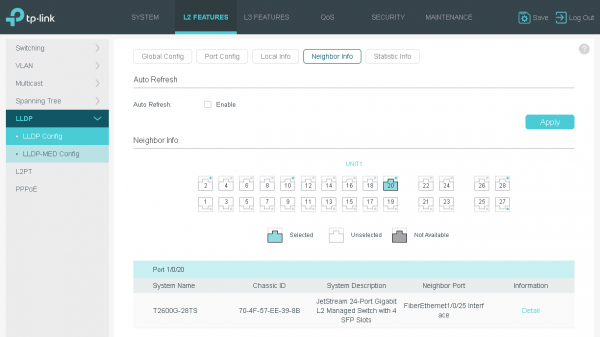
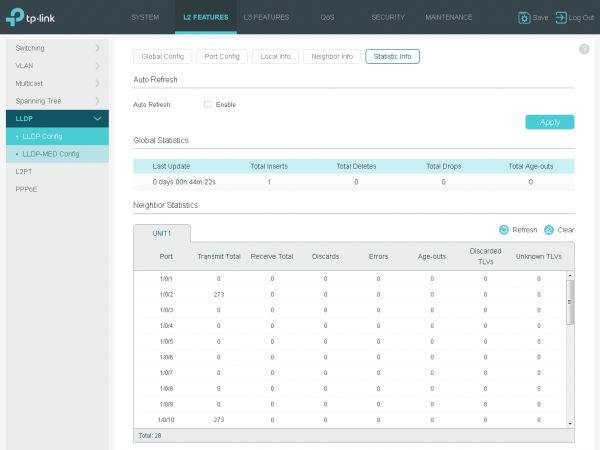
Our switches support the LLDP protocol not only for discovering neighboring switches or other network devices but also for determining their capabilities.
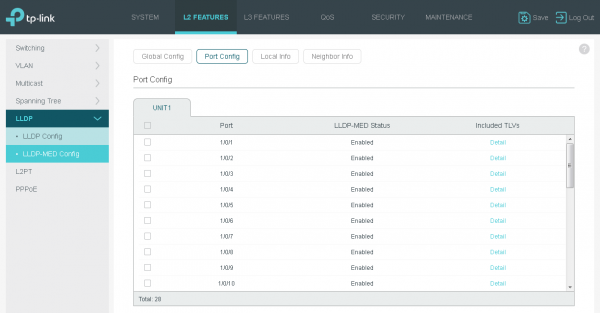
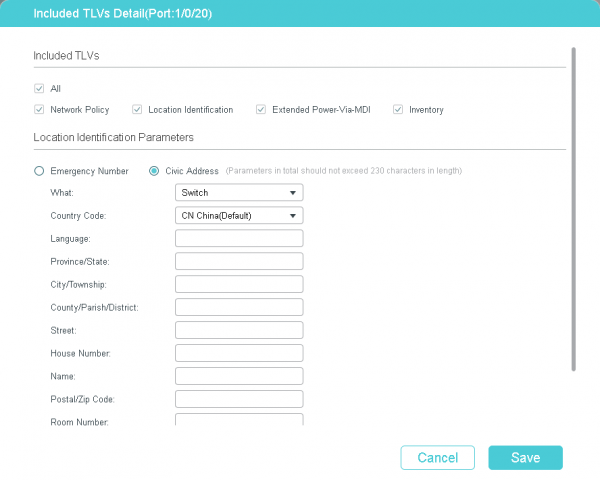
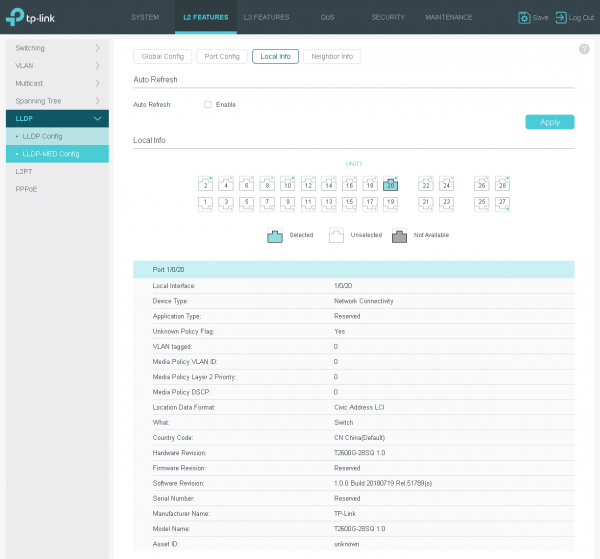
The copper counterparts of our switch can use LLDP-MED to simplify the process of connecting IP phones. Additionally, with this option, a PoE switch can negotiate power parameters with the powered device. We have already covered this in detail in one of our .
SDM and re-signing
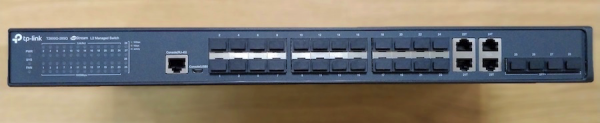
Almost all modern switches process incoming frames and packets without using the central processor. Processing (checksum calculation, application of access lists, and performing other security checks, as well as making decisions about switching/routing) is done using specialized chips, allowing for high user traffic transmission speeds. The discussed switch can handle traffic at wire speed. This means the device's performance is sufficient to forward data at the maximum possible speeds of all ports simultaneously. The T2600G-28SQ model has 24 downlink ports (facing users) working at speeds of 1 Gbit/s, as well as 4 uplink ports (towards the core network) at 10 Gbit/s. The switch's backplane capacity is 128 Gbit/s, which is adequate for processing the maximum amount of incoming traffic.
For the sake of fairness, it is worth noting that the performance of the switching matrix is 95.2 million packets per second. That is, when using the minimally possible frames of just 64 bytes in length, the total performance of the device will be 97.5 Gbit/s. However, such a traffic profile is practically unbelievable for telecom networks.
What is oversubscription?Another important issue is the ratio of upload and download speeds (oversubscription). Here, everything obviously depends on the topology. If the administrator uses all four 10 GE interfaces to connect to the core network and aggregates them using LAG (Link Aggregation Group) or Port-Channel technology, the statistically obtained speed towards the core will be 40 Gbit/s, which will be more than enough to meet the needs of all connected subscribers. It is not necessary for all four uplink connections to be connected to one physical device. Connections can be made to a stack of switches or to two devices combined into a cluster (using vPC technology or similar). In this case, oversubscription is absent.
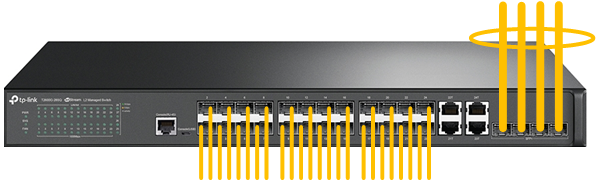
It is possible to use all four ascending channels simultaneously, not only by combining them through LAG. A similar effect can be achieved with the proper MSTP configuration, but that is a different story altogether.
The second commonly used method of L2 connection is to use two independent LAGs (one to each aggregation switch). In this case, one of the virtual links will likely be blocked by the STP protocol (when using STP or RSTP). The oversubscription will be 5:6.
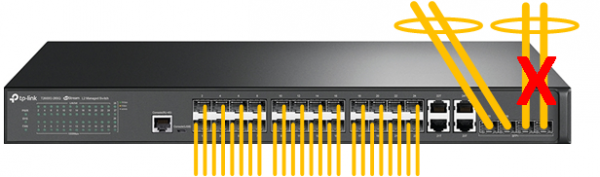
A rarer, but still quite possible scenario: the T2600G-28SQ is connected through independent links to an upstream switch or switches. The STP/RSTP protocol will leave only one such link in an unblocked state. The oversubscription will be 5:12.
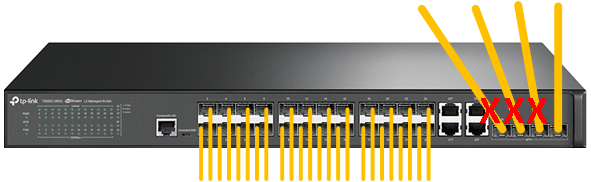
Task with an asterisk: calculate the oversubscription for the situations described in the STP section, where we examined a topology example with two access switches connected to a single aggregation device and to each other.
The programmable chips that achieve such high forwarding speeds are quite costly, so we strive to optimize their use by properly allocating resources among various functions. The allocation is managed by SDM – Switch Database Management.
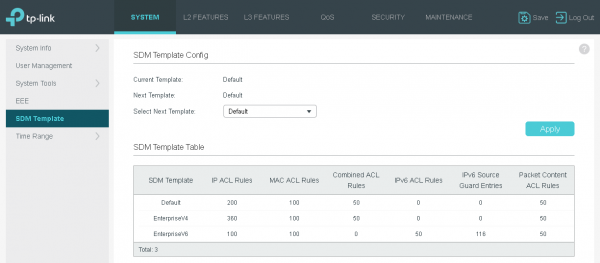
Distribution is carried out using the SDM profile. Currently, three profiles are available for use, listed below.
- Default offers a balanced solution for using MAC and IP access lists, as well as ARP detection records.
- EnterpriseV4 maximizes the resources available for MAC and IP access lists.
- EnterpriseV6 allocates part of the resources for the use of IPv6 access lists.
To apply a new profile, a switch reboot is required.
Conclusion
In accordance with the original positioning, this switch is best suited for telecommunications operators facing tasks related to providing network access over long distances. The device can be used at the access level, for example, in cottage communities and townhouses, as well as for aggregating channels coming from access switches located in apartment buildings; that is, anywhere remote object connections are required. When using optical communication channels, the connected subscriber can be located up to several kilometers away.
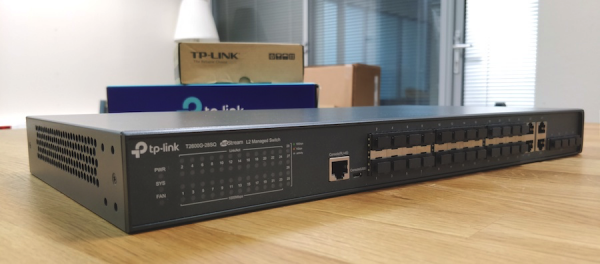
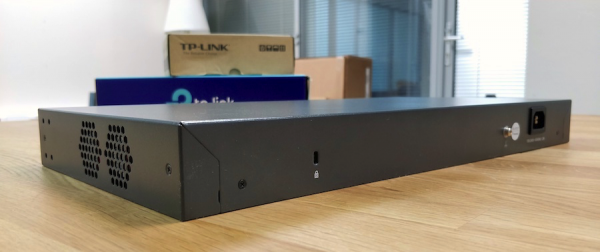
On the client side, optical links can be terminated on small switches with optical interfaces or on media converters.
The large number of supported protocols and options allows the T2600G-28SQ to be used in the operator's Ethernet network with any topology and any set of technologies and services provided. The switch can be managed remotely via a web interface or command line. For local configuration, a console port can be used; in the T2600G-28SQ model, there are two: RJ-45 and micro-USB. A small downside is the lack of stacking support and a second power supply unit. However, outside of provider data centers, the presence of a second power line is generally rare.
Its advantages include a low price, a large number of subscriber optical ports, the availability of 10 GE optical uplinks, as well as four combined ports and traffic forwarding at medium speeds.
Source: habr.com
