

Hello everyone! In this article, I would like to talk about how the IT team of the hotel booking service configured online broadcasts of various corporate events.
At Ostrovok.ru's office, there is a special meeting room called "Big Room." Every day, it hosts both formal and informal events: team meetings, presentations, training sessions, workshops, interviews with guest speakers, and other interesting activities. The company employs over 800 people – many of whom work remotely in different cities and countries, and not everyone can physically attend every meeting. Therefore, the task of organizing online broadcasts of internal meetings quickly found its way to the IT team. I’ll explain in more detail how we did this.
So, we need to set up online broadcasts of events and their recordings with the ability for employees to watch them at their convenience.
We also need to ensure that watching the broadcasts is not only very simple but also secure – we cannot allow access to the broadcasts to fall into the wrong hands. And of course, no third-party programs, plugins, or any unnecessary complexities. Everything should be as straightforward as possible: open the link and watch the video.
Okay, the task is clear. It turns out, we need a video hosting site that provides users with storage, delivery, and display services. With the option of restricted access and the ability to open access to all users. domain.
Welcome to YouTube!

How it all started
Initially, it looked like this:
- We set up a Panasonic HC-V770 camera on a tripod under the projector;
- We connect the camera to the AVerMedia Live Gamer Portable C875 capture card using a microHDMI-HDMI cable;
- We connect the capture card to the laptop via a miniUSB-USB cable;
- We install the XSplit program on the laptop;
- Using XSplit, we create a broadcast on YouTube.
It works like this: the speaker brings their laptop into the meeting room, connects via cable to the projector, and shows their presentation, while the attendees ask questions. The camera captures the screen displaying the slides and records the overall sound. All this goes into the laptop, and from there, XSplit streams the recording to YouTube.
Thus, all interested employees who could not attend the meeting had the opportunity to watch the live stream of the presentation or return to its recording later at a convenient time. It seemed that everything was settled – we could disperse. But it wasn't that simple. As it turned out, this solution had one very important drawback – the sound in the recording was of mediocre quality.
Our journey, full of pain and disappointments, began from this drawback.
How to improve the sound?
It's obvious that the built-in microphone on the video camera did not capture the entire conference room and the speaker's voice, which was the reason everyone was watching the live broadcasts.
But how can we improve the sound quality in the broadcast when it is impossible to:
- turn the room into a full-fledged conference room;
- set up wired microphones on the table, as tables are sometimes moved and cables are always a hassle;
- give a wireless microphone to the speaker, because, firstly, no one wants to speak into a microphone, secondly, there might be several speakers, and thirdly, those who ask questions won't be heard.
I'll explain in detail all the methods we tried.
Solution 1
The first thing we did was test an external microphone for the video camera. For this, we purchased the following models:
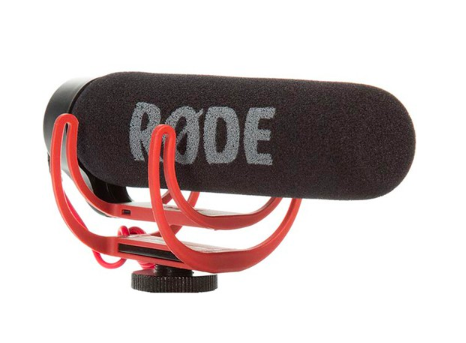
1. RODE VideoMic GO – average cost 7,000 rubles.
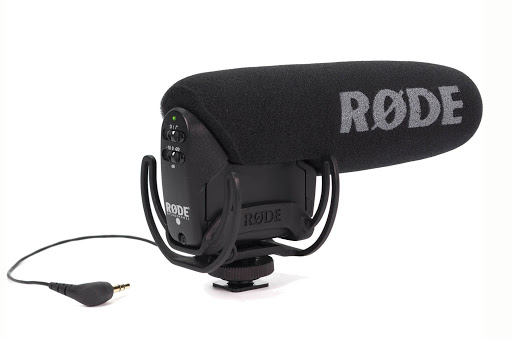
2. RODE VideoMic Pro – average cost 22,000 rubles.
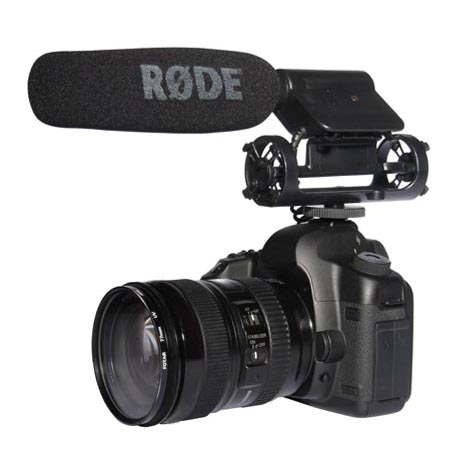
The microphones connect to the camera, and it looks something like this:
Test results:
- The RODE VideoMic GO turned out to be no better than the built-in microphone in the camera itself.
- The RODE VideoMic Pro was slightly better than the built-in one, but still did not meet our sound quality needs.
Fortunately, we rented the microphones.
Solution 2
After some thought, we decided that if a microphone costing 22,000 rubles only slightly improved the overall sound level, we needed to take bigger steps.
So we rented the Phoenix Audio Condor microphone array (MT600) costing 109,000 rubles.
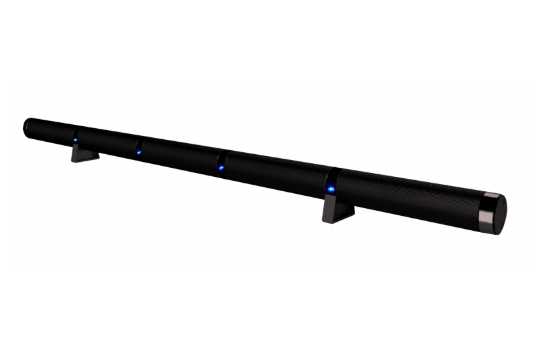
This is a 122 cm long panel, which consists of an array of 15 microphones with a 180-degree pickup angle, built-in signal processing to combat echo and noise, and other great features.
Such a monstrous device will surely improve our sound situation, but…

Test results:
In practice, the microphone is undeniably good, but it's only suitable for a small conference room. In our case, it was positioned under the projector screen, and people on the other side of the room were not heard. Additionally, there were issues with the noise-canceling mode—it occasionally cut off the beginning and end of the speaker's phrases.
Solution 3

Clearly, we need some kind of microphone network. And they should be placed throughout the room and connected to a laptop.
We chose the MXL AC-404-Z conference microphone (average cost - 10,000 rubles).
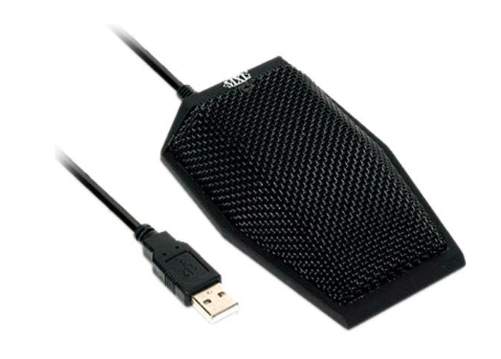
And we used not two or three, but SEVEN at once.

Yes, the microphones are wired, meaning the room will be full of cables, but that's another issue.
The most important thing is that this option also didn't work for us: the microphones didn't operate as a single array providing quality sound. They were recognized in the system as seven separate microphones, and only one could be chosen.
Solution 4

Clearly, we need some device designed to mix audio signals and combine multiple sources into one or more outputs.
Exactly! We need... a mixing console! To which the microphones would be connected. And which would connect to the laptop.
Moreover, due to the impossibility of wired microphone connections on the table, we need a wireless system to transmit the audio signal via a wireless connection while maintaining sound quality.
Additionally, we will need several omnidirectional microphones to distribute across the table during the presentation and remove them afterward.
Choosing the mixing console was easy—we opted for the Yamaha MG10XUF (average cost – 20,000 rubles), which connects to the laptop via USB.
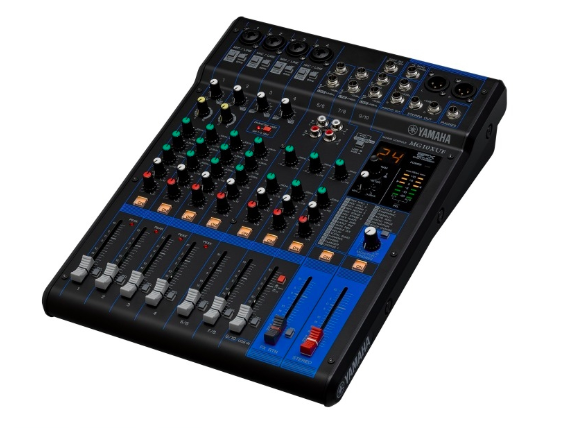
However, it was harder with the microphones.
It turned out that no ready-made solution exists. So we had to transform an omnidirectional miniature condenser head microphone into... a tabletop microphone.
We rented the SHURE BLX188E M17 wireless system (average cost – 50,000 rubles) and two SHURE MX153T/O-TQG microphones (average cost per unit – 14,000 rubles).
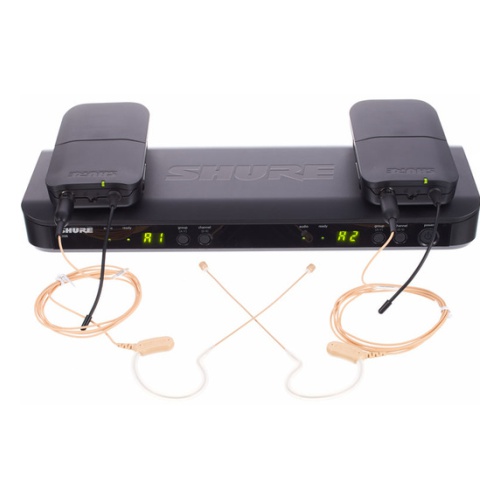
With boundless imagination, we created this:
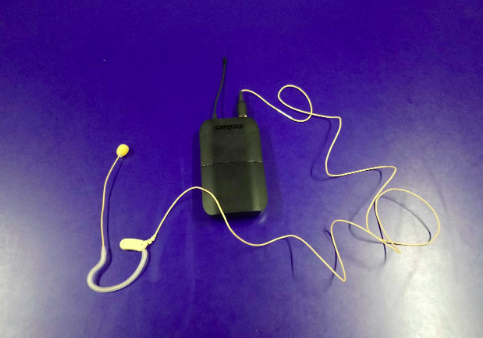
… this:
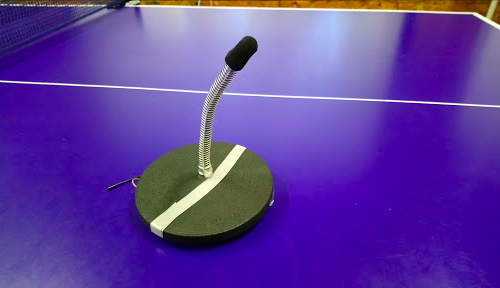
And we ended up with a wireless omnidirectional miniature condenser tabletop microphone!
Using the mixing console, we amplified the microphones, and since the microphone is omnidirectional, it picks up both the speaker and the person asking the question.
We purchased a third microphone and positioned them in a triangle for greater coverage, which enhances recording quality. The noise suppression feature doesn't interfere at all.
In the end, this became the solution to all our live streaming problems on YouTube. Because it works. Not as elegantly as we would have liked, but it works under the initial conditions.
Is this a victory? Perhaps.

The battle for Helm's Deep on YouTube is over, but the battle for Middle-earth with more interactive broadcasts is just beginning!
In the next article, we will explain how we integrated YouTube with the remote conferencing system Zoom.
Source: habr.com
