

In my experience, powering a device and obtaining an image from it at a significant distance from the switch proved to be quite a challenge. Especially when one piece of hardware is connected to several cameras at varying distances.
Any moderately complex device occasionally freezes. Some do so less frequently, while others do so more often, and that is a given. Most often, this is resolved… correct… with this:

And if there aren’t any capable hands on the other end of the line, you'll have to tear yourself away from your chair and go / drive / fly to the device.
It’s especially unpleasant if this device is somewhere under a roof or on a pole… or in a remote office.
Cost-cutting is the main scourge of remote administration. Sometimes a manager finds a camera / switch / router on AliExpress for 700 rubles, and explaining why this device costs 700 rubles while the one you propose is over 5,000 can be an uphill battle. Especially if this device is already present, and you are approached on the principle of "why isn't this working for us?". The customer is always right, especially when they call less often. And that means this cheap piece of Chinese junk should have some degree of independence and preferably "kick" itself into action before the customer notices.
Managed PoE switches are ready to save the day, and fortunately, there are a vast number of them on the market.
And here’s problem number one: who or rather, what should carry out the monitoring so that in the event of a device "hanging", it can push the command to reset power on the PoE switch port. Setting up and maintaining a server requires additional effort and hardware.
Let's say I have at the site: a total of 15 video cameras, a DVR, and… that's it. Meanwhile, 7 are located within 100 m, 5 up to 150, and another 3 at a distance of 200 m. We need to simplify the infrastructure so that one only has to come to the site for maintenance.
The solution is quite simple – having a PoE switch that can monitor the cameras and reset power on the port, as well as reach out via cable over distances of 200+ meters.
Mikrotik
With two certifications (MTCNA and MTCRE), my focus immediately turned to Mikrotik. The selection of models with the P index from this manufacturer is small, for example,
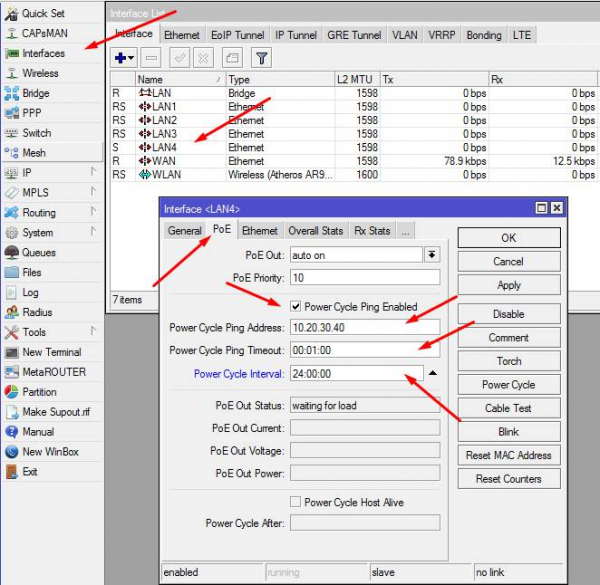
In my humble opinion, the set of settings is too limited. What happens if the camera freezes and misses a few pings? — It reboots!
And what if the camera just dies? Will MikroTik cut it off every minute?..
In my experience, there has been a significant amount of issues with the CCR related to the power supply. What's the point of a PoE switch if there's a high risk it will fail due to power issues in six months?..
Furthermore, I couldn't find any information indicating that MikroTik can work with cables at least 150+ meters long...
Zyxel
While researching competing vendors, I stumbled upon . The switch from the Zyxel GS1350 series is noticeably more expensive than MikroTik, but I have not observed any issues with the 'weak' power supplies from Zyxel.
Zyxel positions its GS1350 switches as specifically designed for video surveillance systems. The switches detect when a camera is 'stuck' and reboot it by cutting off power.
Method of determining a hang
Before I started getting acquainted with this device, I imagined that the switch analyzes the type of traffic and as soon as the video stream ends — the switch cuts off the power...
But it turned out to be much simpler.
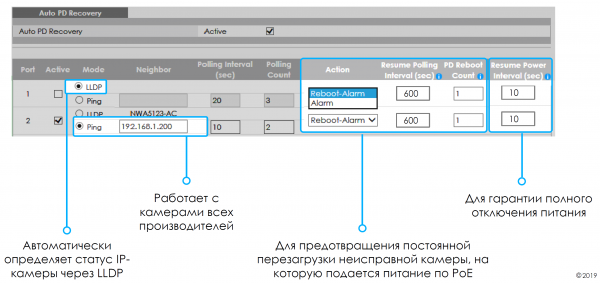
"Auto PD Recovery" can operate in two modes:
- LLDP, meaning the device provides information about itself if the device supports it. An LLDP response indicates that the hardware is 'alive'. If there is no response – we forcibly 'cut' the power and wait for a response.
- Ping. How much simpler? We ping — No response — Reboot!
The number of unanswered pings, reset time, and the number of power resets can be set. This makes sense because there's no point in 'pinging' the hardware if it hasn't come back to life after the third try.
I just didn't understand: what's the specialization on video cameras here?
This method can monitor any network device. Even those that do not support PoE.
Ordering such a gadget from AliExpress allows any network device to become PoE.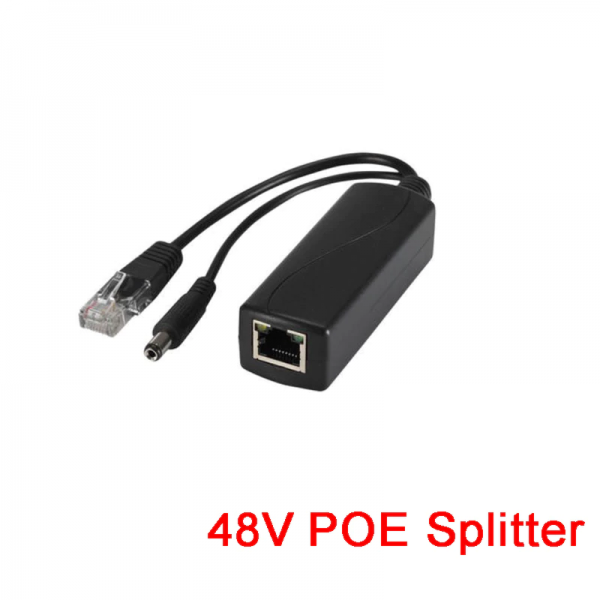
In case the gadget hangs, the switch will cut the power to the port, and in the logs, we will see something like this:
233 Sep 07 17:24:41 DE interface: Port 4 - ReoLink link up 100M/F
 234 Sep 07 17:24:39 DE interface: Port 4 - ReoLink link down
 235 Sep 07 17:24:32 DE interface: Port 4 - ReoLink link up 100M/F
 236 Sep 07 17:24:30 DE interface: Port 4 - ReoLink link down
 237 Sep 07 17:24:26 NO system: PethPse Port 4 - ReoLink OnOff Trap, Port Detection Status is Delivering Power
 238 Sep 07 17:24:24 DE interface: Port 4 - ReoLink link up 100M/F
 239 Sep 07 17:24:04 NO system: PethPse Port 4 - ReoLink OnOff Trap, Port Detection Status is Disabled
 240 Sep 07 17:24:02 DE interface: Port 4 - ReoLink link down
 241 Sep 07 17:24:01 WA interface: Port 4 - ReoLink PD failure is detected and reboot due to Auto PD Recovery (ping mode)
Maximum cable length.
On the page said:
Applying the Extended range mode in these switches allows to extend the maximum distance to powered devices up to 250 meters.
We tend to view any advertising brochure with skepticism.
I uncoiled two ends of the new spool (305 meters) and plugged one into the camera and the other into the switch. The camera didn’t start… Seemed expected ^_^
I sat for a while, scratched my head – went into the settings and checked the box “Extended range”, and… ten seconds of silence – drum roll… the camera started working! At 305 METERS!
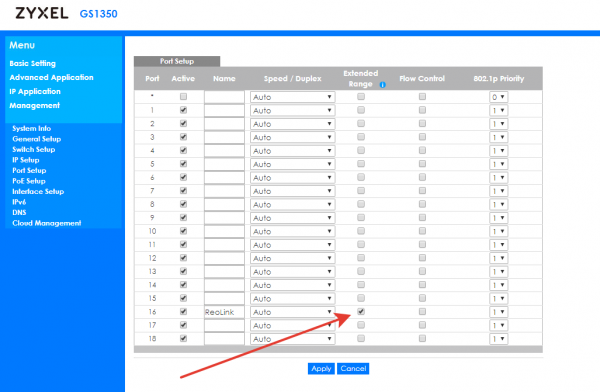
Without packet loss!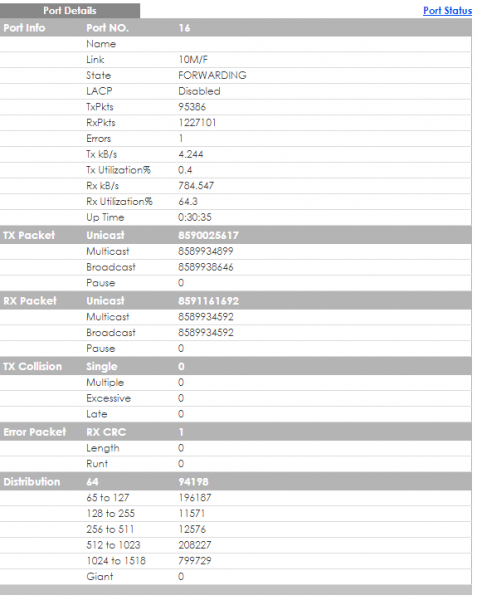
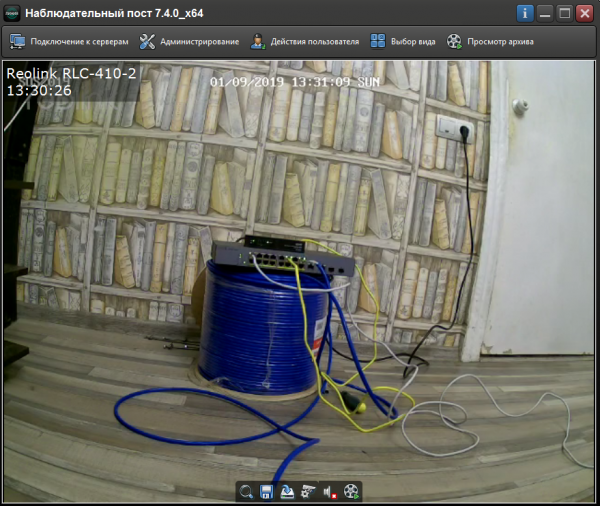
Thus, the GS1350 series switch reached not the claimed 250 meters, but as far as 305 meters!
However, possibly, the trick lies in the quality of the cable:
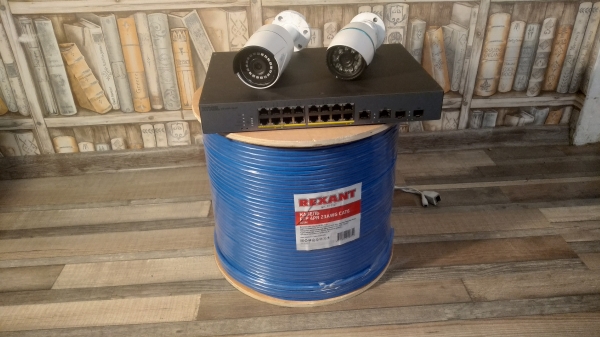
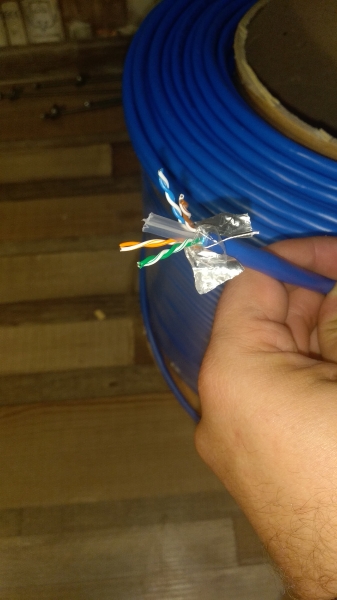
If a longer distance is required, several cable segments can be connected through some repeater. Additionally, another Poe switch can be connected at the end to connect multiple devices.
For example, through UPVEL UP-215SGE (How reliable it is — I haven't checked. Just happened to be in my hands.) It powers itself via PoE and powers devices via PoE.
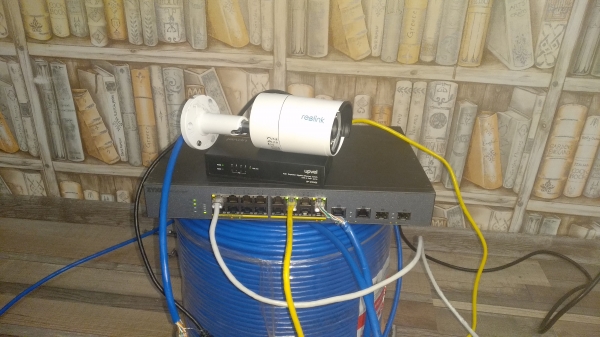
But this is a separate topic for specific conditions, as it requires design consideration accounting for all factors.
When the 'Extended range' option is enabled, the port automatically sets the 802.3at protocol and sets a power budget of 33W.
But priorities should be arranged in case all consumers start consuming actively… Ports with low priority will receive requested power last in case of power shortage on the switch.
Surge Protection
The second concern when placing devices outdoors is protection from voltage spikes.
ESD/Surge Protection value:
ESD – 15 kV / 8 kV (Air/Contact);
Surge – 4 kV (Ethernet Port).Note: ESD – protection against electrostatic discharge, Surge –
protection against overvoltage. If a static discharge occurs in the air up to 15
kilovolts, or 8 kV of electostatic discharge at close contact, or a temporary spike
voltages up to 4 kilovolts — the switch has a good chance of surviving such
issues.
There is also a place on the chassis to attach grounding.
I hope I won't have to check this ^_^
Continuous PoE
Provides power even if the device does not respond. By default, this option is enabled. Don't forget to check this option before updating firmware on cameras. Otherwise, it might be unpleasant...

Cisco-like CLI
For console enthusiasts, as well as for automating configuration, the familiar Cisco-style CLI can be used.
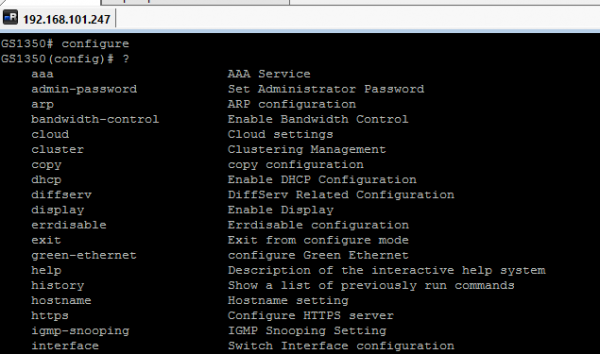
If you're not using, for example, telnet/snip and other protocols, I recommend disabling them for increased device security.
Not without a touch of bitterness...
The switch has a menu item "Cloud Management"
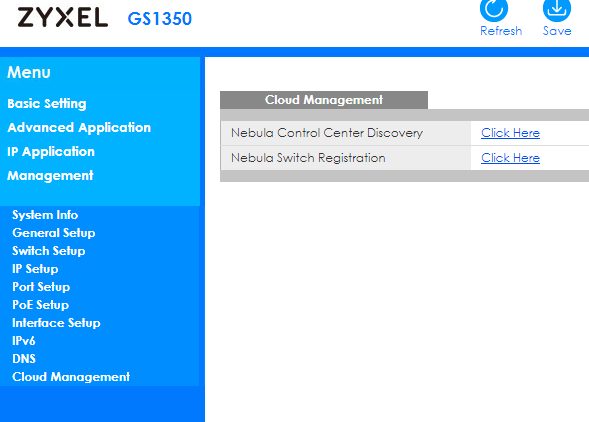
But when trying to register, we get this
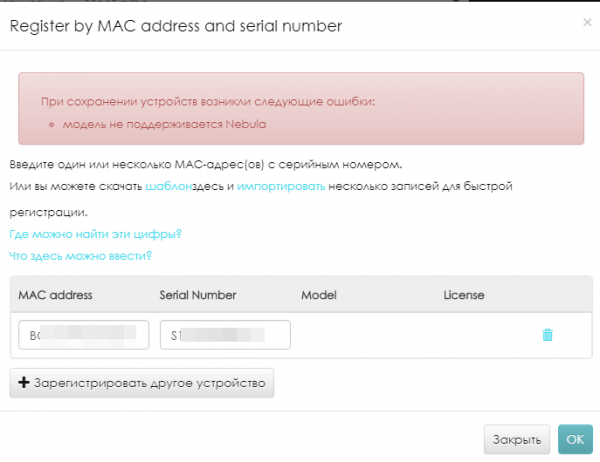
Currently support for these devices on is not yet enabled. The manufacturer promises to add them in 2020. The switch firmware won't need to be updated!
Conclusion
Zyxel GS1350 is currently the only switch that met my requirements:
- managed with a standard feature set
- cable length 200+ meters without joints
- monitoring and rebooting PoE consumers
- simplicity and flexibility of configuration.
There may be other solutions on the market that meet my needs, but I haven't found them yet.
I invite those interested in discussing the article to join my created chats on Telegram:
1. — Thematic chat on Zyxel
2. — Thematic chat on Mikrotik
Source: habr.com
