

Even though it's August, we are not relaxing and continue to prepare for the new business season. Meet 3CX v16 Update 3 Alpha! This release includes automatic configuration of SIP trunks based on information obtained from DNS, automatic reconnection for mobile clients to and, audio recognition, and drag-and-drop attachments in the web client chat window.
The new release features the following capabilities:
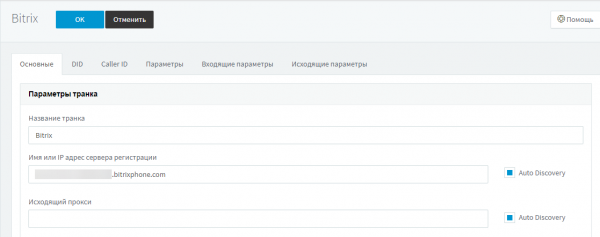
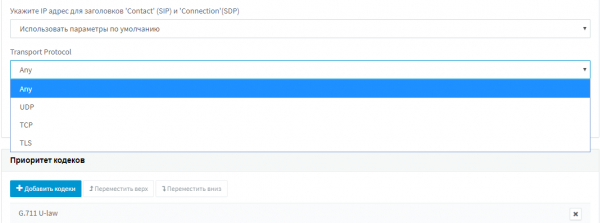
New DNS options for SIP trunks – the 'Auto Discovery' option allows for automatically determining the transport type (UDP, TCP, TLS) and the trunk protocol type (IPv4 or IPv6). This is a significant update in SIP trunk technology in 3CX. Please share your feedback on how well the auto-discovery works.
Automatic reconnection for 3CX applications (server-side support) – the Android Beta app and the yet-to-be-released iOS app can automatically reconnect when the connection is lost, for example, when a user transitions from WiFi to 3G/4G networks. Reconnection can also be used in large corporate networks where user roaming is utilized. Typically, expensive multi-cell DECT systems or special high-cost access points with controllers and certification are recommended for roaming needs. . However, thanks to the software implementation of reconnection at the application level, these requirements are eliminated. The necessity for prioritizing voice traffic remains, but try enabling — it’s quite possible that everything will work 'just fine'.
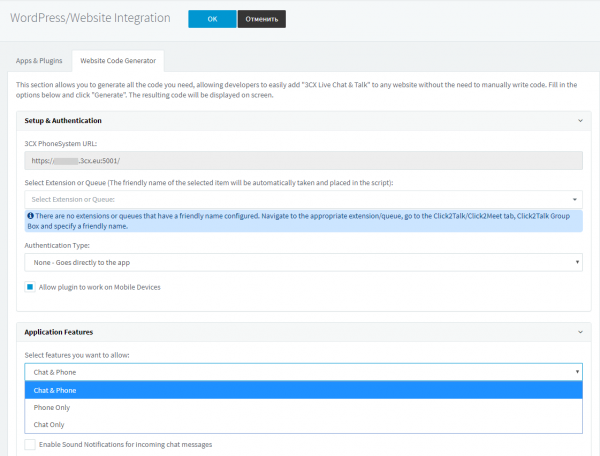
Built-in code generator for Live Chat and Talk widget – in the 'Settings' > 'WordPress/Website Integration' section, you can now specify the necessary options for the Live Chat and Talk widget and generate a ready-made code snippet for your website. By the way, we will soon introduce some exciting innovations related to integrating our telephony technologies into various third-party applications.
3CX application download icons – in the 3CX web client interface, Google Play and App Store icons are now available for easy downloading of iOS and Android applications. This is just convenient.
3CX Bridges have been moved to the SIP trunks section – now setting up trunks between different PBXs (3CX Bridges), SIP trunks, VoIP gateways, and SBC connections is done in one section.
Support for Intelbras TIP 120 and TIP 125 IP phones has also been added.
Release Testing
To test all the features of this release, install the latest beta versions of the 3CX applications.
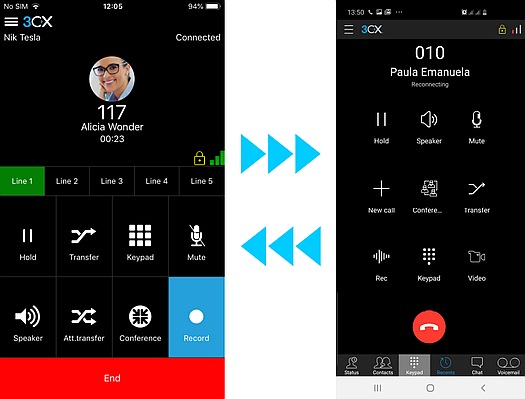
- – featuring a new user interface, call encryption through a secure tunnel, and automatic reconnection support to the PBX. Join the and download the app from Google Play.
- – with IPv6 support, call encryption via the tunnel, and a functional chat in the style of the 3CX web client. Soon, the capabilities of the iOS and Android apps will be aligned — join the TestFlight program.
- 3CX V16 Update 3 Alpha and the 3CX applications require a trusted SSL certificate on the PBX server. Self-signed certificates are not supported.
Please remember that the installation of Alpha and Beta releases of 3CX is not performed by default. However, this release can be installed manually at your discretion. Do not install Alpha and Beta releases in a production environment — they are not covered by the technical support policy.
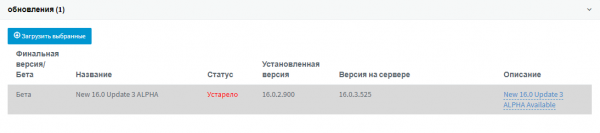
- – on the screen '' select 'Beta'.
- Installation on and manually
- Full .
Source: habr.com
