


Servers with ARM64 architecture processors are gradually making their way into our lives. In this article, we will show the unboxing, installation, and a brief test of the new TaiShan 2280v2 server.
Unboxing
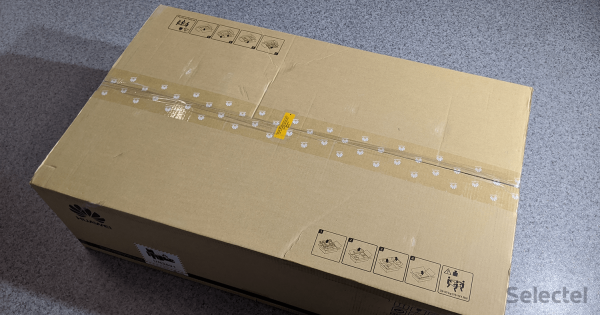
The server arrived in an unremarkable box. The Huawei logo is printed on the sides, along with shipping and packaging symbols. On top, there is an instruction for properly extracting the server from the box. Let's proceed with the unboxing!
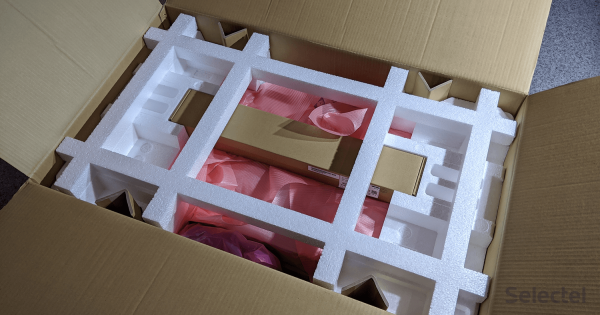
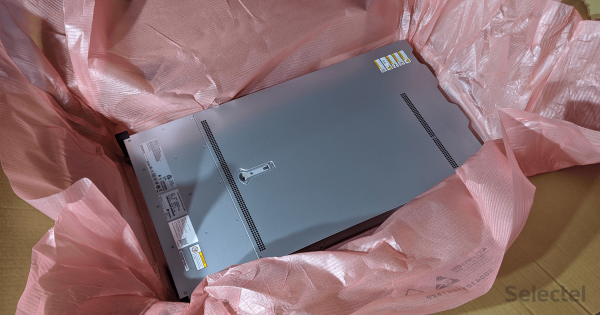
The server is wrapped in a layer of antistatic material and placed between layers of foam. Overall, it's standard server packaging.
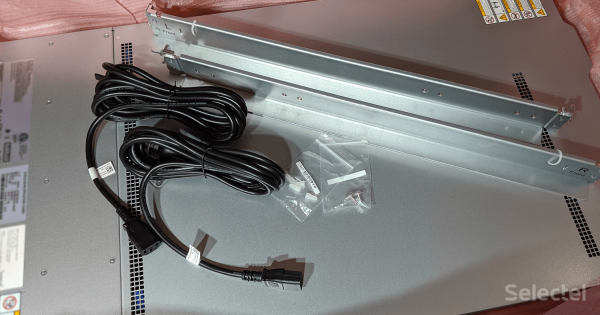
In the small box, you can find rails, two screws, and two Schuko-C13 power cables. The rails look quite simple, but we will discuss them later.
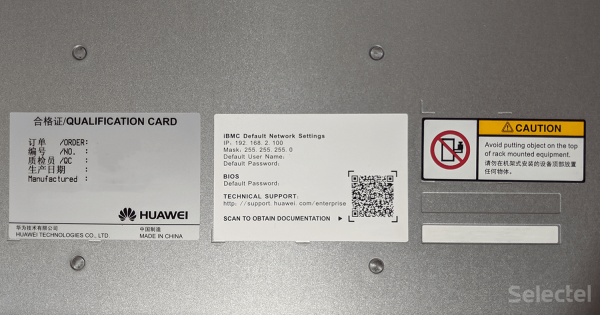
The top of the server has information about the server itself, as well as access to the BMC module and BIOS. The serial number is represented by a one-dimensional barcode, and the QR code contains a link to the technical support website.
Let's remove the server cover and take a look inside.
What’s inside?
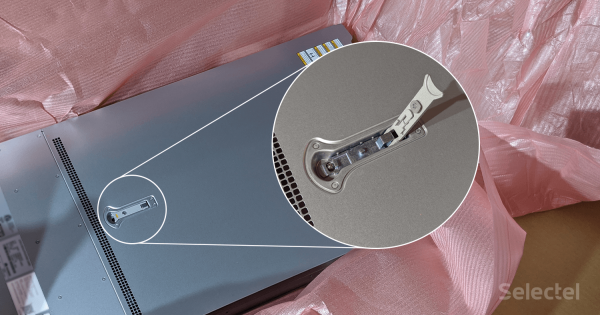
The server cover is held in place by a special latch that can be secured in a closed position using a cross screwdriver. Opening the latch shifts the server cover, after which the cover can be removed without any hassle.
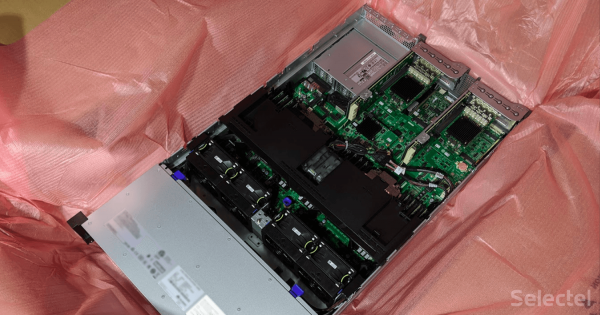
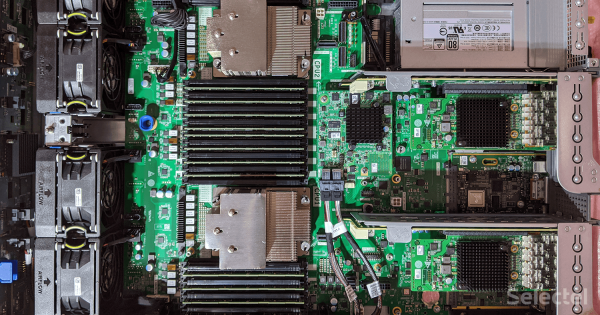
The server comes in a ready configuration called TaiShan 2280 V2 512G Standard Configuration with the following specifications:
- 2x Kunpeng 920 (ARM64 architecture, 64 cores, base frequency 2.6 GHz);
- 16x DDR4-2933 32GB (total 512 GB);
- 12x SAS HDD 1200GB;
- Avago 3508 hardware RAID controller with a supercapacitor-based backup power source;
- 2x network cards with four 1GE ports;
- 2x network cards with four 10GE/25GE SFP+ ports;
- 2x 2000 watt power supplies;
- Rackmount chassis 2U.
The server's motherboard implements the PCI Express 4.0 standard, allowing full utilization of 4x 25GE network cards.
In the configuration sent to us, 16 RAM slots are empty. The Kunpeng 920 processor physically supports up to 2TB of RAM, allowing installation of 32 memory modules of 128GB each, extending the total RAM capacity to 4TB in one hardware platform.
The processors have removable heatsinks without their own fans. Contrary to expectations, the processors are soldered onto the motherboard (BGA) and can only be replaced at a service center using specialized equipment if they fail.
Now let's put the server back together and proceed to rack installation.
Installation
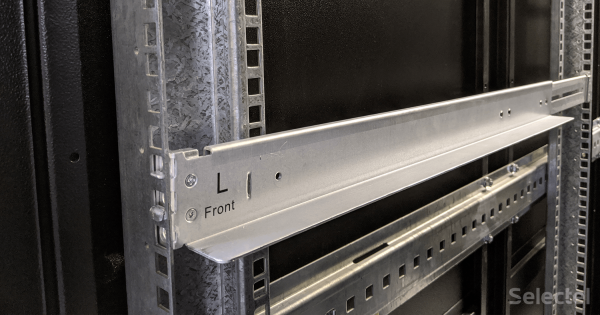
First, the rails are mounted in the rack. Rails are simple shelves onto which the server is placed. On one hand, this solution is very simple and convenient; however, it is impossible to service the server without removing it from the rack.
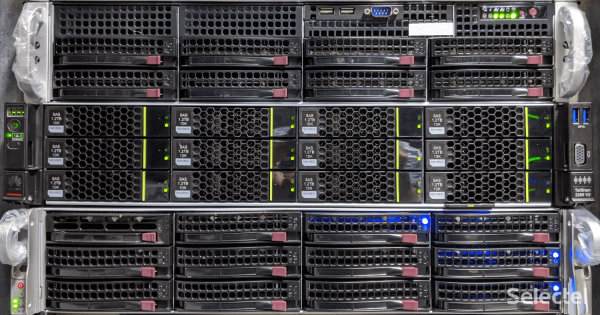
Against the backdrop of other servers, the TaiShan catches the eye with its flat front panel and green-black color scheme. It is also worth noting that the manufacturer pays close attention to the labeling of the equipment installed in the server. Each drive rail has the necessary information about the installed drive, and under the VGA port, there's a pictogram denoting the drive numbering order.
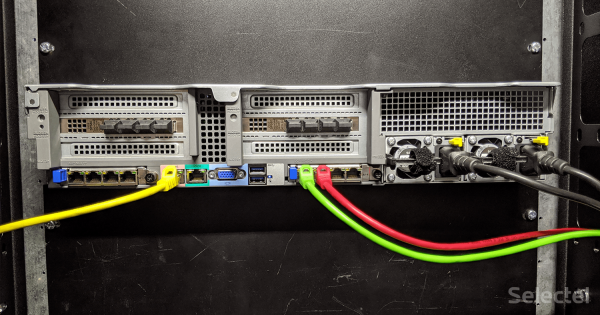
The VGA port and two USB ports on the front panel are a nice bonus from the manufacturer, in addition to the main VGA + 2 USB on the back panel. On the back panel, you can also find a port for IPMI, marked as MGMT, and a COM port in RJ-45 configuration, marked as IOIOI.
Initial Setup
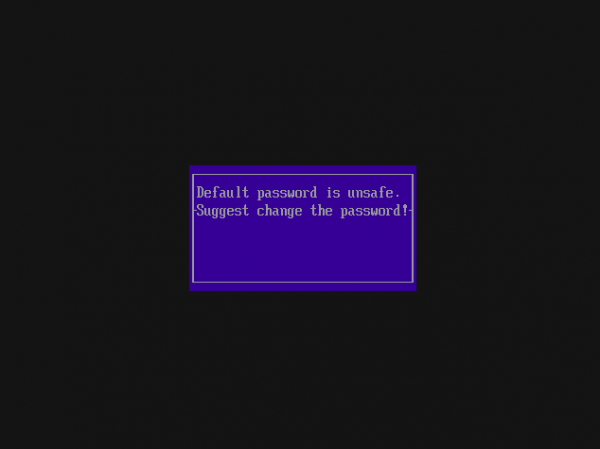
During the initial setup, changes are made to the BIOS login settings and the IPMI configuration. Huawei promotes security, so the BIOS and IPMI are protected by passwords different from the usual admin/admin. Upon first entering, the BIOS warns that the default password is insecure and needs to be changed.
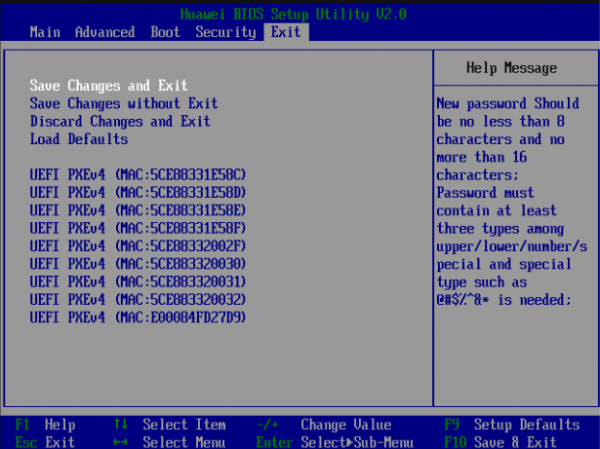
The Huawei BIOS Setup Utility has a similar interface to the Aptio Setup Utility used in SuperMicro's servers. Here, you won't find a switch for Hyper-Threading technology or a Legacy mode.
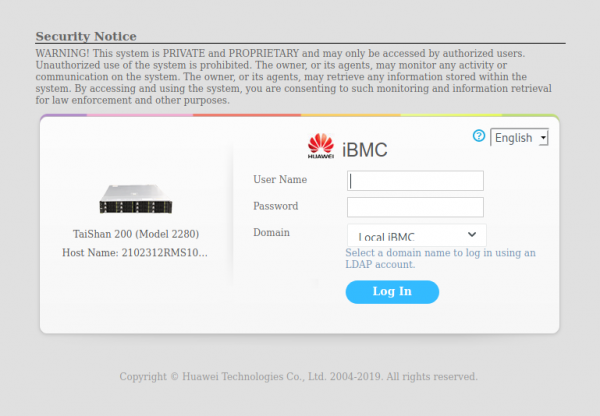
The BMC module web interface offers three input fields instead of the expected two. You can log into the interface using either a local login-password or authentication through a remote LDAP server.
IPMI provides many capabilities for server management:
- RMCP;
- RMCP+;
- VNC;
- KVM;
- SNMP.
By default, the RMCP method used in ipmitool is disabled for security reasons. For KVM access, iBMC offers two solutions:
- a 'classic' Java applet;
- an HTML5 console.
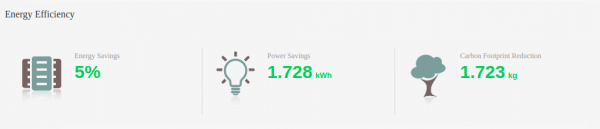
Since ARM processors are positioned as energy-efficient, the main page of the iBMC web interface features an 'Energy Efficiency' block that displays not only how much energy we've saved by using this server but also how many kilograms of carbon dioxide have been prevented from entering the atmosphere.
Despite the impressive power supply units, the server consumes 340 watts, while under full load it consumes only 440 watts.
Using
The next important step is installing the operating system. There are many popular Linux distributions for the arm64 architecture, but only the most recent versions can be installed and function correctly on the server. Here’s a list of operating systems that we managed to run:
- Ubuntu 19.10;
- CentOS 8.1.
- Simply Linux 9.
During the preparation of this article, news broke that the Russian company 'Bashalt SPO' released a new version of the Simply Linux operating system. , that Simply Linux supports Kunpeng 920 processors. Despite the fact that this OS is primarily intended for Desktop use, we took the opportunity to test its performance on our server and were satisfied with the results.
The architecture of the processor, its main feature, is not yet supported by all applications. Most software is oriented towards the widely used x86_64 architecture, while the versions ported for arm64 tend to lag behind in functionality.
Huawei recommends using , a commercial Linux distribution based on CentOS, as this distribution fully supports the functionality of TaiShan servers from the outset. There is a free version of EulerOS — .
Well-known benchmarks such as GeekBench 5 and PassMark CPU Mark do not yet work with the arm64 architecture, so 'everyday' tasks like unpacking, compiling programs, and calculating π were taken to compare performance.
The competitor from the x86_64 world is a dual-socket server with an Intel® Xeon® Gold 5218. Here are the technical specifications of the servers:
Specification
TaiShan 2280v2
Intel® Xeon® Gold 5218
Processor
2x Kunpeng 920 (64 cores, 64 threads, 2.6 GHz)
2x Intel® Xeon® Gold 5218 (16 cores, 32 threads 2.3 GHz)
Memory
16x DDR4-2933 32GB
12x DDR4-2933 32GB
Drives
12x HDD 1.2TB
2x HDD 1TB
All tests are conducted on the Ubuntu 19.10 operating system. Before performing the tests, all system components were updated using the full-upgrade command.
The first test compares performance in a 'single-thread' scenario: calculating one hundred million digits of π on a single core. The Ubuntu APT repositories contain a program that addresses this task: the pi utility.
The next stage of testing involves a thorough 'warm-up' of the server by compiling all programs of the LLVM project. The chosen compilation target is , with the compilers being gcc and g++ version 9.2.1, provided by the package build-essentials. Since we are testing servers, we will add the flag during the build configuration -Ofast:
cmake -G"Unix Makefiles" ..\/llvm\/ -DCMAKE_C_FLAGS=-Ofast -DCMAKE_CXX_FLAGS=-Ofast -DLLVM_ENABLE_PROJECTS="clang;clang-tools-extra;libcxx;libcxxabi;libunwind;lldb;compiler-rt;lld;polly;debuginfo-tests"This enables maximum optimization during compilation and further stresses the servers being tested. The compilation starts in parallel across all available threads.
After compilation, we can proceed to video transcoding. The most well-known command-line utility, ffmpeg, has a special benchmarking mode. The ffmpeg version 4.1.4 was used for testing, and the input file was the animated film .
ffmpeg -i .\/bbb_sunflower_2160p_30fps_normal.mp4 -f null - -benchmarkAll values in the test results represent the time taken to successfully complete the task.
Specification
2x Kunpeng 920
2x Intel® Xeon® Gold 5218
Total number of cores\/threads
128/128
32/64
Base frequency, GHz
2.60
2.30
Maximum frequency, GHz
2.60
3.90
Calculation of π
5m 40.627s
3m 18.613s
Building LLVM 10
19m 29.863s
22m 39.474s
Transcoding video with ffmpeg
1m 3.196s
44.401s
It is easy to notice that the main advantage of the x86_64 architecture representative is the 3.9 GHz frequency, achieved through Intel® Turbo Boost technology. The arm64 architecture processor relies on the number of cores rather than frequency.
As expected, when calculating π in a single thread, the number of cores does not help. However, during the compilation of large projects, the situation changes.
Conclusion
From a physical perspective, the TaiShan 2280v2 server is designed with an emphasis on ease of operation and security. The presence of PCI Express 4.0 is a separate plus of this configuration.
When using the server, there may be issues with software for the arm64 architecture; however, these issues are specific to each individual user.
Want to test all the server's functionality with your own tasks? The TaiShan 2280v2 is now available .
Source: habr.com
