

According to the latest statistics, over 33 million Russians use broadband Internet. Although subscriber growth is slowing, providers' revenues continue to rise—partly due to the improvement of existing services and the introduction of new ones. Seamless Wi-Fi, IP television, and smart home solutions—operators need to transition from DSL to faster technologies and upgrade their network equipment to develop these areas. In this post, we will detail what interesting offerings TP-Link has for Internet providers and how we can assist them.
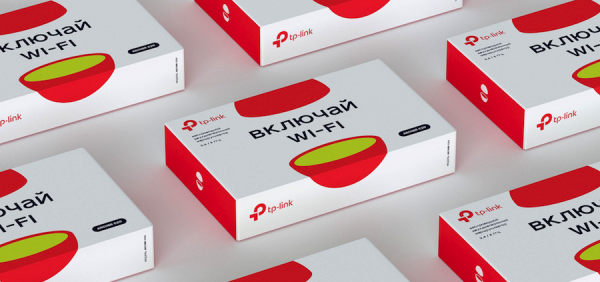
Internet Development Statistics
According to TMT Consulting's research, in the second quarter of 2019, the broadband Internet market in Russia reached 35.3 billion rubles, growing by 3.8% compared to last year. Penetration reached 60%, with 70% of the 33.3 million residential broadband subscribers serviced by the five largest Russian providers:
- 11.9 million (36%) — "Rostelecom";
- 3.8 million (12%) — "ER-Telecom Holding";
- 3.35 million (10%) — "MTS";
- 2.4 million (7%) — "Beeline";
- 1.8 million (5%) — "TransTeleCom (TTC)".
At the same time, the growth rate of the subscriber base has decreased: 1.6% in the second quarter of 2019 compared to 2.3% during the same period in 2018. Researchers note that the market has reached saturation. Nevertheless, providers continue to increase profits. The average monthly revenue per broadband subscriber rose by 9 rubles—from 347 rubles in 2018 to 356 now. Revenue growth is not only due to rate increases. According to TMT Consulting, operators are improving access quality, offering new services and features.
Providers confirm these findings. The press service of "Rostelecom" reports that high-speed fiber-optic technologies are gradually replacing outdated DSL networks. This creates a technical foundation for additional services—such as IPTV and others. Representatives of "ER-Telecom" also see growth potential in relatively new niches for providers: smart intercom systems, digital television, as well as in projects like smart cities and digital countries.
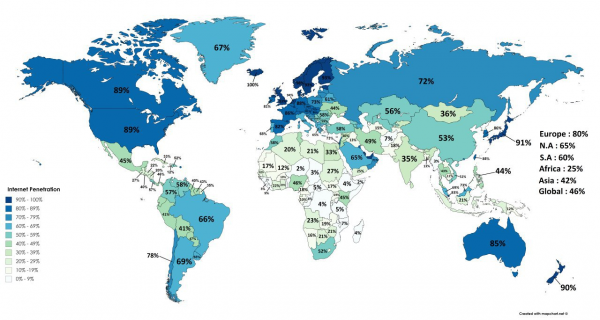
Internet Access Data for 2018
The Internet is penetrating deeper, coverage is expanding, and the quality of services is improving. By the way, the national program "Digital Economy of the Russian Federation" states that by 2024, 97% of households in the country should have broadband with a speed of 100 Mbps. Achieving this goal will require colossal investments from providers. For example, "Rostelecom" plans to invest between 50 and 70 billion rubles in new networks. In the Northwest Federal District alone, 25.6 thousand kilometers of fiber optic cable will be laid at a cost of 12.3 billion rubles.
For large and medium ISPs: factory customization and remote device management.
Russian providers will need tens of thousands of kilometers of fiber optics — modern switches, routers, controllers, Wi-Fi access points, as well as transceivers, media converters, etc. One of our factories specializes exclusively in the production and customization of networking devices.

According to the customer’s requirements, we can modify the firmware, equip the devices with additional features or, conversely, limit their capabilities.
For "ER-Telecom", Wi-Fi routers were specially modified — automatic selection of IPv6 type was added for them. TR-069 vendor-specific nodes allow the operator to monitor the status and performance of equipment for proactive service. Adjusting the Wi-Fi driver enabled load balancing between 2.4 GHz and 5 GHz chipsets, resulting in a twofold increase in WLAN speed. Band Steering has also been improved.
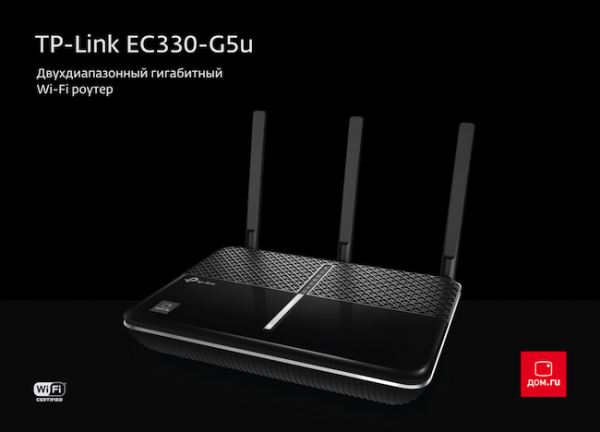
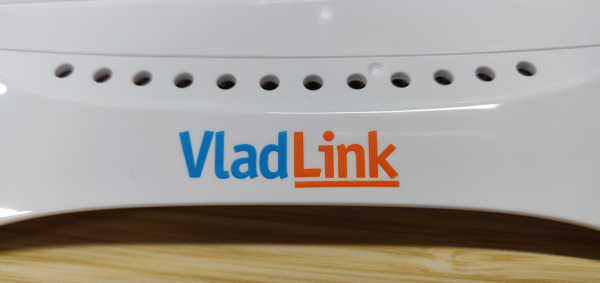
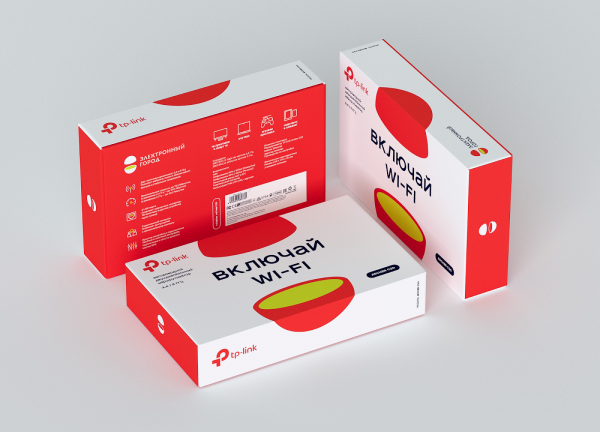
Instructions, the appearance of the devices themselves, and their packaging are also customized. Consumers can study the required information in Russian. Below are examples of customized packaging and designs for Russian providers:
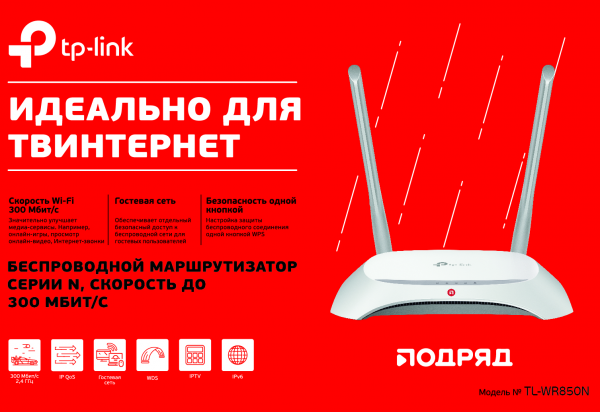
Currently, we offer Internet providers three main models of Wi-Fi routers:
- TL-WR850N (Ethernet 100 Mbps, 2.4 GHz Wi-Fi 300 Mbps).
- Archer C20 (Ethernet 100 Mbps, 2.4 GHz Wi-Fi 300 Mbps, 5 GHz Wi-Fi 433 Mbps).
- Archer C5 (Ethernet 1 Gbps, 2.4 GHz Wi-Fi 300 Mbps, 5 GHz Wi-Fi 867 Mbps).
All routers support IPv6, parental control features, and the TR-069 protocol, which allows the operator to remotely configure and manage end-user devices. According to modern standards, the equipment supports IGMP Proxy, bridge mode, 802.1Q TAG VLAN for IPTV services, and guest networks for separate access for guests. In addition to the speed of the Ethernet ports and Wi-Fi, the Archer C5 features a USB 2.0 port, enabling the connection of a 3G/4G modem, as well as file and media sharing over the network.
TP-Link ACS server for remote management
With a tool like the ACS server, an operator can remotely upgrade all subscriber routers, set specific restrictions, change settings, and so on—essentially custom-tailoring the devices at any time according to their preferences.
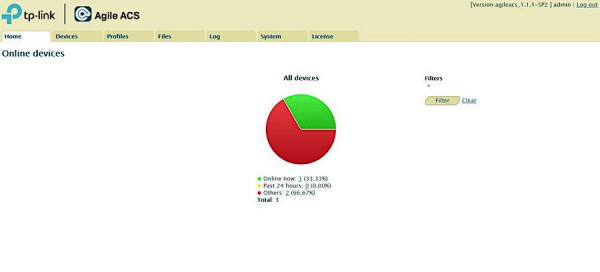
The home page of Agile ACS presents the status of devices in a chart. You can click on a section of the chart or an underlined number for more details.
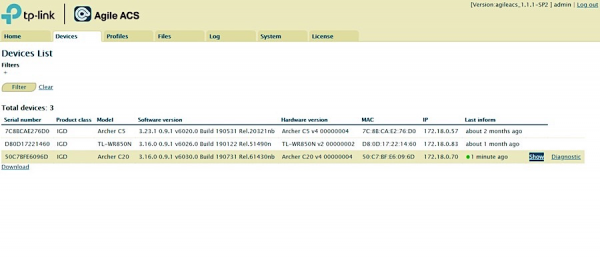
The Devices table displays key information about registered devices: serial number, model, firmware information, IP address, etc. Filters can be used to find specific devices that meet the set criteria.
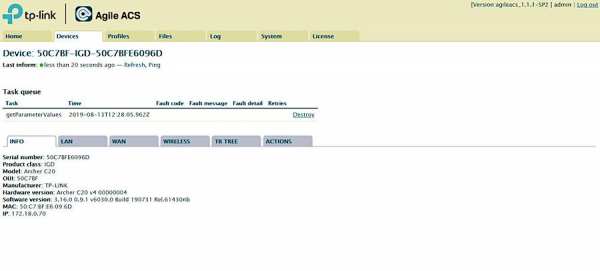
On the information tabs, you can view and modify current parameters.
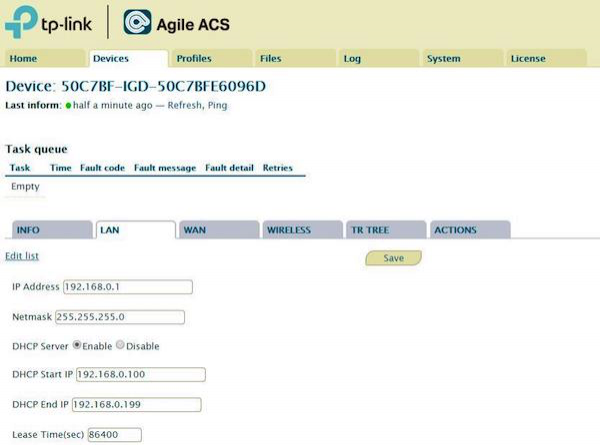
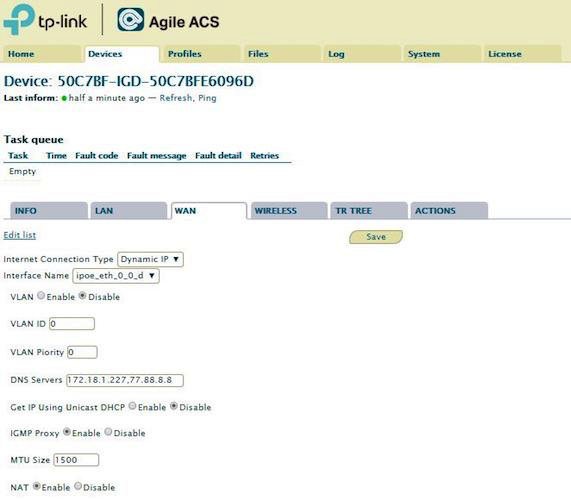
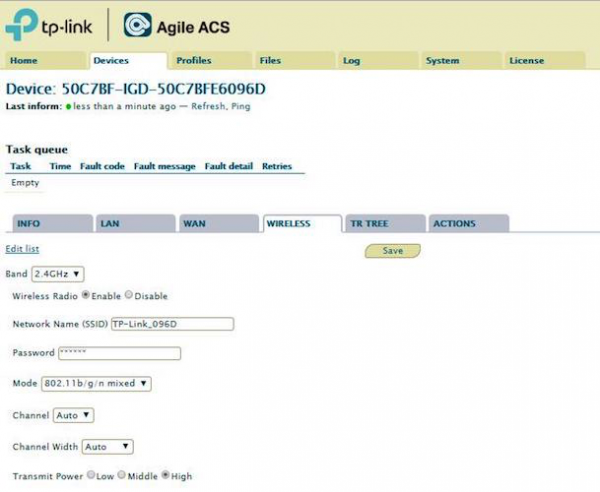
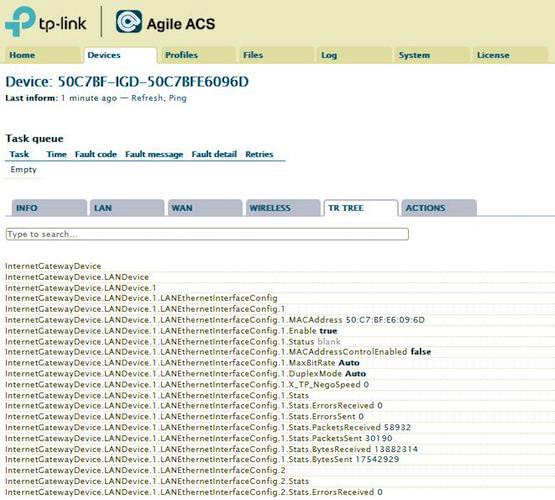
TR TREE shows information about the device node. You can search for a specific node and configure it in the search window.
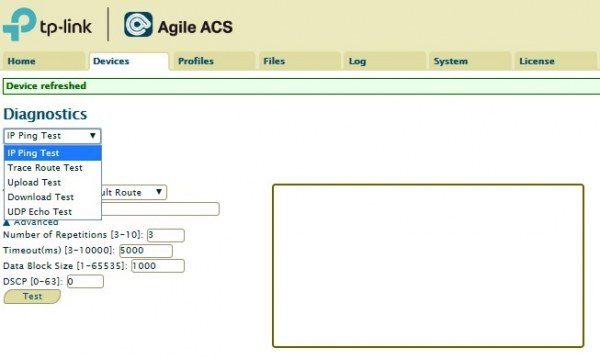
You can expand the dropdown menu for access to more settings.
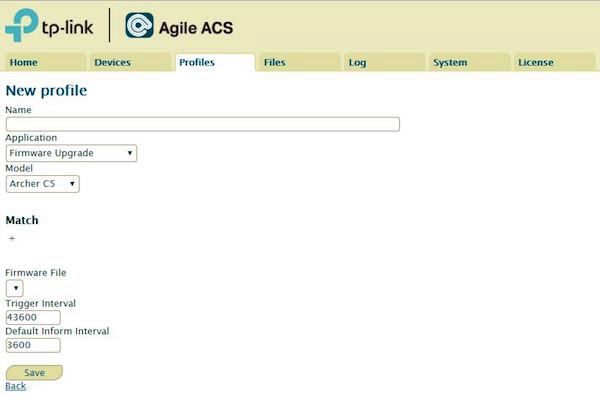
With this tool, you can monitor and configure a single device, as well as perform mass firmware updates and configuration file changes with filtering options. Currently, the ACS supports four models: Archer C5, Archer C20, TL-WR840N, and TL-WR850N.
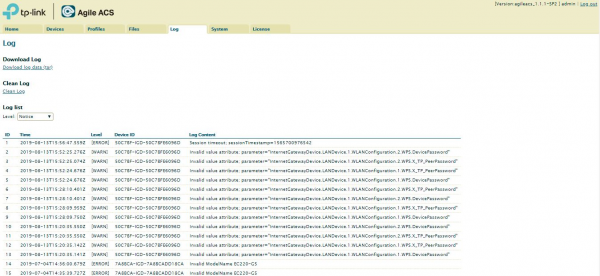
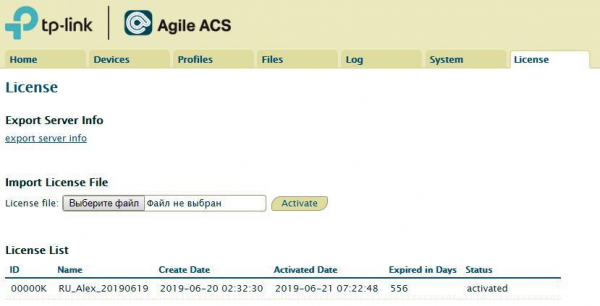
ACS retains up to 800 MB of the latest logs. Once the log files reach 100 MB, the system archives them. By default, you can view up to 200 MB of the latest logs, including device ID, time, and log content.
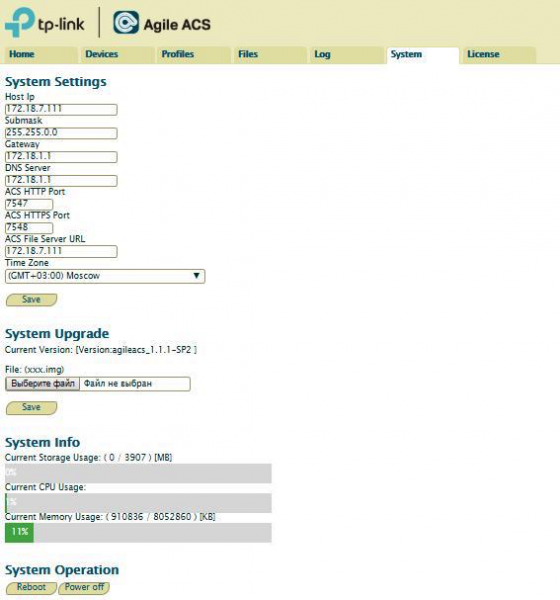
In the 'System Settings' section, you can view and modify ACS configurations. In addition to the host's IP address, which can be set by the administrator, the system provides a persistent management IP address: 169.254.0.199.
For small providers: self-connection and customization
Local internet companies purchasing small batches of equipment find it unprofitable to order factory customization or obtain a license for ACS. For them, we have provided an alternative solution that customizes the basic settings of TP-Link routers to the specifics of the provider's network. A device customized using the Agile Config tool retains the modified firmware even after a complete reset, preventing users from accidentally 'breaking' the network with random resets. This significantly reduces the load on the operator's technical support department.
With Agile Config, you can change the SSID, type of WAN connection, password, timezone, and language. You can set common exclusive settings for all TP-Link routers or make personal settings for each router. Additionally, the tool allows you to brand the web interface — replacing the TP-Link logo with your own provider logo. Furthermore, Agile Config plans to add the ability to block and hide certain sensitive settings from the user — for example, TR-069.
To obtain the utility, please complete a simple registration procedure on the website. After confirming your email address, log into your account and fill in — enter your company information. The application will be reviewed within 24 hours, and you will be able to download the Agile Config components: Agile Server and ISP Generator.
We on the utility, detailing how to install and use it.
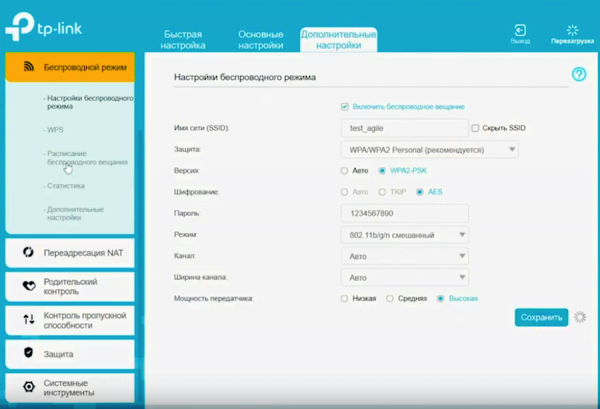
After installing the software on your computer, connect to one of the routers to create common settings for installation on all devices. For this, go to the router's settings page and choose a password: either a simple one, like admin, or something more complex to definitely restrict user access to the settings. We set the necessary configurations, assign a new name and password for the Wi-Fi network. The settings are saved through the 'Backup' section.
Individual settings for each router are specified using the ISP Generator utility. For this, we create a MAC.BIN.xls file — the program does this automatically — and then we edit the file by opening it in Excel. We specify the MAC address of the router that is currently being configured (the information is located on the back of the device) and other individual settings: login and password for access to the web interface, for PPPoE connection, and for the Wi-Fi network. If using a static IP address, its parameters need to be specified here. To save the file, we again use the ISP Generator.
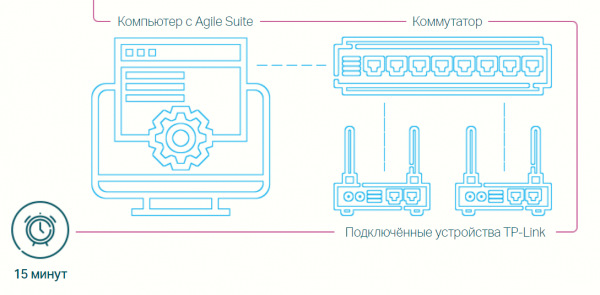
To apply the settings, connect the router and computer to any switch. On the computer, set a static IP address of 192.168.66.10 and the default mask. After that, move both created configuration files to one folder. If you plan to brand the router, also place the logo and favicon there, with a size not exceeding 6 KB.
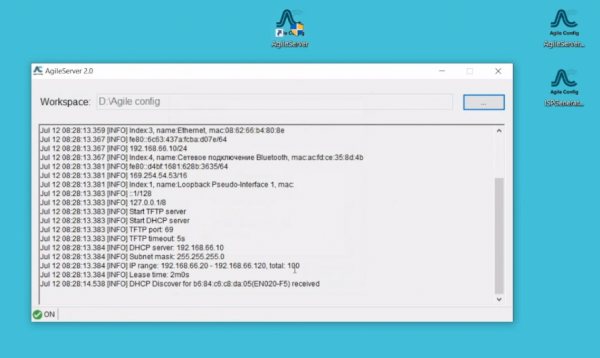
Run the Agile Server utility as an administrator. In the Workspace field, specify the path to the folder containing our files and click ‘OK’, after which the service starts automatically. Agile Config supports routers TL-WR850N, Archer C20, and Archer C5. The utility allows flashing a large pool of devices simultaneously, the size of which is only limited by the number of switch ports.
Conclusion
If we were to discuss all the TP-Link equipment for internet providers in one post, you probably wouldn’t have the patience to read it to the end. Here, we have only introduced you to the most in-demand products and services from TP-Link among Russian providers — in fact, there are many more. The routers presented — considering the possibility of factory customization and self-configuration using proprietary software — provide good access to broadband internet and support additional services. Together, this will meet the needs of most Russian ISPs and consumers.
Currently, our plans include new Wi-Fi 6 devices, Mesh systems for Wi-Fi coverage without ‘dead zones’, and other ‘heavyweight’ devices for the growing needs of consumers. We will definitely share information about these devices with the readers of Habr!
Source: habr.com
