

I invite you to review the transcript of Alexander Sigachev's report on Service Discovery in distributed systems using Consul as an example.
Service Discovery is designed to allow for the integration of a new application into our existing environment with minimal costs. By using Service Discovery, we can maximize the separation of either a Docker container or a virtual service from the environment in which it is running.
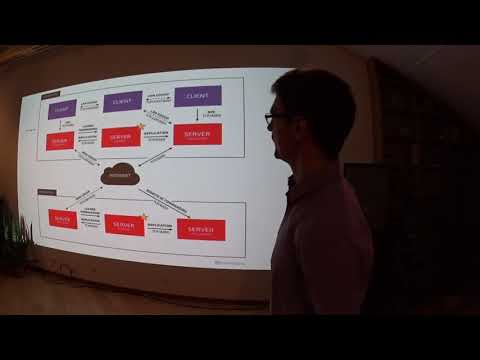
Hello everyone! I am Alexander Sigachev, working at Inventos. Today, I will introduce you to the concept of Service Discovery. We will explore Service Discovery using Consul as an example.
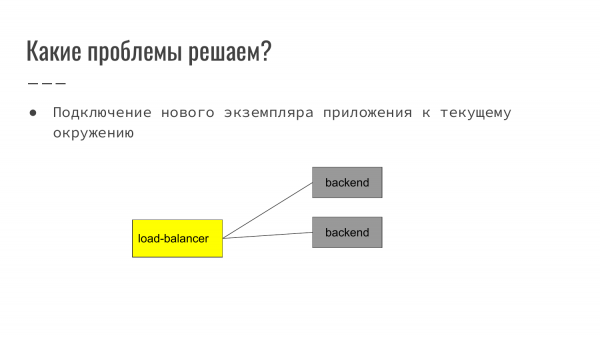
What problems does Service Discovery solve? Service Discovery is designed to allow for the integration of a new application into our existing environment with minimal costs. By using Service Discovery, we can maximize the separation of either a Docker container or a virtual service from the environment in which it is running.
How does this look? In a classic example on the web – it's the frontend that receives a user request. Then it routes it to the backend. In this example, the load balancer is balancing between two backends.
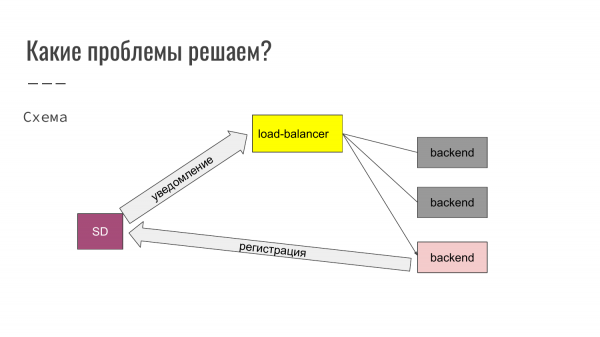
Here we see that we are launching a third instance of the application. Accordingly, when the application starts, it registers with Service Discovery. Service Discovery notifies the load balancer. The load balancer automatically updates its configuration, and the new backend becomes operational. This allows for the addition or removal of backends as needed.
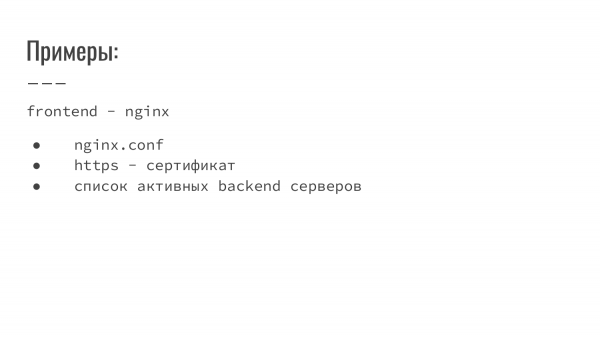
What else can be conveniently managed with Service Discovery? Service Discovery can store nginx configurations, certificates, and a list of active backend servers.
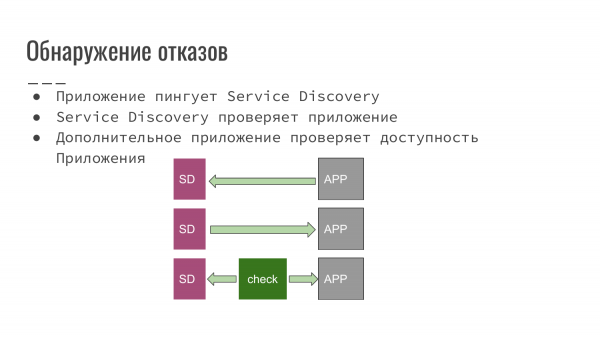 Service Discovery also allows for failure detection and monitoring. What possible schemes exist for failure detection?
- This application that we developed notifies Service Discovery that it is still operational.
- Service Discovery itself polls the application for its availability.
- Alternatively, a third-party script or application can check our application's availability and notify Service Discovery that everything is fine and operational, or conversely, that something is wrong and this instance of the application needs to be excluded from balancing.
Each scheme can be applied depending on the software we are using. For example, if we are just starting to develop a new project, we can easily ensure a scheme where our application notifies Service Discovery. Alternatively, we can set up Service Discovery to conduct availability checks.
However, if the application was inherited or developed by someone else, then the third option applies, where we write a handler, and everything integrates into our workflow automatically.
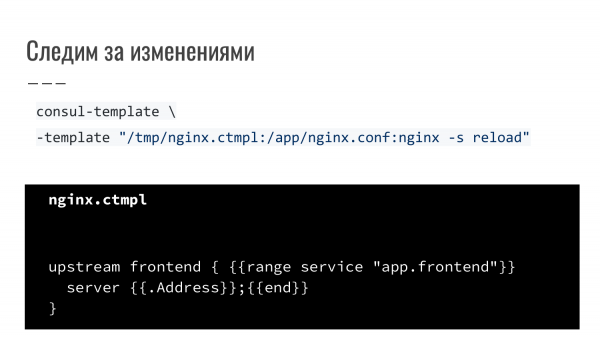
This is one example. The load balancer in the form of nginx is reloading. This is an additional utility provided with Consul, namely consul-template. We describe a rule, specifying that we are using a template (Golang Template Engine). When events occur, and notifications indicate changes, it regenerates, and Service Discovery receives a 'reload' command. A simple example is when nginx is reconfigured and restarted based on an event.

What is Consul?
First and foremost, it is Service Discovery.
It has an availability checking mechanism – Health Checking.
It also features a KV Store.
And its foundation allows for Multi Datacenter usage.
What can all this be used for? In the KV Store, we can store configuration examples. Health Checking can be used to monitor local services and send notifications. Multi Datacenter is used to create a service map. For instance, Amazon has several zones and routes traffic optimally to avoid unnecessary requests between data centers, which are billed separately from local traffic and correspondingly have lower latency.
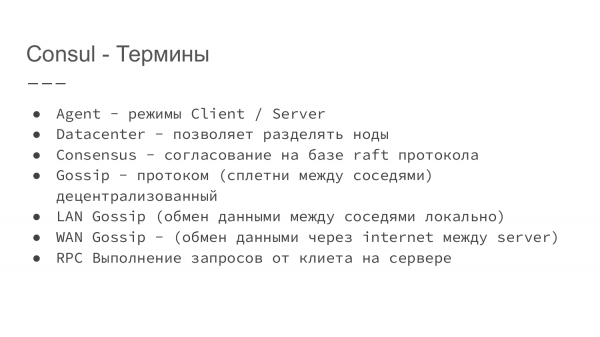
Let's clarify a few terms that are used in Consul.
- Consul is a service written in Go. One of the advantages of a program in Go is that it is a single binary file that you simply download. You can run it from anywhere without any dependencies.
- Next, using keys, we can run this service either in client mode or in server mode.
- The 'datacenter' attribute also allows you to tag which datacenter this server belongs to.
- Consensus is based on the raft protocol. If anyone is interested, more details can be found on the Consul website. This protocol enables leader election and determines which data is to be considered valid and available.
- Gossip is a protocol that facilitates communication between nodes. Moreover, this system is decentralized. Within a single data center, all nodes communicate with their neighbors, exchanging information about their current state. One could say this is gossip among neighbors.
- LAN Gossip refers to local data exchange between neighbors within a single data center.
- WAN Gossip is used when we need to synchronize information between two data centers. Information travels between nodes that are marked as servers.
- RPC allows requests to be made through a client to a server.
RPC Description: Suppose Consul is running on a virtual machine or physical server as a client. We make local requests to it. The local client then queries information from the server and synchronizes. Depending on the settings, the information may be retrieved from the local cache or synchronized with the leader, the master server.
Both schemas have their pros and cons. If we are working with a local cache, it is fast. If we are working with data stored on the server, it takes longer but provides more up-to-date information.
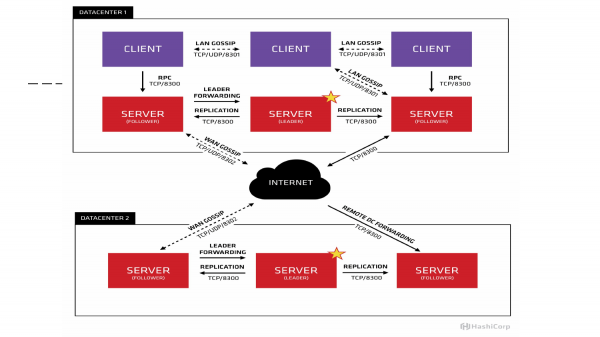
If depicted graphically, it would look like this site diagram. We see that three masters are running. One is marked with a star as the leader. In this example, three clients exchange information locally via UDP/TCP. Information between data centers is transferred between servers. Here, clients interact with each other locally.
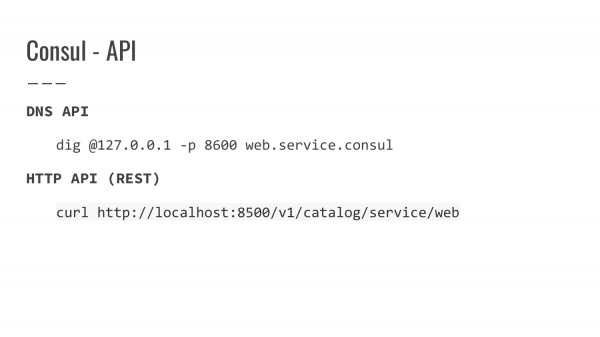
What API does Consul provide? To obtain information, there are two types of API in Consul.
This is the DNS API. By default, Consul runs on port 8600. We can configure request proxying and ensure access through local resolution via local DNS. We can request by domain and get a response with the IP address information.
HTTP API – Alternatively, we can locally request information about a specific service on port 8500 and receive a JSON response detailing the server's IP, host, registered port, and any additional information that may be provided via token.
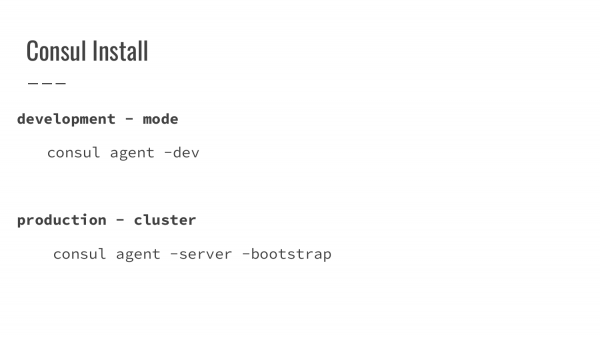
What is needed to start Consul?
In the first option, we specify a flag in developer mode indicating that this is a developer mode. The Agent starts as a server and performs all functions independently on one machine. It's convenient, fast, and doesn't require practically any additional settings for the initial start.
The second mode is the production launch. Here, the launch becomes a bit more complicated. If we don’t have any version of the Consul, we need to bootstrap the first machine, i.e., this is the machine that will take on the leader's responsibilities. We bring it up, then we bring up the second server instance, providing it information about where the master is located. Then we start the third one. After we have three machines running, on the first machine from the started bootstrap, we restart it in normal mode. Data is synchronized, and the initial cluster is already up.
It is recommended to run between three to seven instances in server mode. This is based on the fact that when the number of servers increases, the time for synchronizing information between them also increases. The number of nodes should be odd to ensure quorum.
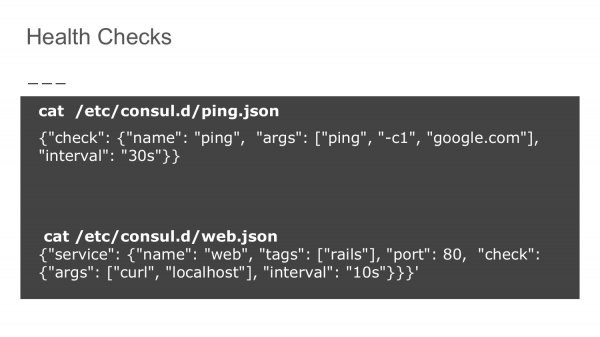
How are Health Checks ensured? In the directory for Consul configuration, we write a check rule in JSON format. The first option is to check the availability of the domain google.com in this example. We state that this check should be performed every 30 seconds. This way, we verify that our node has access to the external network.
The second option is a self-check. We use a standard curl command to hit localhost on the specified port at intervals of 10 seconds.
These checks are aggregated and submitted to Service Discovery. Based on their availability, these nodes are either excluded or included in the list of available and functioning machines.
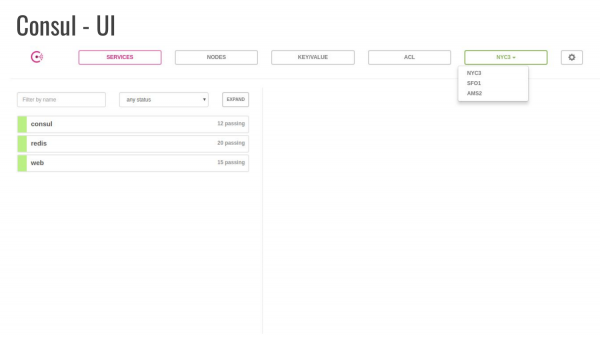
Consul also provides a UI interface, which starts with a separate flag and will be available on the machine. This allows us to view information, and some changes can also be made.
In this example, the 'Service' tab is open. It shows that three services are running, one of which is Consul. It displays the number of performed checks, and there are three data centers where the machines are located.
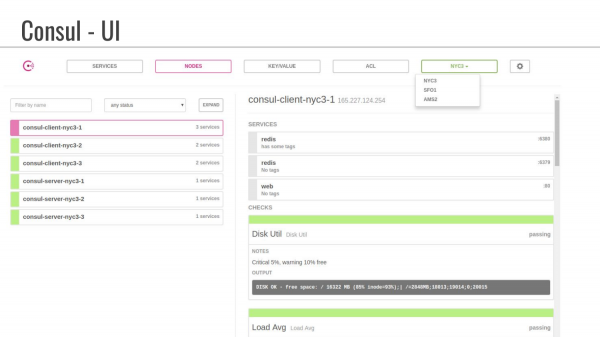
This is an example of the "Nodes" tab. We see that they have composite names involving data centers. It also shows which services are running, i.e., we see that tags are not set. In these additional tags, you can provide some information that the developer can use to specify additional parameters.
You can also pass information to Consul about disk status and average load.
Questions
Question: We have a Docker container; how do we use it with Consul?
Answer: For the Docker container, there are several approaches. One of the most common is to use a third-party Docker container responsible for registration. When starting, it is fed the Docker socket. All events for registration and depublication of the container are logged in Consul.
Question: So, does Consul itself start the Docker container?
Answer: No. We start the Docker container. And in the configuration, we specify – listen to a particular socket. This is similar to how we work with a certificate when we provide information about where and what we have.
Question: Does the Docker container we're trying to connect to Service Discovery need to have some logic that can send data to Consul?
Answer: Not exactly. When it starts, we pass environment variables. For instance, service name, service port. The registry listens to this information and records it in Consul.
Question: I have another question about the UI. We have deployed the UI, say, on the production server. What about security? Where is the data stored? Can we somehow accumulate the data?
Answer: The UI actually uses data from the database and from Service Discovery. We set passwords in the settings ourselves.
Question: Can this be published on the internet?
Answer: By default, Consul starts on localhost. To publish it on the internet, a proxy will need to be set up. We are responsible for security rules.
Question: Does it provide historical data out of the box? I'm interested in seeing statistics on Health Checks. Can problems be diagnosed if the server frequently goes down?
Answer: I'm not sure if there are details on the checks.
Question: The current state is not as important; rather, the dynamics are important.
Answer: For analysis – yes.
Question: Is it better not to use Consul for Service Discovery with Docker?
Answer: I would not recommend using it. The purpose of the report is to introduce the concept. Historically, it has evolved, I believe, up to the first version. Now there are more comprehensive solutions like Kubernetes that have all of this underneath. In terms of Service Discovery, Kubernetes falls behind Etcd. But I am not as familiar with it as I am with Consul. Therefore, I decided to illustrate Service Discovery using Consul as an example.
Question: Does the leader-server scheme slow down the application's startup overall? And how does Consul determine a new leader if the current one is down?
Answer: They have a whole protocol described. If you're interested, you can read about it.
Question: Consul acts as a full-fledged server and all requests go through it?
Answer: It does not act as a fully-fledged server; it occupies a specific zone. This typically ends with service.consul. From there, we follow the logic. We do not use domain names in production, but rather rely on internal infrastructure, which is usually hidden behind server caching when working via DNS.
Question: That is, if we want to access the database, we will have to query Consul first to find this database, correct?
Answer: Yes. When working through DNS, it operates without Consul, similar to when using DNS names. Typically, modern applications do not query the domain name in every request because we have established a connection, everything works, and for a while, we hardly use it. If the connection breaks, then yes, we ask again where our database is located and go to it.
— Hashicorp User Chat: Consul, Nomad, Terraform
P.S. Regarding health checks. Consul uses the same health check system for service liveliness based on status codes as Kubernetes.
200 OK for healthy
503 Service Unavailable for unhealthy
Sources:
Source: habr.com
