

There is a lot of epic content about sysadmins: quotes and comics on BashOrg, megabytes of stories on IThappens and Dolban-IT, endless online dramas on forums. This is no coincidence. First, these guys are crucial for the functioning of any company’s infrastructure; second, there are strange debates going on about whether systems administration is dying; and third, sysadmins themselves are quite unique, and engaging with them is a whole science. But jokes aside, the work of a system administrator is both dangerous and difficult, and as the lyrics go, it often goes unnoticed. This is especially true for leaders in small and medium-sized businesses, which leads to conflicts, troubles, intrigues, and other corporate headaches. Let’s consider whether it’s possible to defeat the boss in every round or just give up.
10 Admin Situations and How to Resolve Them
Situation 1. The Sysadmin as the 'Solver' of All Problems
If a system administrator reads their job description, they are unlikely to find a point stating that every new problem in the office related to anything plugged into the socket is their responsibility. However, in small and medium businesses, the sysadmin often becomes a hybrid of a supply manager, electrician, and the actual systems administrator: ordering water, fixing tables and kettles, maintaining the network and workstations, and sometimes providing psychological support to employees (though not truly supportive inside, as they are exhausted from a hundred incidents a day). They essentially turn into the internal support service — a noble initiative, but not feasible for one person. Naturally, if someone’s request for non-core work is denied or fixing the coffee machine is postponed until morning because there’s a need to set up a test environment for the updated beta in the evening, complaints immediately arise; fortunately, in a small company, reaching out to the CEO is just a step away. The CEO might be a supporter of evening beta releases and a decent guy, but to avoid a caffeine uprising, they will still insist on having the machine fixed as it should be, 'it’s no big deal.'
Solution
Being confrontational and pointing to the job description in such situations is dangerous, so formalizing the process and using some rational tricks will help.
- Engage fully in your work to avoid thoughts of distraction.
- Don't offer your help proactively — respond only when asked (or even better — via a formal ticket in ).
- Don't waste time explaining things that have already been explained once: direct them to Google or refer them to the knowledge base (which is better to create and fill once than to explain the same thing a hundred times).
- Establish a formal communication system for resolving office issues — either it should be requests via email, or , or a messenger that keeps a complete history).
Situation 2. Non-techies attack
The head of a company or department can easily be someone without an IT background, meaning the system administrator will speak a different language. At the same time, the head is the decision-maker, and often these decisions are technically unfeasible, unreasonable, etc. (for instance, to implement SAP CRM in a small company instead of RegionSoft CRM just because the former sent a consultant who convincingly pitched the 'coolest software ever'). If there isn’t a great buffer like a CIO, CTO, or IT department head between management and the sysadmin, and the sysadmin is alone in the field, things will be tough. On one hand, yes, you can ignore the decisions: if they want SAP, they’ll get SAP; if they want a server for 700,000 rubles, they’ll get a 700,000 ruble server. But it’s the admin who has to support what’s implemented!
Solution
- Negotiate and explain. Typically, the main concern of management is profit, i.e., revenue minus costs. Don’t delve into types of profit or ROI and EBITDA; just try to convey how much a certain software or hardware can impact profit and how long it will take to recoup the investment.
- Explain and calculate how much it will cost for modifications, support, updates, leasing, etc.
- Clarify that powerful hardware consumes more electricity, requires separate space (it's not ready to be placed behind the admin), etc.
- Propose to discuss the plan for utilizing the new infrastructure element.
- If consultants are being implemented, try to be present during discussions and ask the experts the most detailed technical questions.
- Suggest alternatives and explain how the price factor will affect the company's financial condition.
Typically, discussions from a financial perspective work quite effectively.
Situation 3. The slacker sysadmin in the eyes of colleagues and the boss
This is, of course, the main saga of a system administrator's life in small and medium businesses. As long as everything is perfectly configured, fine-tuned, and running smoothly, the sysadmin's work goes unnoticed, but once something goes wrong, the sysadmin is to blame and is asked why everything wasn't done in time to prevent issues on the data center's side (for example). Overall, as long as everything is good, the sysadmin is considered the number one slacker.
But there is another side to this situation: the sysadmin may solve a hundred problems, but on the hundred and first, it will require more time and resources, and suddenly, you 'broke the work of an entire department!'. And no one will believe that you spent the whole day running around like a spinning top, and this same colleague asked you five times to reset a password and three times to show how and where to enter the two-factor authorization code in the email.
Solution
Here, everything is straightforward: record absolutely all requests with maximum detail. There are plenty of tools for this. The least suitable are email and messengers: they might lose logs, provide no statistics (so you can glance and see it!), break message chains, etc. Free ticket systems are good but often unstable, inconvenient, and delivered as-is. It's better to choose something inexpensive and reliable, with stability guaranteed by the vendor. For example, we developed an ultra-fast and simple — system where internal or external clients create tickets for you, and you engage in correspondence with them and resolve your tasks. We have tried a lot of similar software ourselves, and during development, we fixed what absolutely didn't satisfy us: we achieved exceptional responsiveness (tickets open almost imperceptibly), rapid system deployment (within 5 minutes), straightforward and accessible settings (another 5 minutes), and a simple interface (ticket creation is guaranteed to be manageable by any employee who knows how to open a browser and can visit a couple of websites). Similarly, it can be used by outsourcers, service centers, and any customer support.
Thus, you effectively become an executor for an internal business client, and you can appeal to the "no ticket — no problem" principle. In case of issues, you can calmly present all incidents, work statuses, numbers, etc., to your manager. Real correspondence — real claims.

18 years have passed, yet it remains relevant: timeless wisdom from the ixbt forum.
Situation 4. No need for an admin in the clouds.
A very common belief: since there are clouds, system administrators are becoming obsolete, and small to medium businesses don’t need them at all; just rent a VDS/VPS and "push the infrastructure into the cloud." Of course, this opinion is widely supported and promoted by providers. Perhaps this is true, but only until the first failure, problem, and the necessity to navigate the panel and speak with the provider’s technical support arises.
Solution
Demonstrate all the features of the control panel to your manager and team, explain potential failures and how to handle them, delve into the fine details. Usually, such an office meeting ends with the tired suggestion: "You’re the admin, you handle it."
Situation 5. An educated sysadmin is someone else's sysadmin.
Software and hardware vendors rule the IT world, constantly releasing updates, providing great (and not so great) corporate products, and offering training and certification. It is unlikely that any system administrator would say it’s bad to have Cisco, Microsoft, ABBYY, or even Huawei certification. And if you can get it through the company — that's even better; it's an investment in the employee's professionalism. Frequently, managers refuse such proposals, believing (probably rightly) that they will train the employee, and they will leave for a larger company with enhanced skills.
Solution
This is a situation in which a compromise must be reached since the training is primarily for you, while the company pays the costs. The most common option: an agreement on the duration of work after training (with an obligation to reimburse the difference in case of resignation) or the complete completion of the work project. Sometimes training is paid for with a guarantee of training for other colleagues (though certifications in IT are less related to this).
If you need training, you can approach your manager directly or go through HR. In any case, it's important to convey to the manager that the search, hiring, and onboarding of a specialist also incur costs, and the work requirements demand a high level of qualification. Qualified personnel are more productive, productivity affects the administrator's performance, performance impacts the stability and reliability of the infrastructure, and ultimately affects profitability.
Situation 6. Will you take a look at my tablet? What about the hard drive? And the car?
Unfortunately (or fortunately), in Russia, corporate culture and communication are almost always characterized by a culture of mutual aid, informal communication, and emotional signals. This means that sooner or later, a system administrator will find themselves handling a colleague's personal laptop, phone, tablet, watch, or even car. And sometimes a simple "Will you take a look?" can escalate into hours of personal time spent. Or work time, but then work tasks need to be solved in personal time. It's hard to say no, and it's even harder to accept money for it. If a manager makes the request — you'll just have to sigh and do it. These tasks accumulate like a snowball, because an impeccable recommendation system starts to function 🙂.
Solution
Overall, it’s best to accept the rules of the game and just be a human — to help. Tomorrow, someone will spend their personal time to assist you. But a few tips can be useful.
- If you've never been approached before, just be ready the first time to say something like: "Wow, I'm more of a networking and configuration specialist, I've never dealt with such equipment — I might mess it up. Shall we find you a service?"
- Initially work for money — let it be known that Vasya does a great job and it's cheaper than services.
- Decline by citing work tasks. If a manager asks, inquire about the priority of tasks. But then you’ll be labeled as a bore, a snob, and a bureaucrat.
In general, the situation is more ethical; decide it in your own moral space. Personally, we gladly help each other.
Situation 7. Old equipment and software, greedy boss.
Classic, back to the server for 700, and yet much more common in small companies. Old licenses, countless free versions of everything and anything, terrible hardware, zero peripherals, and substitute funds — conditions from which one wishes to find a way out. Ideally, with a labor book. But if some reasons (colleagues, atmosphere, project, free time, proximity to home, etc.) motivate you to stay with the company, you must act decisively.
Solution
- If we talk about software updates, contact the vendor and request materials on the advantages of the new version, they are sent out for free. Based on them, you will be able to formulate the right arguments for purchasing the software update.
- If we talk about hardware, measure the performance speed and calculate how much faster employees will work on PCs and servers with greater performance.
- In the case of free software or, worse yet, hosting, emphasize the insecurity of such solutions, instability, and lack of support. Find examples of other companies (there are plenty on the internet).
- Also assess the cost of downtime in case of failure of telephony, internet, employee PCs, etc., and submit a request for substitute funding and equipment upgrades.
Overall, all advice boils down to the same motivation: let's calculate the benefits. By the way, constant updates of everything and anything are also bad — if in doubt about how bad this is, ask programmers what it means to change the stack with each new technology and programming language release; those who have faced it will not forget.
Situation 8. Downtime due to your fault!
You have an emergency recovery and backup system, backups are in order, the network is set up, licenses are in perfect order, and SaaS software lease renewals are handled, but suddenly an excavator cuts the cable, the data center goes down, a DDoS attack occurs, Google shuts off ads (yes, this is often blamed on the admin), the payment system fails — and that's it, downtime due to your fault, dear system administrator. Refusing and denying is simply pointless, the boss is angry, employees are in a panic.

18 years have passed, still relevant: "useful" tips from the ixbt forum

15 years ago, they kept talking about it, and the problem is still very much alive.
Solution
A situation where prevention is the best way to avoid conflict with your manager.
- Make sure you have all backups and disaster recovery options in place. Data loss is unforgivable in our time; it’s a costly asset.
- Whenever possible, try to be the first to know about any outages, rather than hearing it from upset colleagues and management. Organize prompt notifications for company employees about issues — they should have firm confidence that even if there is a problem, it is under control.
- Convince your manager of the need for a backup connection in case of an emergency — this solves many problems.
Situation 9. Vendor representatives as enemies of the admin community.
As soon as your manager starts looking for new software, they will be bombarded with advertisements and will inevitably contact very expensive "vendor integrator representatives," who are seasoned salespeople and reluctant to release anyone who approached with genuine interest. The less technical the Key Decision-Maker is, the deeper they get drawn into interacting with these folks. And soon, they are in the conference room — showcasing a flashy presentation and feeding you nonsense. And you, as the sysadmin, sit there feeling disheartened: it’s not just about wasting company money, but you’ll have to implement and support this software, and you know very well that much of it is designed so you’ll end up purchasing modifications, customizations, and client support while also paying for a dedicated manager. And anyway, the system won't work because it simply doesn't meet business requirements. Meanwhile, the "suits" keep pushing and pushing...
Solution
Most often, software (and hardware) consultants are well-trained salespeople with little experience working with the equipment and do not understand how the software operates in real conditions. They've memorized their scripts and guides, but you can catch them off guard with two professional technical questions. Yes, they will formally respond according to their script, but it will become obvious that they are "out of their depth." Your task is to lead them to silence and show their unprofessionalism.
And tell your manager how to choose software/hardware/anything technical in the corporate sector: requirements gathering → proposal analysis → communication with vendors → demos → discussion of modifications, changes, settings → implementation → training → operation.
Situation 10. I can't say 'no'
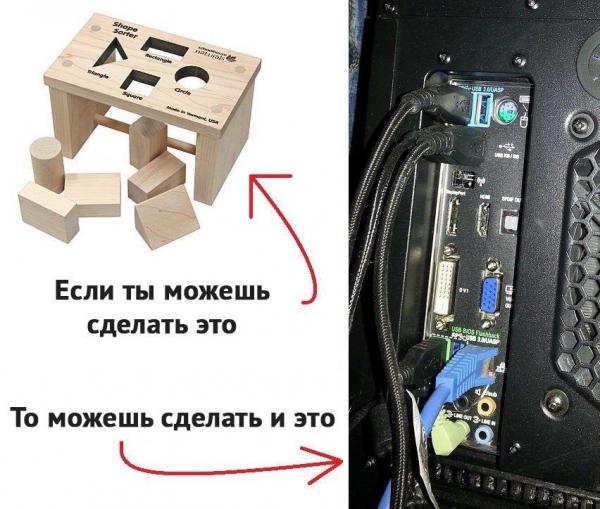
Saying 'no' is very difficult. So difficult that in Europe, for example, it's one of the most popular services offered by private psychologists. There are many requests and demands, but you have limited time and resources, even for work-related issues. And with each refusal, the cycle starts again: complaints to the manager, reprimands, conflict, hurriedly completed tasks. Hence the fear of saying no. Some employees (and this applies not just to system administrators) put themselves in a position where they can't say 'no' due to ambition—it seems that one unmet request means everything collapses and there’s no more work. But constantly fulfilling everything that comes your way will sooner or later lead to disaster—far more monstrous than the thoughtful delegation of tasks and the refusal of some assignments with good rationale. Like this, for example 🙂
Solution
- Anticipate: define the scope of your responsibilities and capabilities in advance.
- Everything has its time: keep a calendar or planner for yourself to remember that time is finite, and it's impossible to do absolutely everything.
- Delegate: don't hesitate to take on an assistant or distribute responsibilities among existing colleagues. No, you won't be fired; that’s a dangerous and unfounded belief stemming from insecurity in yourself and your professionalism. Keep the complex tasks that only you can handle—and perform them at a high level. Your value will only increase!
- Stick a mini-sticker on your computer with the word 'no'. And start the discussion of the next 'dropped' task with 'I need to see when I have a window; I am currently busy [name of a genuinely important current task]'.
Overall, sometimes the most helpful phrase is: 'Don't rush to follow instructions, for an order to negate them will be given' 🙂
Everyone is burned out. Managers are angry with everyone. Everyone wants a vacation. In general, we are all just human. It can often be nearly impossible to negotiate with a manager, but it’s always in your hands to protect your professional dignity and show what you’re worth without throwing statements on their desk. The ability to negotiate, defend your opinion, and uphold the company's interests as well — that is also an art that will lead to respect and career growth. Corporate diplomacy is the magic of true professionals.
We are announcing a promotional campaign for our customers from August 1 to September 30, 2019: with your first payment to your personal account, 150% of the paid amount will be credited to your balance. To receive the bonus, you must enter the promo code "Startup" as follows: "Payment for ZEDLine Support services (promo code <Startup>)" That is, when paying 1000 RUB, 1500 RUB will be credited to your balance, which you can use to activate any services.
Source: habr.com
