

The release of version 12 of Sysmon was announced on September 17 on In fact, new versions of Process Monitor and ProcDump were also released on that day. In this article, I will discuss a key and somewhat controversial addition in version 12 of Sysmon — the event type with Event ID 24, which logs clipboard activity.
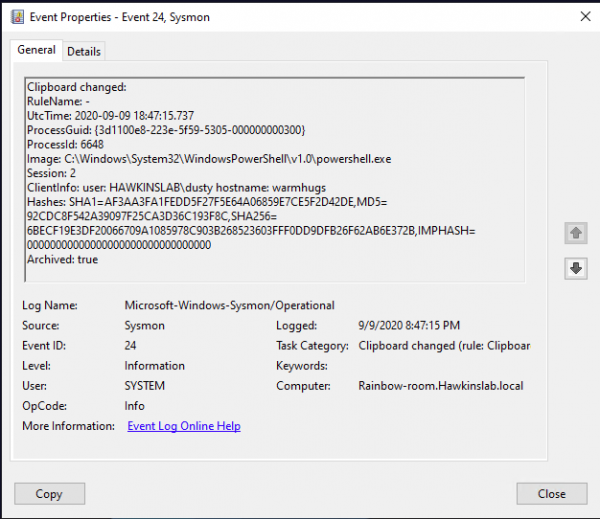
Information from this event type opens up new opportunities for monitoring suspicious activity (as well as new vulnerabilities). You will be able to understand who, from where, and what exactly they tried to copy. Below is a description of some fields of the new event and a couple of use cases.
The new event contains the following fields:
Image: the process whose data was written to the clipboard.
Session: the session in which the clipboard write occurred. This can be system(0)
when operating in interactive or remote mode, etc.
ClientInfo: contains the username of the session, and in the case of a remote session — the originating hostname and IP address, if that information is available.
Hashes: determines the name of the file in which the copied text was saved (similar to how FileDelete events work).
Archived: status of whether the text from the clipboard was saved in Sysmon's archive directory.
The last two fields are alarming. The issue is that since version 11, Sysmon can (with the appropriate settings) save various data in its archive directory. For example, Event ID 23 logs file deletion events and can also save them in the same archive directory. The names of files created as a result of clipboard activity have the tag CLIP added. These files contain the exact data that was copied to the clipboard.
This is what a saved file looks like.
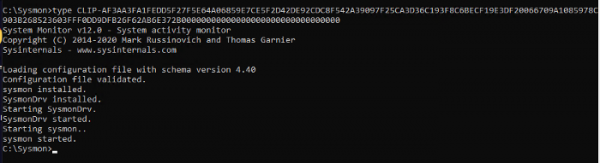
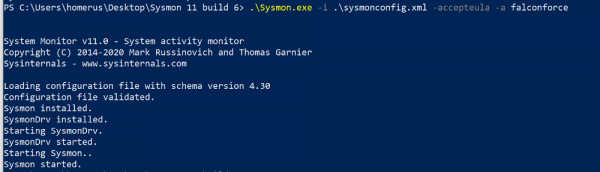
Saving to a file is enabled upon installation. You can set up process whitelists for which the text will not be saved.
This illustrates the installation of Sysmon with the appropriate archive directory settings:
Here, I think it's worth mentioning password managers, which also use the clipboard. Having Sysmon in a system with a password manager will allow you (or an attacker) to capture those passwords. If you assume that you know which process allocates the copied text (and this is not always the password manager process, it could be something like svchost), this exception can be added to the whitelist and not saved.
You may not have known, but text from the clipboard is captured by the remote server when switching to it in RDP session mode. If you have something in the clipboard and switch between RDP sessions, that information will travel with you.
Let's summarize Sysmon's clipboard functionality.
Captured:
- Text copy of pasted text via RDP and locally;
- Data capture from the clipboard by various utilities/processes;
- Copying/pasting text to/from a local virtual machine, even if that text has not been pasted yet.
Not captured:
- Copying/pasting files to/from a local virtual machine;
- Copying/pasting files via RDP
- Malware that captures your clipboard only writes to the clipboard itself.
Despite its ambiguity, this type of event will help reconstruct the perpetrator's actions and aid in identifying previously inaccessible data for post-mortems after attacks. If clipboard content recording is enabled, it is important to log every access to the archive directory and identify potentially dangerous actions (not initiated by sysmon.exe).
For logging, analysis, and response to the above events, the tool , which combines all three approaches and is also an effective centralized repository for all collected raw data. We can set up its integration with popular SIEM systems to reduce licensing costs by offloading the processing and storage of raw data to InTrust.
To learn more about InTrust, read our previous articles or .
(popular article)
Source: habr.com
