

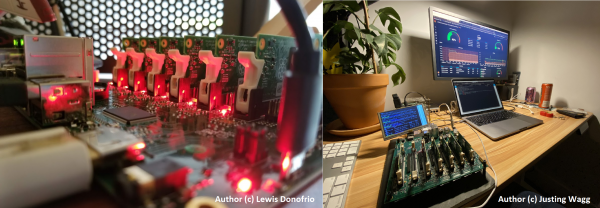
Turing Pi is a solution for self-hosted applications built on the principle of rack-mounted data center setups, but on a compact motherboard. This solution is aimed at creating local infrastructure for local development and hosting of applications and services. In general, it's like AWS EC2 but for edge.
We are a small team of developers who decided to create a solution for building bare-metal clusters at the edge, and we named the project Turing Pi. The product started as a side project, but now it has been ordered by development departments at Red Hat, Rancher (SUSE), Toyota Connected, Sony, Electrolux, Facebook, and is gathering an audience of nearly 10K developers.
But it all started with a discovery.
The Discovery of the Product
Once, I made a discovery for myself that we don't invent anything. All things that exist in this world, we discover. We discover that certain parts can be combined together, yielding new properties of products, or we discover laws and then combine again. Nothing can be invented, but discoveries can occur during research. In my view, invention is the result of constant observation, experimentation, and the search + combination of knowledge.
Over the past decade, I've observed the growth of the homelab hobby movement (resource ), self-hosted (resources and ), single-board computers, the increasing interest in running containers on single-board computers like Raspberry Pi, and the movement towards building clusters from single-board computers. Gradually, the idea of Kubernetes is also emerging in this realm. A lightweight version called k3s focused on Edge/IoT has already appeared. One of the first fast-food chains, Chick-fil-A, has placed Kubernetes clusters in their kitchens. .
I see this as a snowball effect, where one technology wraps around another, creating a more complex system. There is no chaos here; it resembles a fractal of technologies. At a particularly challenging moment in my life, I saw the value in clusters that are assembled from single-board computers by hobbyist developers and began working on creating a cluster board.
Today, our cluster board is very simple and primarily aimed at those who love cloud-native technologies, wish to learn new things, and enjoy experimenting.
Building Blocks
So, what does the solution entail? The essence is to provide a constructor, building blocks from which one can assemble edge infrastructure cheaper than on traditional servers—mobile, without bulky metal boxes, not demanding special operating conditions like server environments, energy-efficient, standardized in terms of modules, and with the possibility of rapid scaling to dozens or hundreds of computing nodes (processors).
Clusterboard
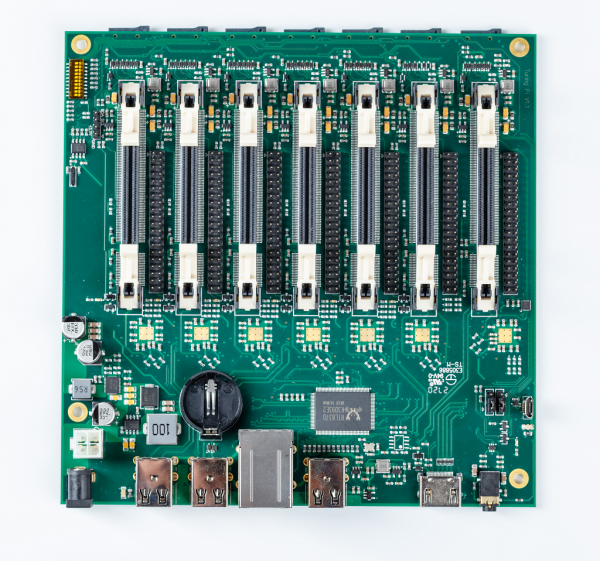
The Mini ITX board combines several computing modules via an on-board network, providing peripheral interfaces and control over the modules.
Compute Module
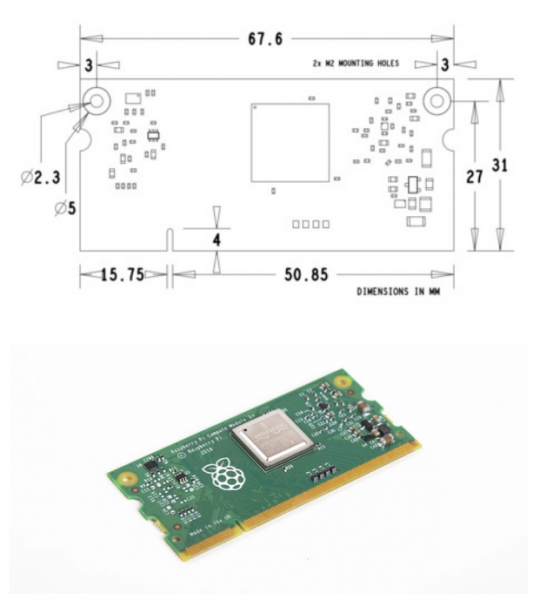
A board in a SO-DIMM form factor containing a processor and RAM, optionally flash memory for the operating system.
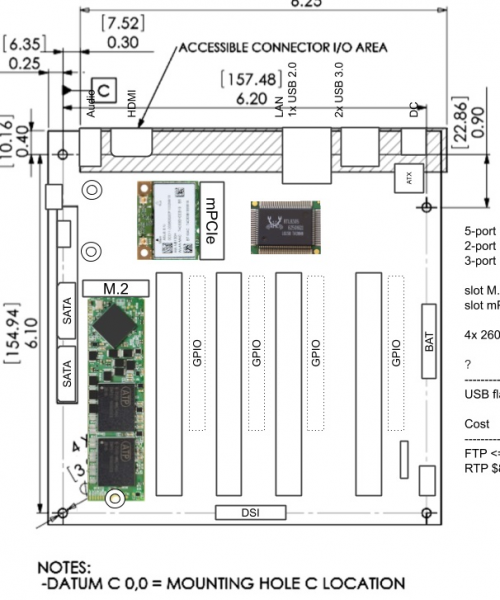
One of the designed configurations of the Turing V2 version.
By combining the cluster board and compute modules, it's easy to create infrastructure with, for example, 20+ processors (examples below), silent and with low power consumption. The cluster board itself increases the efficiency of the utilized volume. Comparison examples of clusters.
SBC based*
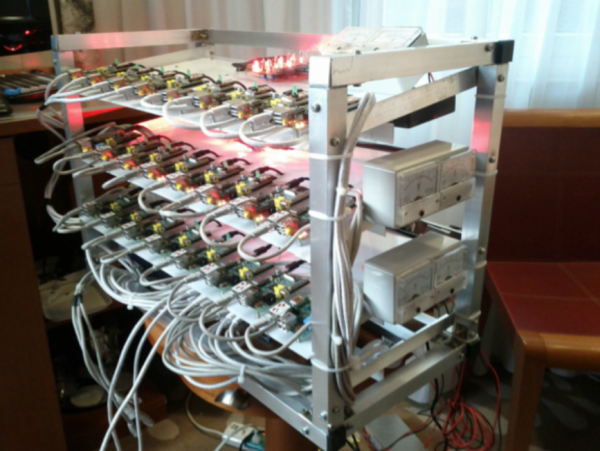
24 CPUs
Author Afkham Azeez
Turing Pi based
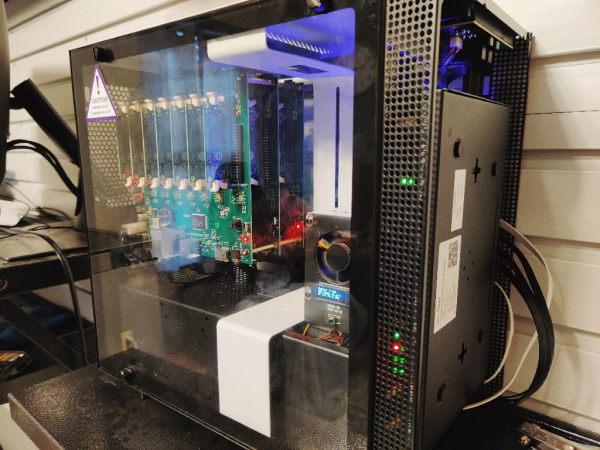
21 CPUs
Author
* SBC — Single Board Computer
The co-founder of Rancher Labs and author of k3s was not indifferent to this approach.
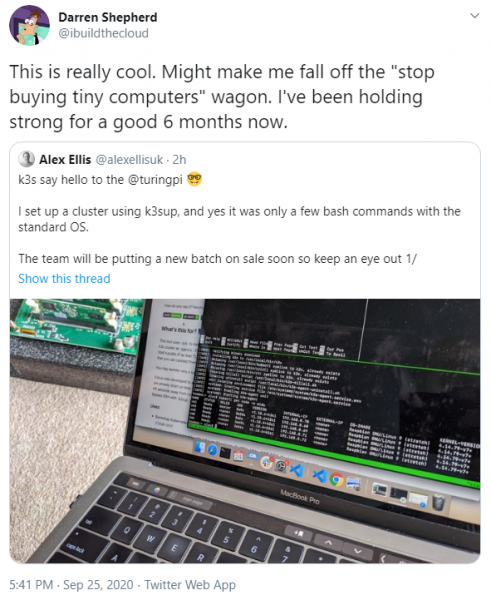
Next, a closer look at the building blocks.
Compute Module
For the proof of concept, we chose the Raspberry Pi Compute Module as it is the perfect configuration for a start. The RPi community is active, there are no software issues, the module itself is in SO-DIMM format (6 x 3 cm), is affordable, and contains a 4-core CPU, 1 GB RAM, and optionally flash memory of 8, 16, or 32 GB for OS and other system needs. Such a form factor is often used in industrial IoT solutions.
Raspberry Pi 1/3/3+ Compute Module
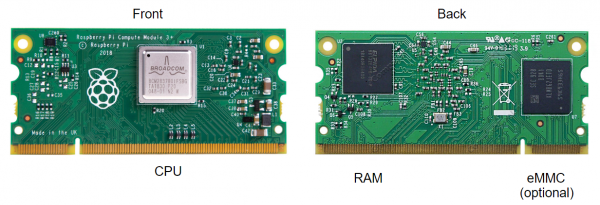
However, the CM3 model has significant limitations—max. 1 GB RAM and Ethernet through a USB HUB with a maximum speed of up to 100 Mbps. Therefore, the second version of Turing will support Raspberry Pi 4 and up to 8 GB of RAM per module. Below is an example of Nvidia Jetson modules for Accelerated Computing tasks. There may be support for them in the second version, if we solve some technical challenges, then we can mix modules.
Nvidia Jetson Compute Modules
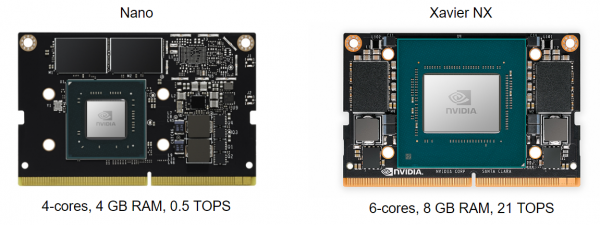
The modules contain the main capability, which at first glance may not be obvious. The ability to create other modules in a similar form factor with different sets of CPU, RAM, and eMMC to cater to various tasks from general computing to machine learning intensive computations. This is quite similar to AWS EC2 instances, but specifically for edge computing. Meanwhile, the cluster board remains unchanged or with minor adjustments.
Clusterboard
It can also be referred to as the motherboard or baseboard, a relatively new direction, and there are not many manufacturers of such solutions today, and they are still at a quite basic level, among them Pine64, MiniNodes, Clover Pi, Bitscope Blade, PicoCluster (SBC clusters). The cluster board connects the modules via a network, provides power, and offers a Cluster Management Bus; at least we decided to add this bus, and it seems to have taken hold.
Front
Back
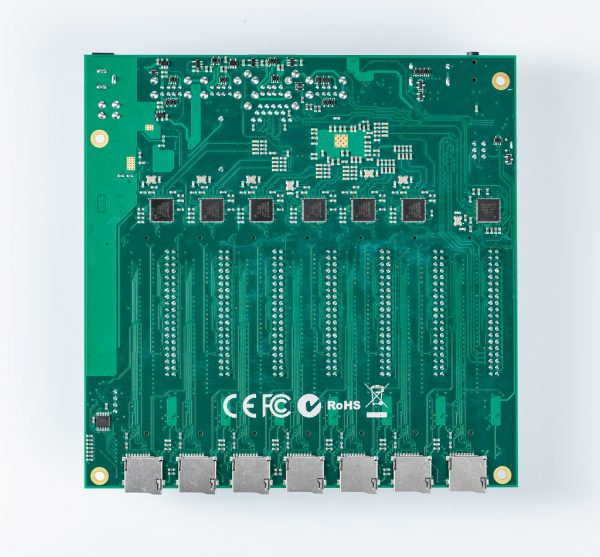
Backplane Bandwidth 12 Gbps
SD slots for modules without eMMC, for example, you can keep a couple of modules with SD for quick access to the node's data.
At the core of the cluster board is a switch chip to ensure network connectivity between the modules and access to the external network. In the current version, we are using an unmanaged switch as there wasn't enough time to conduct thorough R&D, but for the second version, we chose a decent managed switch. Configuration in ‘master node as router’ mode is possible to distribute the network to the board, which is necessary for a higher level of security and isolation of workers from external access; in such a case, the master node must also host a DHCP server.
The use of
The current version is experimental and we position it as an entry-level solution to learn what clusters are, to work with the software, or as a hypothesis testing tool in organizations, seeking new ideas; in general, it's a Lite version.
To get started, we recommend the series by the wonderful Jeff Geerling, who learned about us at Y Combinator, and is the author of the bestseller Ansible for DevOps. He was so inspired that he created a 6-part review starting from the idea of clustering in general to practical examples of working with the board, exploring Kubernetes, and what software can be installed.
A series about installing k3s on a cluster.
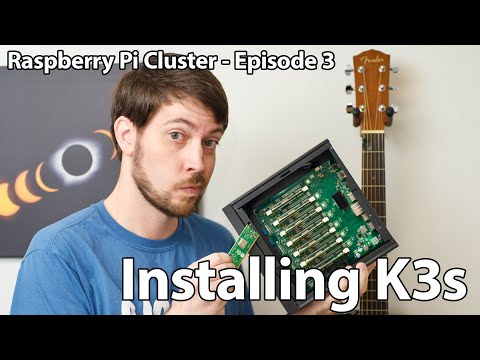
Overall, I recommend starting with the first one, which is generally about clustering and Kubernetes explained in an accessible way. And a few pictures from the community.
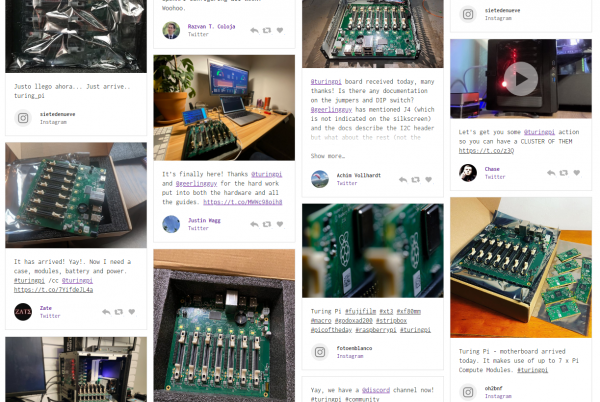
What's next?
First of all, I really hope it has been interesting. This is entirely original content, an attempt to look beyond the horizon. Secondly, I plan to write a second part about designing Turing V2. It will cover how the product was searched for, the logical reasoning, and identifying the key features that matter. The article will include sketches of the product from the earliest to the final versions. The second article will be especially interesting for product managers who are responsible for products and their development within companies.
And most likely, it will truly be a long read.
Source: habr.com
