

What would you feel if one fine summer day the data center with your equipment looked like this?
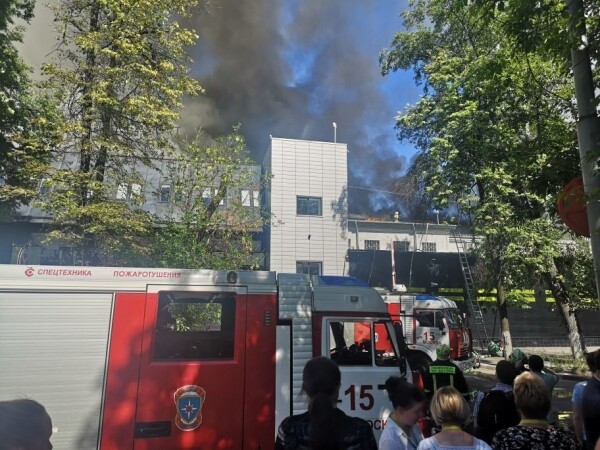
Hello everyone! My name is Dmitry Samsonov, and I work as a lead system administrator at “.” In the photo is one of the four data centers where the equipment serving our project is installed. Behind these walls are about 4,000 pieces of equipment: servers, storage systems, network equipment, etc. – almost ⅓ of all our equipment.
Most of the servers run on Linux. There are also several dozen Windows servers (MS SQL) – a legacy from which we have been gradually moving away for many years.
So, on June 5, 2019, at 14:35, engineers from one of our data centers reported a fire alarm.
Denial
14:45. Minor smoke incidents in data centers happen more often than it seems. The indicators inside the halls were normal, so our initial reaction was relatively calm: we imposed a ban on working with production, meaning no configuration changes, no deployments of new versions, etc., except for work related to fixing something.
Anger
Have you ever tried to ask firefighters where exactly on the roof the fire occurred, or gone yourself to the burning roof to assess the situation? What would the degree of trust be in information received through five people?
14:50. Information came that the fire was approaching the cooling system. But will it reach it? The on-duty system administrator is routing external traffic away from the fronts of this data center.
Currently, the fronts of all our services are duplicated across three data centers, using DNS-level load balancing, which allows us to remove one data center's addresses from DNS, thereby shielding users from potential access issues with the services. In case problems in the data center have already occurred, it automatically drops out of rotation. You can read more here:
The fire has not affected us so far — neither users nor equipment have been harmed. Is this an incident? The first section of the document "Action Plan for Incidents" defines the concept of "Incident", and concludes with the section saying:
«If there are doubts about whether it is an incident or not, then it is an incident!»
14:53. An incident coordinator is appointed.
The coordinator is the person who manages communication between all participants, assesses the scale of the incident, uses the "Action Plan for Incidents", brings in necessary personnel, oversees the repair completion, and most importantly — delegates any tasks. In other words, this is the person who manages the entire incident resolution process.
Trade
15:01. We begin shutting down servers that are not tied to production.
15:03. We correctly turn off all reserved services.
This includes not only the frontends (which users have already stopped accessing by this point) and their auxiliary services (business logic, caches, etc.), but also various databases with a replication factor of 2 or more (, , , and others).
15:06. We have received information that the fire threatens one of the data center halls. There is no equipment in this hall, but the fact that the fire could spread from the roof to the halls significantly changes the picture.
(It later turned out that there was no physical threat to the hall, as it was hermetically sealed from the roof. The threat was only to the cooling system of this hall.)
15:07. We allow the execution of commands on servers in expedited mode without additional checks ().
15:08. The temperature in the halls is within normal limits.
15:12. A rise in temperature has been recorded in the halls.
15:13. More than half of the servers in the data center are shut down. We continue.
15:16. A decision has been made to shut down all equipment.
15:21. We begin shutting off power to stateless servers without properly shutting down the application and operating system.
15:23. A group responsible for MS SQL is assigned (there are few of them, the dependency of services on them is not great, but the recovery process takes more time and is more complex than, for example, with Cassandra).
Depression
15:25. Information has been received about a power shutdown in four halls out of 16 (No. 6, 7, 8, 9). Our equipment is located in halls 7 and 8. There is still no information about our other halls (№1 and 3).
Typically, power is immediately shut off during fires, but in this case, thanks to the coordinated efforts of the firefighters and the data center technical staff, it was not turned off everywhere and not immediately, but as needed.
(It later turned out that power in halls 8 and 9 was not turned off.)
15:28. We are starting to restore MS SQL databases from backups in other data centers.
How long will this take? Is there enough bandwidth along the entire route?
15:37. Some sections of the network have been reported as disconnected.
The management and production networks are physically isolated from each other. If the production network is available, you can log into the server, stop the application, and shut down the OS. If it's not available, you can log in via IPMI, stop the application, and shut down the OS. If neither network is available, there's nothing you can do. 'Thanks, Captain!' you might think.
'And anyway, it seems like there's a lot of commotion,' you might also think.
The thing is, servers generate a massive amount of heat even without a fire. Specifically, when there's cooling, they generate heat, and when there isn't, they create an inferno that at best will melt part of the equipment and shut down another part, and at worst... will start a fire inside the hall, which will almost certainly destroy everything.

15:39. We are noting problems with the conf database.
The conf database serves as the backend for the service of the same name, which is used by all production applications for operational configuration changes. Without this database, we cannot manage the portal, although the portal itself may still work.
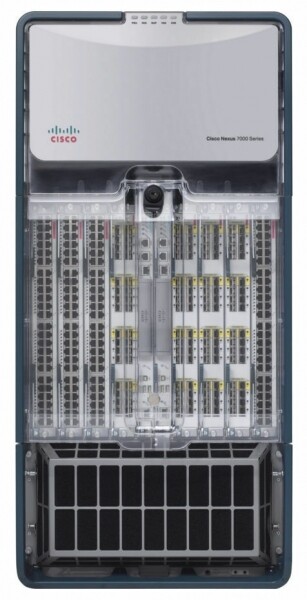
15:41. Temperature sensors on the core network equipment are registering readings close to the allowable limits. This unit occupies an entire rack and ensures the operation of all networks within the data center.
15:42. The issue tracker and wiki are unavailable, we are switching to standby.
This is not a production environment, but during an emergency, access to any knowledge base can be critical.
15:50. One of the monitoring systems has gone offline.
There are several of them, each responsible for different aspects of service operation. Some are configured for standalone operation within each data center (meaning they only monitor their own data center), while others consist of distributed components that transparently handle the loss of any data center.
In this case, it stopped working , which operates in master-standby mode. We switched to standby.
Acceptance
15:51. All servers except for MS SQL were turned off via IPMI without a proper shutdown.
Are you ready for mass management of servers via IPMI if necessary?
This is the moment when the rescue of equipment in the data center at this stage is complete. Everything that could be done has been done. Some colleagues can take a break.
16:13. We received information that the refrigeration pipes from the air conditioners burst on the roof — this will delay the launch of the data center after the fire is extinguished.
16:19. According to data from the data center technical staff, the temperature in the halls has stabilized.
17:10. We restored the conf database. Now we can change application settings.
Why is this so important if everything is fault-tolerant and works even without one data center?
Firstly, not everything is fault-tolerant. There are various secondary services that are not yet sufficiently resilient against the failure of a data center, and there are databases in master-standby mode. The ability to manage settings allows us to do everything necessary to minimize the impact of the incident on users, even under challenging conditions.
Secondly, it became clear that the data center would not fully recover in the coming hours, so measures needed to be taken to prevent long-term unavailability of replicas from leading to additional issues like disk overflow in the remaining data centers.
17:29. Pizza time! We have people working, not robots.

Rehabilitation
18:02. The temperature in halls #8 (our), 9, 10, and 11 has stabilized. In one of those that remain shut down (#7), our equipment is located, and the temperature there continues to rise.
18:31. Permission was given to start up the equipment in halls #1 and 3 — these halls were not affected by the fire.
Currently, servers are being started in halls No. 1, 3, and 8, beginning with the most critical ones. The functionality of all launched services is being verified. There are still issues with hall No. 7.
18:44. The data center technical staff discovered that many servers in hall No. 7 (which only contains our equipment) are not turned off. According to our data, 26 servers remain powered on. After rechecking, we found 58 servers.
20:18. The data center technical personnel are blowing air in the hall without air conditioning through mobile air ducts laid through the corridors.
23:08. We sent the first admin home. Someone needs to get some sleep tonight to continue work tomorrow. We will also send some more admins and developers home.
02:56. We have started everything that could be started. We are conducting a thorough verification of all services with automated tests.
03:02. Air conditioning in the last, 7th hall has been restored.
03:36. We have initiated DNS rotation in the data center. From this moment, user traffic starts arriving.
We are sending most of the admin team home. However, we are keeping a few people.
A small FAQ:
Q: What happened between 18:31 and 02:56?
A: Following the "Disaster Recovery Plan," we are starting all services, beginning with the most important ones. Meanwhile, the coordinator in the chat assigns a service to a free admin, who checks whether the OS and application have launched, if there are any errors, and if the parameters are normal. Once the launch is complete, he reports back in the chat that he is free and receives a new service from the coordinator.
The process is additionally slowed down by malfunctioning hardware. Even if stopping the OS and turning off servers went correctly, some servers do not return due to unexpectedly failed disks, memory, or chassis. In case of power loss, the failure rate increases.
Q: Why can't everything just be started at once, and then fix whatever appears in monitoring?
A: Everything needs to be done gradually because there are dependencies between services. All should be checked at once, without waiting for monitoring — because it is better to deal with problems immediately rather than waiting for them to worsen.
07:40. The last admin (coordinator) has gone to sleep. The work of the first day is completed.
8:09 AM. The first developers, data center engineers, and administrators (including the new coordinator) have begun restoration work.
9:37 AM. We have started lifting Hall No. 7 (the last one).
Simultaneously, we continue to restore what was left unfinished in other halls: replacing disks/memory/servers, fixing everything that 'burns' in monitoring, reversing role switches in master-standby schemes, and other little things that, nevertheless, add up.
5:08 PM. We are allowing all routine work with production.
9:45 PM. Work on the second day is completed.
9:45 AM. It's Friday. There are still quite a few minor issues in monitoring. The weekend is ahead, and everyone wants to rest. We continue to fix everything that can be fixed. Routine administrative tasks that could be postponed have been postponed. There is a new coordinator.
3:40 PM. Suddenly, half of the Core network equipment stack in the OTHER data center restarted. We removed the fronts from rotation to minimize risks. There is no effect on users. Later, it turned out that it was a faulty chassis. The coordinator is working on the repairs of two emergencies at once.
5:17 PM. Network operation in the other data center has been restored, and everything has been checked. The data center has been re-entered into rotation.
6:29 PM. Work on the third day and, in general, recovery after the incident is complete.
Afterword
April 4, 2013, , "Odnoklassniki" — for three days, the portal was completely or partially unavailable. During this entire time, more than 100 people from different cities and companies (thank you once again!), both remotely and directly in the data centers, manually and automatically fixed thousands of servers.
We have drawn conclusions. To prevent this from happening again, we conducted and continue to conduct extensive operations to this day.
What are the main differences between the current incident and the 404?
- We have developed an 'Emergency Action Plan.' Once a quarter, we conduct drills — simulating an emergency that the group of administrators (taking turns) must resolve using the 'Emergency Action Plan.' Leading system administrators take turns practicing the coordinator role.
- Quarterly, we isolate data centers (all in turn) over the LAN and WAN networks in a test mode, which allows us to identify bottlenecks in a timely manner.
- Fewer disk failures, as we have tightened our standards: reduced operating hours, stricter thresholds for S.M.A.R.T.
- We have completely abandoned BerkeleyDB — an old and unstable database that required a lot of time to recover after the server restart.
- We reduced the number of MS SQL servers and decreased our dependency on the remaining ones.
- We now have our own , to which we have been actively migrating all services for the past two years. The cloud significantly simplifies the entire application lifecycle, and in case of an incident, provides unique tools such as:
- a one-click graceful shutdown of all applications;
- easy migration of applications from failing servers;
- automated prioritized startup (in the order of service importance) of an entire data center.
The incident described in this article was the largest since the 404. Naturally, not everything went smoothly. For example, during the unavailability of the burnt-down data center, a disk failed on one of the servers in another data center, meaning that only one of the three replicas in the Cassandra cluster was available, which caused 4.2% of mobile app users to be unable to log in. At the same time, already connected users continued to work. A total of over 30 issues were identified as a result of the incident — from basic bugs to architectural flaws in the services.
But the most significant difference between the current incident and the 404 is that while we were addressing the aftermath of the fire, users continued to chat and make video calls on , played games, listened to music, exchanged gifts, watched videos, series, and channels on , and also streamed on .
How do your incidents go?
Source: habr.com
