

The 2020 report by Bruce Momjian "Unlocking the Postgres Lock Manager".
(Note: You can access all SQL queries from the slides at this link: )
Hello! It’s wonderful to be back here in Russia. I apologize for not being able to come last year, but this year Ivan and I have big plans. I hope to be here much more often. I love coming to Russia. I will be visiting Tyumen and Tver. I am very excited to have the chance to be in these cities.
My name is Bruce Momjian. I work at EnterpriseDB and have been working with Postgres for over 23 years. I live in Philadelphia, USA. I travel about 90 days a year and attend around 40 conferences. My , which contains the slides I will be showing you now. So after the conference, you can download them from my personal site. It also has about 30 presentations, as well as videos and a large number of blog posts, over 500. It’s quite a substantial resource, and if you are interested in this material, I invite you to make use of it.
I used to be a teacher, a professor before I started working with Postgres. And I am very glad that I can now tell you what I am going to share with you. This is one of my most interesting presentations. And this presentation contains 110 slides. We will start with simple things, and by the end, the presentation will become more and more complex.
This is quite an unpleasant topic. Locking is not a very popular subject. We want it to just go away. It’s like going to the dentist.
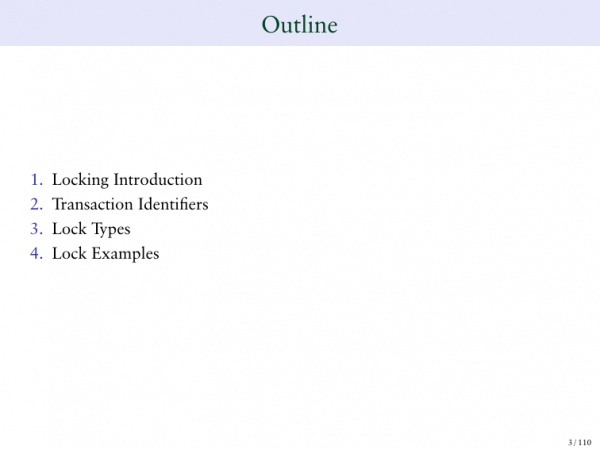
- Locking is a problem for many people who work with databases and have multiple processes running simultaneously. They need locking. So today I will give you the basics of locking.
- Transaction identifiers. This is quite a boring part of the presentation, but it is essential to understand.
- Next, we will talk about types of locking. This is a fairly mechanical part.
- And then we will provide some examples of locks. This will be quite challenging to digest.
Let’s talk about locks.
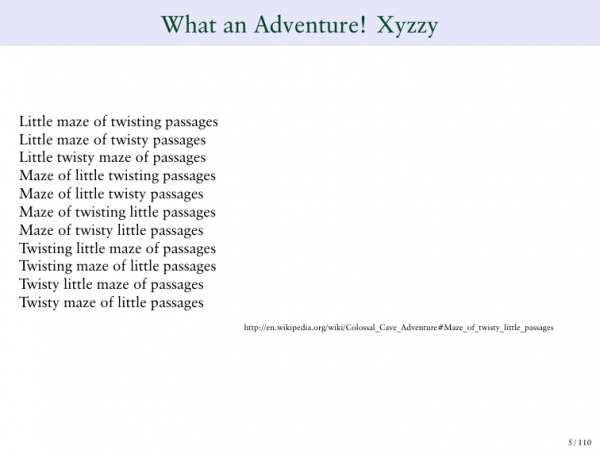
Our terminology is quite complex. How many of you know where this excerpt is from? Two people. It's from a game called 'Colossal Adventure in the Cave.' It was a text-based computer game from the 80s, I think. You had to enter a cave, a labyrinth, and the text changed, but the content was approximately the same each time. That’s how I remember this game.
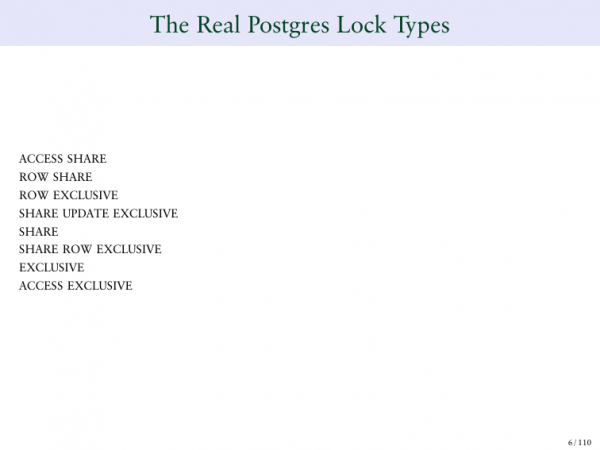
Here we see the names of the locks that come to us from Oracle. We use them.
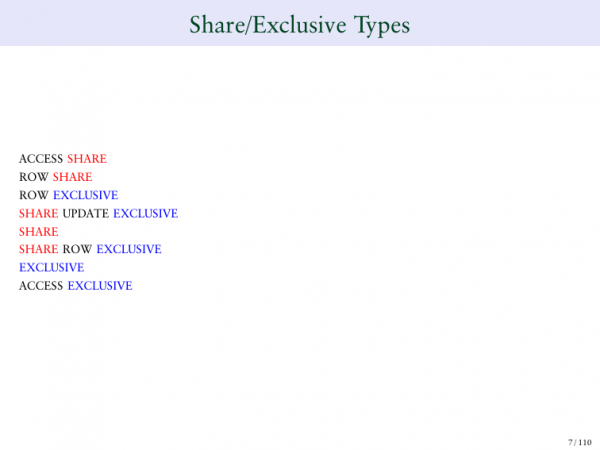
Here we see terms that confuse me. For example, SHARE UPDATE EXCLUSIVE. Next, SHARE RAW EXCLUSIVE. To be honest, these names are not very clear. We will try to examine them in more detail. Some contain the word 'share', which means - to separate. Some contain the word 'exclusive' - exclusive. Some contain both of these words. I would like to start with how these locks work.
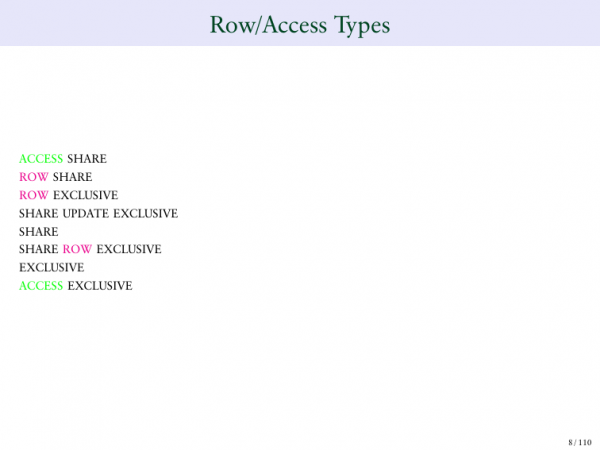
Also, the word ‘access’ is very important. And the word ‘row’. That is, distribution of access, distribution of rows.
Another problem that needs to be understood in Postgres, unfortunately, I won't be able to cover this in my talk, is MVCC. I have a separate presentation on this topic on my website. And if you think this presentation is complex, then MVCC is probably my most complicated one. And if you're interested, you can watch it on the site. You can view the video.
Another point that we need to understand is transaction identifiers. Many transactions cannot operate without unique identifiers. Here we have an explanation of what a transaction is. In Postgres, there are two transaction numbering systems. I know, it's not a very elegant solution.

Please also note that the slides will be quite complex to perceive, so pay special attention to what is highlighted in red.
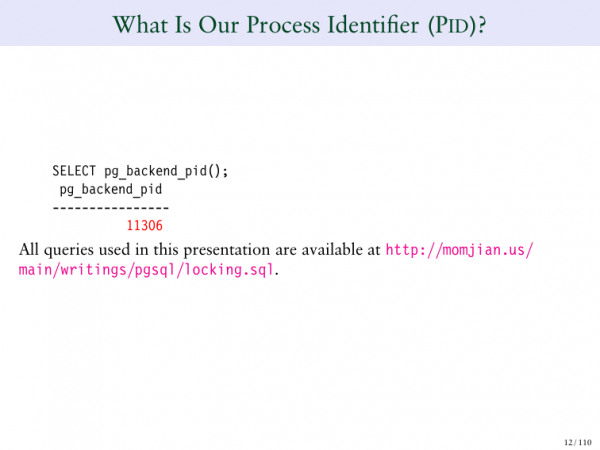
Looking at it. The transaction number is highlighted in red. Here the function SELECT pg_back is shown. It returns my transaction and the ID of that transaction.
Another point is, if you like this presentation and want to run it in your database, you can follow the link highlighted in pink to download the SQL for this presentation. You can simply run it in your PSQL, and the entire presentation will appear on your screen immediately. It won't contain colors, but at least we'll be able to see it.
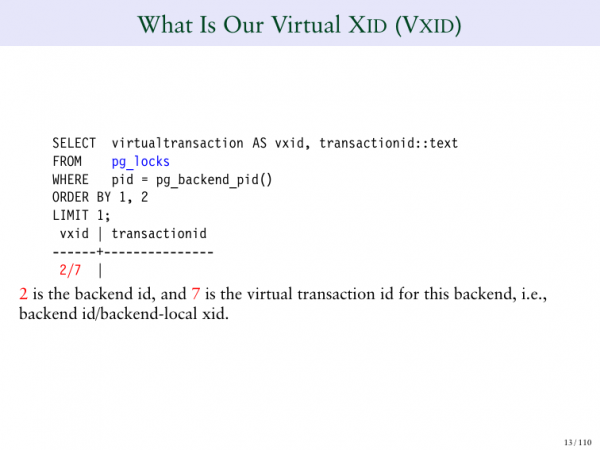
In this case, we see the transaction ID. This is the number we assigned to it. There is also another type of transaction ID in Postgres called a virtual transaction ID.
And we need to understand this. It's very important; otherwise, we won't be able to grasp the locking mechanism in Postgres.
A virtual transaction ID is a transaction ID that does not contain permanent values. For example, when I run a SELECT command, I'm likely not changing the database; I'm not blocking anything. Therefore, when we execute a simple SELECT, we do not assign this transaction a permanent ID; we only give it a virtual ID.
And this enhances Postgres performance, improving its cleaning capabilities, so the virtual transaction ID consists of two numbers. The first number before the slash is the backend ID. On the right, we just see a counter.
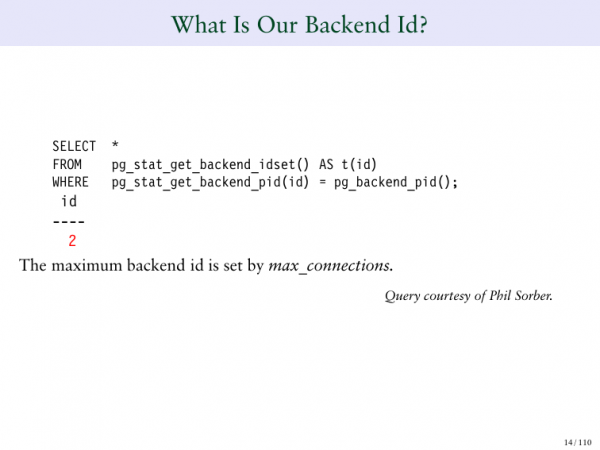
So when I run a query, it indicates that the backend ID is 2.
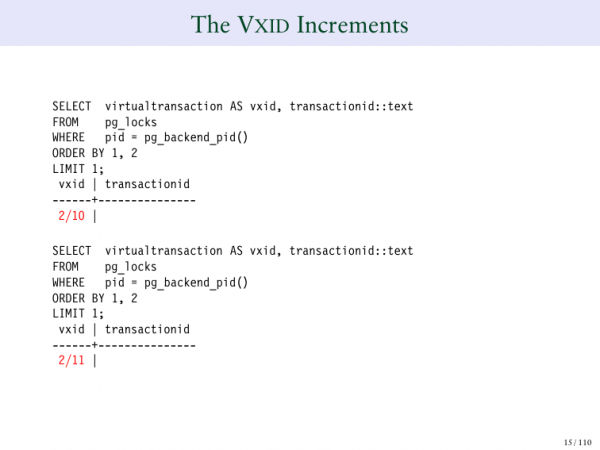
And if I run a series of such transactions, we see that the counter increments each time I run a query. For instance, when I run the queries 2/10, 2/11, 2/12, and so on.
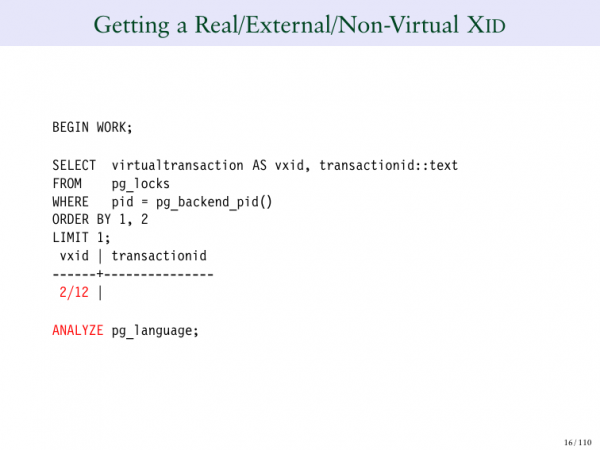
Note that there are two columns here. On the left, we see the virtual transaction ID - 2/12. And on the right, we have the permanent transaction ID. This field is empty. And this transaction does not modify the database, which is why I do not assign it a permanent transaction ID.
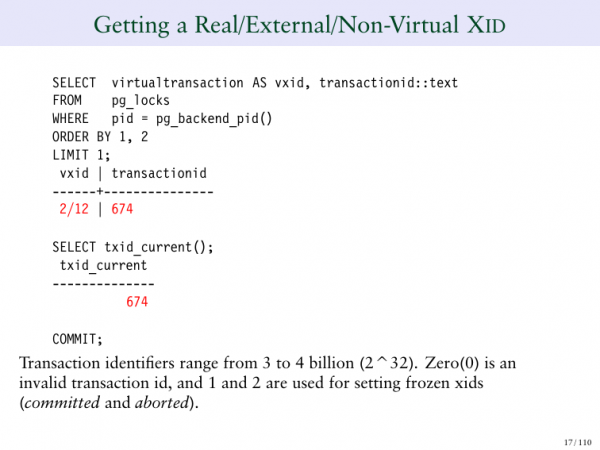
Once I execute the ANALYZE command, the same query returns a permanent transaction ID. Notice how this has changed. Previously, I didn't have this ID; now it has appeared.
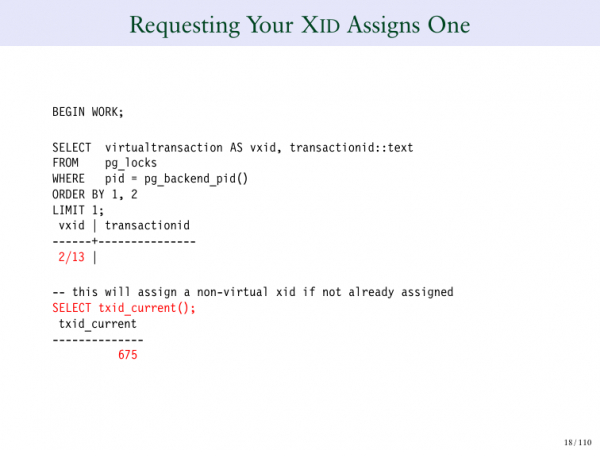
So, here’s another query, another transaction. The virtual transaction number is 2/13. And if I request the permanent transaction ID, I will receive it when I run the query.
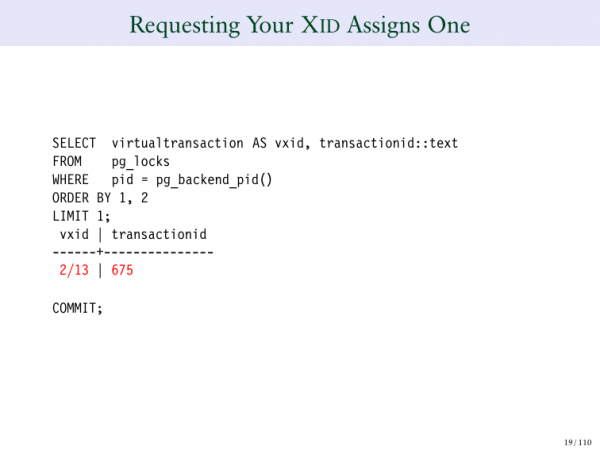
So, once again, we have a virtual transaction ID and a permanent transaction ID. Just understand this point to grasp Postgres behavior.
We move on to the third section. Here, we will just go through the various types of locks in Postgres. It’s not very exciting. The last section will be much more interesting. But we must cover the basics, otherwise, we won’t understand what comes next.
We will go through this section, examining each type of lock. I will show you examples of how they are set, how they work, and provide some queries that can be used to see how locking functions in Postgres.
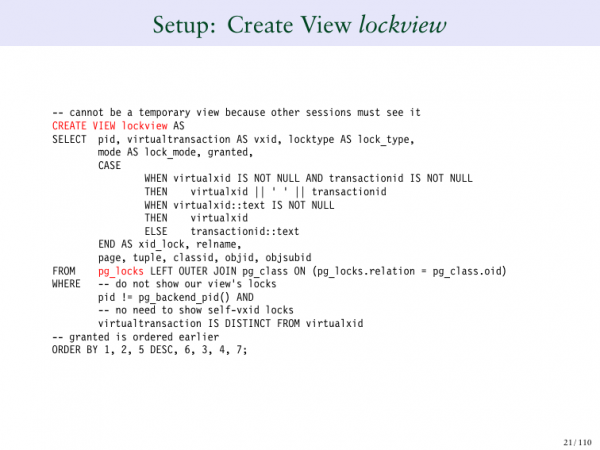
To create a query and see what happens in Postgres, we need to issue a request to the system view. In this case, pg_lock is highlighted in red. Pg_lock is a system table that tells us what locks are currently being used in Postgres.
However, it is very difficult for me to show you pg_lock by itself because it's quite complex. Therefore, I created a view that shows pg_locks. It also does some work for me, which helps me understand better. That is, it excludes my locks, my own session, etc. This is just standard SQL, and it allows me to better show you what is happening.
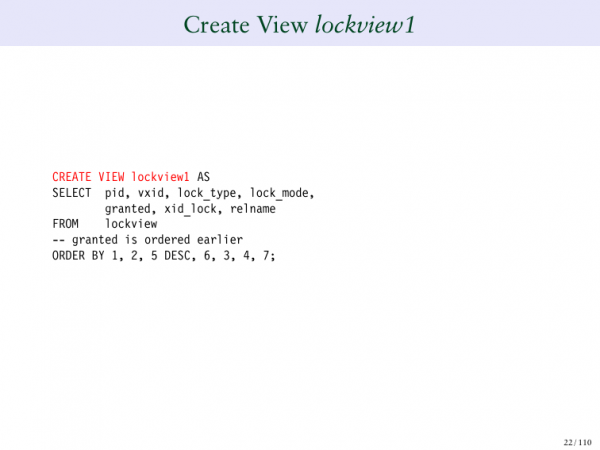
Another issue is that this view is very wide, so I had to create a second one – lockview2.
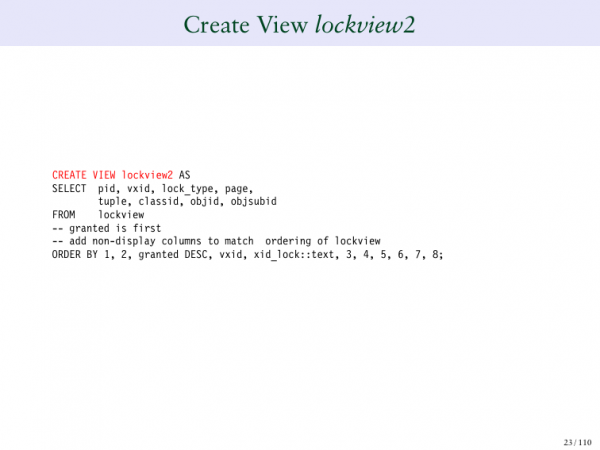 And it shows me additional columns from the table. And another one that shows me the remaining columns. It’s quite complex, so I tried to present it as simply as possible.
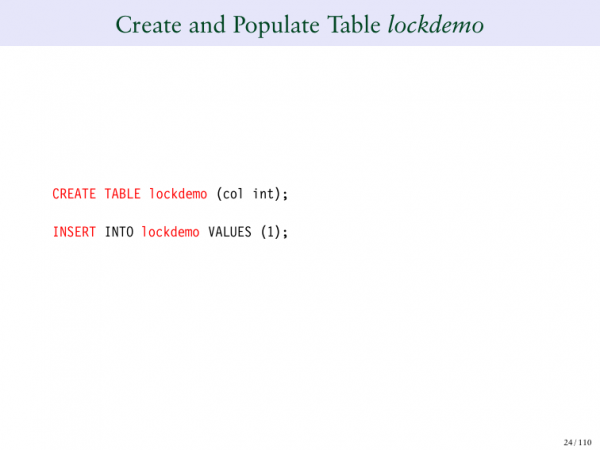
So, we created a table called Lockdemo. We added a single row there. This is our sample table. We will create sections to simply show you examples of locks.
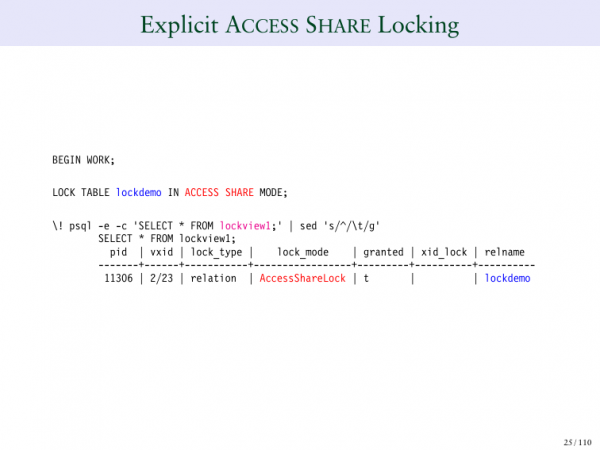
So, one row, one column. The first type of lock is called ACCESS SHARE. This is the least restrictive lock. It means that it hardly conflicts with other locks.
If we want to explicitly define the lock, we use the command "lock table". This will explicitly lock it, meaning that in ACCESS SHARE mode we issue lock table. If I run PSQL in the background, it opens a second session from my first session. So what do I do here? I switch to another session and tell it, "show me the lock view for this request". Here I see AccessShareLock on this table. This is exactly what I asked for. It indicates that the lock has been assigned. Very straightforward.
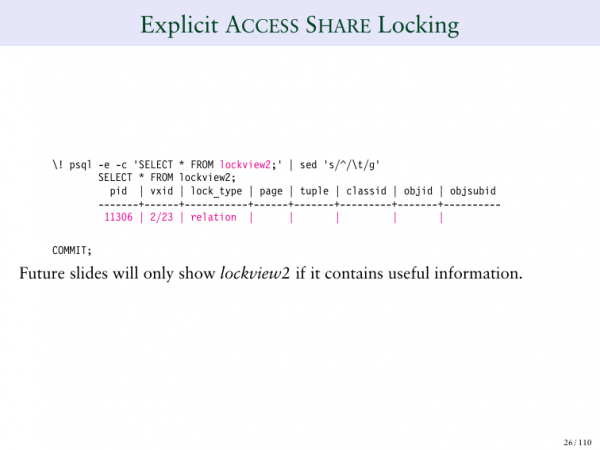
Next, if we look at the second column, there’s nothing there. They are empty.
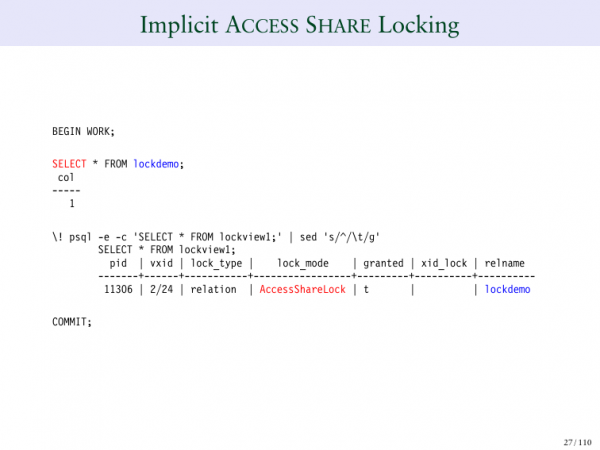
When I run the command "SELECT", this is an implicit (explicit) way to request an AccessShareLock. So I release my table and run the query, and the query returns several rows. In one of those rows, we see AccessShareLock. Thus, SELECT invokes AccessShareLock on the table. It hardly conflicts with anything because it’s a low-level lock.
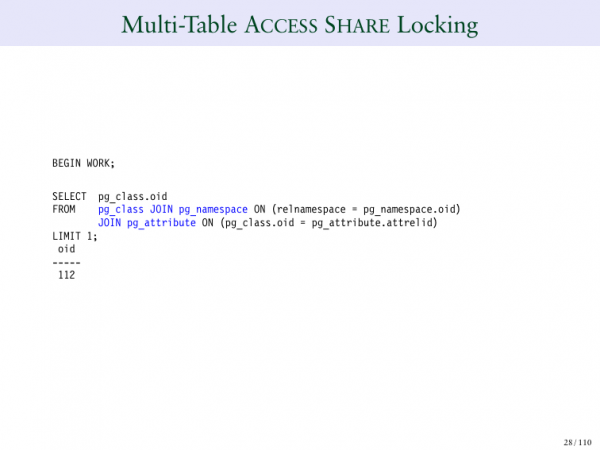
What if I run SELECT and have three different tables? Previously I only ran one table, now I run three: pg_class, pg_namespace, and pg_attribute.
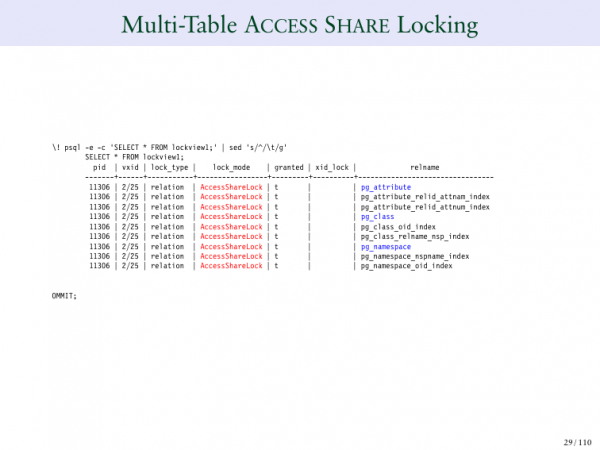
Now, when I look at the query, I see 9 AccessShareLocks across the three tables. Why? The three tables are highlighted in blue: pg_attribute, pg_class, pg_namespace. But you can also see that all indexes defined through these tables also have AccessShareLock.
This is a lock that virtually conflicts with nothing. All it does is prevent us from dropping the table while we are selecting it. That makes sense. If we select a table and it disappears at that moment, that would be incorrect, therefore, AccessShare is a low-level lock that tells us, "do not delete this table while I am working".Essentially, that’s all it does.
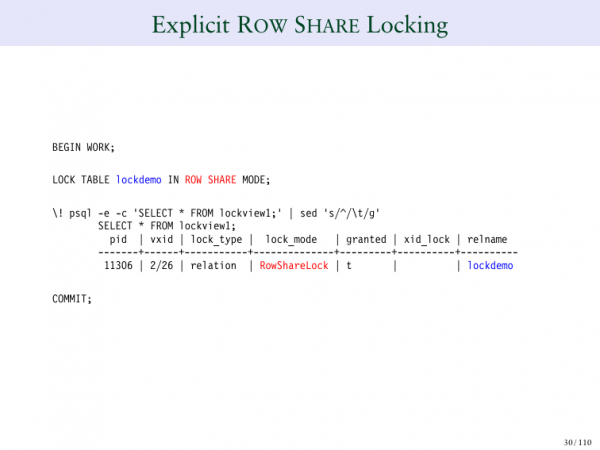
ROW SHARE is a somewhat different lock.
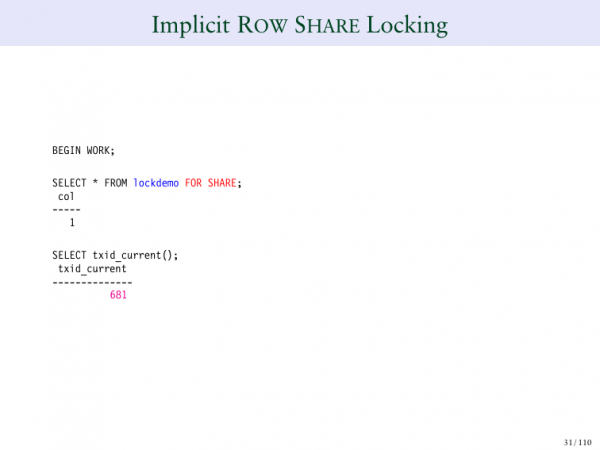
Let’s take an example. SELECT ROW SHARE is a way to lock each row individually.Thus, no one can delete or modify them while we are viewing them.
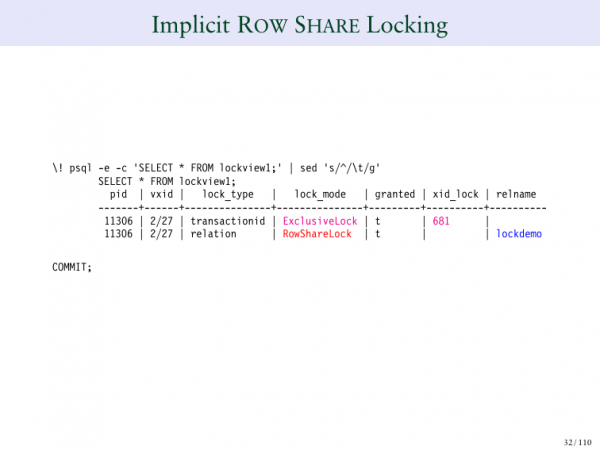 So, what does SHARE LOCK do? We see that transaction ID 681 is for a SELECT. And that’s interesting. What has happened here? For the first time, we see a number in the 'Lock' field. We take the transaction ID, and it indicates that it is being locked in exclusive mode. All it does is say that I have a row that is technically locked somewhere in the table. But it doesn’t specify exactly where. We will look at this in more detail a little later.
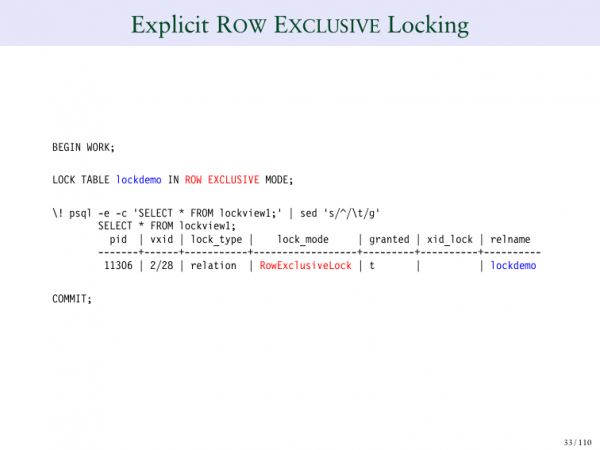
Here we state that the lock is used by us.
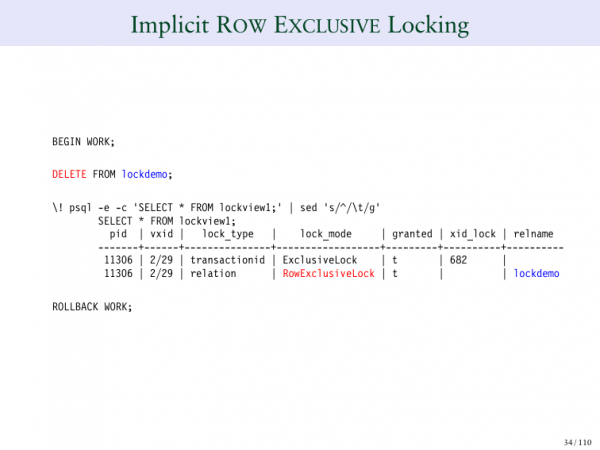
So, an exclusive lock explicitly indicates that it is exclusive. Also, if you delete a row in this table, that’s what will happen, as you can see.
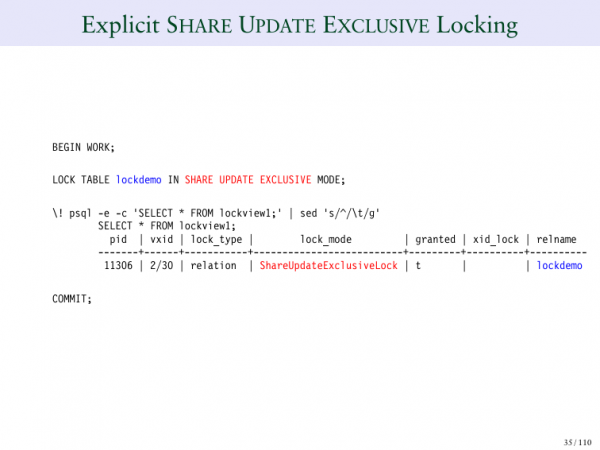
SHARE EXCLUSIVE is a longer lock.
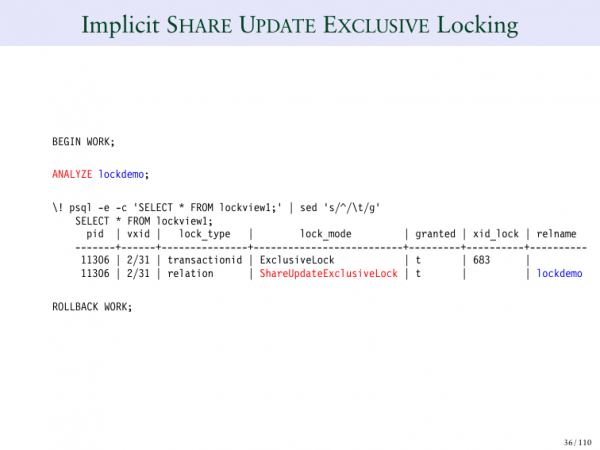
This (ANALYZE) is the analyzer command that will be used.
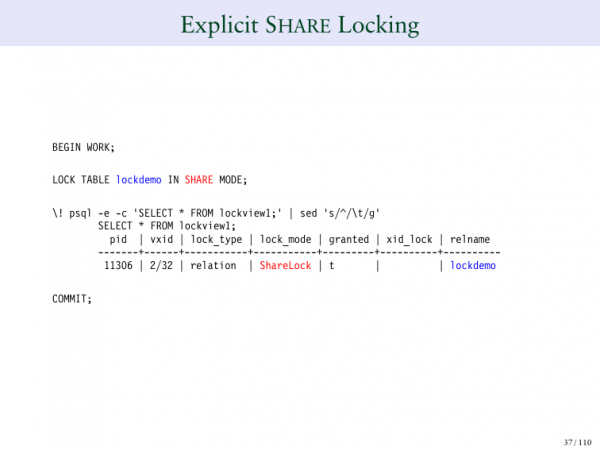
SHARE LOCK - you can explicitly lock in share mode.
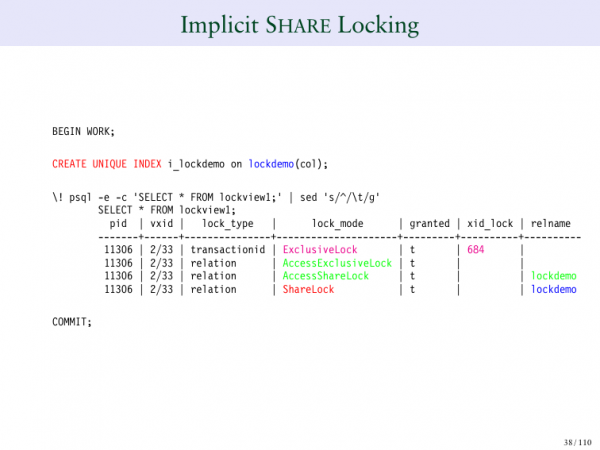
You can also create a unique index. And there you can see SHARE LOCK, which is part of them. And it locks the table, setting a SHARE LOCK on it.
By default, a SHARE LOCK on a table means that others can read the table, but no one can modify it. And that’s what happens when you create a unique index.
If I create a unique index concurrently, I will have another type of lock, because, as you remember, the use of concurrently indexes reduces the locking requirement. And if I use a normal lock, a normal index, then I prevent writing to the index table during its creation. If I use a concurrently index, then I need to use a different type of lock.
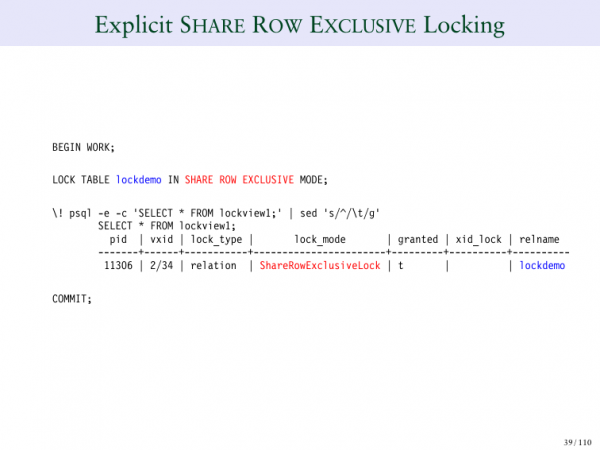
SHARE ROW EXCLUSIVE - again, it can be explicitly set.
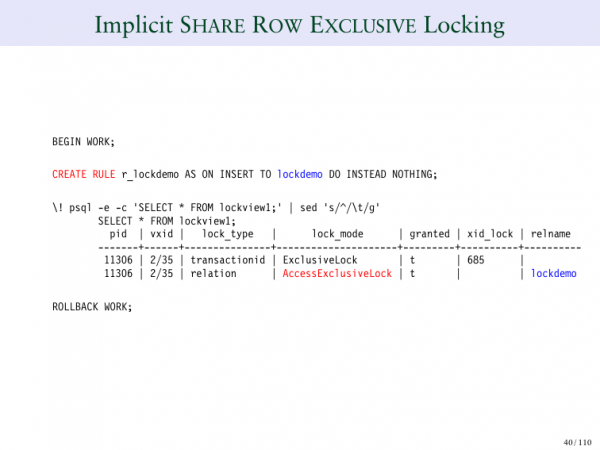
Or we can create a rule, i.e., take some specific instance in which it will be used.
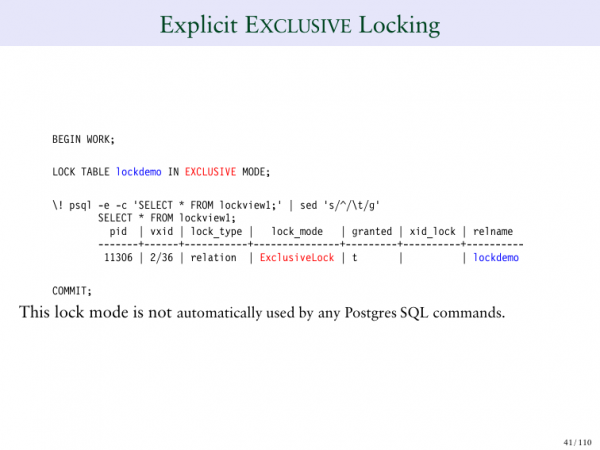
EXCLUSIVE lock means that no one else will be able to change the table.
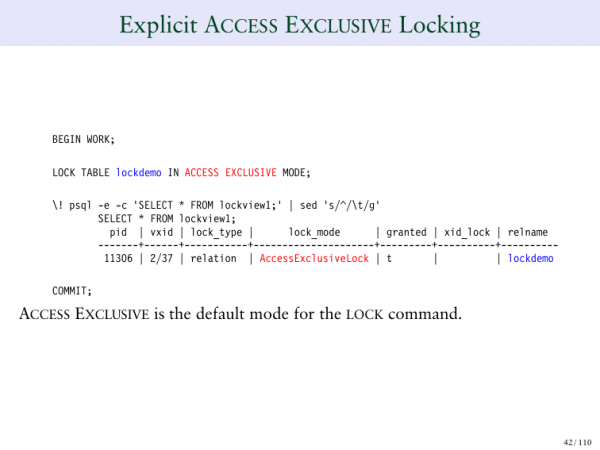
Here we see various types of locks.
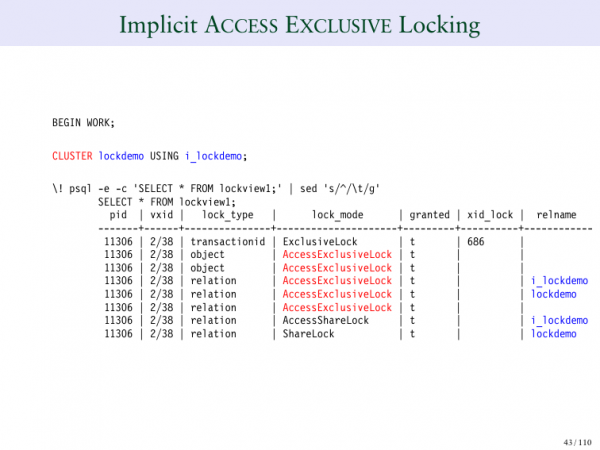
ACCESS EXCLUSIVE, for example, is a locking command. For instance, if you do CLUSTER table, that would mean that no one will be able to write to it. And it locks not only the table itself but also the indexes.
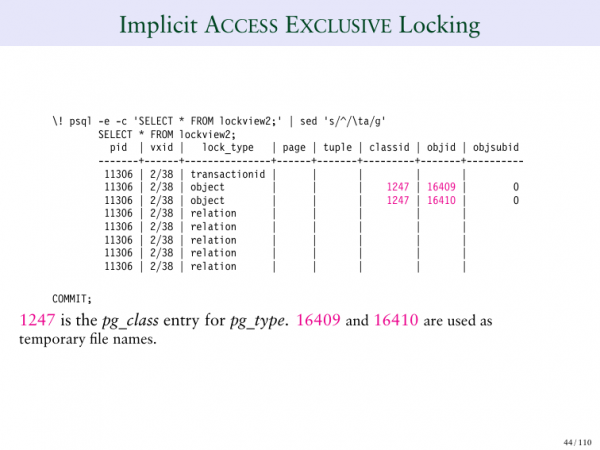
This is the second page of the ACCESS EXCLUSIVE lock, where we specifically see what it locks in the table. It locks individual rows of the table, which is quite interesting.
This is all the basic information I wanted to provide. We talked about locks, transaction IDs, discussed virtual transaction IDs, and persistent transaction IDs.
Now let's go through some examples of locks. This is the most interesting part. We will look at some very intriguing cases. My goal in this presentation is to give you a better understanding of what Postgres actually does when it tries to lock various items. I believe it is very effective at locking specific parts.
Let's consider some specific examples.
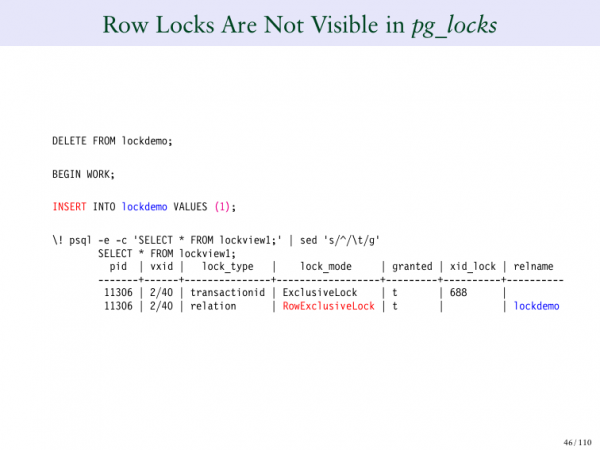
We will start with tables and a single row in a table. When I insert something, I see an ExclusiveLock, a transaction ID, and an ExclusiveLock on the table.
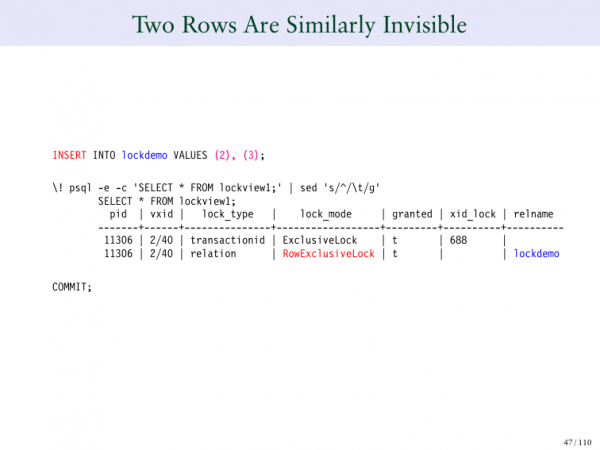
But what happens if I insert two more rows? Now our table has three rows. I inserted one row and got this output. If I add two more rows, what's strange here? There is something odd because I added three rows to this table, but I still have two rows in the lock table. This is fundamentally how Postgres behaves.
Many people think that if you lock 100 rows in the database, you will need to create 100 lock entries. If I lock 1,000 rows at once, then I will need 1,000 such requests. And if I need to lock a million or a billion rows. But if we do it this way, it won't work very well. If you've used a system that creates lock entries for each individual row, you see that it's cumbersome. Because you need to determine a lock table immediately that can overflow, but Postgres does not do that.
And on this slide, it is very important to show that there is another system operating within the MVCC that locks individual rows. So when you lock billions of rows, Postgres does not create a billion separate lock commands. This greatly benefits performance.
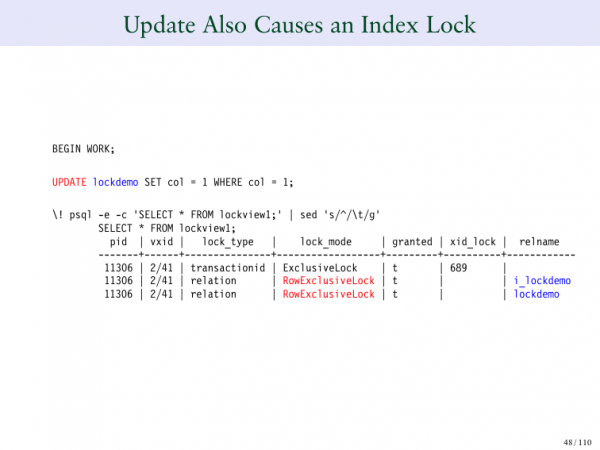
What about updating? I'm currently updating a row, and you may notice that it performed two different operations simultaneously. It locked the table, but it also locked the index. It needed to lock the index because there are unique constraints on this table. We want to ensure that no one changes it, so we lock it.
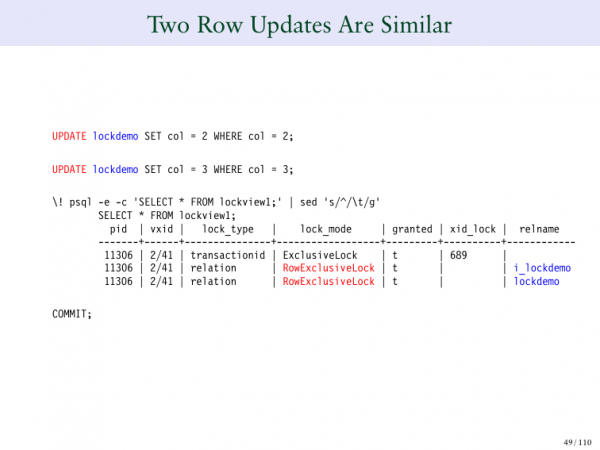
What happens if I want to update two rows? We see that it behaves the same way. We're executing twice as many updates, but the same number of rows are being locked.
If you're curious about how Postgres does this, you need to listen to my talks on MVCC to understand how Postgres internally marks the rows it modifies. Postgres has a method for this, but it doesn't do it at the table locking level; it operates at a lower and more efficient level.
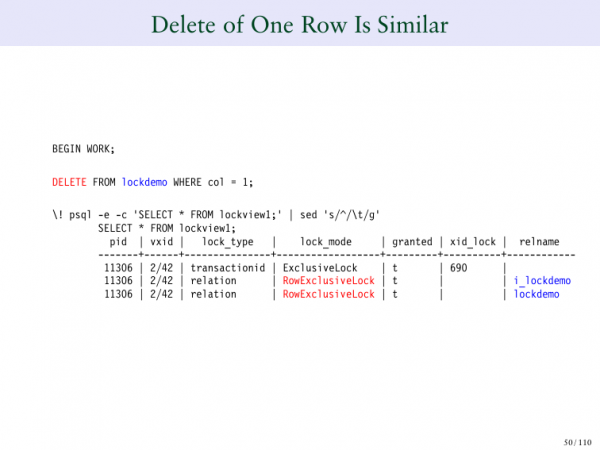
What if I want to delete something? If I delete one row, for instance, and I still have my two locks in place, even if I want to remove them both, they still remain.
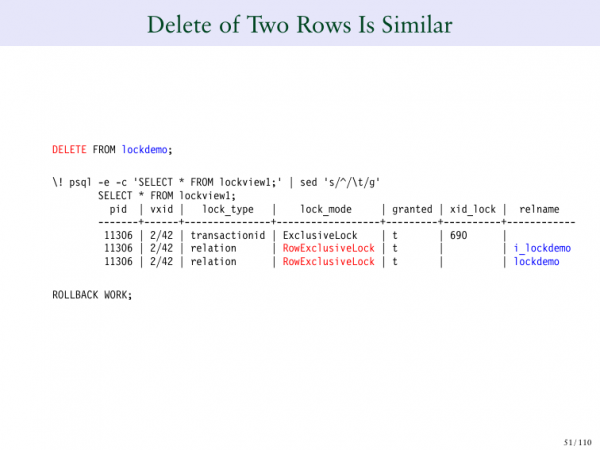
For example, if I want to insert 1,000 rows and then either delete or add 1,000 rows, the individual rows that I add or modify are not recorded here. They are logged at a lower level within the row itself. During my MVCC presentation, I discussed this in detail. It is crucial when analyzing locks to ensure you have a table-level lock and that you don't see individual rows being recorded here.
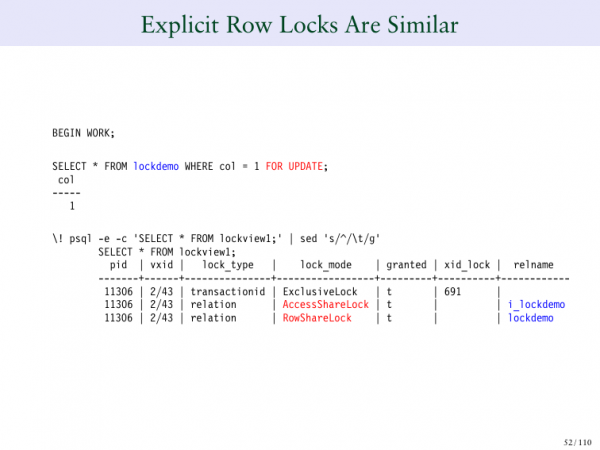
What about explicit locking?
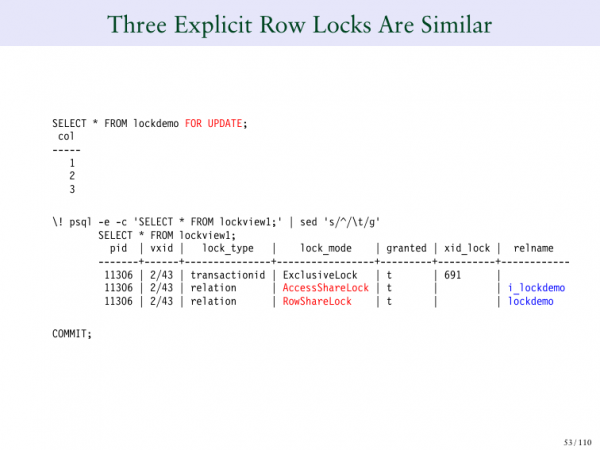
If I hit 'update', then I have two locked rows. If I select them all and click 'update all', I still have two lock entries.
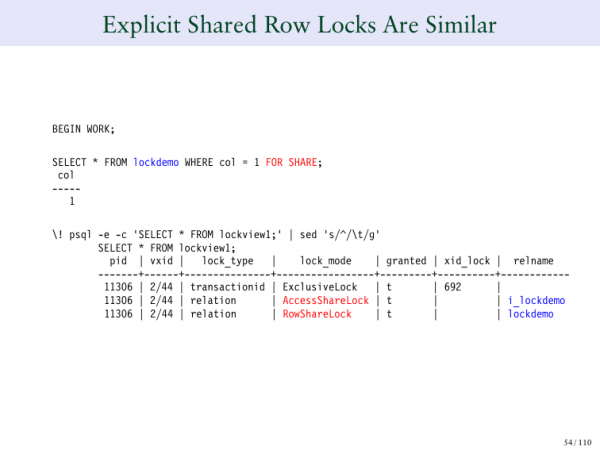
We don't create separate entries for each individual row. Otherwise, it would hurt performance; there could be too many of those. We could find ourselves in an unpleasant situation.
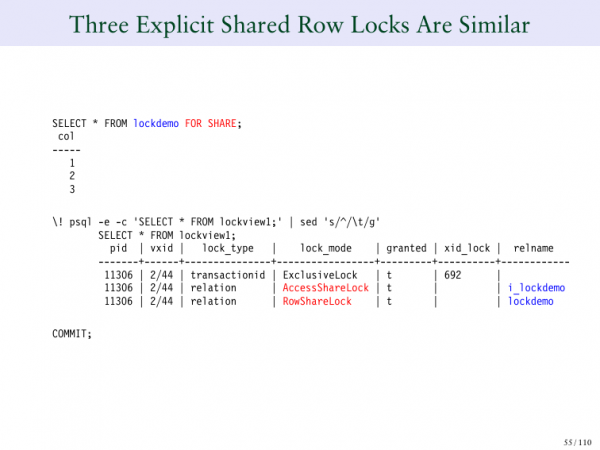
The same applies if we are doing shared locks; we can do it for all 30 times.
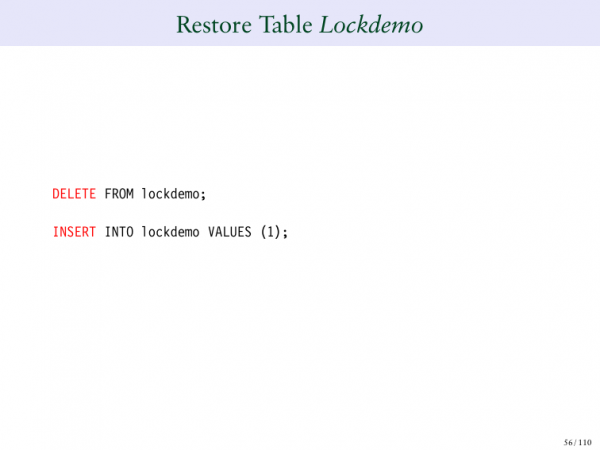
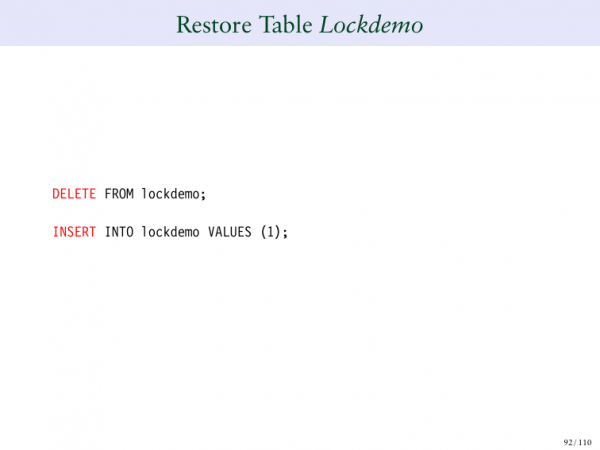
We restore our table, delete everything, and then insert one row again.
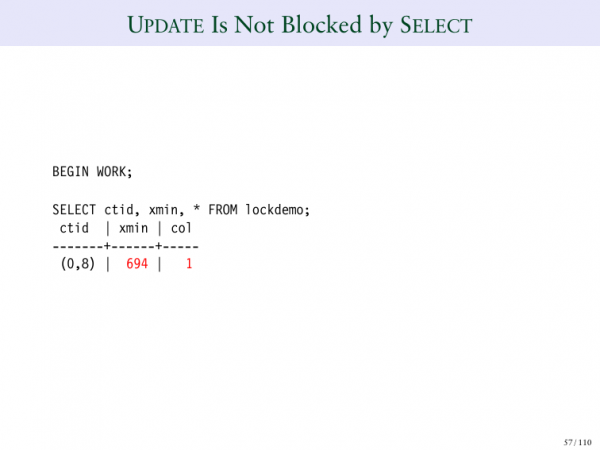
Another type of behavior you see in Postgres is the well-known and desired behavior — that you can perform updates or selects. And you can do this simultaneously. The select does not block the update and vice versa. We tell the reader not to block the writer, and the writer does not block the reader.
I'll show you an example of this. I'll make a selection now. Then we will perform an INSERT. And you will later see — 694. You will see the transaction ID that conducted this insertion. And this is how it works.
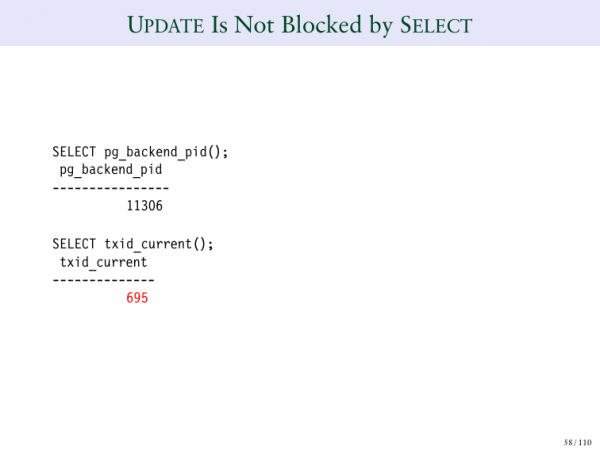
And if I look at my backend ID now, it has become — 695.
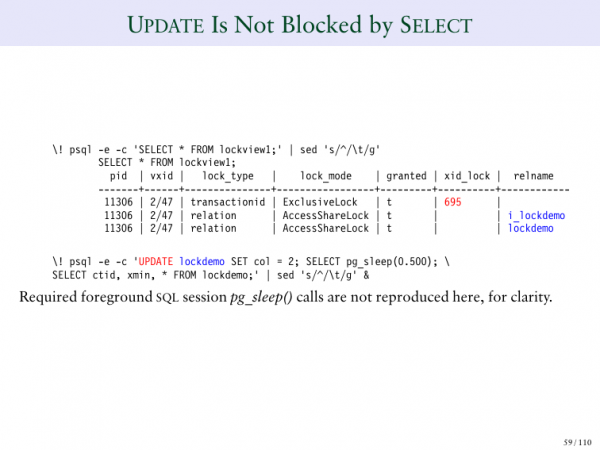
And I can see that 695 appears in my table.
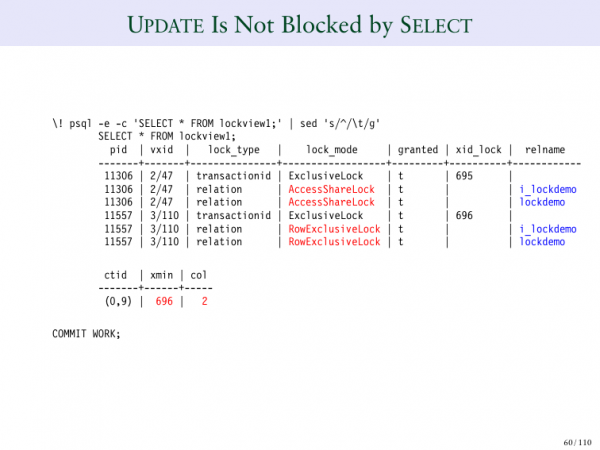
And if I perform an update here like this, I get a different case. In this instance, 695 results in an exclusive lock, and the update has the same behavior, but there is no conflict between them, which is quite unusual.
And you can notice that at the top — this is a ShareLock, and at the bottom — this is an ExclusiveLock. And both transactions succeeded.
And you need to listen to my presentation on MVCC to understand how this works. But this is an illustration of the fact that you can do this simultaneously, i.e., perform SELECT and UPDATE at the same time.
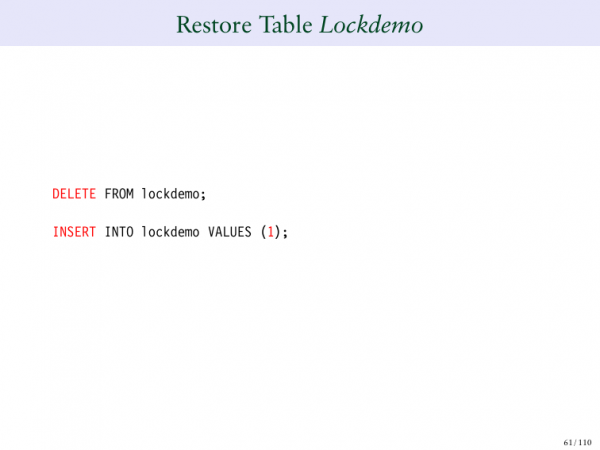
Let's reset and perform one operation again.
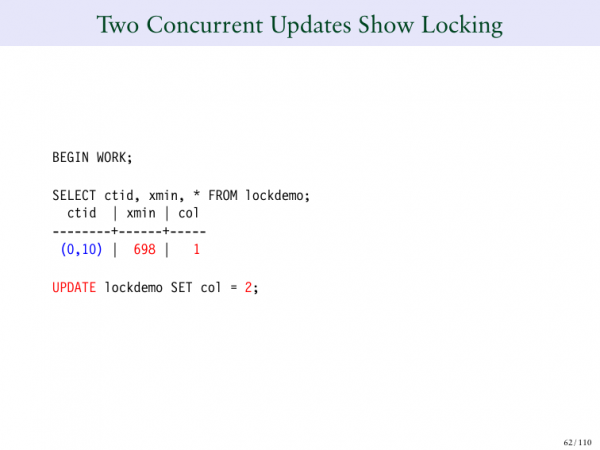
If you try to run two updates on the same row simultaneously, it will get locked. And remember, I said that the reader does not block the writer, and the writer blocks the reader, but one writer blocks another writer. That is, we cannot have two people updating the same row at the same time. You have to wait for one of them to finish.
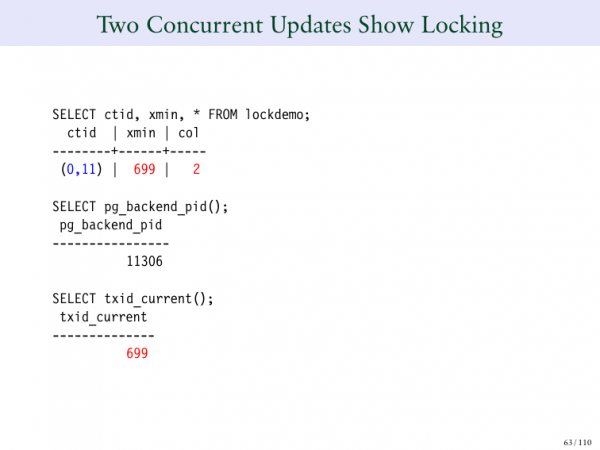
And to illustrate this, I will look at the Lockdemo table. And we will look at one row. For transaction 698.
We updated this to 2. 699 is the first update. And it was successful, or it is in a pending transaction and is waiting for us to commit or roll back.
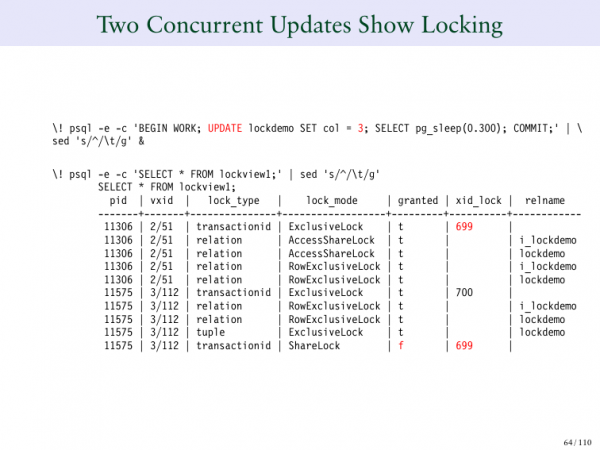
But look at another thing – 2/51 – this is our first transaction, our first session. 3/112 – this is the second request that appeared above and changed this value to 3. And if you notice, the top one has blocked itself, which is 699. But 3/112 did not provide a lock. In the Lock_mode column, it states that it is waiting. It is waiting for 699. And if you look at where 699 is, it is above. And what did the first session do? It created an exclusive lock on its own transaction ID. That’s how Postgres does it. It locks its own transaction ID. And if you want to wait for someone to commit or roll back, you need to wait for the pending transaction. And that’s why we can see a strange line.
Let's take another look. On the left, we see our processing ID. In the second column, we see our virtual transaction ID, and in the third, we see lock_type. What does this mean? Essentially, it says that it blocks the transaction ID. But notice that in all the rows below it says relation. And so you have two types of locks in the table. There is a relation lock. And there is also a transaction ID lock, where we are locking ourselves, which is exactly what happens in the first row or at the very bottom, where transaction ID is, where we are waiting for 699 to finish its operation.
I'm looking at what's happening here. And at the same time, two things are happening. You are looking at the lock by transaction ID in the first row, which blocks itself. And it blocks itself to make people wait.
If you look at the 6th row, it's the same record as the first. And that's why transaction 699 is blocked. 700 also self-blocks. And then in the bottom row, you will see that we are waiting for 699 to finish its operation.
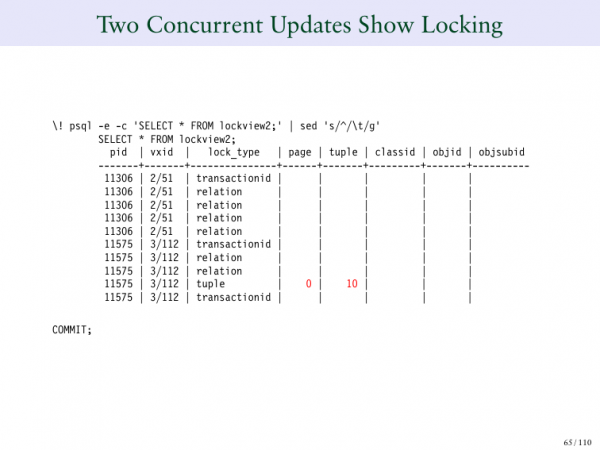
And in lock_type, tuple you see numbers.
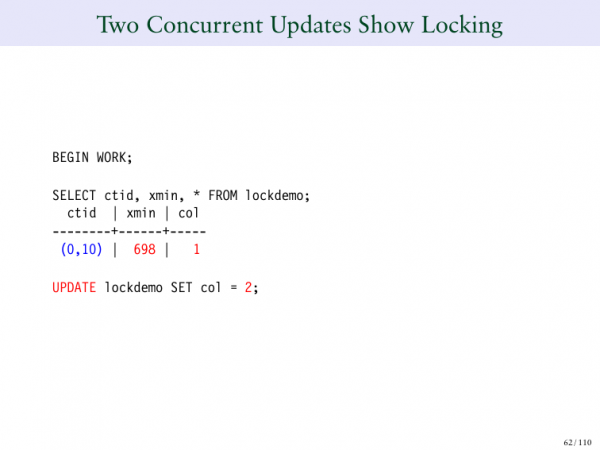
You can see that it's 0/10. And this is the page number, and also the offset of this specific row.
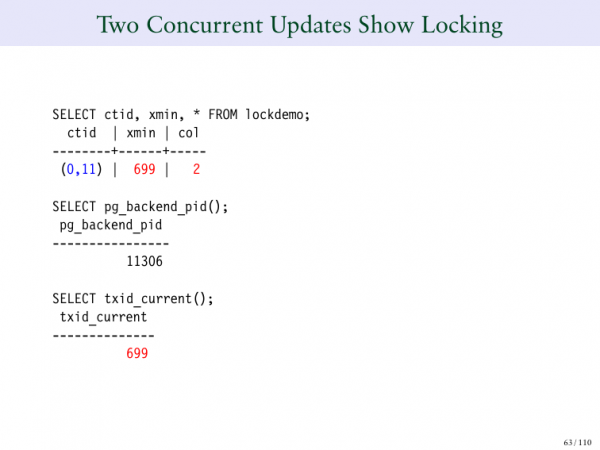
And you see it becomes 0/11 when we update.
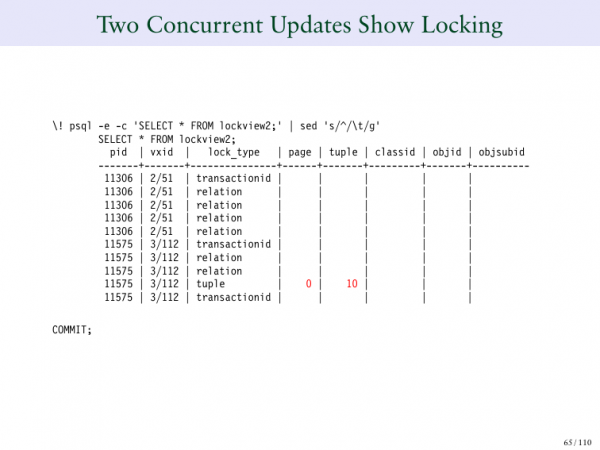
But in reality – it’s 0/10, because this operation is pending. We have the opportunity to see that this is the row I am waiting to confirm.
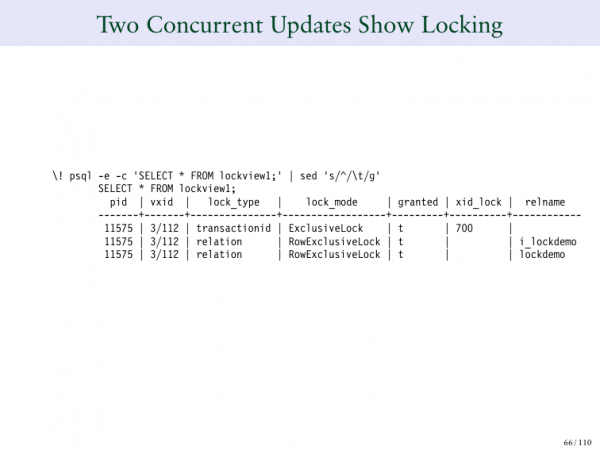
Once we confirmed it and clicked commit, and when the update finished, this is what we get again. Transaction 700 is the only lock; it waits for no one because it has been committed. It is just waiting for the transaction to complete. As soon as 699 finishes, we are not waiting for anything else. Now transaction 700 states that everything is fine, that it has all the locks it needs in all the permitted tables.
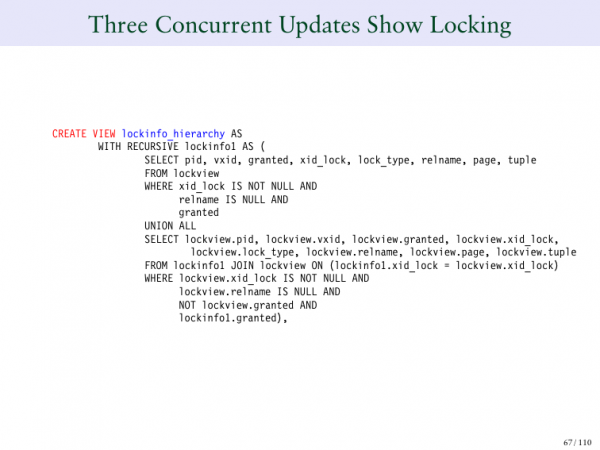
To complicate things further, we create another view, which will provide us with a hierarchy this time. I don't expect you to understand this query, but it will give us a clearer view of what is happening.
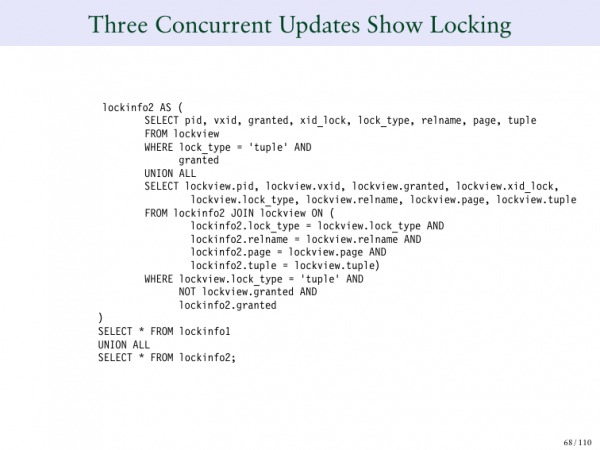
This is a recursive view, which also has another section. And it then returns everything together again. Let's use this.
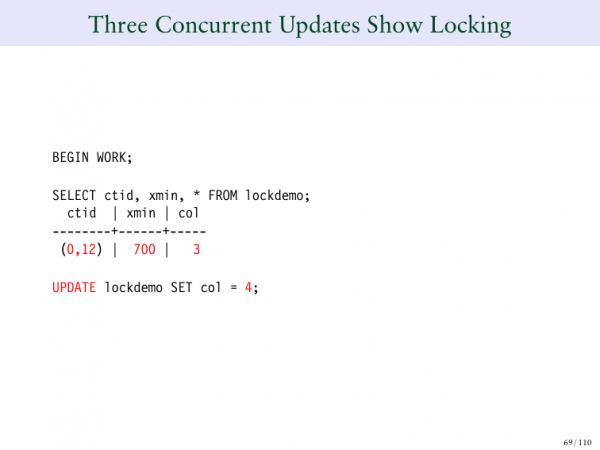
What if we make three simultaneous updates and say that the row is now three. And we change 3 to 4.
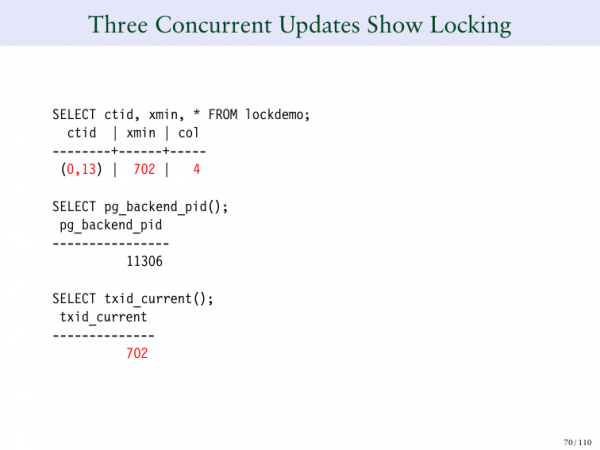
And here we see 4. And the transaction ID 702.
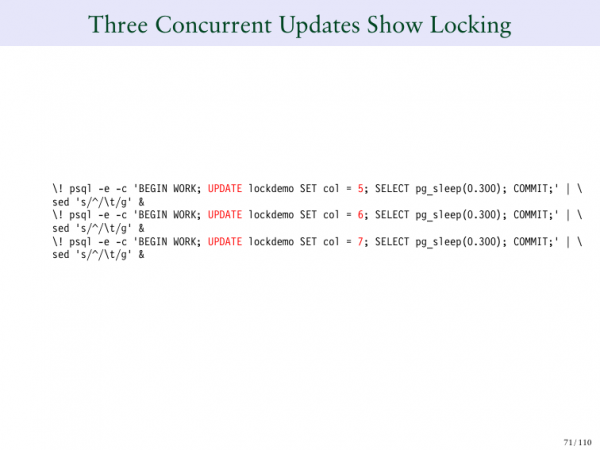
Then I will change 4 to 5. And 5 to 6, and 6 to 7. And I queue up a line of people who will wait for this one transaction to finish.
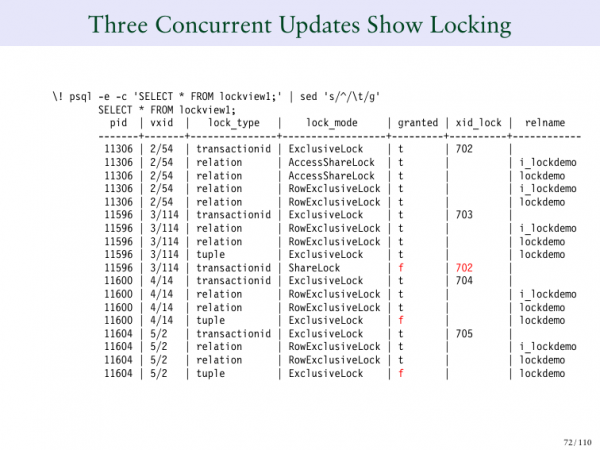
And everything becomes clear. What is the first row? It's 702. This is the transaction ID that initially set this value. And what is written in the Granted column? I have marks f. These are my updates (5, 6, 7) that cannot be approved because we are waiting for transaction ID 702 to finish. There we have a lock on transaction ID. And there are 5 transaction locks ID.
If you look at 704, at 705, there's still nothing written because they still don't know what is happening. They are just stating that they have no idea what is going on. And they will just go to sleep because they are waiting for someone to finish and wake them up when they have a chance to change the row.
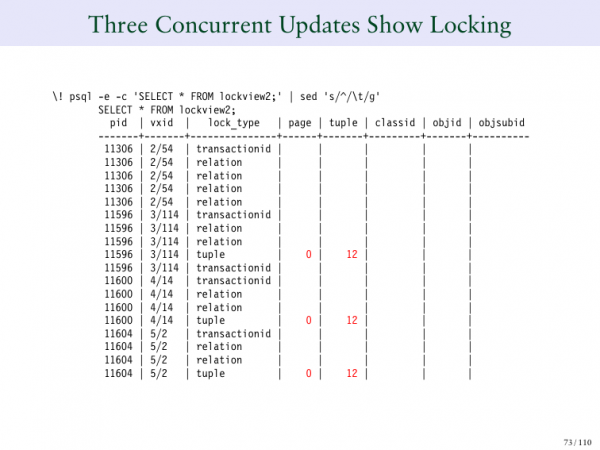
This is how it looks. It is clear that they are all waiting for the 12th line.
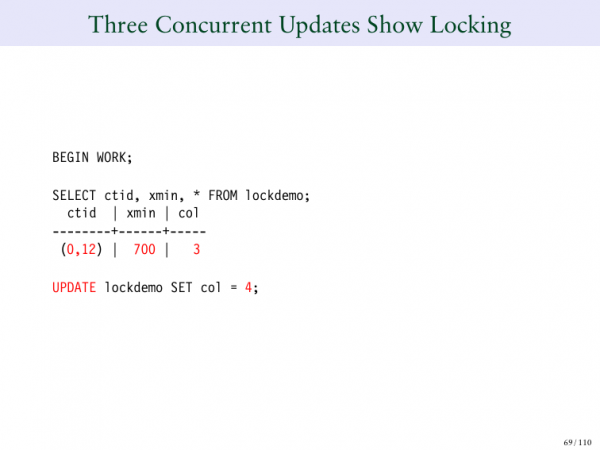
This is what we saw here. Here is 0/12.
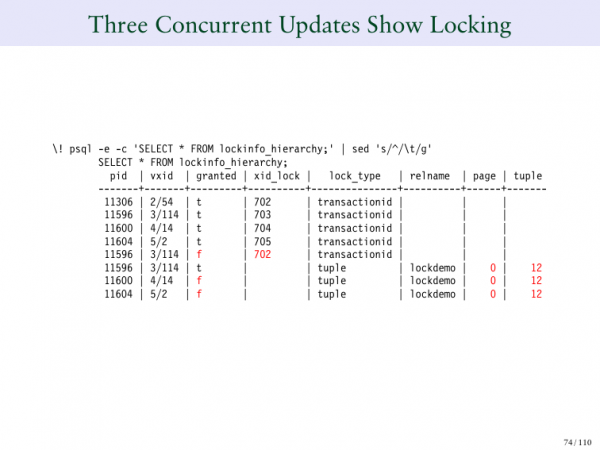
So, as soon as the first transaction is approved, you can see how the hierarchy works here. And now it all becomes clear. They all become clean. And they are actually still waiting.
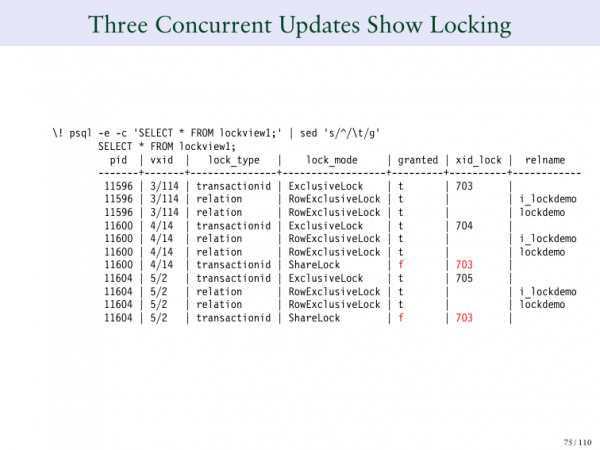
Here's what happens. 702 is committing. Now 703 is getting this row lock, and then 704 starts waiting for 703 to commit. 705 is also waiting for that. When all this is done, they clean themselves up. I’d like to point out that everyone is lining up. It's very similar to a traffic jam, where everyone waits for the first car. The first car stops and everyone queues up behind it. Then it moves, and the next car can move forward and get its lock, and so on.
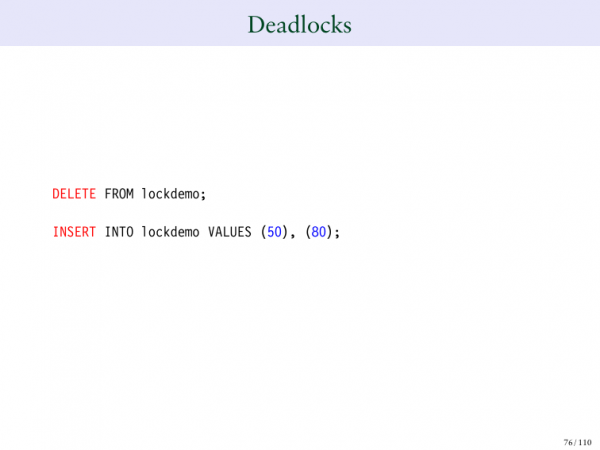
And if you think that’s complicated enough, let’s talk about deadlocks. I don’t know how many of you have encountered them. It’s a fairly common issue in database systems. A deadlock occurs when one session is waiting for something to be done by another session, while at the same time, the other session is waiting for the first session to complete something.
For example, if Ivan says, "Give me something," and I say, "No, I’ll give you this only if you give me something else." Then he replies, "No, I won’t give you this unless you give me that." We find ourselves in a deadlock situation. I'm sure Ivan wouldn’t do that, but you understand the point — we have two people wanting something and they are not willing to give it until the other person gives them what they want. And there’s no solution to that.
Essentially, your database needs to detect this. Then it has to terminate or close one of the sessions because otherwise, they will remain stuck there forever. We see this in databases, we see it in operating systems, and in all places where we have concurrent processes, this can happen.
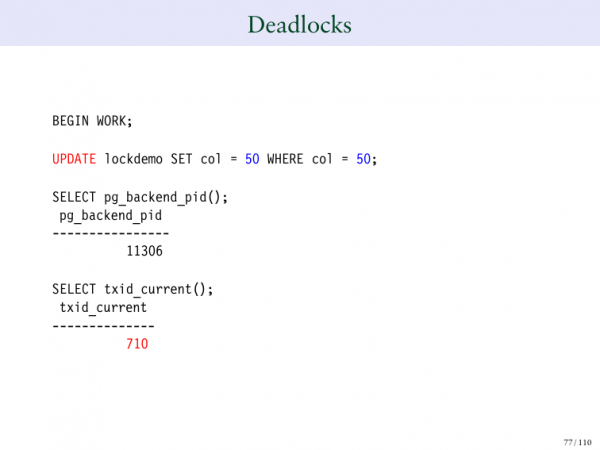
Now we will set up two deadlocks. We will set 50 and 80. In the first row, I will conduct an update from 50 to 50. I will get transaction number 710.
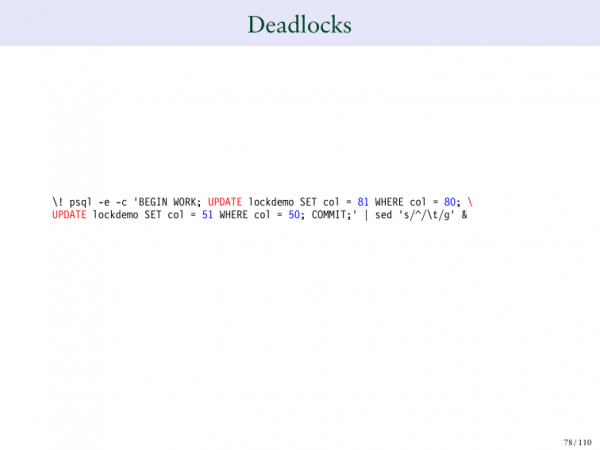
Then, I will change 80 to 81, and 50 to 51.
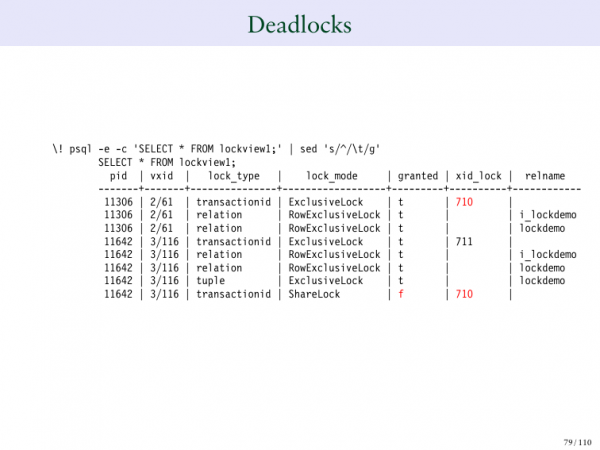
Here's how it will look. Therefore, 710 has a row lock, while 711 is waiting for confirmation. We saw this when we updated. 710 is the owner of our row. Meanwhile, 711 is waiting for 710 to finish the transaction.
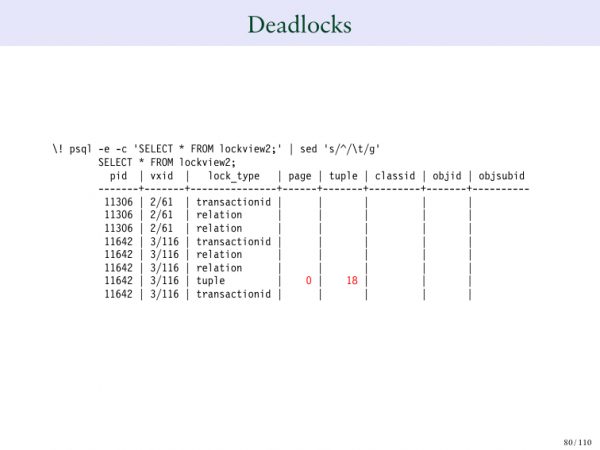
It even specifies which exact row is experiencing the deadlocks. This is where it starts getting strange.
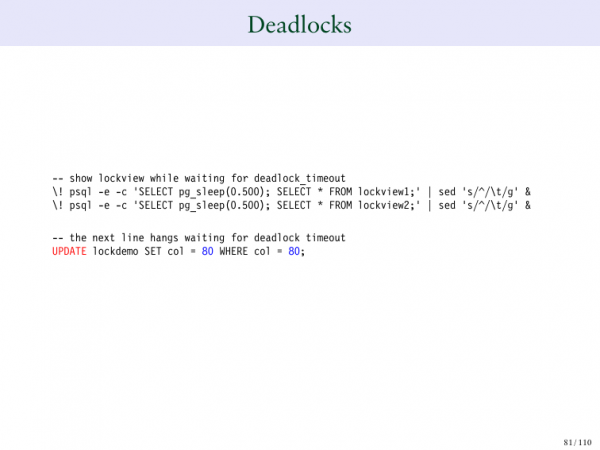
Now we update 80 to 80.
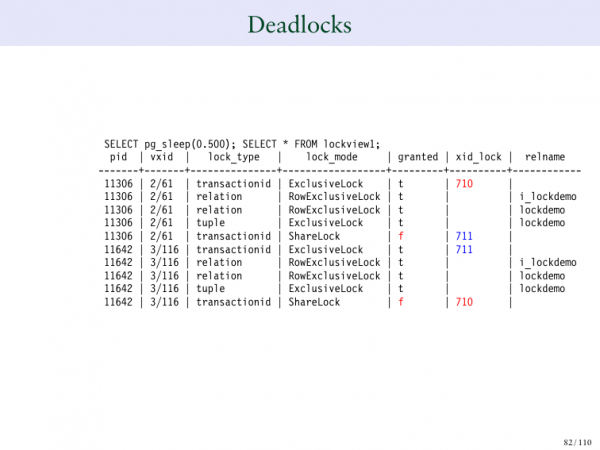
And this is where deadlocks begin. 710 is waiting for a response from 711, while 711 is waiting for 710. This won't end well, and there's no way out of this situation. They will just keep waiting for each other.
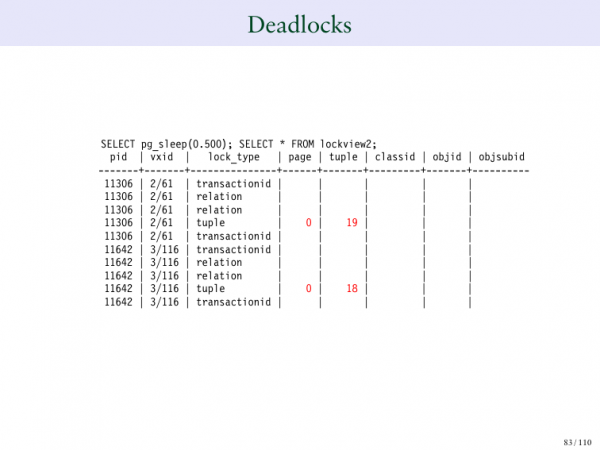
And this will just start causing delays. And we don't want that.
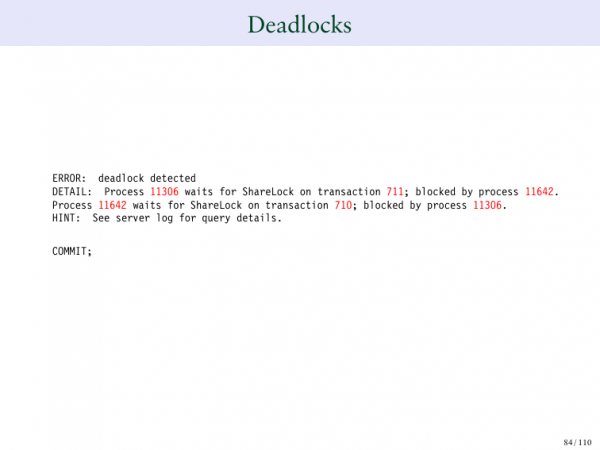
In Postgres, there are ways to detect when this occurs. And when it does happen, you get this kind of error. It clearly shows that some process is waiting for a SHARE LOCK from another process, which is being blocked by process 711. The latter was waiting to acquire a SHARE LOCK on a certain transactional ID, which was blocked by another process. Thus, we have a deadlock situation here.
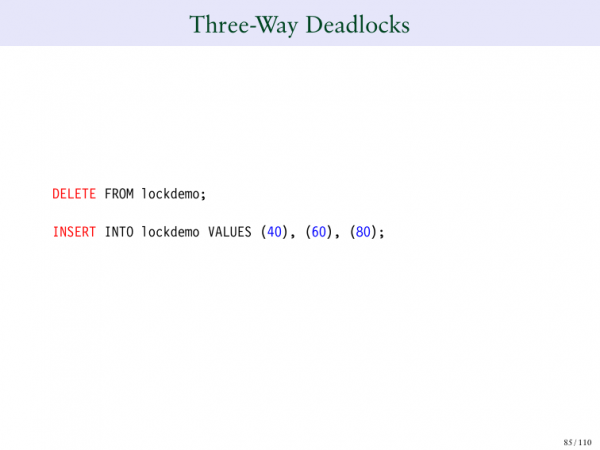
But is a three-way deadlock possible? Is that even possible? Yes.
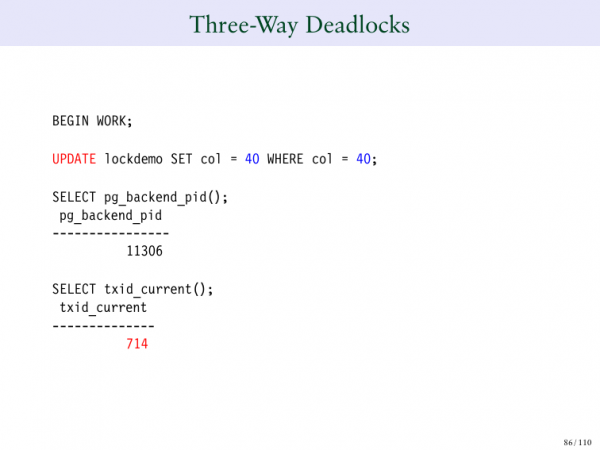
We input these numbers into the table. We change 40 to 40, we create a lock.
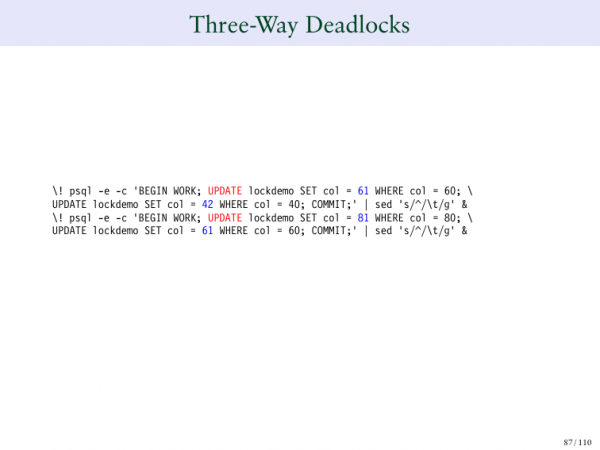
We change 60 to 61, and 80 to 81.
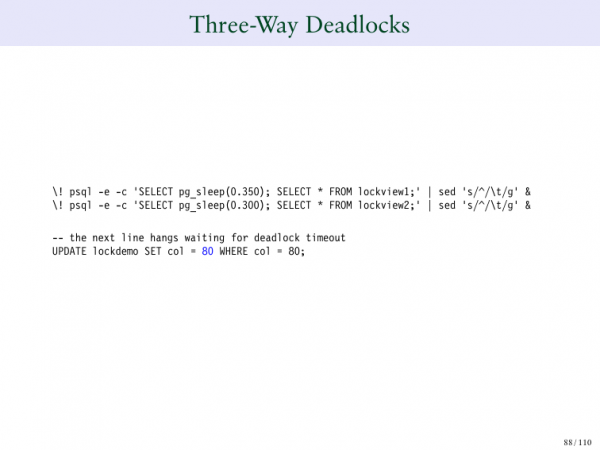
Then we change 80, and then – boom!
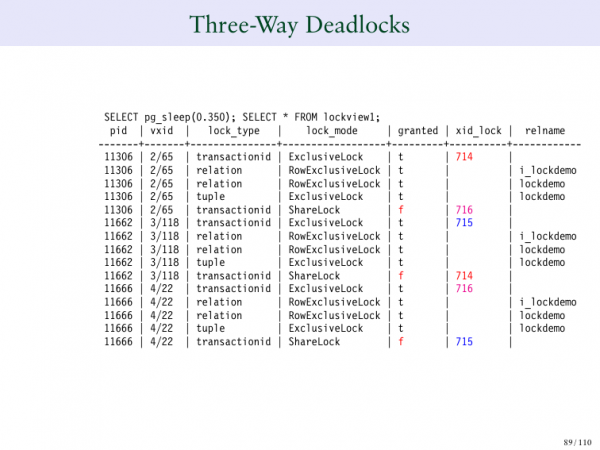
Now 714 is waiting for 715. 716 is waiting for 715. And there's nothing that can be done about it.
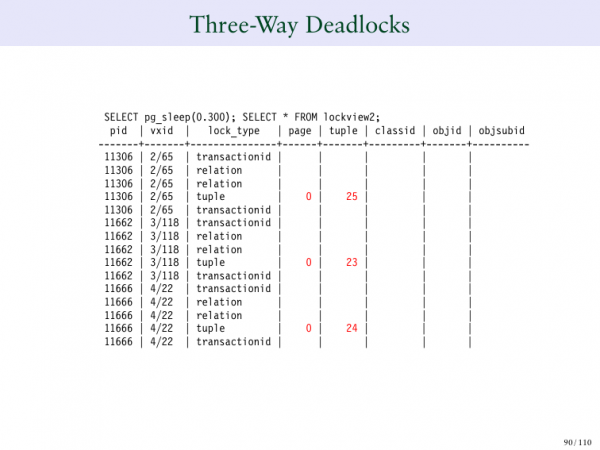
Here, it's not just two people; now there are three. I want something from you, this one wants something from the third person, and the third person wants something from me. And we're caught in a three-way wait because we're all waiting for the other to finish what they need to do.
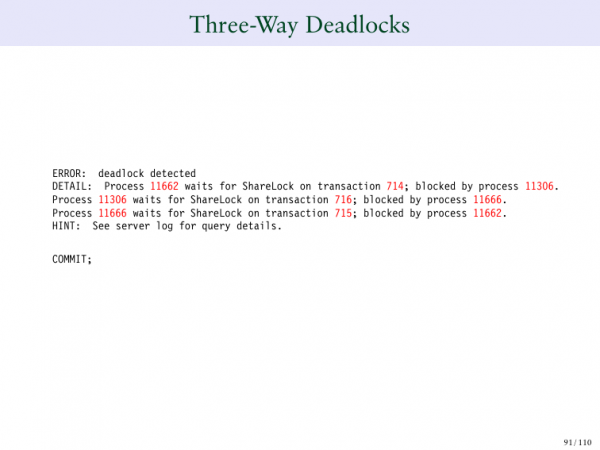
And Postgres knows which row this is happening on. Therefore, it will provide you with the following message indicating that you have a problem where three inputs are blocking each other. And there are no limits to it. This can happen when 20 records are blocking each other.
The next issue is serializable.
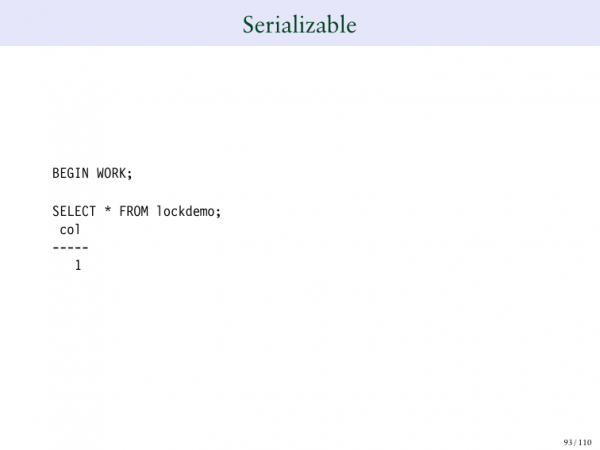
If a special serializable lock is in place.
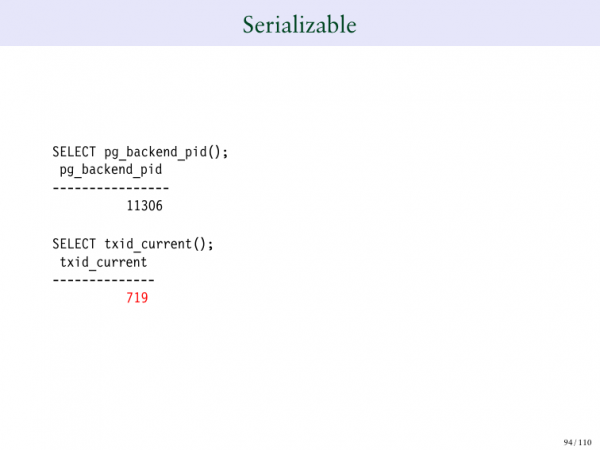
And returning to 719, it yields a completely normal output.
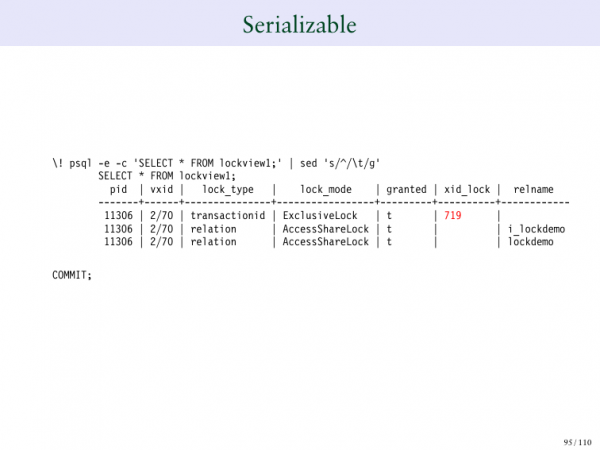
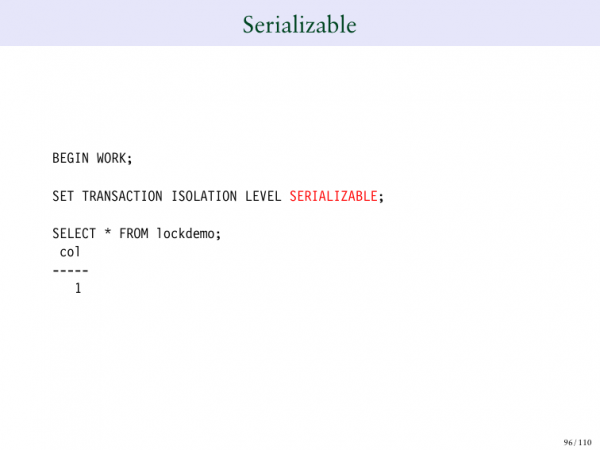
And you can click to create a transaction from the serializable level.
And you realize that you now have another type of lock, SA – which means serializable.
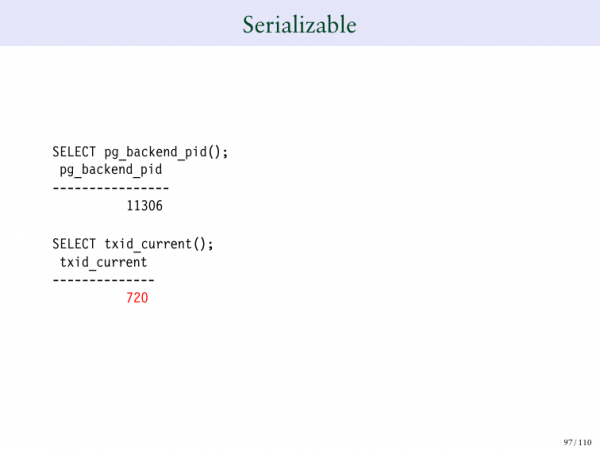
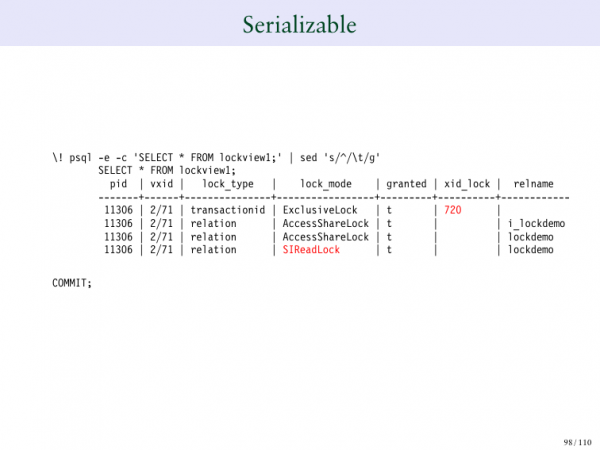
Thus, we have a new type of lock called SARieadLock, which is a serial lock that allows for serial IDs to be entered.
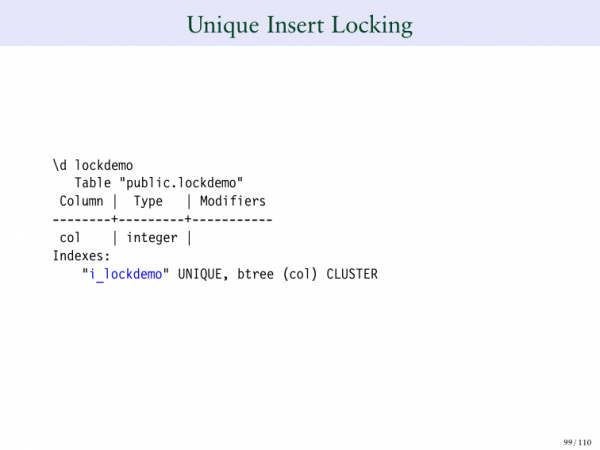
And you can also insert unique indexes.
In this table, we have unique indexes.
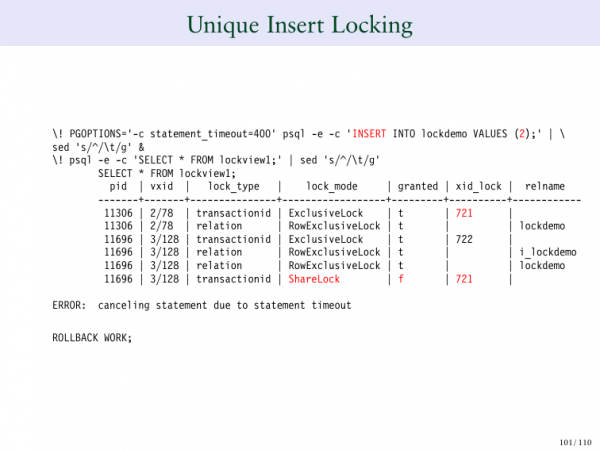
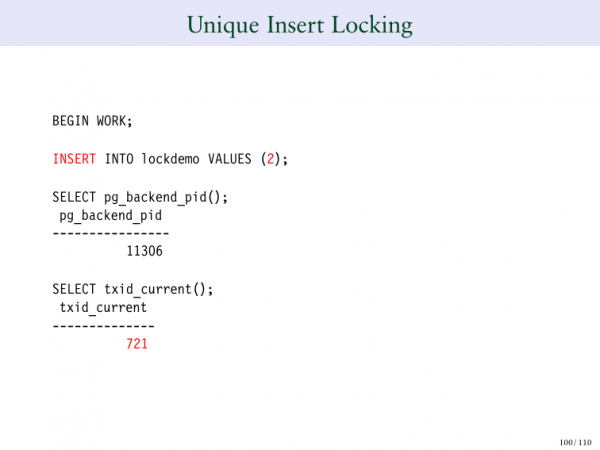
So if I input the number 2, then I have 2. But at the very top, I insert another 2. And you can see that 721 has an exclusive lock. But now 722 is waiting for 721 to complete its operation because it cannot insert 2 until it knows what happens with 721.
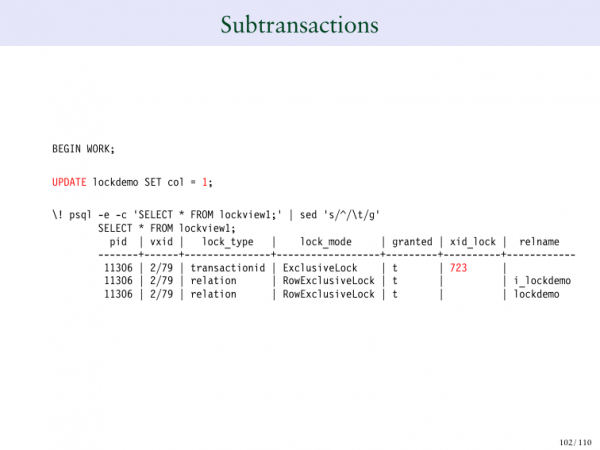
And if we create a subtransaction.
Here we have 723.
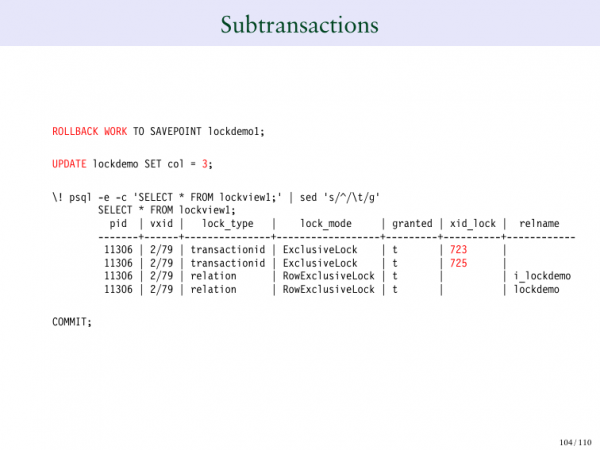
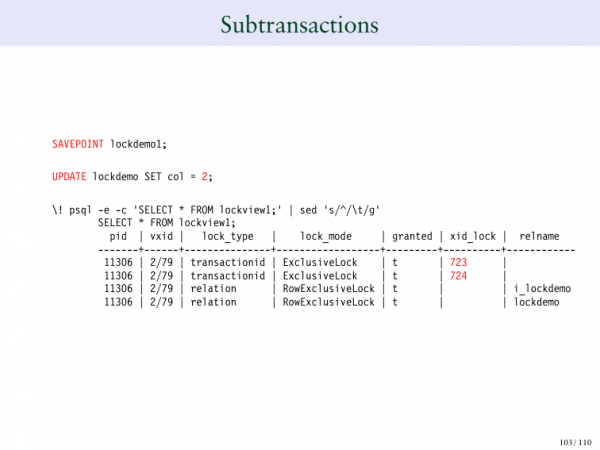
If we maintain a lock and then update it, we get a new transaction ID. This is another behavior you need to be aware of. If we return it, the transaction ID is released. 724 is released. But now we have 725.
So, what am I trying to do here? I’m trying to show you examples of unusual locks that you might encounter: whether they are serializable locks or SAVEPOINTs – these are different types of locks that will appear in the lock table.
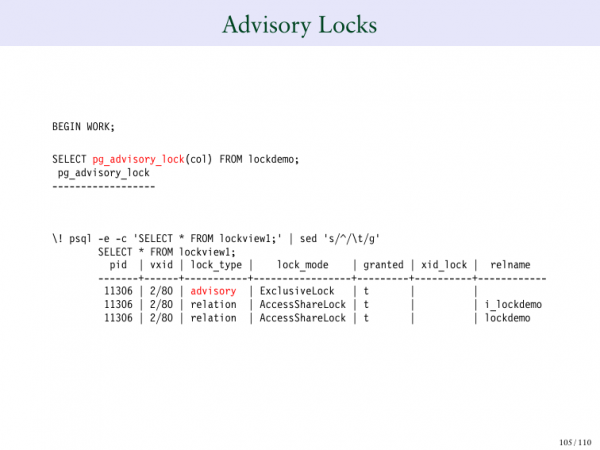
This is the creation of explicit locks, which have pg_advisory_lock.
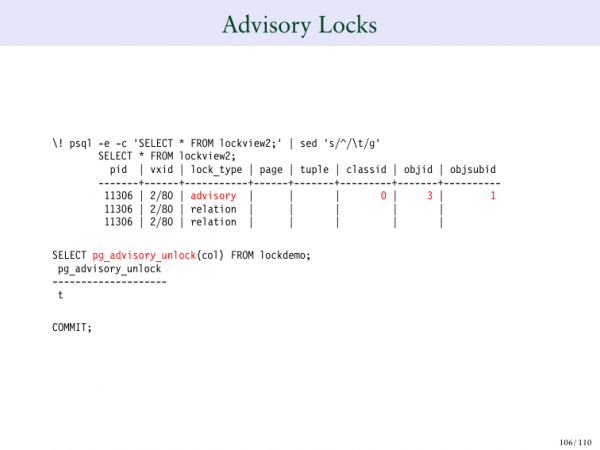
You see that the lock type is listed here as advisory. And it is clearly marked in red as 'advisory'. You can also unlock it simultaneously using pg_advisory_unlock.
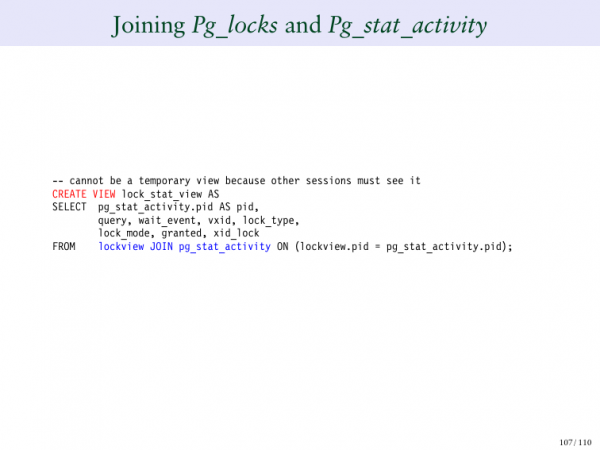
To conclude, I would like to show you one more fascinating thing. I will create another type. But I will join the pg_locks table with the pg_stat_activity table. Why do I want to do this? Because it allows me to look at all current sessions and see which specific locks they are waiting for. This is quite interesting when we bring together the lock table and the query table.
Here, we create a pg_stat_view.
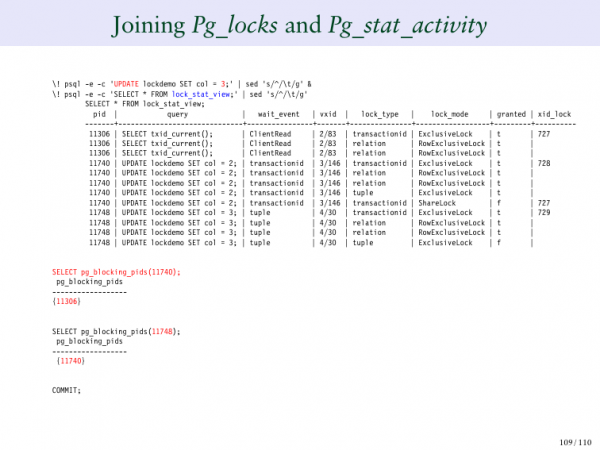
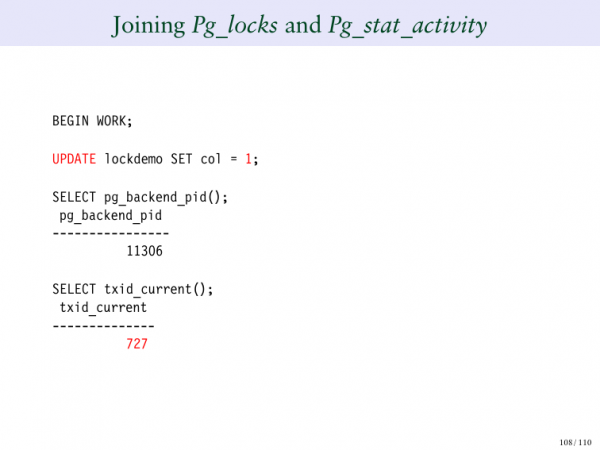
We update a row by one. Here we see 724. Then we update our row to three. And what do you see here now? These are the queries, meaning you see the full list of queries listed in the left column. Then on the right side, you can see the locks and what they create. This can be clearer for you so that you don’t need to go back to each session each time to check if it needs to be joined or not. It’s done for us.
Another feature that is very useful is pg_blocking_pidsYou probably haven't heard of it before. What does it do? It allows us to indicate that for this session 11740, which specific process IDs it is expecting. And you can see that 11740 is expecting 724. And 724 is at the top. Meanwhile, 11306 is your process ID. Essentially, this function goes through your lock table. I know it's a bit complicated, but you're getting the hang of it. Essentially, this function traverses the lock table and tries to find where this process ID is, considering the locks it is waiting on. It also attempts to calculate which process ID corresponds to the process that is awaiting locks. Therefore, you can run this function. pg_blocking_pids.
And this can be very useful. We added this feature only in version 9.6, so it has only been around for 5 years, but it is incredibly useful. The same goes for the second query. It shows exactly what we need to see.
This is what I wanted to talk to you about. As I expected, we used up all our time because there were so many slides. The slides are available for download. I would like to thank you for being here. I'm sure you will enjoy the rest of the conference, thank you very much!
Questions:
For example, if I am trying to update rows while another session is trying to delete the entire table. As I understand it, there should be something like an intent lock. Is there such a thing in Postgres?
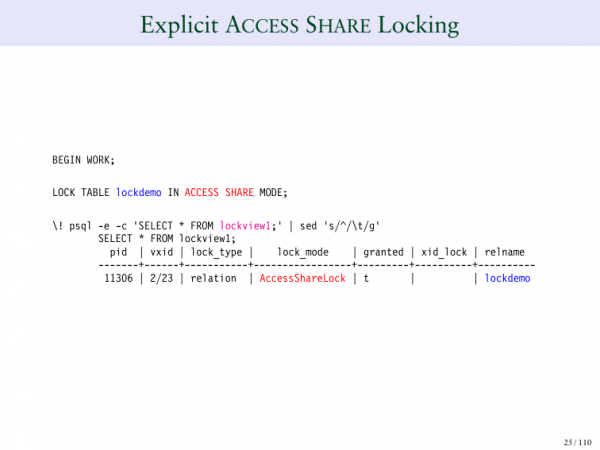
Let's go back to the very beginning. Perhaps you remember that when you do anything, for example, when you execute SELECT, we issue an AccessShareLock. This prevents the deletion of the table. Therefore, if you want to update a row in the table or delete a row, someone cannot delete the entire table at the same time because you hold this AccessShareLock over the whole table and over the row. Once you are done, they can delete it. But as long as you are actively changing something there, they will not be able to proceed.
Let’s go over it again. Let's move to the example of deletion. And you can see that there is an exclusive lock over the entire table on that row.
It will look like an exclusive lock, right?
Yes, it seems like that. I understand what you're talking about. You're saying that if I perform a SELECT, I'll have ShareExclusive, and then if I convert it into Row Exclusive, does that become a problem? Surprisingly, it does not create an issue. It seems like it's increasing the lock level, but essentially, I have a lock that prevents deletion. And now, when I make this lock more powerful, it still prevents deletion. So, it's not that I'm moving upwards. I mean, it prevented that even when it was at a lower level, so when I elevate it, it still prevents the deletion of the table.
I understand what you're talking about. There’s no case of increasing the lock level where you're trying to drop one lock to introduce a more powerful one. Here, it's just universally increasing that prevention, so it doesn't cause any conflict. But that's a good question. Thank you very much for bringing it up!
What do we need to do to avoid a deadlock situation when we have many sessions and a large number of users?
Postgres automatically detects deadlock situations. And it will automatically terminate one of the sessions. The only way to help avoid deadlock situations is to block people in the same order. So, when you look at your application, often the cause of deadlocks... Let's imagine I want to lock two different things. One application locks Table 1, and another application locks Table 2, and then Table 1. The simplest way to avoid deadlocks is to examine your application and try to ensure that locking occurs in the same order across all applications. This generally removes 80% of the issues, because very different people write these applications. And if you're locking them in the same order, then you don't encounter deadlock situations.
Thank you very much for your presentation! You mentioned vacuum full, and if I understand correctly, vacuum full rearranges the order of entries in separate storage while keeping the current entries unchanged. Why does vacuum full require exclusive lock access, and why does it conflict with write operations?
That's a good question. The reason is that a vacuum full takes the table. Essentially, we create a new version of the table. The table will be new. This means it will be a completely new version of the table. The problem is that when we do this, we don't want people to read it because we need them to see the new table. So this ties back to the previous question. If we could read simultaneously, we wouldn’t be able to move it and direct people to the new table. We would have to wait for everyone to finish reading this table, and thus, essentially, it's an exclusive lock situation.
We're simply stating that we start with a block because we know that in the end, we will require an exclusive lock to move everyone to the new copy. So potentially, we could handle this. We do this with concurrent indexing. However, it's much more complicated to achieve. This heavily relates to your previous question about exclusive locks.
Is it possible to add a locking timeout in Postgres? In Oracle, I can, for example, write ‘select for update’ and wait 50 seconds for the update. This was fine for the application. But in Postgres, I either need to do it immediately and not wait at all, or wait until a certain time.
Yes, you can set a timeout for your locks. You can also issue a no way command, which will..., if you cannot acquire the lock immediately. So either a lock timeout or something else that allows you to do this. This isn't done at the syntactic level. It's done as a variable on the server. Sometimes it cannot be used.
Can you open slide 75?
Yes.
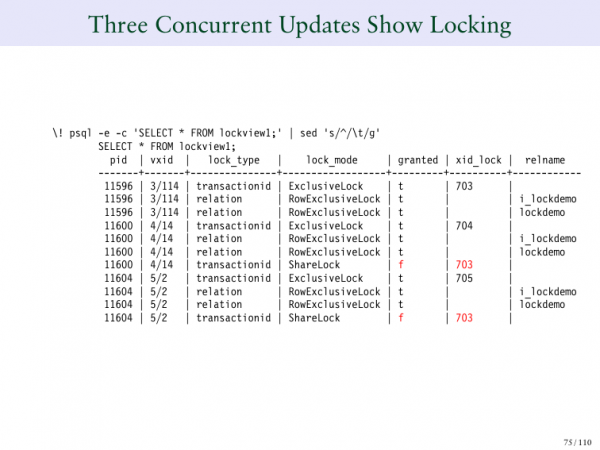
And my question is the following. Why are both update processes waiting for 703?
And that's a great question. I don't understand, by the way, why Postgres does this. But when 703 was created, it was expecting 702. And when 704 and 705 appear, it seems like they don't know what they are waiting for because nothing is there yet. And Postgres does it like this: when you can't get a lock, it says, 'What's the point of processing you?' because you're already waiting for someone. So let's just let it hang in the air; it doesn't update at all. But what happened here? As soon as 702 finished processing and 703 got its lock, the system went back. And it said that now we have two people who are waiting. Then let's update them together. And state that both are waiting.
I don't know why Postgres does it this way. But there is a problem called f.... I don’t think this is a term in Russian. This is when everyone is waiting for one lock, even if there are 20 instances waiting for that lock. And suddenly they all wake up at the same time. And they all start trying to respond. But the system makes it so that everyone is waiting for 703. Because they are all waiting, and we immediately line them up in a queue. And if any other new request appears that was formed after that, for example, 707, then there will again be a void.
And it seems to me that this is done so that we can say that at this stage 702 is waiting for 703, and everyone who comes after that will have no record in this field. But as soon as the first waiting one leaves, everyone who was waiting at that moment before the update receives the same marker. And that's why it seems to me this is done so we can process them in order, so they are properly organized.
I've always viewed this as quite a strange phenomenon. Because here, for example, we don’t list them at all. But, it seems to me that every time we give a new lock, we look at everyone who is in the waiting process. Then we line them all up in a queue. And then any new one that comes in only gets into the queue when the next person is done being processed. Very good question. Thank you very much for the question!
It seems much more logical to me when 705 is waiting for 704.
But the problem is as follows. Technically, you can wake either one or the other. So we will wake one or the other. But what happens in the operation of the system? You see how 703 at the very top has blocked its own transaction ID. This is how Postgres works. And 703 is blocked by its own transaction ID, so if someone wants to wait, they will be waiting for 703. Essentially, 703 completes. And only after it completes, one of the processes wakes up. And we do not know which process it will be. Then we gradually process everything. But it is unclear which process wakes up first because it could be any of those processes. Essentially, we had a scheduler that said we can now wake any of those processes. We just randomly pick one. Therefore, both of them need to be marked because we can wake either one of them.
And the problem is that we have CP-infinity. Therefore, it is quite likely that we can wake the later one. And if, for example, we wake the later one, we will be waiting for the one that just acquired the lock, so we do not determine who exactly will be awakened first. We simply create such a situation, and the system will wake them in random order.
There is . Look, they are also interesting and useful. The topic, of course, is incredibly complex. Thank you very much, Bruce!
Source: habr.com
