

The official launch of the Red Hat OpenShift 4 platform has taken place. Today, we will explain how to transition to it from OpenShift Container Platform 3 as quickly and easily as possible.
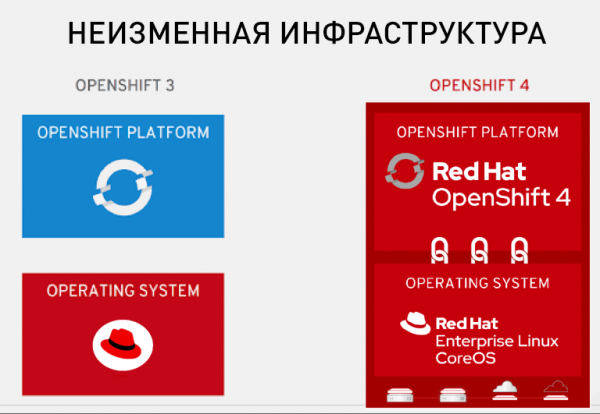
In this article, we are primarily interested in new OpenShift 4 clusters that use the smart and immutable infrastructure based on RHEL CoreOS and automation tools. Below, we will show how to migrate to OpenShift 4 without unnecessary complications.
You can learn more about the differences between the new version and the old one .
Migrating clusters from OpenShift 3 to OpenShift 4 using the certified Red Hat Appranix platform
Appranix and Red Hat have worked closely to simplify the migration of cluster resources from OpenShift 3 to OpenShift 4 using a special service that operates on top of Appranix Site Reliability Automation for Kubernetes.
The Appranix solution (which can be found in ) allows for the creation of backups of all OpenShift 3 clusters and their restoration to OpenShift 4 in just a few clicks.
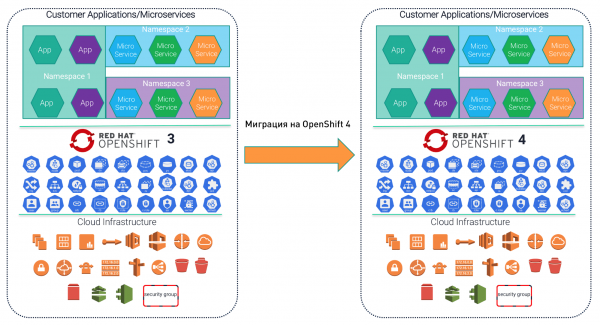
What makes migration using Appranix beneficial for OpenShift 4
- Quick start. Since the Appranix solution is built on SaaS principles, there is no need to set up any infrastructure or configure separate specialized solutions for migration.
- Appranix's scalability facilitates the migration of large clusters.
- Automated backup of complex OpenShift 3 cluster configurations with subsequent transfer to OpenShift 4 simplifies the migration process itself.
- The ability to test how applications from the corporate OpenShift 3 infrastructure behave on the OpenShift 4 platform in the AWS cloud.
- Migration of RBAC access settings along with cluster resources.
- Selective or complete migration of all projects to new OpenShift 4 clusters.
- Optionally – organization of multiple levels of fault tolerance for container applications, provided that the corresponding subscription is available.
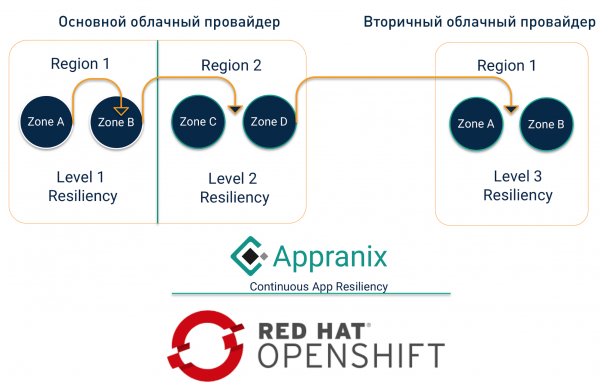
Multi-level resiliency for OpenShift applications
After migrating from version 3 to 4 of OpenShift, the Appranix solution can be used to ensure continuous application resilience, offering three options. Level 1 Resiliency (Level 1 Resiliency) allows for the restoration of applications without changing the region or cloud provider. It can be used to roll back applications or recover from local failures at the regional level, such as in the case of an unsuccessful application deployment, or in situations where a quick testing environment needs to be created in the same region but on a separate OpenShift cluster.
Level 2 allows for the migration of applications to another region without changing providers. In this case, the primary data infrastructure can remain in the main region while applications are run in a different cluster in another region. This option is useful when a cloud region or zone goes down, or when applications need to be moved to another region due to a cyber attack. Finally, Level 3 allows for changing not only the region but also the cloud provider.
How Appranix SRA Works
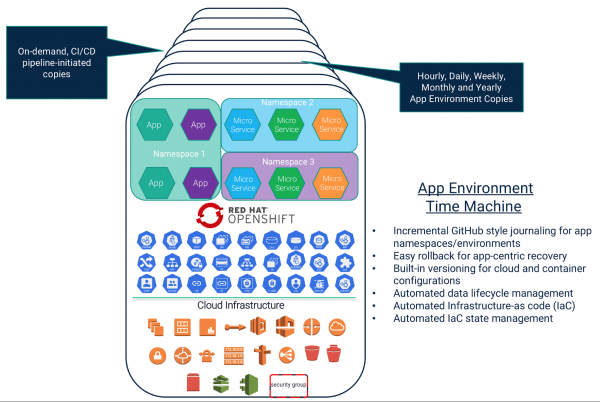
Multi-level application resiliency for OpenShift in Appranix is achieved through the 'time machine' feature, which automatically creates copies of the application environment. To utilize this feature and enhance application protection, it is sufficient to add just one line of code to the DevOps pipeline.
Infrastructure services of cloud providers also face issues, therefore the ability to quickly switch to another provider is beneficial in avoiding dependence on a single service provider.
As shown in the diagram below, backups of application environments can be created in Appranix not only automatically at specified intervals but also on command from the CI/CD pipeline. In this case, the 'time machine' provides:
- Incremental, GitHub-like logging of namespaces and application environments.
- Simple rollback of applications.
- Version management for cloud environment configurations and containers.
- Automated data lifecycle management.
- Automating infrastructure management as code (IaC).
- Automated management of IaC states.
With Appranix, you can organize application-level protection and recovery for scenarios such as chaos engineering, disaster recovery, ransomware protection, and ensuring business continuity. We won't go into detail about this, but let's look at how to use Appranix for migrating from OpenShift 3 to OpenShift 4.
How to migrate from OpenShift 3 to OpenShift 4 using the Appranix Site Reliability Platform
The process includes three stages:
- Setting up OpenShift 3 and OpenShift 4 for auto-discovery of all components to be migrated.
- Creating policies and defining namespaces for migration.
- Restoring all namespaces on OpenShift 4 with a single click.

Setting up OpenShift 3 and 4 Clusters for auto-discovery
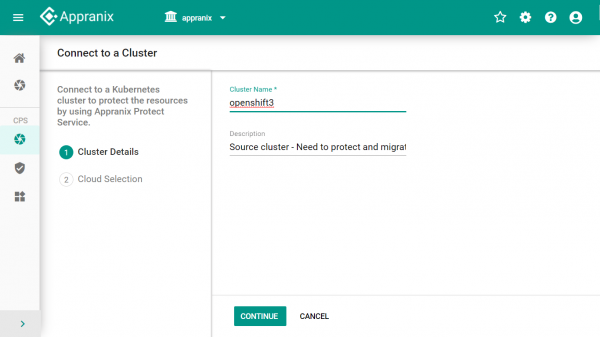
Appranix assumes that you already have functioning OpenShift 3 and OpenShift 4 clusters. If you don't have OpenShift 4 clusters yet, create them using . The setup of the primary and target clusters in Appranix is identical and involves just a few steps.
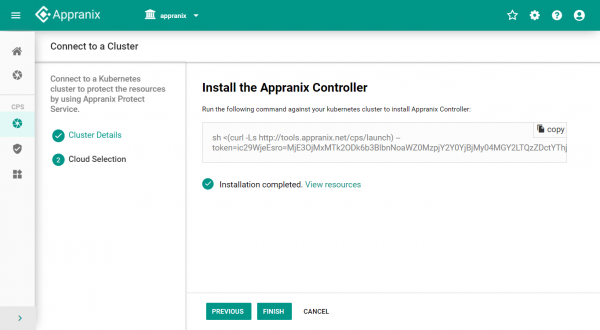
Installing the Appranix Controller Agent for cluster discovery
A small sidecar controller agent is needed for discovering cluster resources. To deploy it, simply copy and paste the corresponding curl command, as shown below. Once the agent is installed in OpenShift 3 and OpenShift 4, Appranix will automatically discover all cluster resources to be migrated, including namespaces, deployments, pods, services, as well as hosts with other resources.
Migrating large distributed applications
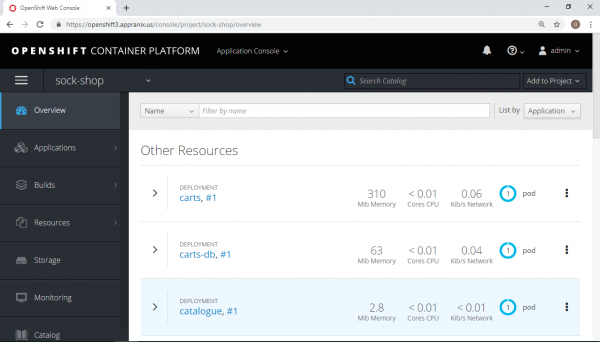
Now, we will go through how to effortlessly migrate the distributed microservices application SockShop from OpenShift 3 to OpenShift 4 (link to the ). As seen from the diagram below, the architecture of SockShop contains many components.
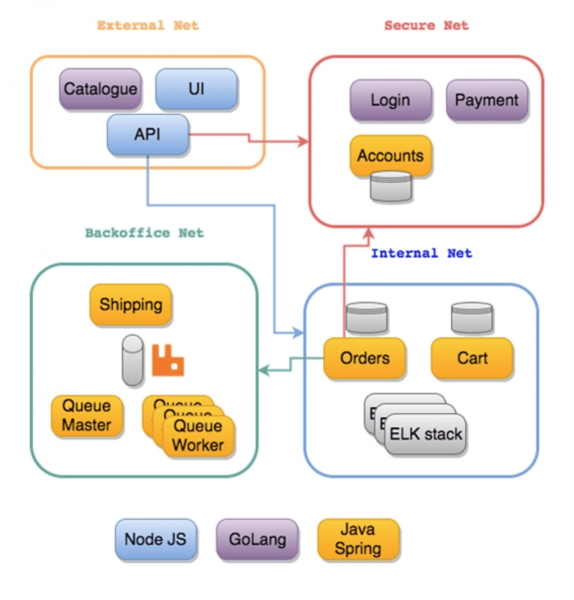
Appranix identifies all resources that require protection and migration to OpenShift 4, including pods, deployments, services, and cluster configurations.
OpenShift 3 with the running SockShop application

Creating Protection Policies for migration
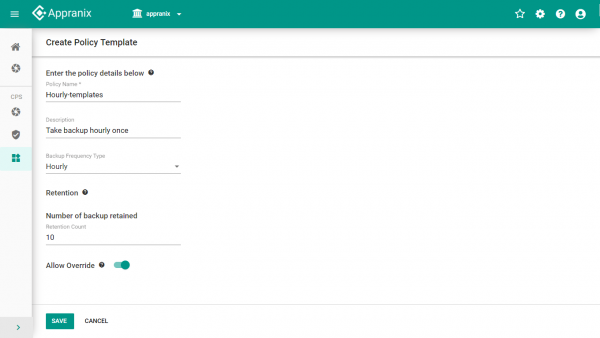
Policies can be flexibly set depending on how migration should be conducted. For example, based on several criteria or backups once every hour.
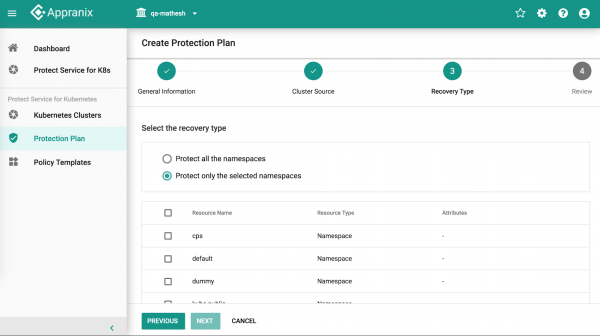
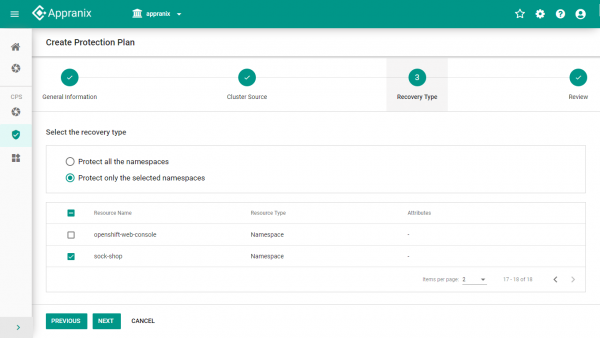
We carry out the migration of several OpenShift 3 clusters using Protection Plans.
Depending on the characteristics of the application or namespace, policies that are executed once an hour, once a week, or even once a month can be applied to OpenShift 3 clusters.
Appranix allows you to transfer all namespaces of a cluster to OpenShift 4 or only selected namespaces.
Performing migration to OpenShift 4 with one click.
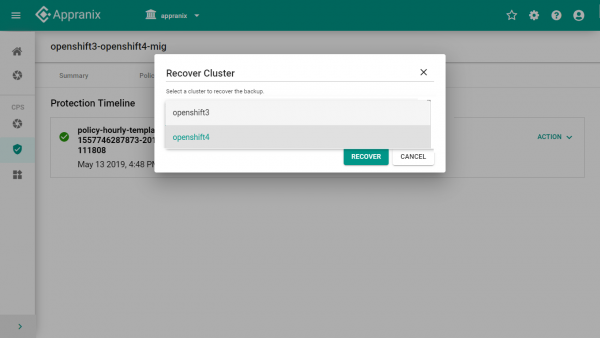
Migration is the restoration of selected namespaces to the target OpenShift 4 cluster. This operation is performed with one click. Appranix takes care of collecting configuration and resource data from the source environment and then independently restores it on the OpenShift 4 platform.
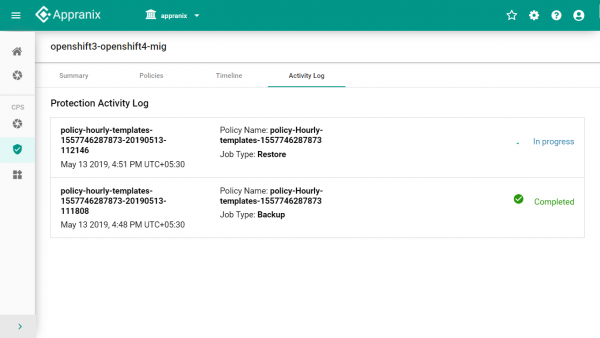
Checking applications after migration to OpenShift 4.
Log into the OpenShift 4 cluster, update projects, and check that all applications and namespaces are in order. Repeat the migration procedure for other namespaces, creating new Protection Plans for this or modifying existing ones.
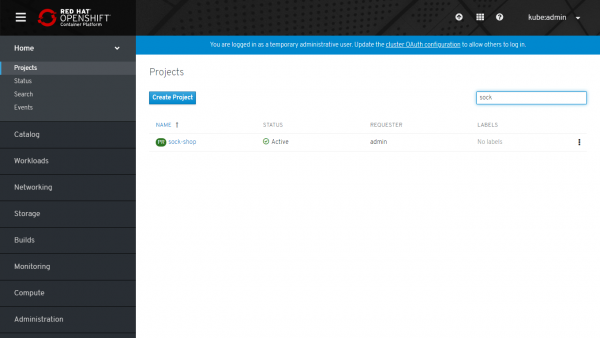
Launching migrated applications on OpenShift 4.
After migrating applications using the Appranix recovery procedure, it is important to remember to configure routes – they should point to OpenShift 4. Before fully transferring production from OpenShift 3, you may want to perform a test recovery. When several working applications appear on OpenShift 4 in the respective namespaces, there will be a need to transfer the remaining applications using this process.
After transferring all namespaces, you will be able to protect all OpenShift clusters for continuous disaster recovery, ransomware protection, business continuity, or for later migration, as Appranix Site Reliability Automation automatically updates with new versions of OpenShift.

Total
OpenShift 4 is a significant advancement, primarily due to its new immutable architecture and Operator platform model for automating complex application and platform configurations in clustered environments. Appranix offers OpenShift users a simple and convenient way to transition to OpenShift 4 with its cloud-oriented application disaster recovery solution, Site Reliability Platform.
The Appranix solution can be used directly from .
Source: habr.com
