

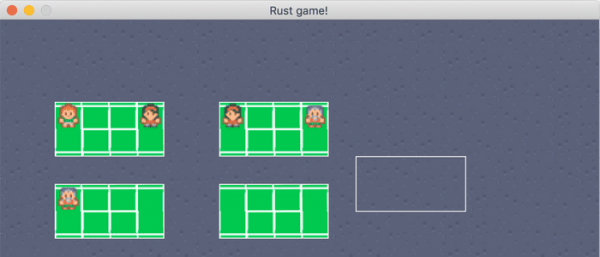
In this article, I will share my personal experience of developing a small game in Rust. It took about 24 hours to create a working version (mainly, I worked in the evenings or on weekends). The game is still far from finished, but I believe the experience will be useful. I will discuss what I learned and some observations made while building the game from scratch.
Skillbox recommends: Two-Year Practical Course .
Reminder: for all readers of 'Habr' - a discount of 10,000 rubles when enrolling in any Skillbox course with the promo code 'Habr'.
Why Rust?
I chose this language because I had heard a lot of good things about it and see it becoming increasingly popular in game development. Before writing the game, I had a little experience with developing simple applications in Rust. That was just enough to feel a certain freedom while creating the game.
Why a game and what kind of game?
Creating games is fun! I wish there were more reasons, but for 'home' projects, I choose topics that are not too closely related to my usual work. What kind of game? I wanted to create something like a tennis simulator, combining Cities Skylines, Zoo Tycoon, Prison Architect, and of course tennis. In general, it turned out to be a game about a tennis academy where people come to play.
Technical Preparation
I wanted to use Rust, but I wasn't sure how 'from scratch' I would need to start working. I didn’t want to write pixel shaders and use drag-and-drop, so I was looking for the most flexible solutions.
I found some helpful resources that I’d like to share with you:
- — a list of necessary Rust elements for game development;
I explored several Rust game engines, ultimately choosing Piston and ggez. I had encountered them while working on a previous project. In the end, I chose ggez because it seemed more suitable for developing a small 2D game. The modular structure of Piston is too complicated for a beginner developer (or someone new to Rust).
Game Structure
I spent some time thinking about the project's architecture. The first step is to create the 'land', people, and tennis courts. People should move around the courts and wait. Players should have skills that develop over time. Additionally, there should be an editor that allows adding new people and courts, but that won’t be free.
After considering everything, I got to work.
Creating a Game
Beginning: Circles and Abstractions
I took an example from ggez and got a circle on the screen. Amazing! Now, a bit about abstractions. I thought it would be good to abstract from the idea of a game object. Each object should be rendered and updated as specified here:
// the game object trait
trait GameObject {
    fn update(&mut self, _ctx: &mut Context) -> GameResult<()>;
    fn draw(&mut self, ctx: &mut Context) -> GameResult<()>;
}

// a specific game object - Circle
struct Circle {
    position: Point2,
}

 impl Circle {
    fn new(position: Point2) -> Circle {
        Circle { position }
    }
}
impl GameObject for Circle {
    fn update(&mut self, _ctx: &mut Context) -> GameResult<()> {
        Ok(())
    }
    fn draw(&mut self, ctx: &mut Context) -> GameResult<()> {
        let circle =
            graphics::Mesh::new_circle(ctx, graphics::DrawMode::Fill, self.position, 100.0, 2.0)?;

         graphics::draw(ctx, &circle, na::Point2::new(0.0, 0.0), 0.0)?;
        Ok(())
    }
}
This piece of code allowed me to get a great list of objects that I can update and render in a no less great loop.
mpl event::EventHandler for MainState {
    fn update(&mut self, context: &mut Context) -> GameResult {
        // Update all objects
        for object in self.objects.iter_mut() {
            object.update(context)?;
        }

        Ok(())
    }

    fn draw(&mut self, context: &mut Context) -> GameResult {
        graphics::clear(context);

        // Draw all objects
        for object in self.objects.iter_mut() {
            object.draw(context)?;
        }

        graphics::present(context);

        Ok(())
    }
}
main.rs is necessary because it contains all the lines of code. I spent some time dividing files and optimizing the directory structure. Here’s what it all looked like afterward:
resources -> this is where all the assets are (images)
src
— entities
— game_object.rs
— circle.rs
— main.rs -> main loop
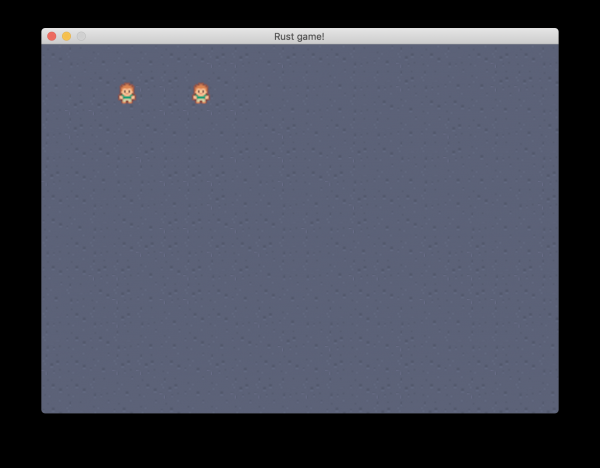
People, Courts, and Images
The next step is creating a game object Person and loading images. Everything should be built on the basis of tiles sized 32*32.
Tennis Courts
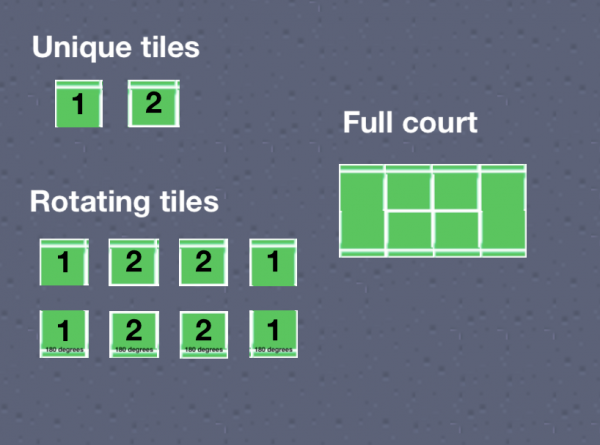
After studying what tennis courts look like, I decided to make them from 4*2 tiles. Initially, it was possible to create an image of that size or compose it from 8 separate tiles. But then I realized that only two unique tiles were needed, and here's why.
We have just two such tiles: 1 and 2.
Each section of the court consists of tile 1 or tile 2. They can be placed normally or flipped 180 degrees.
Basic Building (Assembly) Mode
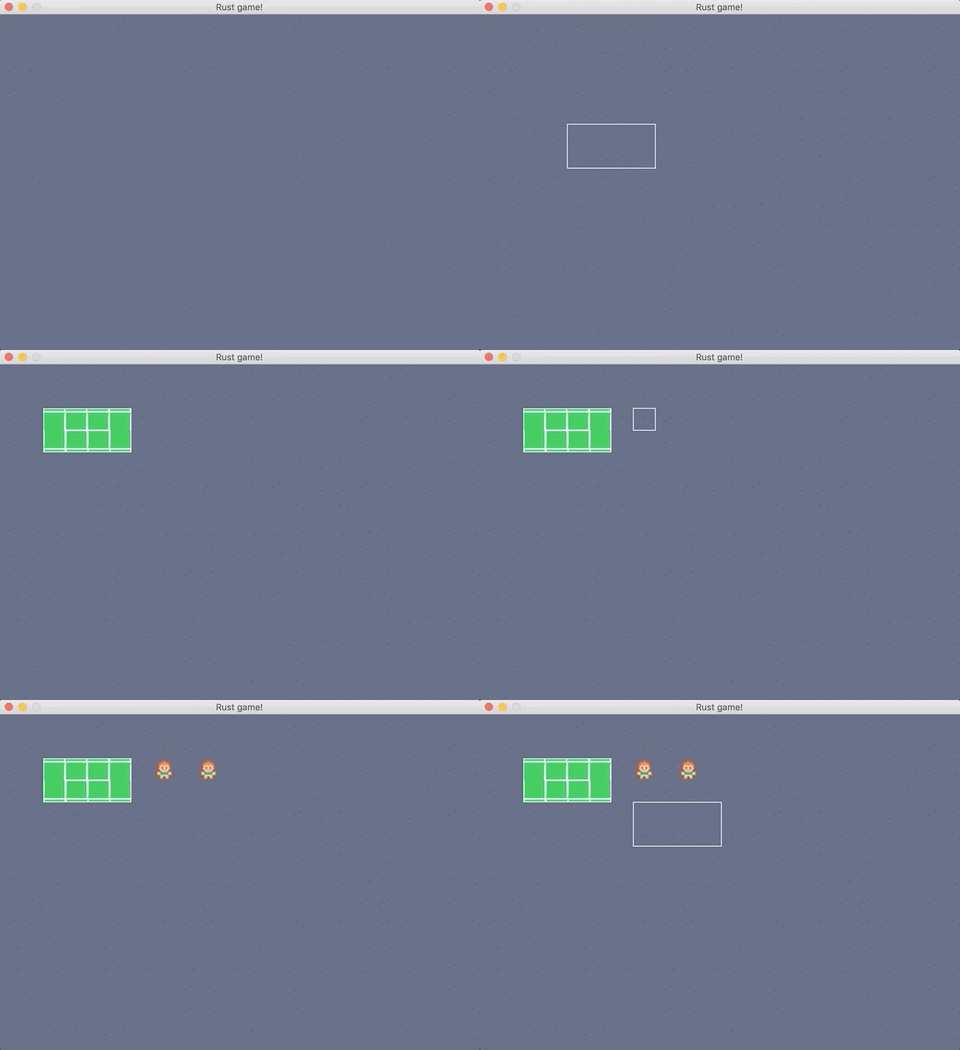
After achieving rendering of courts, people, and maps, I understood that a basic assembly mode was also necessary. I implemented it so that when a button is pressed, an object is selected, and a click places it in the desired location. So, button 1 allows you to select a court, while button 2 allows you to select a player.
But we also need to remember what 1 and 2 mean, so I added a wireframe to show which object is selected. Here’s what it looks like.
Questions about Architecture and Refactoring
Now I have several game objects: people, courts, and floors. However, for the wireframes to work, each object entity needs to know whether the objects themselves are in demonstration mode or just drawn as a frame. This is not very convenient.
I felt that it was necessary to rethink the architecture to reveal certain limitations:
- having an entity that displays and updates itself is a problem, since this entity will not be able to 'know' what it should render — an image or a wireframe;
- the lack of a tool for exchanging properties and behavior between discrete entities (for example, a property like is_build_mode or rendering behavior). Inheritance could be used, although there is no proper way to implement it in Rust. What I really needed was composition;
- a tool for interaction between entities was needed to assign people to courts;
- the entities themselves represented a mix of data and logic, which quickly got out of control.
I conducted further research and discovered the architecture , which is commonly used in games. Here are the advantages of ECS:
- data is separate from logic;
- composition instead of inheritance;
- data-oriented architecture.
Three basic concepts characterize ECS:
- entities — a type of object referenced by an identifier (this could be a player, a ball, or something else);
- components — these make up entities. For example, rendering and positioning components, among others. They are data storage;
- systems — they use both objects and components and contain behaviors and logic based on this data. For example, a rendering system that iterates through all entities with rendering components and handles rendering.
After studying it became clear that ECS solves such problems:
- adopting composition instead of inheritance for the systemic organization of entities;
- elimination of code clutter through management systems;
- using methods like is_build_mode to keep the wireframe logic in one place — within the rendering system.
Here's what resulted after implementing ECS.
resources -> this is where all the assets are (images)
src
— components
— position.rs
— person.rs
— tennis_court.rs
— floor.rs
— wireframe.rs
— mouse_tracked.rs
— resources
— mouse.rs
— systems
— rendering.rs
— constants.rs
— utils.rs
— world_factory.rs -> world factory functions
— main.rs -> main loop
Assigning people to the courts
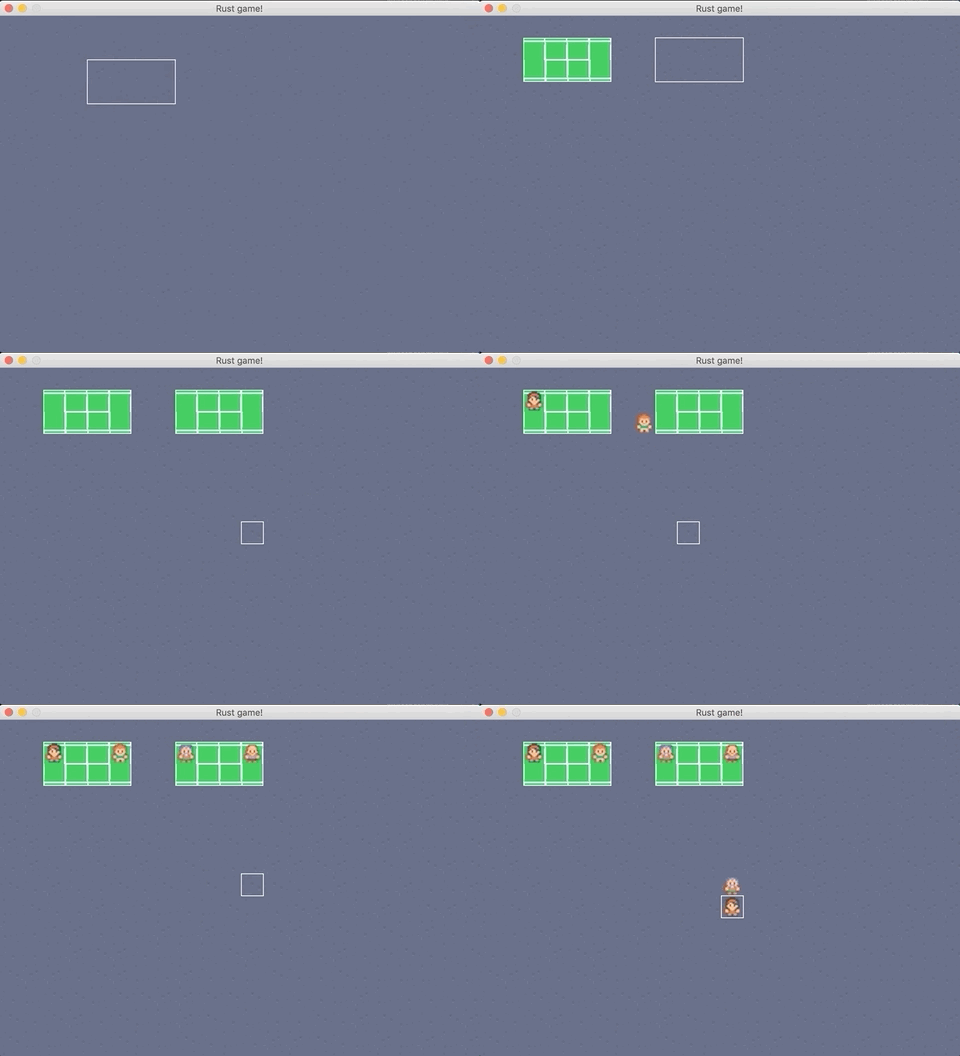
ECS made life easier. Now I had a systematic way to add data to entities and incorporate logic based on that data. This, in turn, allowed for the organization of people across the courts.
What I did:
- added data about assigned courts to Person;
- added data about distributed people to TennisCourt;
- added CourtChoosingSystem, which allows analyzing people and venues, detecting available courts, and allocating players to them;
- added the PersonMovementSystem, which searches for people assigned to courts, and if they are not there, sends them where needed.
Summing up
I really enjoyed working on this simple game. Moreover, I’m glad I used Rust to write it because:
- Rust gives you what you need;
- it has great documentation, Rust is quite elegant;
- immutability is awesome;
- there's no need to resort to cloning, copying, or similar actions, which I often did in C++;
- Options are very convenient to work with, and they handle errors very well;
- if the project compiles, then in 99% of cases it works exactly as it should. Compiler error messages are, I believe, the best I've seen.
Game development in Rust is just getting started. But there is already a stable and fairly large community working to open Rust up for everyone. Therefore, I look at the future of the language with optimism, eagerly anticipating the results of our collective efforts.
Skillbox recommends:
- Online Course .
- Practical Course .
- Practical Year Course .
Source: habr.com
