

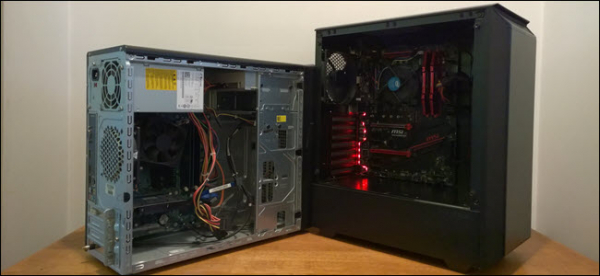
If you've ever assembled a computer yourself and purchased a Windows license, you probably don't want to buy another license for your next computer. However, by using the slmgr command, you can deactivate the old PC and activate the new one.
Deactivate the old PC instead of buying a new license
Windows licenses are expensive. The official key from Microsoft costs between $100 and $200, which can be comparable to the price of a terabyte SSD, 15 GB of RAM, or a motherboard. Buying cheap keys from questionable websites is not a good idea. Therefore, paying for another license when you are replacing your old computer with a new one is not very appealing. The good news is that you can deactivate the PC you no longer will use and transfer the license to the new one.
It is quite simple to do this using the slmgr command, but there are some limitations to keep in mind. This won't work with OEM keys that come preinstalled with ready-made computers. Manufacturers embed these keys in the hardware they come with, and they cannot be transferred to a new device. And while slmgr can deactivate any retail key purchased separately, it can only activate keys that match the installed OS.
Keys from Windows 7 and 8 can activate Windows 10, but only through the standard activation process, not via slmgr. Additionally, you cannot use a Pro key to activate a Home edition. To simplify things, transfer the Windows 10 Home key to Windows 10 Home, and the Windows 10 Pro key to Windows 10 Pro.
Otherwise, you'll have to go through additional steps.
How to deactivate an old PC
Before you start, make sure you have saved the key. If you have a box or digital receipt, find it there. In other cases, there are ways to recover the key from the old PC, for example, using the program .
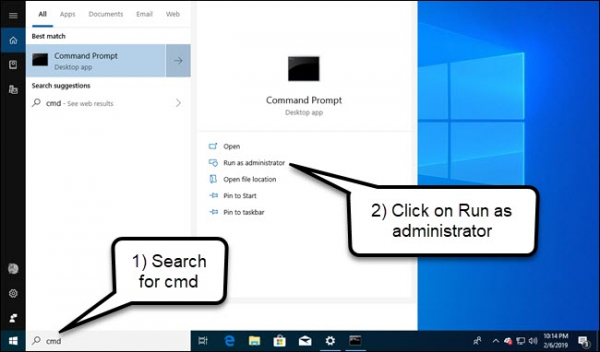
To deactivate the PC, you need to open the command prompt with administrative privileges. Just running it from an administrator account is not enough. You need to click the Start button, type cmd in the search box, and then select 'Run as administrator' from the menu.
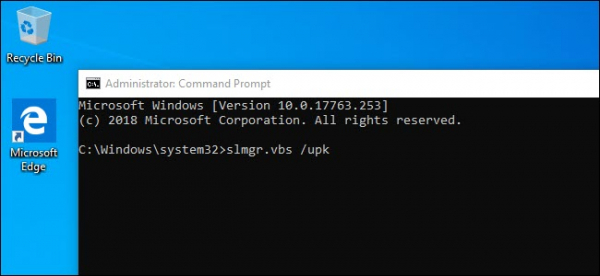
In the command prompt that appears, run the following command, after which you will need to restart the computer:
slmgr.vbs /upk
If you plan to sell or give away your PC, it’s a good idea to clean your key from the registry. This is not necessary for deactivation, but it's advisable to protect your key.
Type the following in the command line:
slmgr.vbs /cpky
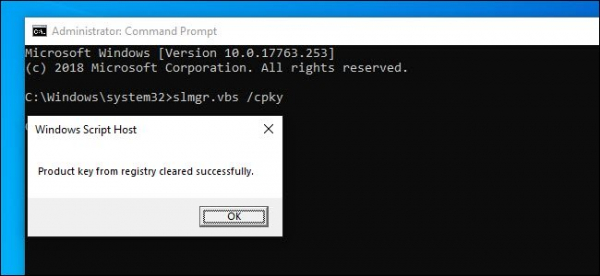
If successful, your old PC will be deactivated. You can still use Windows, but it will no longer be activated, and some features will stop working – for example, desktop personalization. Everything will be as if Windows was installed without a product key. To activate Windows, you can buy a new key and enter it or purchase it from the Windows Store.
How to activate a new PC
To activate using slmgr, open the command prompt with administrator rights and run the following command:
slmgr.vbs /ipk #####-#####-#####-#####-#####
Where you replace the hashes with your key.
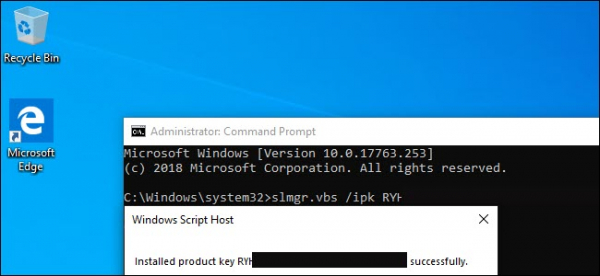
If you attempt to enter a key that was not deactivated on another PC, it may initially seem like the activation worked. However, it will eventually stop working, and you will receive messages prompting you to upgrade your license.
I reiterate, this will only work if the key matches the version of the OS you are using. If you have a key for Windows 10 Pro but have Windows 10 Home installed, you will receive an error message.
If you try to enter a key from Windows 7 or 8, you will receive an invalid key message.
In such cases, it is best to open 'Settings', select 'Activate Windows', and enter the key manually.
If you are using a key for Pro and activate a copy of Windows 10 Home, it will automatically upgrade to Pro.
Keep in mind that a Windows key can only be used for one installed copy of the OS. If you want to keep the old computer while building a new one, you will need a second license. But if you plan to get rid of it, save money and transfer the existing license.
Source: habr.com
