

Jon Stephenson von Tetzchner, one of the founders of Opera Software, is true to his word. , the visionary behind another Norwegian browser — , the mobile version of which is expected to hit the web by the end of this year and is already available for testing to all Android device owners in . No comments have yet been made regarding the release date for the iOS version.
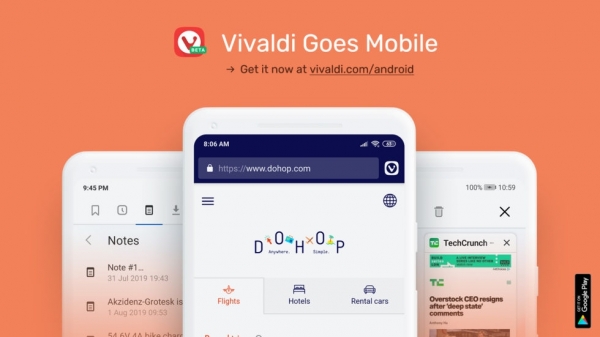
Vivaldi fans have been anticipating this release for several years, almost since the launch of the first version of the browser for Windows, macOS, and Linux in 2015. However, as the developers stated, they did not want to simply launch another web browsing application for phones; instead, the mobile version is meant to embody the spirit of its older sibling and delight its users with customization options and a user-friendly interface. Now, in the official Russian blog, the Vivaldi team declares: "The day has come when we believe the mobile version of the Vivaldi browser is ready for our users." Let's take a look at what they have accomplished together.
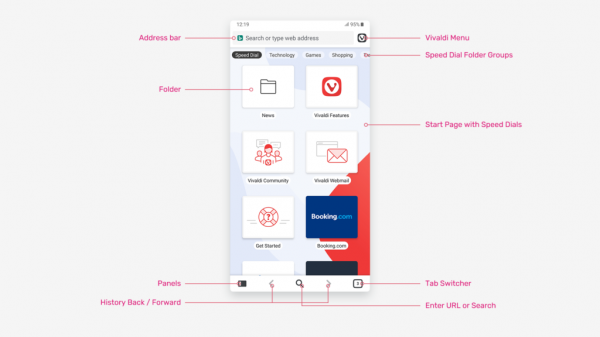
Upon first launch, you will be greeted by the standard express panel featuring links to partner resources, which can be easily removed if necessary. The express panel supports folder creation and grouping, just like the PC version, which we find quite convenient. However, currently, creating new folders and panels is only implemented through bookmarks, which is rather non-intuitive, but it seems the developers are aware of this, so the situation should improve soon.
The address bar is located at the top as usual, next to it, on the right, is a button that opens the menu with the standard set of browser settings. If activated with an open tab, some additional options appear, such as creating a page copy or a screenshot (either of the entire page or just the visible part). The main controls are located at the bottom, in the area of the screen that is most accessible for fingers holding the phone.
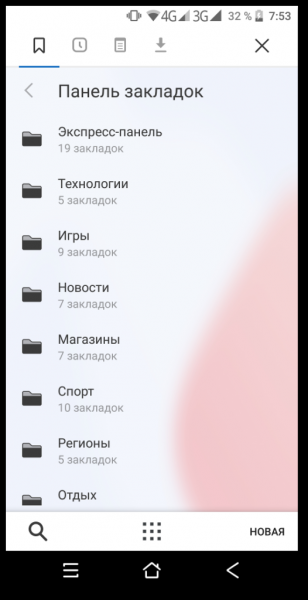
The "Panels" button allows you to display the bookmarks list in full screen, and you can also switch to your browsing history, which is also synchronized with your PC, view your notes and downloads. Everything is at your fingertips and presented in clear lists.
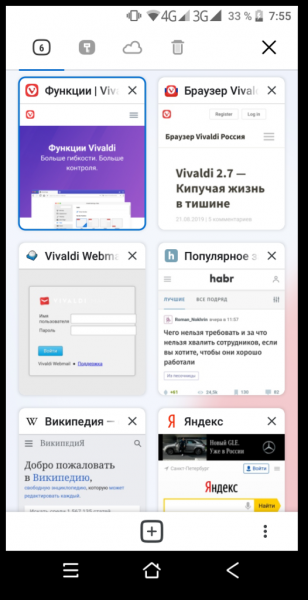
In the lower right corner, there is a button for managing tabs, which displays a complete list of them in a style similar to the speed dial, above which four controllers will help switch between simply opened tabs, incognito tabs, those launched on the PC, and recently closed ones.
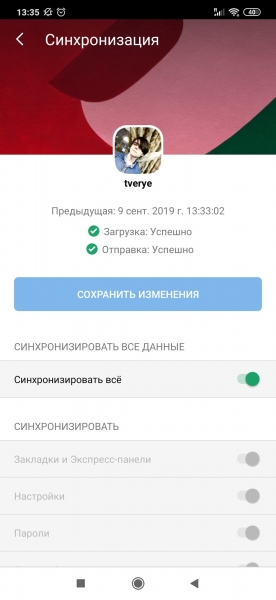
To sync your data, you will need to to , after which all data, from opened tabs on all devices to notes, will be fully copied and accessible anywhere you have the Vivaldi browser installed. However, one downside of synchronization is that it may create some chaos with partner links and the order you may have previously established on your PC, which will require extra time to organize.
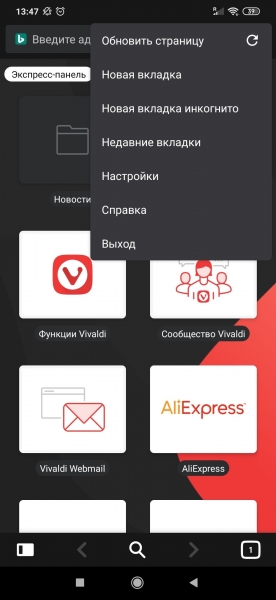
Dark theme enthusiasts who are mindful of their eyes will surely appreciate the browser's dark theme, which affects all panels and interface elements. In addition, the browser supports a reading mode on sites where it's generally available, and its activation is suggested by default when the browser starts (the promise of saving traffic).
You can read more about other features and capabilities in an article in the , as well as in the . However, one clear disadvantage is the lack of a built-in ad-blocking solution, which will require the use of some third-party tools.
It's worth noting that the browser is still in beta testing. For example, as we noted, the express panel lacks any additional functionality for creating and grouping panels, links, and folders. During personal testing, we also noticed the disappearance of the menu for setting the browser's color theme, as well as the absence of a link in the saved note on the PC. Developers request users to leave comments about found bugs , and to write any suggestions and feedback. .
Source: 3dnews.ru
