

The Document Foundation has announced the start of the beta testing for the LibreOffice 26.8 office suite. Ready installation packages have been prepared for various Linux, Windows, and macOS distributions. The release will take place from August 18 to 20.
Among the changes:
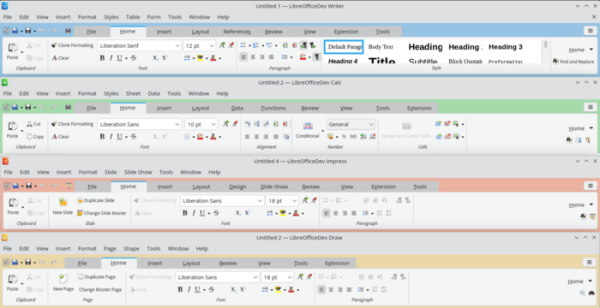
- Various background colors for the top panel (Notebookbars) have been ensured in different modules (Writer, Calc, Draw, and Impress). In tabbed tool mode, category labels have been introduced. The ability to switch between tabs on the panel using a touchpad or mouse wheel has been added.

- The option to change the color theme without restarting the application has been provided.
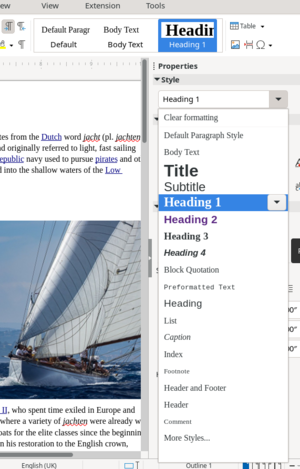
- In the toolbar, sidebar, and dropdown formatting block, the list of styles has been unified, now appearing the same everywhere and not losing standard styles after adding custom ones.

- Additional page sizes A0, A1, A2, B0, B1, B2, and B3 have been added in the page style dialog and sidebar.
- The ability to independently apply style filters has been implemented in the sidebar dialog for style management.
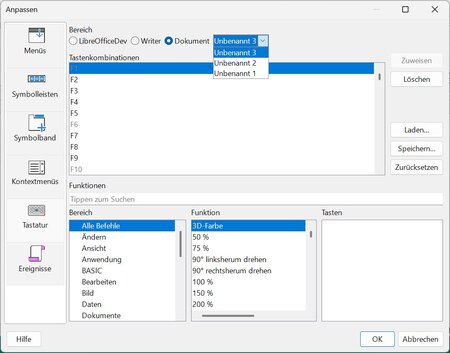
- The option to configure keyboard shortcuts tied to individual documents has been provided.

- Built-in support for OpenType variable fonts has been implemented, where thickness, width, and other stylistic characteristics of glyphs can vary freely. Instead of a separate description for each variant, combinations of possible options are defined in a single font resource through definitions of possible delta deviations from the base glyph with results obtained through interpolation.
- In the text search and replace dialog in regular expressions, the ability to use escape sequences for encoding Unicode characters has been implemented, for example, ‘\u000A’ for a newline or ‘\u0041’ for the letter ‘A’ in upper case.
- When engaging basic VCL widgets in the interface, a warning is displayed suggesting to install the integration package with the desktop (for instance, libreoffice-kf6 for KDE).
- Correct font usage is ensured, with names changing depending on the language set in the system. Documents created using one language in the interface now correctly display with the required fonts in interfaces with another language, provided those fonts are installed in the system.
- In configurations without the APSO (Alternative Python Script Organizer) add-on, the ability to open Python scripts in the system text editor from the macro management dialog has been provided.
- The hyperlink insertion dialog has added an option to cut parameters from the URL (‘?a=b&c=d…’).
- For dialogs capable of resizing, a button has been added on the Windows platform to maximize the window to the available space.
- A filter for searching in the user-connected dictionaries has been added.
- Numerous improvements have been made in processing and displaying text in languages with right-to-left scripts.
- Editing of existing table styles is now allowed in Writer and Calc.
- Changes in the Writer document editor:
- A new visual document comparison mode has been added, allowing side-by-side evaluation of the differences in two documents or different versions of one document in a single window.

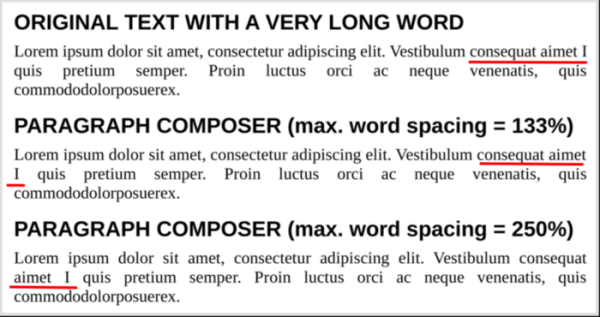
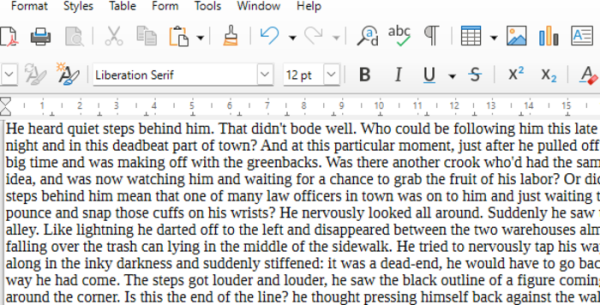
- A new paragraph layout engine (Paragraph Composer) has been implemented, breaking text into lines and distributing spaces in justified alignment, taking into account not only the content of the current line but also the subsequent lines. The new engine allows for an even distribution of gaps across all lines of a paragraph, avoiding situations where one line is almost fully filled, while another is almost empty due to the presence of long words.

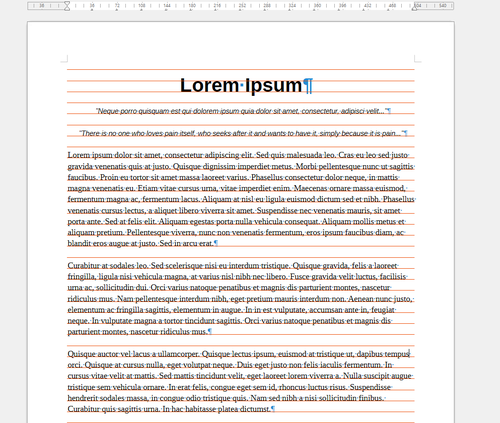
- An option ‘View ▸ Grids and Helplines ▸ Display Baseline Grid’ has been added for visualizing the layout grid by which letter alignment along the bottom edge of lines is performed. In the settings, you can set a custom color for the horizontal guide (Tools ▸ Options ▸ LibreOffice ▸ Appearance ▸ Customizations ▸ Baseline grid).

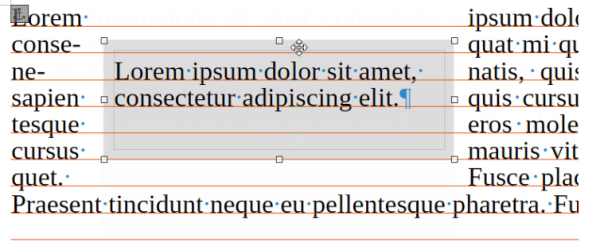
- When enabling the baseline grid alignment function, the alignment of text inserts is correctly implemented.

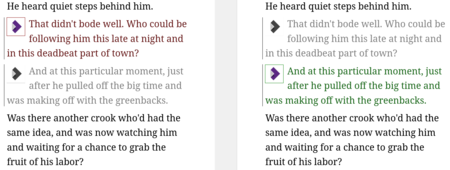
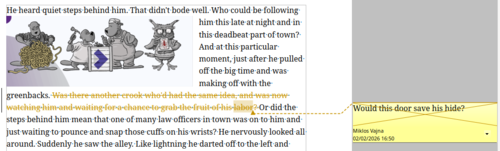
- Support has been added for reading and re-exporting DOCX files with style properties to hide elements and display in the gallery. The import and export filters for DOCX also ensure proper handling of comments in the deleted text area. Comments on deleted text in track changes mode are now displayed struck through, just like the text itself.

- A 'Draft' view mode has been added (View ▸ Draft) that shows only text and hides distracting formatting elements such as indents, headers, and images.

- The sidebar quick search bar has implemented support for searching in comments. The quick search options now display immediately in the panel without opening a modal dialog.
- An option has been added to disable the deletion of selected text when new characters are typed without clearing the selection (Tools ▸ Options ▸ LibreOffice Writer ▸ Formatting Aids: Typing: ☑ Typing replaces selection).
- Support has been added for sorting document section headings in alphabetical order.
- The word count dialog now includes data on the number of words before and after the cursor.
- In expert mode, the ability to override the content of the style dropdown has been added, using the parameters ShowDefaultStyles, ShowUsedStyles, ShowFavouriteStyles, and ShowUserDefinedStyles in the group org.openoffice.Office.Common.
- Performance has been improved for opening very large documents containing images.
- A new visual document comparison mode has been added, allowing side-by-side evaluation of the differences in two documents or different versions of one document in a single window.
- Changes in the Calc spreadsheet application:
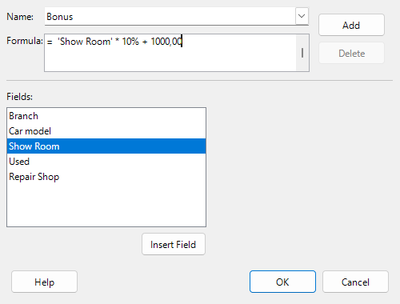
- In Pivot Tables, the ability to insert columns with values that are not directly input but calculated based on data from the spreadsheet has been added.

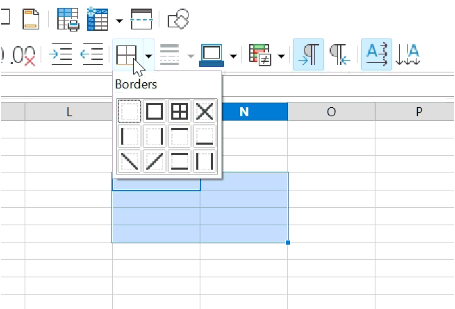
- The border control button on the toolbar has been transformed into a combo button, which in addition to the dropdown menu of available border types, now remembers the selected style and immediately selects it upon re-clicking, showing the menu only when the icon with the arrow is clicked.

- A Shuffle command has been added to randomize the order of cells in the selected range.
- A 'silent' mode for locking the entry of incorrect data without showing warnings has been added.
- Improved compatibility with the XLSX format for forced line breaks within cells when creating links.
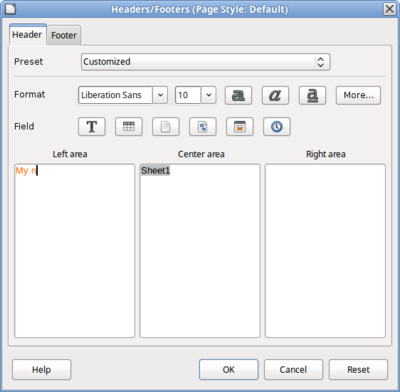
- The interface for changing text formatting in cell headers and footers has been improved.

- It is allowed to specify relative font sizes when defining cell styles.
- Added the keyboard shortcut Ctrl + Home to move the cursor to the first occupied cell.
- In Pivot Tables, the ability to insert columns with values that are not directly input but calculated based on data from the spreadsheet has been added.
- Changes in the Impress presentation system:
- The ability to create slides of different sizes within a single presentation has been provided.
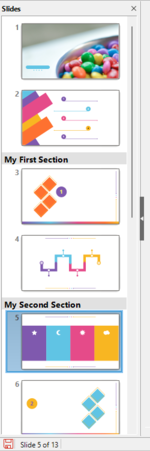
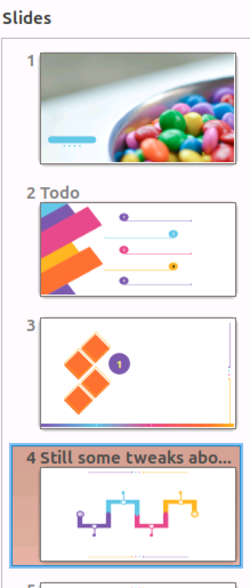
- Support for grouping slides in sections has been added, which can be used for navigation considering the presentation structure. In the sidebar and on the control panel page, the ability to display user-defined slide names next to their numbers has been enabled.


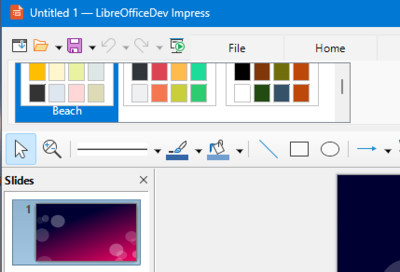
- Access to color theme palettes via the top panel has been implemented.

- The ability to switch between numbered and bulleted list styles while preserving their structure has been added.
- Pre-defined presentation templates with an aspect ratio of 16:9 have been implemented, in addition to the originally offered 4:3 options. When using these templates, changing the slide format from 4:3 to 16:9 no longer stretches the background.
- In presentation mode, automatic scaling of icons in the optional navigation bar according to the window size has been ensured.
- In Draw, an option for using the mouse wheel to zoom instead of scrolling has been added. To scroll with the mouse wheel in this mode, the Ctrl key should be held down. The ability to create pages of different sizes within a single document has been implemented.
- In Base, support for filtering by date or time when working with the Firebird DBMS has been implemented. The issue with deleting comments from SQL queries when switching to another query in Design View has been resolved.
- In Chart, the ability to import and resave OOXML format files containing new types of charts ('chartex') added in Microsoft Office has been implemented. However, LibreOffice currently cannot display or edit such charts and shows placeholders with information that they are not supported.
- In Math, a dialog for creating matrices has been added.
Source: opennet.ru
