

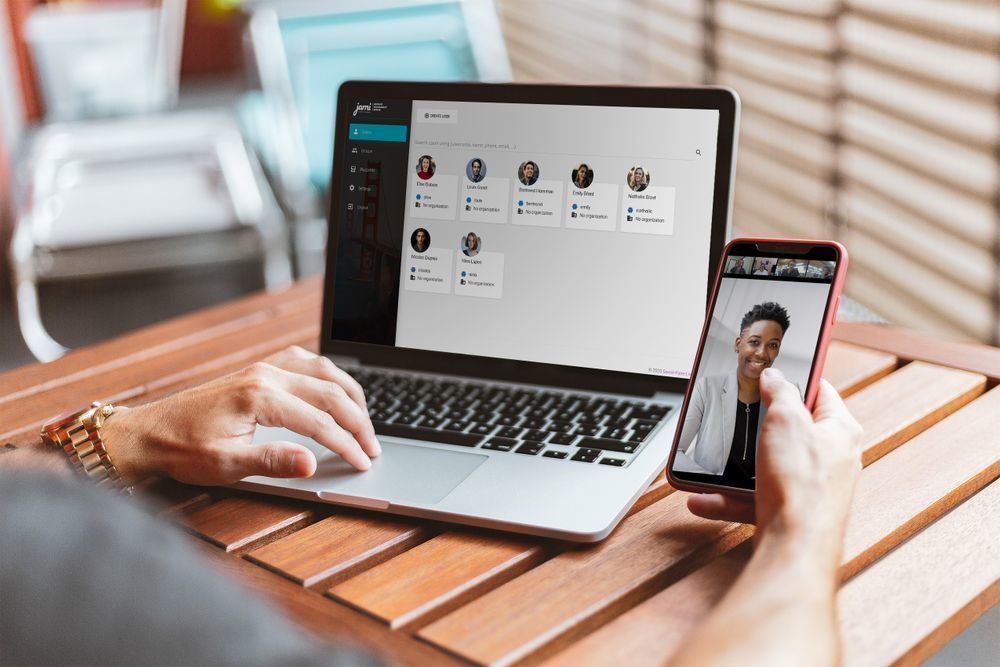
The latest version of the secure messenger Jami, codenamed 'Together,' has been released. This major update fixes a substantial number of bugs, significantly enhances stability, and adds new features.
The pandemic that affected the entire world compelled the developers to rethink the meaning of Jami, its goals, and what it should become. It was decided to transform Jami from a simple P2P system into a comprehensive software for group communication that allows large groups to communicate while maintaining individual privacy and security, and remaining completely free.
Key Fixes:
- Significant stability improvements.
- Considerable performance enhancement in low-bandwidth networks. Jami now requires just 50 KB/s for audio/video mode and 10 KB/s for audio calls.
- The mobile versions of Jami (Android and iOS) are now much less resource-intensive, which significantly reduces battery consumption. The wake-up function for smartphones has been improved, and calls are now more efficient.
- The Jami version for Windows has been completely rewritten and now works excellently on Windows 8, 10, and also on Microsoft Surface tablets.
New features:
- More efficient and extended video conferencing system.
Let's be honest — until now, the video conferencing system in Jami did not work. Now we can easily connect dozens of participants without any issues. In theory, there are no limitations on the number of participants — only your network's bandwidth and hardware load.
- The ability to dynamically change the layout of conferences. You can choose a participant you want to spotlight, share a presentation, or stream media in full screen, all with the push of a button.
- Rendezvous Points are one of the most innovative features. With just one button, Jami turns into a conference server. Rendezvous Points appear like any other account created in the account creation wizard. Each point can be permanent or temporary and can have its own name, which can be registered in the public directory.
After creation, the users you invited can meet, see, and communicate with each other at any time — even if you are absent or on another call! All you need is to connect your account to the internet.
For example, if you are a teacher and are engaged in remote learning — create a 'meeting point' and share the ID from a distance with your students. Call from your account to the 'meeting point' and you’re there! Similar to video conferencing, you can manage the video layout by clicking on the users you want to highlight. You can create any number of 'meeting points.' This feature will receive further development in the coming months.
- JAMS (Jami Account Management Server) is the account management server. Jami implements a free distributed network for everyone. However, some organizations require a higher level of control over their network users.
JAMS allows you to manage your own Jami community by leveraging the advantages of the Jami distributed network architecture. You can create your Jami user community either directly on the server or by connecting it to your LDAP authentication server or Active Directory service. You can manage user contact lists or pass specific configurations to groups of users.
This new feature of the Jami ecosystem will be especially useful for companies or organizations, such as schools. The alpha version has been available for the past few months, and JAMS has now transitioned to beta. The full production version is expected to be available in November, with complete commercial support for JAMS planned by the end of the year.
- A plugin system has been introduced along with the first Jami plugin. Developers can now add their plugins, extending Jami's base functionality.
The first official plugin is called 'GreenScreen' and is based on TensorFlow, Google's well-known neural network framework. The integration of artificial intelligence into Jami opens up endless new possibilities and use cases.
The 'GreenScreen' plugin allows you to change the background of your image during a video call. What makes it so special? All processing happens locally on your device. 'GreenScreen' is available for download. here — (supports Linux, Windows, and Android). The version for Apple will be released soon. This first version of 'GreenScreen' requires significant machine resources. In fact, a Nvidia graphics card is strongly recommended, and for Android, only phones with a dedicated AI chip will suffice.
- What’s next? The developers promise to focus on developing and stabilizing the aforementioned innovations soon, as well as adding the 'Swarm Chat' feature, which will allow synchronization of conversations across multiple devices and communication in both private and public groups.
The developers expect active feedback from Jami users.
Please send your comments and suggestions here.
Bugs can be reported here.
Source: linux.org.ru
