

The Kiwi mobile browser is not very well known among Android users yet, but it has some interesting aspects that are worth discussing. The browser was launched about a year ago and is based on the open-source Google Chromium project, but it includes some intriguing features.
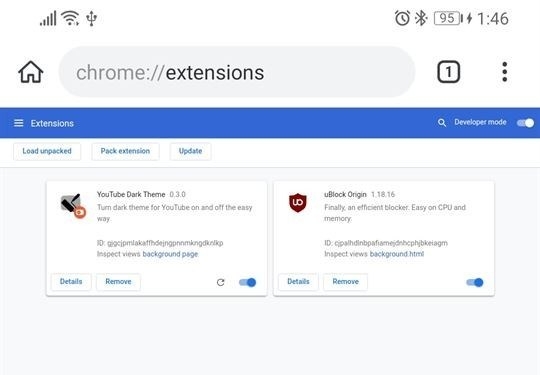
In particular, it comes with a built-in ad and notification blocker by default, a night mode feature, and background playback support for YouTube and other services. The latest version of Kiwi provides support for Google Chrome extensions, something that is lacking even in the official Google Chrome app for Android, let alone other counterparts.
It is important to note that not every Chrome extension will work. If it is strictly tied to the x86 architecture, it is likely that it won't run. However, many extensions that alter the behavior of the browser or the websites the user visits should function.
For now, you will need to use 'manual mode' to activate extensions. The procedure is as follows:
- Enable Developer Mode by entering chrome://extensions in the address bar and navigating to that address.
- Switch to desktop mode.
- Go to the Chrome extensions store.
- Find the desired extension and then install it as usual.
If for some reason you do not want to enable desktop mode, you can also upload extensions in .CRX format. After that, rename it to .ZIP, extract the archive into a folder, and then use the 'Load unpacked extension' option in Kiwi. It’s inconvenient, but it might be useful for some.
The program can be downloaded from the or from . It is worth noting that this is not the first such browser. The mobile version of Firefox for Android has long supported many extensions that work with the desktop version.
Source: 3dnews.ru
