

The release of the Budgie desktop environment 10.10.4 has been announced, marking the fourth update in the 10.10 branch, now utilizing the Wayland protocol. Concurrently, similar releases have been formed for associated components, such as the Budgie Desktop View and the Budgie Desktop Services suite (the update for the Budgie Session manager and the Budgie Control Center system configuration interface is delayed). The project's code is distributed under the GPLv2 license.
Packages for Budgie 10.10.4 are available in Fedora Rawhide.
Budgie is based on a panel that is similar in functionality to traditional desktop panels. All elements of the panel are applets, allowing for flexible configuration of the composition, placement adjustments, and replacement of core panel elements to personal preference. Among the available applets are a classic application menu, a task switcher, a list of open windows, and a viewer. virtual desktops, a power management indicator, a volume control applet, a system status indicator, and a clock.
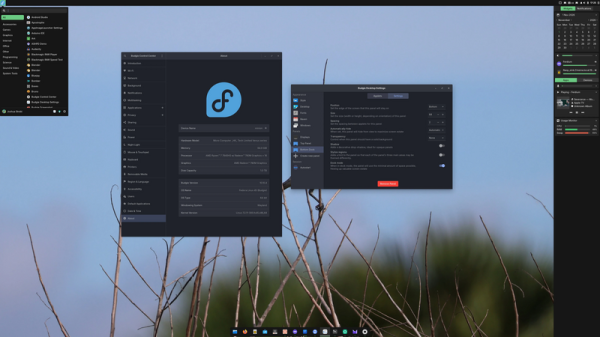
Among the changes in the new version:
- Support for automatic panel hiding has been implemented to provide full screen space for windows maximized to full screen. The implementation of the Dock Mode has also been completely rewritten. After transitioning to Wayland, the old logic of auto-hiding and pinning stopped functioning properly due to the lack of transmission of exact window coordinates and sizes, necessitating a complete redesign. The panel no longer reserves screen space, but
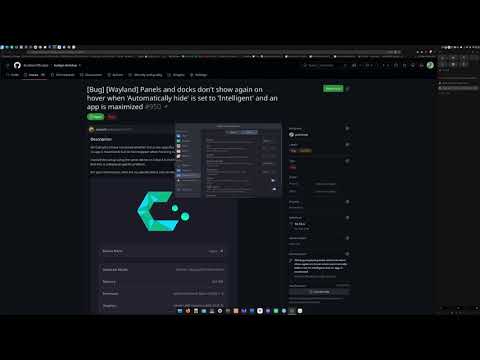
is positioned above other windows, yet becomes invisible when hidden, leaving a 3-pixel area at the edge of the screen for revealing it when the cursor is hovered over it. Auto-hiding is disabled when a menu, widgets, or any other popup panels are open.Two modes of automatic panel hiding have been proposed: Automatic and Intelligent, which operate based on the state of full-screen window openings. In the first case, the panel is hidden when any window on the current screen is maximized, while in the second case, it is only hidden when the active window that has input focus is maximized.
When watching a video in full screen, if the mouse is hovered at the edge of the screen, the panel appears above the video but is not activated when launching full-screen games that capture the cursor. If the setting to prevent panel hiding is enabled, the panel remains behind the windows of full-screen applications, but it can be brought to the forefront using the Super+T key combination or by pressing the Super key to open the Budgie menu.

- In the Raven sidebar, the ability to switch between widgets and notifications using the Super+A and Super+N key combinations has been implemented.
- Improved integration with the Labwc compositor. The support for the "Super+Shift+Arrow" key combination has been restored for moving the active window to another monitor. For windows in "picture-in-picture" mode used in "Firefox," constant placement above other windows is ensured. Now, clicking the left mouse button on the desktop simply shifts focus to the desktop to prevent accidental opening of menus or launching applications when using the touchpad.
- The ability to configure an inactivity timeout after which screen brightness is reduced has been added. This option is currently unavailable in the graphical configurator but can already be set via the command line ("gsettings set com.solus-project.budgie-wm dimming-delay 90").
- A parameter for selecting the screen-locking program (both gtklock and swaylock are supported), which can currently only be changed via the command line ("gsettings set org.buddiesofbudgie.budgie-locker locker-choice 'swaylock'").
- Caching of the list of installed applications used in the menu, task list, and autostart page has been implemented. This optimization has accelerated the panel launch but increased shared memory consumption by 810 KB.
- Developers are provided with the opportunity to use the command "meson devenv" to launch the panel, applets, and the Raven sidebar directly from the build directory without installing it in the system (for example, "meson devenv -C build budgie-panel --replace &").
Source: opennet.ru

 Russian
 Italian
 German
 Polish
 Estonian
 Albanian
 Bulgarian
 Croatian
 Czech
 Danish
 Dutch
 English
 French
 Hungarian
 Latvian
 Norwegian
 Portuguese
 Romanian
 Slovak
 Slovenian
 Spanish
 Swedish