

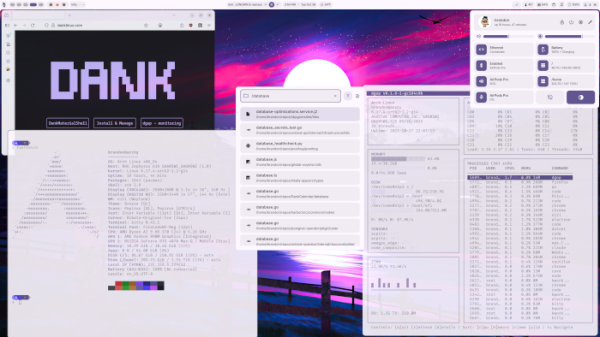
The release of the DankMaterialShell (DMS) 1.6 user environment has been presented, which supports operation over composite servers such as niri, Hyprland, Sway, MangoWC, labwc, Scroll, and Miracle WM. DankMaterialShell provides a unified set of interchangeable components for building a desktop, including a taskbar, virtual desktop switcher, application navigation interface, and configuration tool. The design aligns with the Material Design 3 concept. The background process code for integration with the system, toolkit, and installer is written in Go and is distributed under the MIT license. The interface components, panels, widgets, and graphic applications are prepared in QML using the Quickshell framework, which is written in C++ using Qt.
Features of DankMaterialShell:
- Dynamic themes automatically applied to GTK, Qt, and system applications. Color schemes for themes are formed taking into account the color of the selected desktop wallpaper.
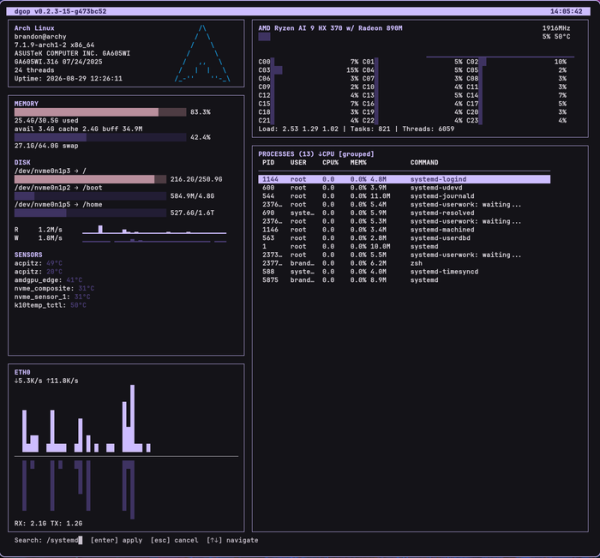
- Built-in metrics collection tools for CPU, RAM, and GPU temperature and resource consumption, along with an interface for managing running processes.
- Expandable interface through plugins for navigating installed applications with support for searching programs, files, open windows, and commands.
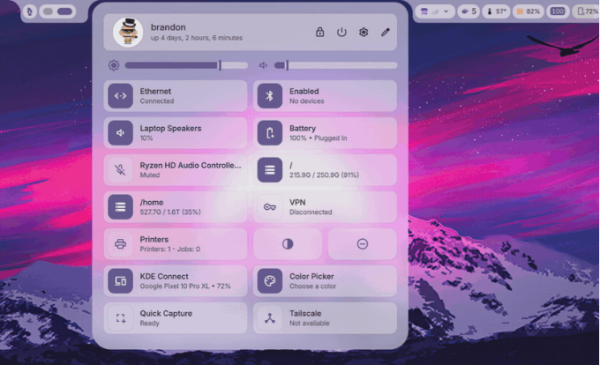
- Control center with an interface for configuring network, Bluetooth, audio devices, and screen settings.
- Ability to enable night mode and switch between light and dark themes.
- Notification center supporting notification grouping, text formatting, and keyboard navigation.
- Widget panel for calendar, weather forecast, clipboard history, and integration with multimedia players via the MPRIS protocol.
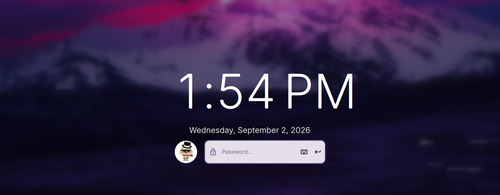
- System lock screen with session management capabilities. Sleep mode activation or screen lock is possible after a certain period of user inactivity.
- Dank Greeter system login screen.
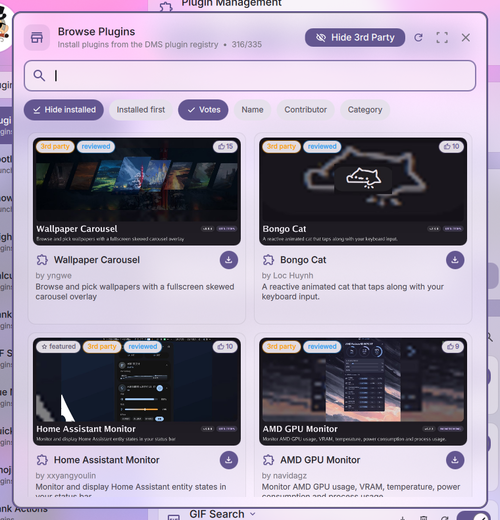
- Plugin system that extends functionality and is installed from the plugin repository.
- A universal installer that allows you to deploy and configure an environment based on DankMaterialShell on Arch, Fedora, Debian, Ubuntu, openSUSE, Gentoo, and Void Linux.
- Dank Search toolkit for searching files in the system.
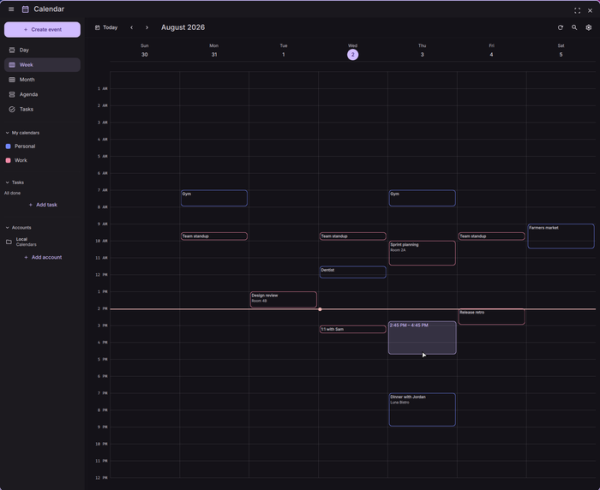
- Dank Calendar scheduling tool that supports CalDAV protocol and synchronizes with Google and Microsoft services.
- A file manager and DankConnect application for smartphone integration are in development.
Among the changes in the new release:
- Performance optimization has been completed, resulting in a 5.2x speedup in message delivery via IPC, the screenshot tool's image saving is now 4-8x faster, and CPU load when using the color picker is reduced by 3.9 times. Memory consumption for the user environment has been decreased by 19% and now stands at 76 MB.
- A new panel mode has been introduced — Dank Island, where widgets are designed as visually separated islands that dynamically respond to user actions or system events. This mode can be enabled via the 'Island' option in the 'Bar -> Appearance' settings.


- The first release of the login screen dank-greeter has been formed.

- Initial support for FreeBSD OS has been added in the system monitoring utility dgop and the file search system dsearch.

- In the dcal scheduling tool, support for creating events via drag-and-drop of elements into daily and weekly lists has been implemented. Multiple elements can now be selected at once.

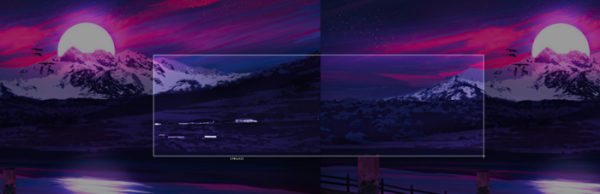
- In the screenshot utility, selecting a screen area covering information from multiple monitors is now allowed. Initial implementation of scrolling content capturing for reflecting areas in a window that require scrolling has been added. Support for the Wayland protocol wp_color_manager_v1 has been added, enabling 10-bit color representation and HDR.

- A new plugin browser has been added.

- Dynamic theming support has been implemented for GTK3 applications (GTK3 applications now pick up changes to the system color scheme on the fly without the need for a restart).
- In the theme selection interface, the text contrast level display has been implemented (AA — 4.5:1 or AAA — 7:1).
- The network settings interface has added support for enabling Wi-Fi Hotspot to provide network access to other systems. A button to refresh the list of wireless networks has been added. A backend for cellular modems has been included in the NetworkManager.
- Support has been added for working with multiple Bluetooth adapters simultaneously.
- The taskbar has separated pinned and running applications.
- Initial support for the FreeBSD platform has been added.
- Version numbering for desktop components has been unified. Versions of dsearch, dgop, dcal, and dgreeter are now released alongside DMS and share a common version number.

Source: opennet.ru
