

The developers of the openSUSE project have introduced the Agama 13 installer, designed to replace the classic installation interface of SUSE and openSUSE, and noteworthy for separating the user interface from the internal components of YaST. Agama supports the use of various frontends, such as a web interface for managing installations. The installer components' code is distributed under the GPLv2 license and is written in Ruby, Rust, and JavaScript/TypeScript.
To test the new installer, live builds have been created for the x86_64, ppc64le, s390x, and ARM64 architectures. The builds include the alpha version of openSUSE Leap 16, continuously updated builds of openSUSE Tumbleweed and openSUSE Slowroll, as well as the MicroOS container-based edition. The installer will be included in openSUSE 16 (alpha version available) and SUSE Linux Enterprise Server 16 (beta release expected in May).
The goals of the Agama development include addressing existing limitations of the graphical interface; expanding the possibilities for utilizing YaST functionality in other applications; moving away from dependence on a single programming language; and encouraging the creation of alternative settings by community members. The installer offers features such as selecting an initial set of applications, configuring network connections, language, keyboard, timezone, and localization settings, preparing storage devices, and partitioning, as well as adding users to the system.
For installing packages, checking hardware, partitioning disks, and other necessary installation functions, Agama continues to use YaST libraries, on top of which are service wrappers that abstract access to the libraries via a unified communication protocol based on HTTP. The installer employs a multiprocess architecture that ensures the user interaction interface remains responsive while other tasks are executed.
The basic interface for managing installations is built using web technologies. The web interface is written in JavaScript using the React framework and PatternFly components. The messaging service, along with a built-in HTTP server, is written in Ruby.
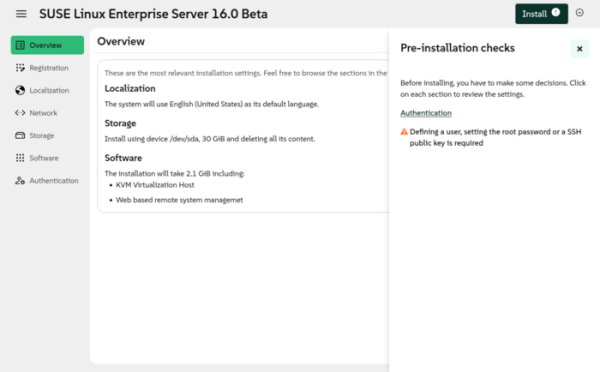
In the new version:
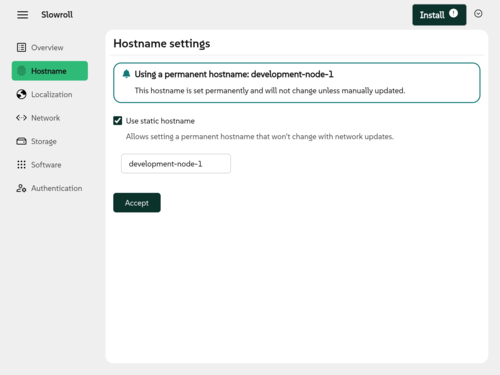
- A page for configuring the hostname has been added. Based on this page, a 'System' section with system settings is planned for the future.

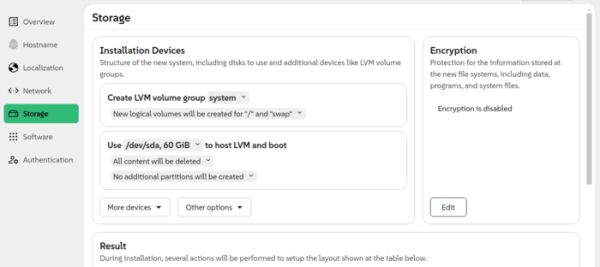
- An interface for installation using the Logical Volume Manager (LVM) has been added. Previously, the definition of LVM volume groups and logical partitions was implemented in automatic installation mode and in the command-line interface, and is now included in the web interface.

- Support for registering extensions in the SUSE Customer Center for installation in SUSE Linux Enterprise Server has been added.
- In the automated installation configuration, support has been added for defining a custom package list for installation, without being limited to the proposed ready-made templates. There are no plans to add selective package installation to the web interface (selection will be limited to thematic sets).
- Support for AutoYaST-style URLs (e.g., device://) has been added to the automated installation mode, allowing installation scripts to be loaded from locations used in AutoYaST. In addition to 'file:' and 'http:', support for the URL schemes 'device:', 'usb:', 'label:', 'HD:', 'DVD:', and 'cd:' has been implemented.
- The ability to automatically search for settings for automatic installation has been implemented, which is used if the installation script URL is not explicitly specified. During the search, Agama will check for the existence of files autoinst.jsonnet, autoinst.json, and autoinst.xml in the root directory and in the OEMDR directory.
- Support for deploying arbitrary files during the installation process has been added. Such files must be defined in the configuration through the element. Files can be uploaded from external sources, serversas well as embedded directly into the automatic installation configuration.
Source: opennet.ru
