

The release of ONLYOFFICE DocumentServer 8.3 has been published, featuring a server for the ONLYOFFICE online editors and enabling collaborative work. The editors can be used for working with text documents, spreadsheets, and presentations. The project code is distributed under the free AGPLv3 license.
At the same time, the release of the ONLYOFFICE DesktopEditors 8.3 product has been generated, built on a single code base with the online editors. The desktop editors are presented as desktop applications, written in JavaScript using web technologies, but combine both client and server components designed for standalone use on the user's local system without accessing an external service. The Nextcloud Hub platform can also be used for collaboration on its premises, providing full integration with ONLYOFFICE. Ready-made builds have been created for Linux, Windows, and macOS.
ONLYOFFICE claims full compatibility with MS Office and OpenDocument formats. Supported formats include: DOC, DOCX, ODT, RTF, TXT, PDF, HTML, EPUB, XPS, DjVu, XLS, XLSX, ODS, CSV, PPT, PPTX, ODP. The functionality of the editors can be extended through plugins, for instance, plugins for creating templates and adding videos from YouTube are available. Pre-built packages are available for Windows and Linux (deb and rpm packages).
Key innovations:
- Support for files in the '.hwp' and '.hwpx' formats, used in the Hancom Office suite, as well as the '.pages', '.key' (Keynote), and '.numbers' formats used in Apple iWork has been added. These formats can now be viewed in ONLYOFFICE. If changes need to be saved, the content is converted to the OOXML format (DOCX, PPTX, XLSX).
- Changes in the PDF document editor:
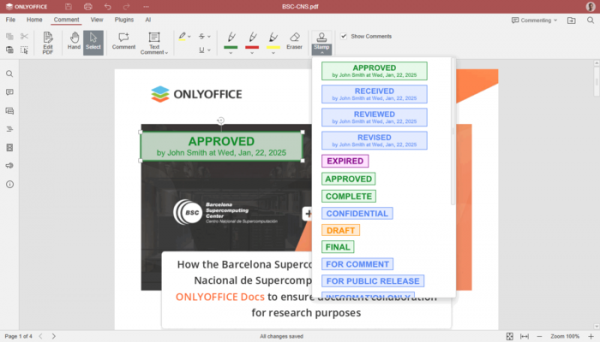
- Support for adding stamps has been introduced, which can be used for signing or approving documents by adding corresponding labels.

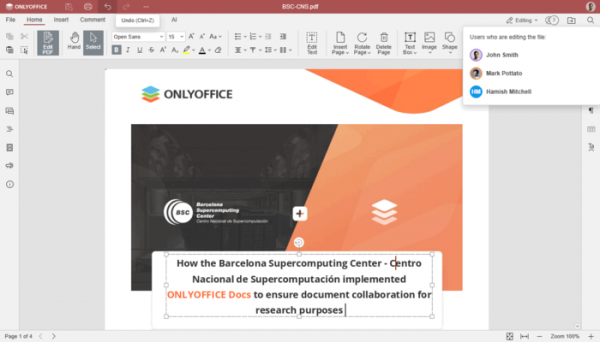
- In a collaborative document session with multiple participants, the ability to undo changes made is now provided.
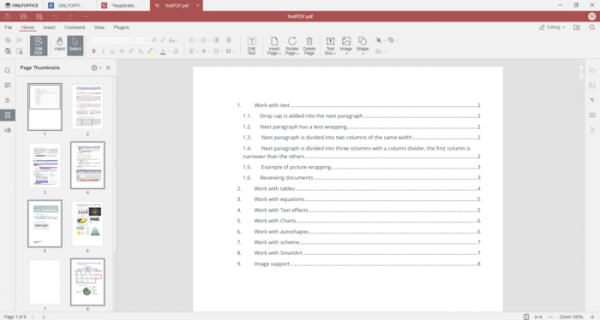
- The ability to select multiple pages in the sidebar has been added, for example, for deletion or movement. To select a range of pages, the Shift key should be used, while Ctrl can be used to add or remove from the selection.

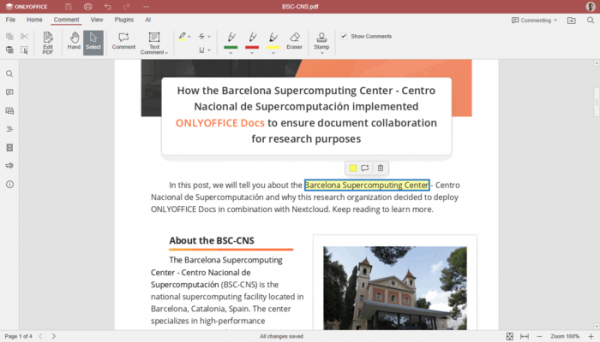
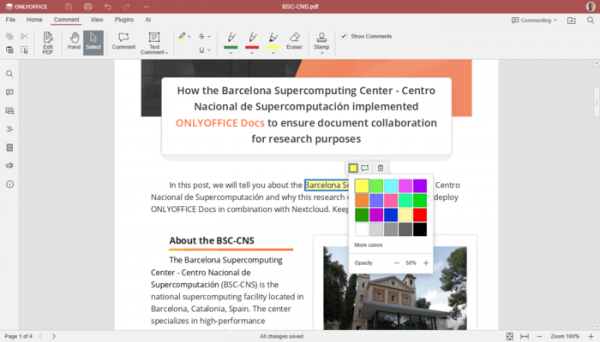
- A context panel for editing annotations has been added, allowing quick changes to color, the addition of comments, or the deletion of annotations.
- The ability to set the transparency level when adding or editing annotations has been introduced.
- Support for adding stamps has been introduced, which can be used for signing or approving documents by adding corresponding labels.
- Changes in the spreadsheet editor:
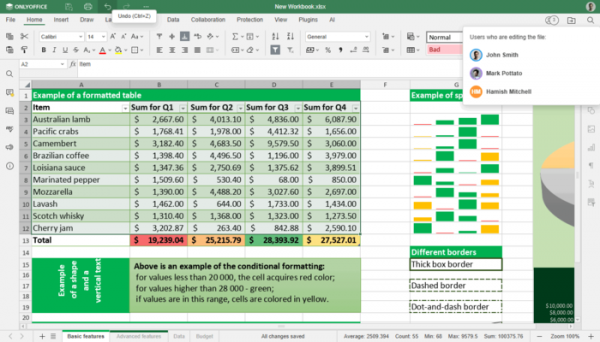
- The ability to undo actions in collaborative spreadsheet work with multiple participants has been implemented.
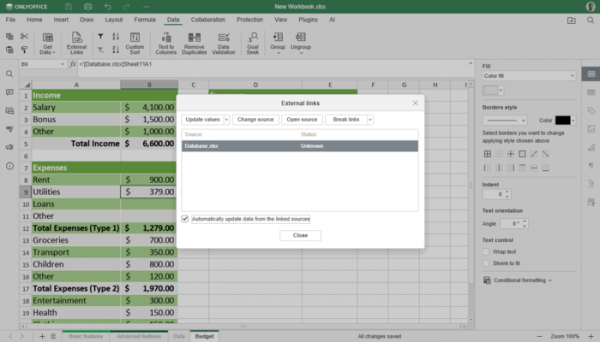
- Support for automatic data updates from a linked external source has been added.
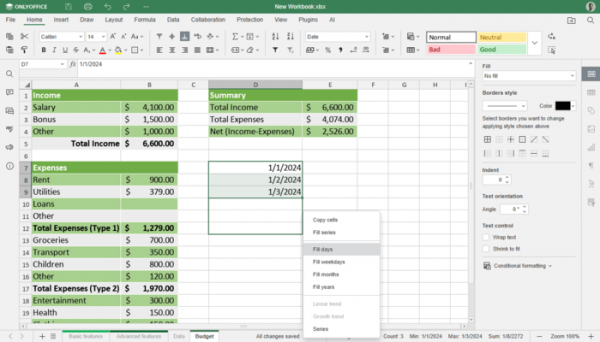
- Support for autofill in days, weekdays, months, and years in cells has been added.
- Support for opening and saving calculated values in Pivot Tables has been added.
- A tooltip describing function arguments has been added to the function selection interface.
- Automatic detection of the delimiter based on the content of the text file has been implemented in the CSV data opening dialog.
- Options for managing the display of horizontal and vertical scroll bars have been added.
- The ability to undo actions in collaborative spreadsheet work with multiple participants has been implemented.
- Changes in the presentation editor:
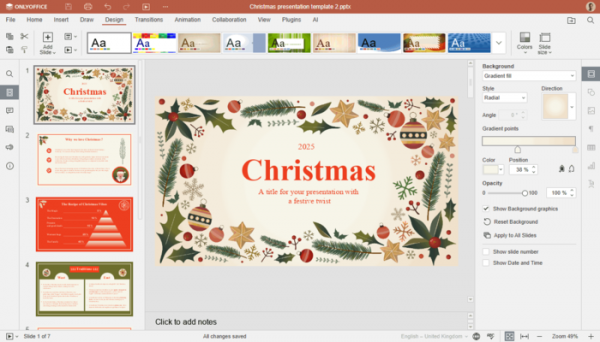
- A new 'Design' tab has been added, providing tools for applying styles, changing color schemes, and adjusting slide size.
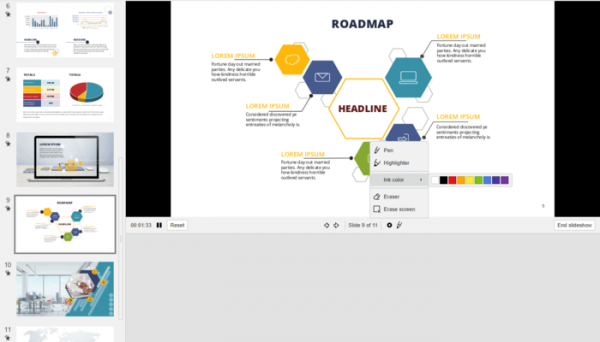
- The ability to draw over the slide during slideshow or presentation mode using 'pen' and 'marker' tools has been provided.
- An option to show from the beginning has been added to the quick access toolbar.
- Buttons for changing cursor mode (move/select) have been added to slideshow mode.
- A new 'Design' tab has been added, providing tools for applying styles, changing color schemes, and adjusting slide size.
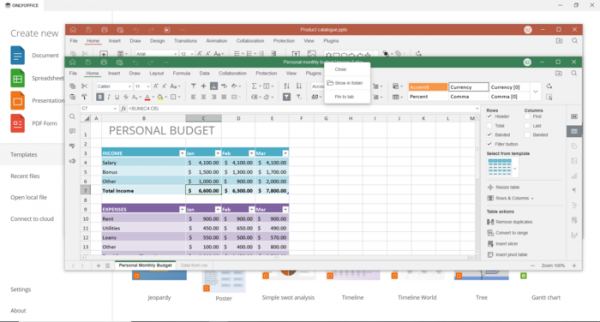
- A context menu for managing windows and tabs has been added, providing operations such as close, pin, move tab to the beginning/end, and convert tab to window and vice versa.

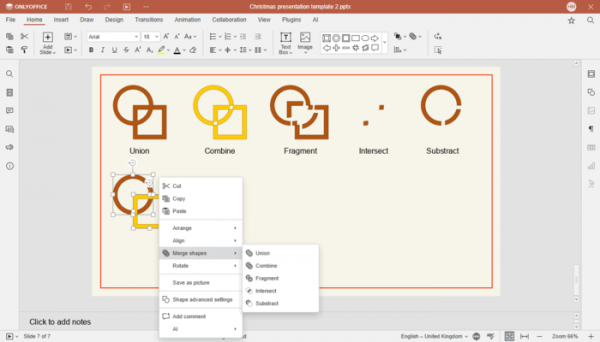
- The merge shapes operation, supporting union, combination, fragmentation, exclusion, and intersection modes, has been added to all editors.
- Enhanced support for languages where text is entered right-to-left (RTL) has been provided in the document editor.
- Support for merging or comparing text documents at the word or individual character level has been added.
- Improved functionality with protected text documents.
- An operation to reset image cropping has been added to the right panel and context menu.
Source: opennet.ru
