

The release of Chrome OS 104, based on the Linux kernel, using the upstart system manager, ebuild/portage build tools, open components, and the Chrome 104 web browser, is now available. The user environment of Chrome OS is limited to the web browser, utilizing web applications instead of standard programs; however, Chrome OS includes a full multi-window interface, desktop, and taskbar. The source code is distributed under the Apache 2.0 open license. Chrome OS 104 is available for most current Chromebook models. A version of Chrome OS Flex is offered for use on regular computers. Unofficial builds for standard computers with x86, x86_64, and ARM processors are also being developed by enthusiasts.
Key changes in Chrome OS 104:
- The Smart Lock interface has been updated, allowing the use of Android-based smartphones to unlock the Chromebook. To enable Smart Lock, you need to link your smartphone to Chrome OS in the settings under ‘Chrome OS Settings > Connected devices.’
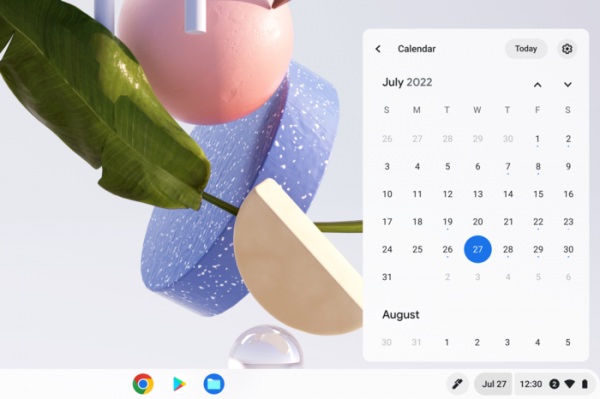
- The quick settings panel and status bar now include the ability to access the calendar with a month-view day layout. You can immediately view events marked in Google Calendar from the calendar.

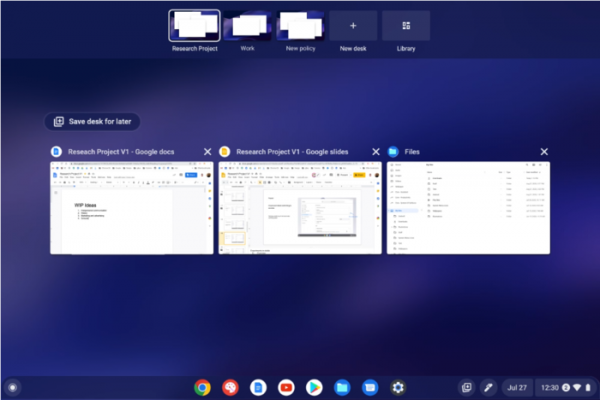
- A button has been added to close all windows and tabs associated with the selected virtual desktop at once. The ‘Close desk and windows’ button is available in the context menu that appears when hovering over a virtual desktop in the panel.

- The notification output interface has been redesigned. Notifications are now grouped by senders.
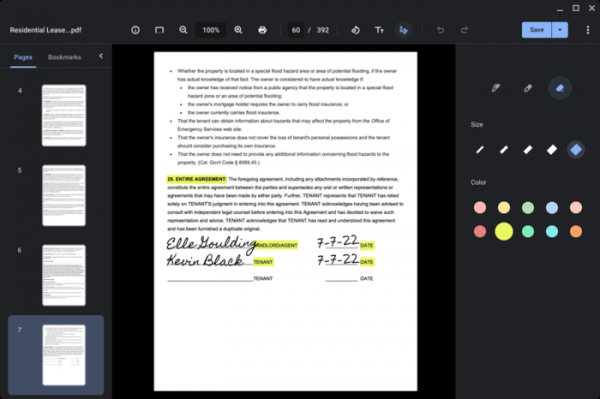
- The Gallery multimedia viewer now supports annotations in PDF documents. Users can not only view PDFs but also highlight text, fill out interactive forms, and attach arbitrary annotations.
- When searching in the application launcher interface, recommendations for installing applications from the Play Store catalog that match the search query are displayed.
- A functionality for creating internet kiosks and digital demonstration stands is available for testing. The tools for setting up kiosks are provided on a paid basis ($25 per year).
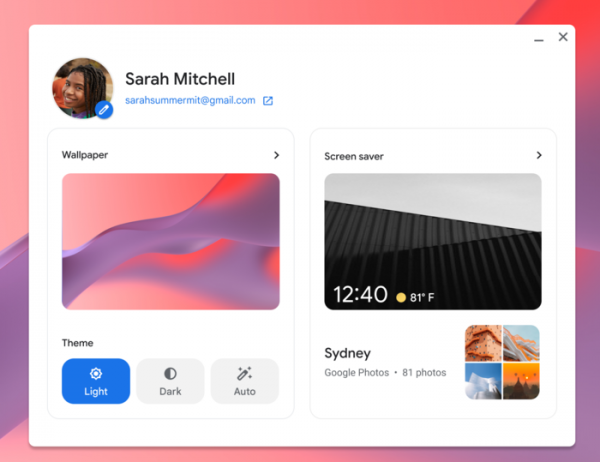
- The upgraded screensaver now allows you to display images and photos from your selected album. This way, the device can be used as a digital photo frame when idle.

- Support for light and dark theme variants has been implemented, along with a mode for automatic selection of dark or light styles.
- The Chrome Remote Desktop now supports multiple monitors. When connecting to a device with several screens, users can choose which screen to display the remote session on.
- The admin interface now includes the ability to export application and extension usage reports in CSV format, and a new page has been added with detailed information about the selected application.
- The possibility of scheduled automatic reboots during an active user session has been implemented. If the session is active, a special warning will be displayed to the user one hour before the reboot scheduled by the administrator.
- Additionally, Google Photos announced upcoming features for video editing and creating clips from a set of clips or photos proposed by the user in the fall update. New preset applications for creating screencasts and taking handwritten notes have also been noted.
Source: opennet.ru
