

The release of Nextcloud Hub 7 has been introduced, providing a self-sufficient solution for organizing collaboration among employees and teams engaged in various projects. Concurrently, the cloud platform Nextcloud 28, which underpins Nextcloud Hub, has been published, enabling the deployment of cloud storage with support for synchronization and data sharing, allowing for data viewing and editing from any device at any point in the network (using a web interface or WebDAV). The Nextcloud server can be deployed on any hosting that supports PHP script execution and provides access to SQLite, MariaDB/MySQL, or PostgreSQL. The source code of Nextcloud is distributed under the AGPL license.
In terms of tasks solved, Nextcloud Hub resembles Google Docs and Microsoft 365, but allows for the deployment of a fully controlled collaboration infrastructure that operates on its own servers and is not tied to external cloud services. Nextcloud Hub integrates multiple open applications as add-ons on the Nextcloud cloud platform, enabling collaborative work with office documents, files, and information for task and event planning. The platform also includes add-ons for accessing email, messaging, organizing video conferences, and chats.
User authentication can be carried out both via a local database and through integration with LDAP/Active Directory, Kerberos, IMAP, and Shibboleth/SAML 2.0, including the use of two-factor authentication, SSO (Single Sign-On), and linking new systems to the account via QR code. Version control allows tracking changes in files, comments, sharing rules, and tags.
The main components of the Nextcloud Hub platform:
- Files — a system for storing, syncing, sharing, and exchanging files. Access can be achieved via both the web and client software for desktop and mobile systems. Advanced features include full-text search, file attachment when sending comments, selective access control, creation of password-protected links for downloads, and integration with external storage (FTP, CIFS/SMB, SharePoint, NFS, Amazon S3, Google Drive, Dropbox, etc.).
- Flow — optimizes business processes through the automation of routine tasks like converting documents to PDF, sending messages to chat when new files are uploaded to specific directories, and automatically assigning tags. Custom handlers can be created to perform actions tied to specific events.
- Nextcloud Office — integrated tools for collaborative editing of documents, spreadsheets, and presentations, developed in partnership with Collabora. Supports integration with OnlyOffice, Collabora Online, MS Office Online Server, and Hancom Office packages.
- Photos — an image gallery that simplifies searching, sharing, and navigating through a collaborative collection of photos and images. Supports ranking photos by time, location, tags, and view frequency.
- Calendar — a scheduling calendar that allows coordinating meetings and planning chats and video conferences. Offers integration with group collaboration tools across iOS, Android, macOS, Windows, Linux, Outlook, and Thunderbird. Supports event uploads from external resources using the WebCal protocol.
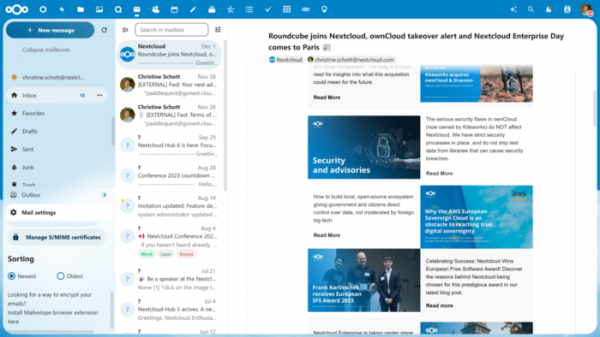
- Mail — a shared address book and web interface for handling emails. Multiple accounts can be linked to a single inbox. Supports email encryption and attachment of digital signatures based on OpenPGP. Address book synchronization is possible via CalDAV.
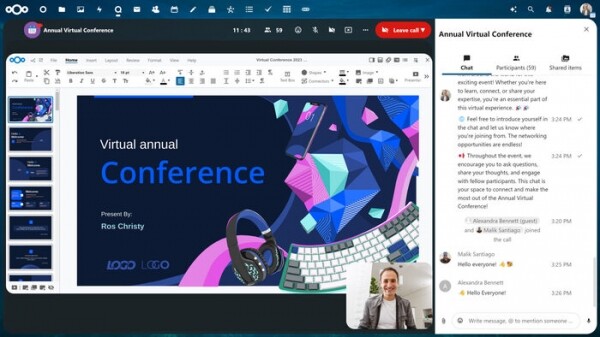
- Talk — a messaging system and web conferencing platform (chat, audio, and video). Supports groups, screen sharing, and integration with traditional telephony through SIP gateways.
- Nextcloud Backup — a solution for decentralized backup storage.
- Nextcloud AI Assistant — an intelligent assistant in the style of ChatGPT, installed on your own server server and does not require access to external services. The AI Assistant can be used to generate text on demand in natural language, extract key ideas from lengthy descriptions, create headlines, rewrite text in other words, or translate into another language.
Key innovations of Nextcloud Hub 7:
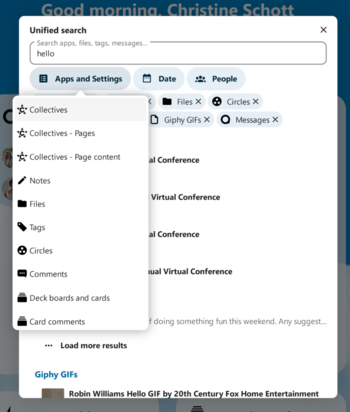
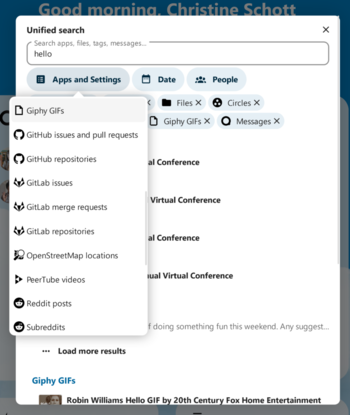
- A unified search interface has been added, allowing users to search through documents, chats, emails, files, address books, notes, comments, calendars, and more. There is the option to search applications and their related content, apply filters, preview results, and search in external sources (for example, on GitHub, GitLab, Giphy, Reddit, PeerTube, OpenStreetMap).


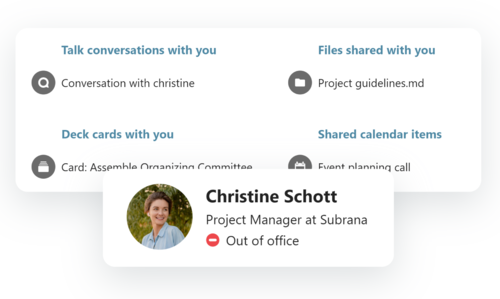
- The indication of absence from the workplace and the configuration of the absence period have been improved. In addition to sending response emails notifying of unavailability, there is now the functionality to create an absence record in the calendar and send an auto-reply in the Talk messaging system. It is possible to specify a brief message with information about the reason for the absence, which will be displayed alongside the name everywhere. The appointment of a colleague to replace the employee during their vacation has been simplified, along with granting them shared access to files, tasks, events, and emails. When accessing the profile or resources of the absent employee, a pop-up notification appears with information about their unavailability and the contact details of the replacement worker.

- Improved AI Assistant. Added the capability to generate images based on text descriptions using the local Stable Diffusion model. Content generation through external services Aleph Alpha and Memegen has been added to the available language models. A test version of the context chat (Nextcloud Assistant: Context Chat) has been proposed, allowing the intelligent assistant to reference user emails, messages, and files and respond to related questions. Notifications about the request's readiness have been implemented in case of long response times due to insufficient computing resources.

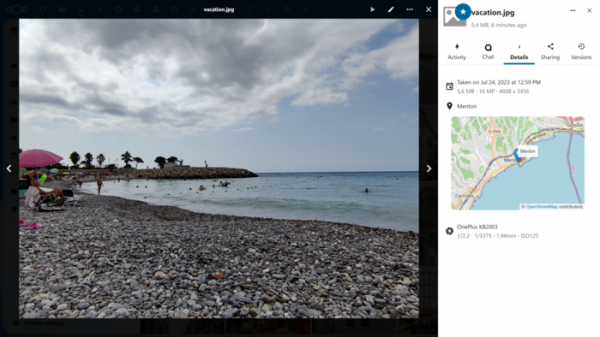
- The Photos image gallery now supports the use of EXIF metadata to display information about the location and time of the shot, as well as camera parameters. It is now possible to sort not by the file modification time, but by the shot time from the EXIF metadata.
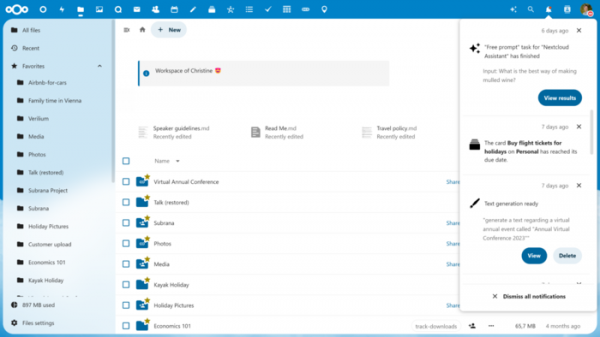
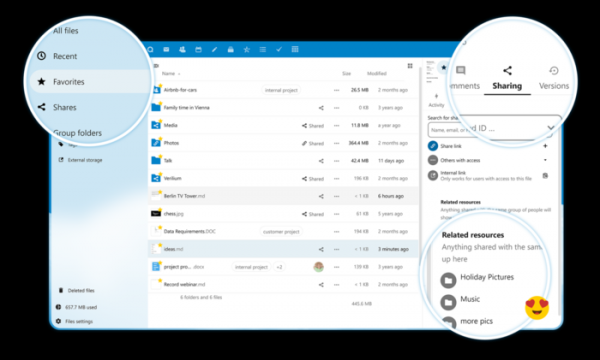
- The interface for working with files (Files) has been completely rewritten to use the Vue.js library. The overhaul has improved performance (the Files application now loads 65% faster) and made the code more modular. Thumbnail loading and caching have been enhanced, with accelerated processing of large directories. The progress indicator's accuracy has been improved. Integration with other applications has been simplified. Selection has been improved, and additional actions on selected items (such as adding to favorites, restoring from trash, etc.) have been introduced. Navigation in icon grid mode is now available in all modes (favorites, trash, recent changes, etc.). The dark theme has been improved.

- The ability to add annotations to PDF documents and fill out built-in input forms has been added.
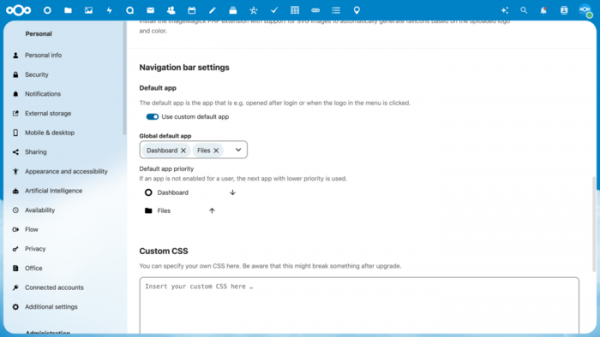
- Tools for customizing the navigation panel content and displaying the most frequently used applications first have been provided.
- The sidebar has combined tabs for comments and document actions.
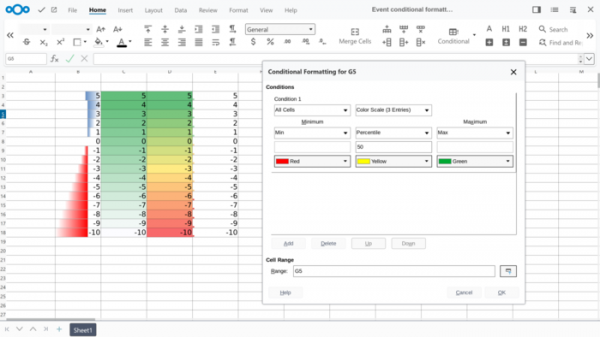
- The built-in office suite has been updated to Collabora Online 23.05. A QR code generator has been added. The ability to share notes has been implemented. Conditional formatting support for spreadsheets has been provided.
- Enhanced collaboration tools (Groupware) are now available. Support for status detection has been added, and the status will automatically change to 'busy' upon certain events occurring in the calendar scheduler. In the email client, quick search capabilities for message content have been introduced, tagging tools have been expanded, the emoji selection interface has been improved, and support for sorting messages by date has been implemented.
- In Nextcloud Talk, during screen sharing or presentation mode, a feature to display the speaker's webcam video in a small window in 'picture-in-picture' mode has been added. A warning is shown before a video call or voice call is accepted if the participant enables call recording. Support for sending invitations via phone call has been added. For invited guests, a prompt for username assignment is displayed before joining the conference. Animated reactions are now available during video calls. A personal chat 'Note to self' is provided for leaving notes, links, and copies of messages.
Source: opennet.ru
