

The release of Zulip 8 has been introduced, a server platform for deploying corporate messengers suitable for organizing communication among employees and developer groups. The project was originally developed by Zulip and was opened after its acquisition by Dropbox under the Apache 2.0 license. The server-side code is written in Python using the Django framework. Client software is available for Linux, Windows, macOS, Android, and iOS, and an integrated web interface is also provided.
The system supports both direct messaging between two individuals and group discussions. Zulip can be compared to the Slack service and can be viewed as an internal corporate equivalent of Twitter, used for communication and discussions on work matters within large employee groups. It provides tools for tracking participation and status across multiple discussions simultaneously, using a threaded message display model, which optimally balances room-specific interactions in Slack with a single public space like Twitter. The simultaneous threaded display of all discussions allows for encompassing all groups in one place while maintaining logical divisions between them.
Among Zulip's features, it also supports sending messages to users in offline mode (messages will be delivered once they come online), preserving the complete history of discussions on server and provides search tools for the archive, the ability to send files via drag-and-drop, automatic syntax highlighting for code blocks sent in messages, a built-in markup language for quick list and text formatting, tools for group notifications, the ability to create private groups, integration with Trac, Nagios, GitHub, Jenkins, Git, Subversion, JIRA, Puppet, RSS, Twitter, and other services, as well as features for attaching visual tags to messages.
Key innovations:
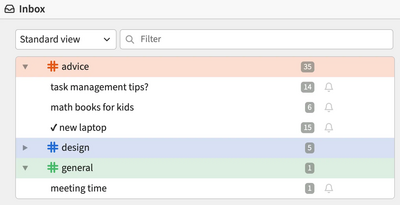
- A section called inbox has been added to the web interface, where unread messages from all chats are consolidated in one place.

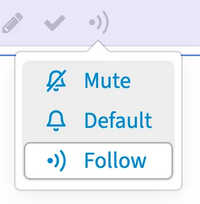
- The ability to track interesting topics has been added, along with the use of filters and notifications to highlight the most important new messages in the tracked topics. By default, automatic tracking is enabled for topics created by or mentioning the current user.

- The @topic command has been added to mention everyone who previously participated in the discussion (for instance, it can be used to address active participants in the conversation without distracting passive followers).
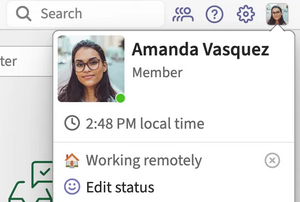
- The design of the top navigation bar has been modified to include a search bar, a suggestion system, and a menu with personal settings, allowing users to change their status and manage their profile.

- A configuration option for the appearance of unread message counters in the left sidebar has been provided. By default, unread messages in channels are now highlighted with a dot, which shows the number of unread messages when hovered over.
- The option to collapse the navigation block in the left sidebar has been implemented to free up more space for messages and channels.

- The interface for composing messages has been improved. Additional formatting buttons have been added, allowing users to convert text into a list or format the text as a quote, spoiler, code snippet, or expression in LaTeX format. In the message preview, the formatting buttons are now hidden. The send button's design has been modified, and rarely used options have been moved to a menu.

- The ability to create a named link in a message by inserting a URL from the clipboard after highlighting text has been added.
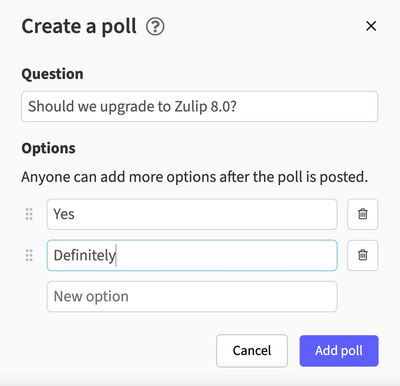
- A new interface for creating polls has been added, allowing you to focus on the content of the poll without worrying about formatting in the message.

- The file upload interface has been significantly improved — you can now simply drag and drop a file into the Zulip window to upload it.
- In addition to video calls, support for voice calls has been added (a variant of video calls where only audio is enabled by default for participants).
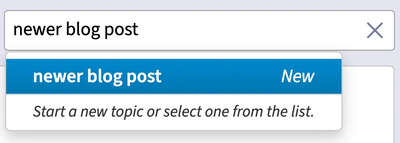
- The button to create a new conversation can now be used contextually to either start a discussion or directly send messages.

- Indication of a new discussion being created or a message being prepared in an existing discussion has been provided.

- The ability to delete multiple drafts at once has been enabled.
- Support for new emojis, such as 🩵 and 🫎, has been added.
- Similar to video previews from platforms like YouTube, messages now feature previews of directly uploaded videos.
- In channels with fewer than 100 subscribers, there is an indication of when someone is typing.
- Search results now offer a quick way to jump to the found discussion.
- A print function for messages has been added (only the text of the message is printed, in black-and-white format, without panels and buttons).
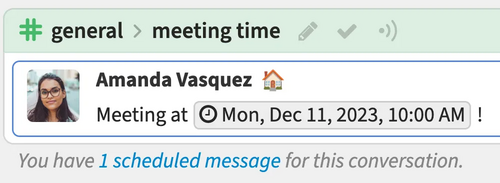
- Indication of the scheduled sending time for delayed messages has been implemented in discussions.

- The ability to customize the number of discussions shown in the recent discussions list has been added.
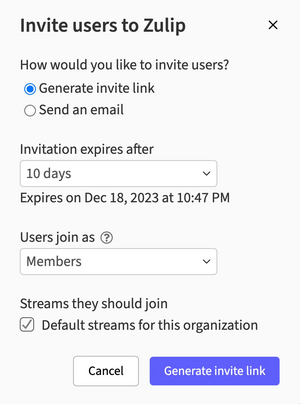
- User management tools have been improved. Administrators now have the option to restrict the visibility of the user list for guest logins, explicitly mark guest users, and manage accounts directly on the user profile page. The interface for sending invitations to new users has been redesigned. A new permission has been added to grant the ability to send invitations.

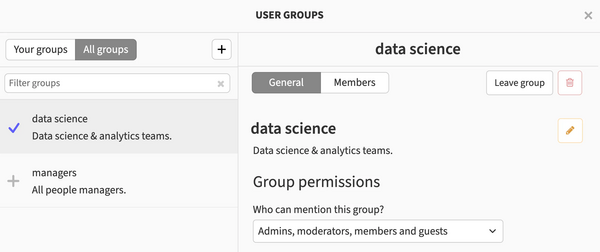
- A new interface for creating and managing user groups has been added, resembling the channel management interface.

- User synchronization capabilities have been enhanced. Group synchronization support has been added for LDAP integration, and role synchronization for SCIM integration.
- A wizard for creating webhooks has been added.
- Users now have the option to disable notifications from the bot. A feature has been added to delete messages from their own bots.
- Components have been improved for integration with CircleCI, Gitea, GitHub, GitLab, and Sentry.
- The organization creation form now includes a default language setting.



Source: opennet.ru
