

The release of LXQt 2.0.0 (Qt Lightweight Desktop Environment) has been presented, continuing the development of the LXDE and Razor-qt projects. The LXQt interface follows the ideas of classic desktop organization while introducing modern design and techniques that enhance usability. LXQt is positioned as a lightweight, modular, fast, and user-friendly environment that incorporates the best features of LXDE and Razor-qt. The code is hosted on GitHub and is distributed under the GPL 2.0+ and LGPL 2.1+ licenses. Pre-built packages are expected for Ubuntu (LXQt is offered by default in Lubuntu), Arch Linux, Fedora, openSUSE, Mageia, FreeBSD, ROSA, and ALT Linux.
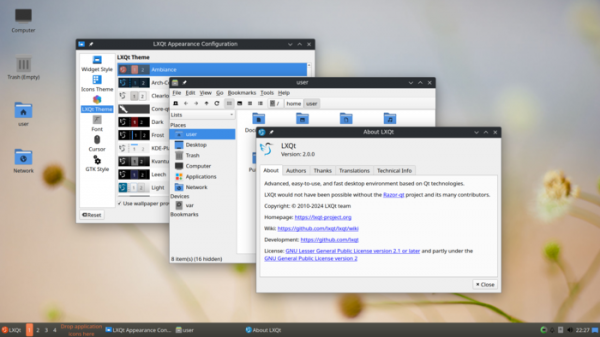
In the development process of the LXQt 2.0 branch, the main focus has been on translating project components and applications from Qt 5 to the use of the Qt 6.6 library. To ensure the correct styling of applications using Qt5 and the operation of the file open dialog provided in LXQt, it is possible to install the older libraries libqtxdg-3.12.0, lxqt-qtplugin-1.4.1, and libfm-qt-1.4.0 alongside their new versions from LXQt 2.0.0 that utilize Qt 6. The release of the QTerminal 2.0 terminal emulator, ported to Qt6, will be published later. Until then, version 1.4 of QTerminal based on Qt5 is recommended for use.
The new version also includes adjustments for the environment to use the Wayland protocol. Currently, not all LXQt components have been ported to Wayland, and full support for this protocol is expected in LXQt 2.1, which is scheduled for release this fall. In version 2.0.0, full support for Wayland is provided in the PCManFM-Qt file manager, notification system, desktop, program launcher (Runner), panel, logout interface, LXQt configuration interface, and most applications. The porting of panel plugins implementing the taskbar, switcher virtual desktops and keyboard layout indicator, as well as utilities for creating screenshots, keyboard shortcut systems, and configurators for input devices, monitors, and screen locking is still unfinished.
It is noted that instead of components that have not yet been ported to Wayland, one can utilize the capabilities provided by composites. servers based on Wayland, i.e., with the right skills, it is possible to set up a fully functional LXQt environment on top of Wayland. LXQt is not tied to specific compositors and can be used with LabWC, WayFire, kwin_wayland, Sway, Hyprland, and other Wayland-based compositors that are based on the wlroots library and support the 'layer-shell' protocol.
Among other changes in LXQt 2.0.0:
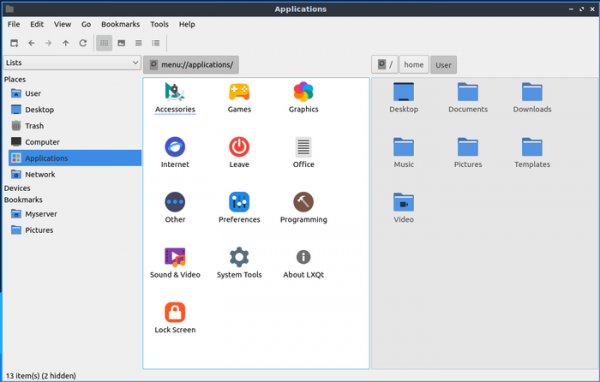
- The PCManFM-Qt file manager now includes the ability to use the layer-shell-qt6 layer, enabling desktop functionality in Wayland-based environments without additional hacks to ensure compatibility with various compositors. New icons have been added to the menu. The LibFM-Qt library has enhanced support for MIME types for the LXQt Archiver and Arqiver applications.

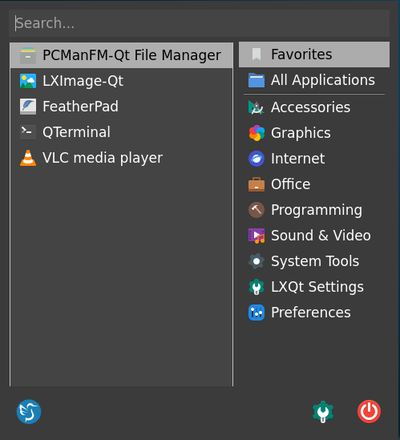
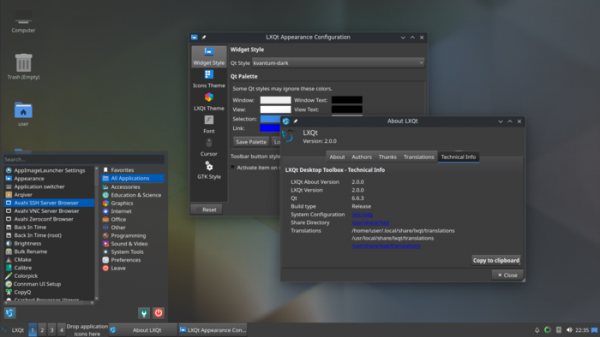
- By default, a new application menu called 'Fancy Menu' is offered, which not only organizes applications by categories but also provides an overview mode displaying all applications and adds a list of frequently used applications. Furthermore, the new menu expands search capabilities for programs. The old menu can be restored in the settings if desired.

Source: opennet.ru
