

The release of the web browser qutebrowser 2.5 has been published, offering a minimal graphical interface that does not distract from content viewing and a Vim-style navigation system built entirely on keyboard shortcuts. The code is written in Python using PyQt5 and QtWebEngine. The source code is distributed under the GPLv3 license. The use of Python does not affect performance, as rendering and content parsing are handled by the Blink engine and the Qt library.
The browser supports a tab system, download manager, private browsing mode, built-in PDF viewer (pdf.js), ad-blocking system (at the host blocking level), and an interface for browsing the history. For viewing videos on YouTube, an external video player can be configured. Navigation through the page is accomplished using the "hjkl" keys, opening a new page can be done by pressing "o", and switching between tabs is done using the "J" and "K" keys or "Alt-tab number". Pressing ":" brings up a command line prompt where page search and standard commands can be executed, just like in vim, for example, ":q" to quit and ":w" to save the page. A system of "hints" marks links and images for quick navigation to elements on the page.
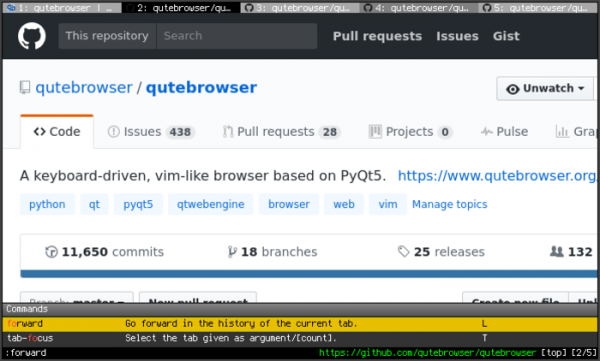
In the new version:
- The setting qt.chromium.sandboxing has been added to disable the sandbox isolation mode of the Chromium engine.
- The input.mode_override option has been added to override the current mode when navigating or switching between tabs, using URL binding.
- The editor.remove_file setting has been added to save all temporary files after closing the external editor.
- The appearance of the qute://settings configurator (:set) has been changed.
- The ':tab-move' command has added the keywords 'start' and 'end' for moving a tab to the beginning or end of the list.
- It has been announced that version 2.5 will be the last in the 2.x branch, and in version 3.0 support for many outdated platforms will be discontinued, including Qt prior to 5.15 LTS, Python 3.6, macOS 10.14, 32-bit Windows builds, Windows 8, and Windows 10 prior to the 1809 edition. Support for the QtWebKit backend will also be discontinued.
At the same time, a new version of the browser Min 1.24 has been released, offering a minimalist interface built around address bar manipulations. The browser is created using the Electron platform, allowing the creation of standalone applications based on the Chromium engine and the Node.js platform. The Min interface is written in JavaScript, CSS, and HTML. The code is distributed under the Apache 2.0 license. Builds have been formed for Linux, macOS, and Windows.
Min supports navigation through open pages via a tab system, providing features such as opening a new tab alongside the current one, hiding inactive tabs (which the user hasn't accessed for a certain period), grouping tabs, and viewing all tabs as a list. There are tools for creating lists of deferred tasks/links to read later, as well as a bookmarking system with full-text search support. The browser has an ad-blocking system (based on the EasyList) and tracking code blocking, and offers the ability to disable loading images and scripts.
The central control element in Min is the address bar, through which you can send requests to the search engine (default is DuckDuckGo) and search the current page. As you type in the address bar, a summary of relevant information for the current query is generated, such as links to articles on Wikipedia, selections from bookmarks and browsing history, as well as recommendations from the DuckDuckGo search engine. Each page opened in the browser is indexed and becomes available for subsequent searches in the address bar. Commands can also be entered in the address bar to quickly perform actions (for example, "!settings" to go to settings, "!screenshot" to create a screenshot, "!clearhistory" to clear the browsing history, etc.).

In the new release:
- The reliability of tab movement in drag & drop mode on Windows and Linux platforms has been improved. For the macOS platform, the ability to rearrange tabs by dragging them while holding the Command key has been implemented.
- Enabling the dark theme in the browser now also activates the corresponding mode for sites that support detecting the browser's selected style.
- The interface has been translated into Belarusian.
- Performance has been improved on the macOS platform.
- The components of the Chromium browser engine and the Electron platform have been updated.
Source: opennet.ru
