

In the early 1970s, American writer Michael Hart managed to gain unlimited access to the Xerox Sigma 5 computer, installed at the University of Illinois. To make proper use of the machine's resources, he decided to create the first e-book by retyping the United States Declaration of Independence.
Today, digital literature has become widely popular, largely due to the development of portable devices (smartphones, e-readers, laptops). This has led to the emergence of numerous e-book formats. Let's explore their features and share the history of the most popular ones, starting with the DjVu format.
/ Flickr / /
The emergence of the format
DjVu was developed in 1996 by AT&T Labs with the goal of providing web developers with a tool for distributing high-resolution images over the internet.
The fact is that at that time, 90% of all information was still on paper, and many important documents contained color images and photographs. To preserve the readability of the text and the quality of the images, it was necessary to scan at high resolutions.
Classic web formats — JPEG, GIF, and PNG — allowed for dealing with such images, but at the cost of larger file sizes. In the case of JPEG, to ensure the text on a computer screen, it was necessary to scan the document at a resolution of 300 dpi. A color magazine page, therefore, took up about 500 KB. Downloading files of such size from the internet back then was quite a labor-intensive process.
An alternative was to digitize paper documents using text recognition technologies; however, 20 years ago, their accuracy was far from perfect — after processing, the final result often required significant manual correction. Meanwhile, graphs and images were left "out of the picture". Even when successfully embedding a scanned image into a text document, some visual details were lost, such as the color of the paper and its texture, which are important components of historical documents.
To address these issues, AT&T developed DjVu. It allowed compressing scanned color documents at 300 dpi to 40–60 KB, from an original size of 25 MB. The sizes of black-and-white DjVu pages were reduced to 10–30 KB.
How DjVu Compresses Documents
DjVu can work with both scanned paper documents and other digital formats like PDF. The operation of DjVu a technology that breaks the image into three components: foreground, background, and a black-and-white (bit) mask.
The mask is preserved at the resolution of the original file and captures text and other clear details—fine lines and diagrams—as well as contrasting images.
It has a resolution of 300 dpi so that fine lines and letter outlines remain sharp, and it is compressed using the JB2 algorithm, which is a variation of the JBIG2 algorithm proposed by AT&T for fax operation. A unique feature of JB2 is that it searches for recurring characters on the page and saves their image only once. Thus, in multi-page documents, every few consecutive pages share a common 'dictionary'.
The background contains the texture of the page and illustrations, and its resolution is lower than that of the mask. The lossless perception of the background is maintained at 100 dpi.
The foreground the color information of the mask, and its resolution is usually lowered even further since, in most cases, the text color is black and consistent for each printed character. Wavelet compression is used for compressing the foreground and background. .
The goal of DjVu was
Advantages of the format
to maintain only the part of the DjVu page that needs to be displayed on the screen to be loaded into memory. loaded into memory
This also allows viewing 'partially downloaded' files, that is, individual pages of a multi-page DjVu document. Progressive rendering of image details is used, where components are 'revealed' as the file is downloaded (similar to JPEG).
20 years ago, when this format was introduced, page loading occurred in three stages: first, the text component loaded, then after a few seconds, the initial versions of images and the background were loaded. Only after that did the entire page of the book 'reveal' itself.
The presence of a three-level structure also allows searching through scanned books (since there is a special text layer). This has proven convenient when working with technical literature and reference books, which is why DjVu has become the foundation for several scientific book libraries. For example, in 2002, it was chosen as one of the formats (along with TIFF and PDF) for a project aimed at preserving scanned books from open sources.
Disadvantages of the format
However, like all technologies, DjVu has its drawbacks. For instance, when encoding scans of books into the DjVu format, some characters in the document may be substituted with other visually similar ones. This most often occurs with the letters 'и' and 'н', which gives rise to this issue referred to as the 'yin problem'. It is independent of the text's language and also affects numbers and other small recurring marks.
Its cause lies in character classification errors in the JB2 encoder. It 'splits' scans into groups of 10-20 and creates a dictionary of common characters for each group. The dictionary contains samples of common letters and numbers along with the pages and the coordinates of their appearance. When you view a DjVu book, characters from the dictionary are substituted in the necessary places.
This allows for reduced DjVu file sizes; however, if the display of two letters looks similar, the encoder may either confuse them or consider them identical. Sometimes this leads to distortion of formulas in technical documents. To resolve this problem, one can forgo compression algorithms, but this will increase the size of the digital copy of the book.
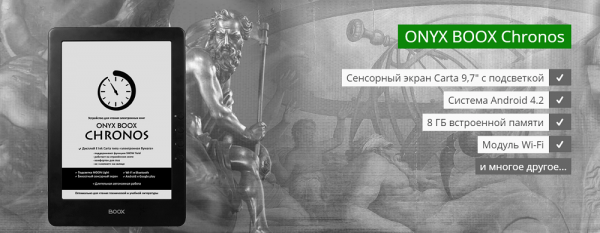
Another drawback of the format is that it is not natively supported in many modern operating systems (including mobile ones). Therefore, third-party software needs to be installed to work with it. , such as DjVuReader, WinDjView, Evince, and others. However, it's worth noting that some e-readers, like ONYX BOOX, support the DjVu format out of the box — as the necessary applications are already installed there.
Speaking of what else applications for Android-based readers can do, we discussed this in one of our previous .
Reader
Another issue with the format arises when working with DjVu documents on small screens of mobile devices — smartphones, tablets, and readers. Sometimes DjVu files are presented as scans of book spreads, and professional literature and work documents often come in A4 format, which means you have to 'navigate' the image in search of information.
However, it's important to mention that this problem is also solvable. The easiest solution is, of course, to look for a document in another format — but if that option is not available (for example, if you need to work with a large amount of technical literature in DjVu), then you can use e-readers with larger screens ranging from 9.7 to 13.3 inches, which are specially designed for handling such documents.
For example, in the ONYX BOOX lineup, such devices include and (by the way, we've prepared a review of this reader model, and we will publish it on our blog soon), as well as , which features a 10.3-inch E Ink Mobius Carta display with enhanced resolution. Such devices allow for a clear view of all illustration details at their original size and are suitable for those who often need to read educational or technical literature. For viewing DjVu and PDF files, the NEO Reader, which allows you to adjust contrast and the thickness of digitized fonts.
Despite the format's drawbacks, DjVu remains one of the most popular formats for 'preserving' literary works today. This is largely due to the fact that it is open, and modern technologies and developments allow us to circumvent some of its technological limitations.
In the following materials, we will continue to discuss the history of the emergence of e-book formats and their operational features.
P.S. A few reviews of ONYX BOOX readers:
Source: habr.com
